Tool · Property ops · Wheelhouse · Oct 2026
Wheelhouse AI review (Oct 2026): dynamic pricing and revenue management for short-term rental hosts
Wheelhouse is a revenue-management platform for short-term rentals, from one listing to thousands. Its core is Dynamic Pricing, which you can run fully data-driven, fully rule-based, or as a hybrid; around it sit Dynamic Sets for comp sets and market context, Performance Analytics, owner-ready reports, and APIs. Wheelhouse does not brand its pricing engine as “AI”; its AI layer is the Wheelhouse MCP and a library of Skills that let Claude and other assistants work with your Wheelhouse data. This page is about trusting a recommended rate only after the comparison behind it is right. Each section has a Try this.
What this Wheelhouse page covers
This page is for a host, co-host, or revenue manager pricing short-term or vacation rentals who uses Wheelhouse or is comparing pricing tools. The question it answers: how Wheelhouse arrives at a recommended rate, which comparisons and settings shape it, where AI assistants plug in, what the published plans cost, and who must approve a strategy change.
Wheelhouse’s pricing page (read 13 October 2026) lists two products — Dynamic Pricing (Pro Flex, Pro Flat, Enterprise) and Dynamic Sets — and a free plan that every listing starts on. Its APIs, MCP & Skills page describes a Revenue Manager API with parity to the app, an MCP server for Claude and other compatible AI tools, and ready-made revenue Skills. Its Dynamic Sets page says public market data is cleaned with “ML/AI-informed models” to tell booked nights from blocked ones.
Ground rules: the owner approves every pricing strategy change and every minimum-price rule; a comp set is checked by a person before its recommendation is trusted; local short-term rental permits, taxes, and occupancy limits are checked by a person; and guest data stays out of any AI assistant you connect.

Major features (with how someone uses them)
Examples at a glance: each feature has a concrete example from a real job plus a short Try this you can run this week.
1. Comp sets: remove what is not truly similar (primary)
What it is: Wheelhouse’s Dynamic Sets let you build sets of listings — including Competitive sets — in its Navigator map with 18 filter categories such as amenities, operators, occupancy, and cleaning fees, then use those sets across pricing, analytics, owner communications, and acquisition work. A comp set is the market your recommendation is measured against.
If the set holds listings with different bedroom counts, views, or amenities, the recommended rate is anchored to the wrong market. Fix the set first.
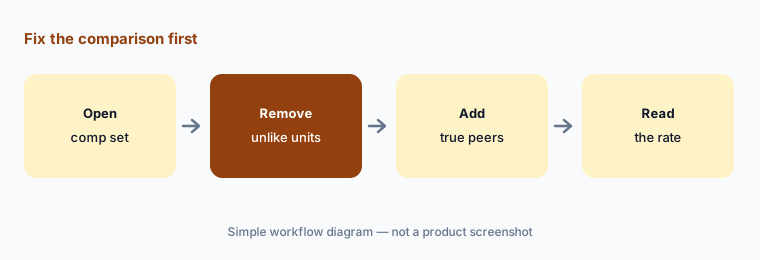
Primary workflow:
Pick one listing and review Wheelhouse’s comp set. Remove any comp that is not truly similar before trusting the recommended rate.
2. Three strategies: data-driven, rule-based, or hybrid — and who approves a change
What it is: Wheelhouse’s Dynamic Pricing page offers three ways to price: fully data-driven, fully rule-based, or a hybrid. You can activate with one click, choose a preset risk tolerance, or build custom rules and custom rates. The pricing page lists version history to revert strategy changes, notes and reminders on dates, and alerts.
A strategy switch changes every future night at once. Treat it like a rate change the owner signs, and use version history to record what changed and why.
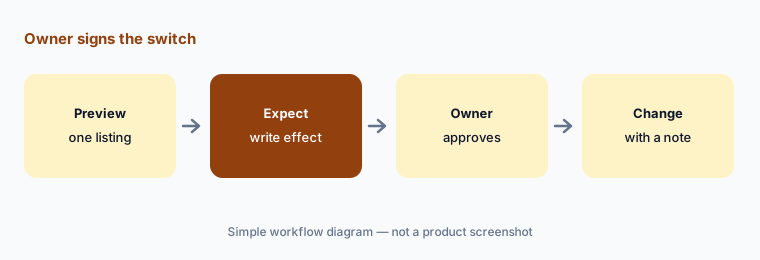
Owner signs the switch:
Before changing any listing’s pricing strategy, preview its calendar, write the expected effect, and get the owner’s approval. Leave a note on the change date.
3. Settings: minimum and maximum prices, stays, gaps, and pacing
What it is: Wheelhouse’s Dynamic Pricing page lists 14 settings, including base price, seasonality, day of week, last-minute and far-future adjustments, demand sensitivity, gaps & adjacencies (gaps shorter than six nights), minimum and maximum prices, minimum stays, long-term discounts, check-in/out rules, and occupancy and revenue pacing. On specific dates you can float a percentage above or below the recommendation or lock a fixed rate.
Each setting is a decision with a cost. Write down who owns the floor, the ceiling, and the gap rule so a teammate does not quietly loosen them.
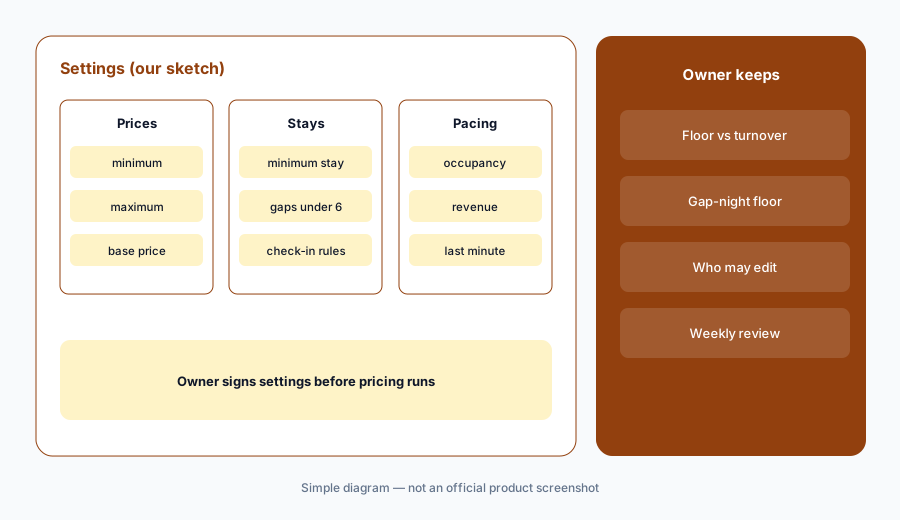
Name the owner of each setting:
For one listing, write the minimum price, maximum price, minimum stay, and gap rule you want. Check each one in Wheelhouse’s settings and note who on your team may change it.
4. Performance Analytics and reports: owner updates you check
What it is: Wheelhouse’s Performance Analytics compares listings, segments, sets, and same-time-last-year views side by side, and its reporting suite builds owner reports with charts and notes, exported as PDFs or shared as interactive snapshots.
A report explains what happened; an owner hears it as a promise about what comes next. Check the numbers against bookings before sending.
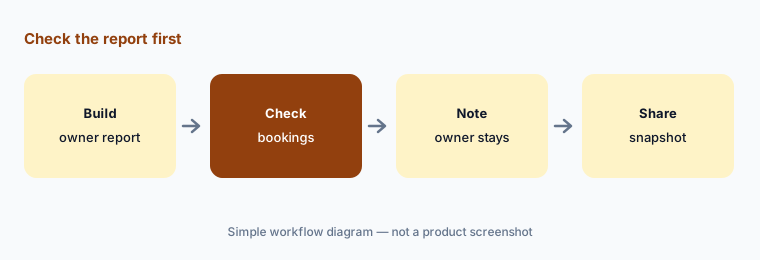
Check before it goes out:
Build one owner report in Wheelhouse. Check occupancy and revenue against the booking calendar, add a note for any owner stays or blocks, then share it.
5. Wheelhouse MCP and Skills: AI assistants on your pricing data
What it is: Wheelhouse says its MCP connects Claude and other compatible AI tools to your portfolio with read and write tools, signed in with your Wheelhouse account and no code. Skills are reusable instructions for revenue tasks; the library includes an Occupancy Pickup Priority List, Fast Pickup Priority List, Future Rate Overpricing, Price Change Attribution, and Same-Time-Last-Year Pacing.
Write access means an assistant can change prices. Start read-only in practice — ask questions, then make any change yourself in Wheelhouse until you trust the answers.
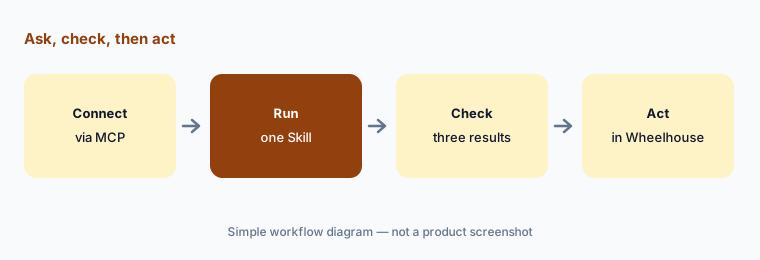
Ask, check, then act:
Connect one AI assistant through the Wheelhouse MCP and run one Skill. Check three of its results against the listings’ calendars and make any price change yourself.
6. APIs and Revenue Services: who approves when someone else runs it
What it is: Wheelhouse’s Revenue Manager API offers parity with the app (read-only keys for testing, previews before you commit), and further APIs cover price recommendations, market and comps data, and a Demand Signal for future dates. Wheelhouse also sells Revenue Services, where its own revenue managers build and adjust your strategy with daily monitoring and weekly pickup reports.
When code or an outside team changes prices, approval still has to sit with a named person on your side. Agree in writing what they may change without asking.
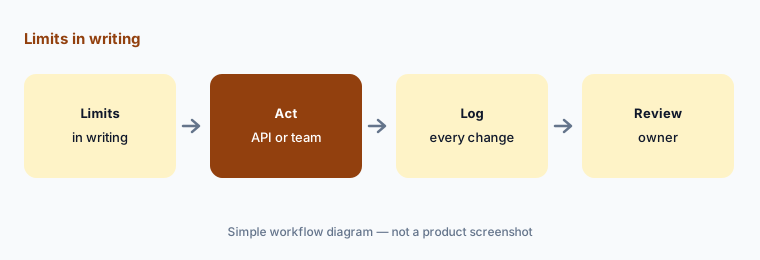
Put the limits in writing:
If an API script or Wheelhouse Revenue Services will change your prices, write down what they may change without asking. Review a weekly log of every change against that list.
Pricing context (October 2026)
Wheelhouse’s pricing page (read 13 Oct 2026) lists Dynamic Pricing as Pro Flex at 1% of revenue (with a $2.99 minimum monthly fee; billed at the time of reservation; taxes and fees excluded; cancellations refunded) or Pro Flat at $19.99 per listing per month ($16.99 for 10–49 listings, a 15% discount). For 50+ listings, both say contact Wheelhouse; Enterprise is custom. Dynamic Sets is $12.99 per set per month. A free plan lets you link listings and explore your market report without a card.
Not published on the pages we read: prices for Revenue Services, Enterprise, and whether MCP or Skills carry any separate charge — ask before you budget.
Uncertainty: Wheelhouse does not describe its pricing engine as AI; we cover its MCP, Skills, and ML-cleaned market data as the AI-related parts. Pro Flex billing depends on your booked revenue, so compare it with Pro Flat at your own expected revenue. MCP write tools can change prices — confirm the permissions your account grants.
When it’s useful (honest take)
Useful when you want a dedicated short-term rental pricing tool with a choice of rule-based, data-driven, or hybrid strategies, published per-listing or revenue-share pricing, comp sets you can inspect, and an owner who signs every strategy change.
Less useful when your PMS’s built-in pricing covers a couple of listings (see Guesty vs Hostaway), you want an in-app AI analyst that suggests changes (PriceLabs AI), or you manage long-term multifamily leases (RealPage AI).
Paying for Wheelhouse AI and a few other AI tools? The $9 AI toolkit spreadsheet lists every AI subscription you have, what each one costs, and how fast it pays for itself, so you can see which ones are worth the money.
Want someone to do it for you? AI toolkit audit — $19
Related options (educational)
| Need | Better home | Why |
|---|---|---|
| Rule-based, data-driven, or hybrid | Wheelhouse AI (this page) | Pro Flex 1% / Pro Flat $19.99 |
| Dedicated pricing + AI analyst | PriceLabs AI | Athena beta; per listing |
| Pricing inside the PMS | Guesty AI · Hostaway AI | Add-on or built-in |
| Hosts with a few listings | Hospitable AI | PMS with pricing add-on |
| Chat assistant over pricing data | Claude | Via Wheelhouse MCP |
FAQ
How much does Wheelhouse cost in October 2026?
Pro Flex is 1% of revenue with a $2.99 minimum monthly fee; Pro Flat is $19.99 per listing per month ($16.99 for 10–49 listings); 50+ listings and Enterprise are by contact; Dynamic Sets is $12.99 per set per month; a free plan exists — as read 13 October 2026.
Is Wheelhouse an AI pricing tool?
Wheelhouse describes a data-driven pricing engine you can mix with rules, not an “AI” engine. Its AI features are the Wheelhouse MCP for Claude and other AI tools and a library of revenue Skills.
Can Claude change my Wheelhouse prices?
Wheelhouse says its MCP has read and write tools. Use it to ask questions first and make price changes yourself until you trust the answers.
What is a Dynamic Set?
A group of listings you build — for example a Competitive set — in Wheelhouse’s Navigator map and reuse across pricing, analytics, and reports. Check the listings inside it before trusting a recommendation.
Who should approve a pricing strategy change?
The owner. Preview the calendar, write the expected effect, get the owner’s yes, and leave a note so the change can be reverted from version history.
Optional next step (if seats overlap)
If you pay for a PMS with built-in pricing, a dedicated pricing tool, and a market-data subscription that overlap, that is worth mapping. Map the overlap with the $19 AI toolkit audit or the $9 AI toolkit spreadsheet. Email Audit $19 or Toolkit spreadsheet $9.
Checkout is live via Stripe. After you pay, we email delivery (spreadsheet) or intake next steps (audit).