Tool · Property ops · Guesty · Oct 2026
Guesty AI review (Oct 2026): ReplyAI, AI agents, PriceOptimizer, and ReviewSmart AI for short-term rental managers
Guesty is a property-management system and channel manager for short-term and vacation rentals — from hosts with one to three listings to companies managing hundreds. Its AI layer includes ReplyAI, which drafts a reply to each guest message in the unified inbox; a growing catalog of AI agents that flag calendar conflicts, cleaning clashes, missing reservation details, and accounting gaps; PriceOptimizer for dynamic nightly rates; AI review responses with ReviewSmart AI themes; and Guesty MCP for connecting Claude, OpenAI, and Gemini tools to your Guesty data. This page is about using those agents while a named person still owns what guests hear and what you charge. Each section has a Try this.
What this Guesty page covers
This page is for a host, guest-experience lead, or operations manager at a short-term rental business that runs Guesty or is comparing vacation-rental platforms. The question it answers: which guest replies, calendar checks, pricing moves, review responses, and reports Guesty’s AI drafts or does on its own, what each costs, and what still needs a named owner.
Guesty’s AI page (read 13 October 2026) describes “the agentic AI team that works for your short-term rental business” and lists dozens of agents across operations, accounting, finance, distribution, revenue, and communication. Guesty says its agents are trained on 500K listings and a decade of short-term rental data — a vendor claim, not something we measured. The pricing page (schema dateModified 7 October 2026) shows Lite, Pro, and Enterprise, with ReplyAI marked Freemium on every plan and PriceOptimizer as an add-on.
Ground rules: the guest-experience lead (a named person) approves every ReplyAI rule before replies go out without review; the owner or revenue manager sets minimum prices before PriceOptimizer changes rates; door codes, guest IDs, and payment details never go into prompts you test with; and local short-term rental rules, permits, and taxes are checked by a person, not inferred by AI. Facts come from Guesty’s website as read on 13 October 2026.

Major features (with how someone uses them)
Examples at a glance: each feature has a concrete example from a real job plus a short Try this you can run this week.
1. ReplyAI: drafted guest replies you edit before sending (primary)
What it is: ReplyAI drafts a personalized reply for each guest message in Guesty’s unified inbox, with reservation details beside the conversation, “so you can review it and send in seconds” (pricing page, read 13 October 2026). Guesty’s agent catalog describes the reply agent as reading messages, applying sentiment analysis, and responding in brand voice based on rules you specify; Guesty’s bundle copy calls it multilingual. ReplyAI is listed as Freemium on Lite, Pro, and Enterprise.
Drafts are only as accurate as your listing data. A week of edit-before-send tells you which house rules, fees, and check-in details are missing or stale before any reply goes out on its own.
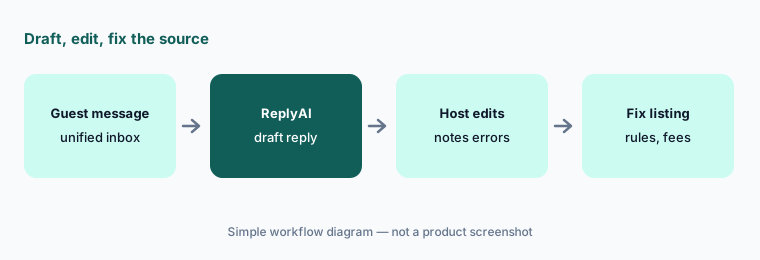
Primary workflow:
Turn on ReplyAI drafts for one listing and send nothing unedited for a week. Note every draft that got a house rule, fee, or check-in detail wrong.
2. Operations agents: calendar, cleaning, and check-in readiness flags
What it is: Guesty’s catalog includes a calendar conflict detector (detects double bookings, evaluates options, and “executes or escalates automatically”), a cleaning conflict detector (flags cleaning tasks that clash with stays), a reservation readiness checker (missing phone, email, arrival time, ID, payment method, or check-in form), a check-in readiness report, a maintenance block agent that blocks repair windows across channels, and an agent that scans messages for promises made to guests and flags any still open.
Agents that can act — moving a booking or blocking a calendar — deserve a review period. For the first weeks, open every flag and resolve it yourself so you learn which ones are real.
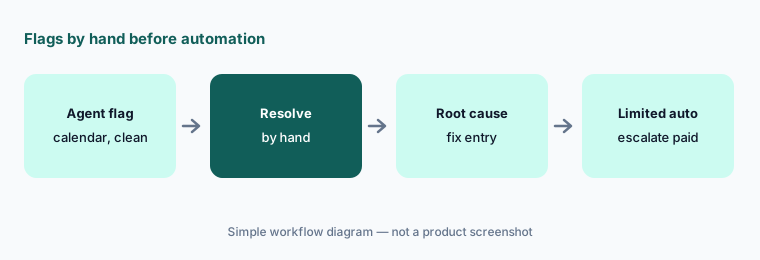
Resolve flags by hand first:
For two weeks, open every flag from the calendar conflict and cleaning conflict agents and resolve it yourself. Note which were real before letting any agent act on its own.
3. Accounting and finance agents: tax, fee, and owner-ledger checks
What it is: Guesty lists finance and accounting agents that audit set-up rather than guests: a tax configuration auditor that compares tax setups across properties in the same city, a cleaning fee auditor, a multi-unit fee detector, a listing ownership gap detector, a cancellation reconciler, a deposit clearance auditor, a negative owner revenue flag, and AI-enabled bank reconciliation.
These are good at finding inconsistencies; they can’t tell you which tax rate is legally right. The bookkeeper decides the correct setting and records why, especially where city and county rules differ.
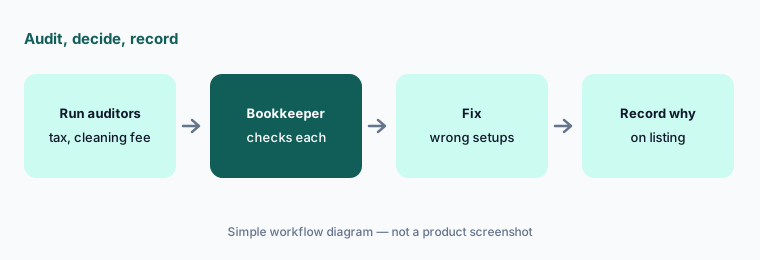
One audit run:
Run the tax configuration and cleaning fee auditors once. Have the bookkeeper fix each flagged listing and record why it was wrong.
4. PriceOptimizer: dynamic rates inside the limits you set
What it is: Guesty PriceOptimizer adjusts nightly rates based on market demand, seasonality, days of the week, and detected events (concerts, festivals, conventions), syncs rates across Airbnb, Vrbo, Booking.com, and other connected channels, and supports competitor benchmarking and manual edits. It is an add-on “available for all Guesty plans.” Guesty’s page claims an average revenue lift for users in their first year — a vendor claim we did not test. The catalog also lists a base price calibrator and a minimum-night-stay agent.
Set a floor price, a minimum stay, and an owner-approved maximum before switching it on. Review each rate change for the first two weeks on one listing, especially around local events the tool detects.
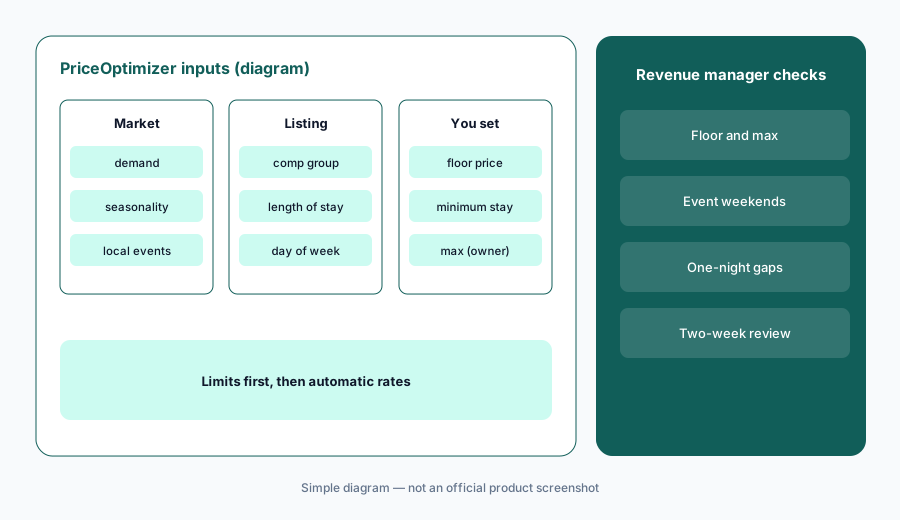
Floor first:
Turn on PriceOptimizer for one listing with a minimum price you set. Review every rate change for two weeks before you add more listings.
5. AI review responses and ReviewSmart AI: drafts plus themes
What it is: Guesty’s reviews tools (read 13 October 2026) generate AI-suggested responses to guest reviews “while keeping full control over final replies,” and ReviewSmart AI identifies keyword themes and recurring issues across Airbnb, Booking.com, and Vrbo feedback. The agent catalog adds a review response drafter (responds to positive reviews, drafts for approval or alerts on mixed and poor ones), a review-to-task dispatcher for damage or cleanliness complaints, and a negative review challenger that drafts removal requests based on channel policies.
A public reply is a promise. If the draft says “we’ve fixed the hot tub,” someone should have a closed task that proves it.
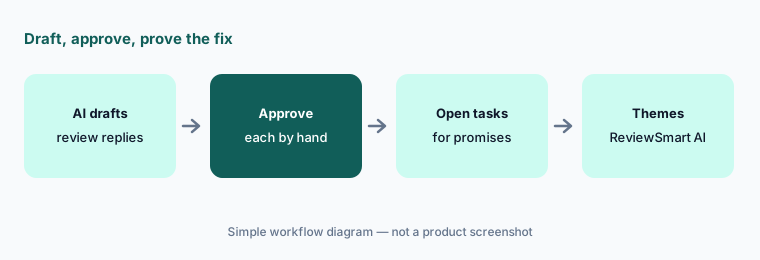
Approve each reply:
Let AI draft responses to your last ten guest reviews. Approve each one by hand and rewrite any that promise a fix nobody has scheduled.
6. Ask your Guesty data and Guesty MCP: answers you check against the calendar
What it is: Guesty lists an agent that gives contextual, plain-language answers about revenue, occupancy, and performance from your live Guesty data, a reservation report builder for natural-language report requests, and weekly snapshot and shift handoff summaries. Guesty MCP lets you connect Claude, OpenAI, and Gemini tools on top of your Guesty data and build custom workflows and agents.
Owner-facing numbers need a second look. Check occupancy against the multi-calendar and revenue against payouts before anything leaves the building — and give any MCP-connected assistant only the access its job needs.
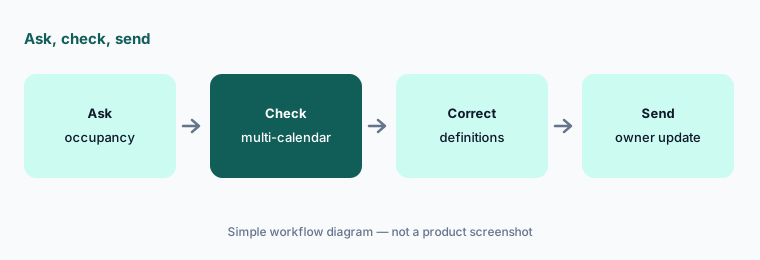
Check before the owner sees it:
Ask Guesty’s AI for next month’s occupancy for one property. Check it against the multi-calendar before you send it to the owner.
Pricing context (October 2026)
Guesty’s pricing page (read 13 Oct 2026; schema dateModified 7 Oct 2026) says Guesty starts at $9 per listing per month on Guesty Lite (1–3 listings) with a 14-day free trial. Guesty Pro (4–199 listings) is “priced by your number of listings” behind a Get a quote button, and Enterprise (200+ listings) is a customized offer. Guesty says there are no booking fees on reservations through its direct booking engine.
AI line items: ReplyAI is marked Freemium on all three plans; PriceOptimizer is an add-on available for all plans; the Advanced AI Website Builder is an add-on on Pro and Enterprise. A Guesty Ultimate bundle (Premium Channels, ReplyAI, Advanced Website, Locks Manager, PriceOptimizer, Advanced Analytics, Accounting) is quote-based. Add-on and agent prices are not published.
Uncertainty: “Freemium” for ReplyAI is not defined on the pricing page — ask what the free tier covers and when it starts billing. The AI agent catalog is long and growing; confirm which agents are switched on for your plan and whether each one alerts or acts on its own. Pro pricing depends on listing count, so get a written quote before comparing tools.
When it’s useful (honest take)
Useful when you run short-term or vacation rentals across several channels, want AI drafts and checks inside the PMS that already holds your reservations, and have a person who reviews reply rules, rate floors, and agent flags.
Less useful when you manage long-term residential leases (see AppFolio AI or Buildium AI), you only need a pricing tool on top of another PMS, or nobody has time to read a week of drafts before automation goes live.
Paying for Guesty AI and a few other AI tools? The $9 AI toolkit spreadsheet lists every AI subscription you have, what each one costs, and how fast it pays for itself, so you can see which ones are worth the money.
Want someone to do it for you? AI toolkit audit — $19
Related options (educational)
| Need | Better home | Why |
|---|---|---|
| Short-term rental PMS with AI agents | Guesty AI (this page) | ReplyAI, agents, PriceOptimizer |
| Long-term residential portfolios | AppFolio AI | Realm-X, Performers; quote-based |
| Small residential managers, published prices | Buildium AI | Lumina AI, Bill Scan |
| General ledger for an owner-operator | QuickBooks AI · Xero AI | Books, not reservations |
| Support inbox for a non-rental business | Intercom Fin | Support deflection, not guest messaging |
| Chat assistant over Guesty data | Claude · ChatGPT | Via Guesty MCP; scope access tightly |
FAQ
What AI features does Guesty have in October 2026?
ReplyAI guest-message drafts, a catalog of AI agents for operations, accounting, finance, distribution, revenue, and communication, PriceOptimizer dynamic pricing, AI review responses and ReviewSmart AI themes, AI listing descriptions and website content, plain-language answers about your Guesty data, and Guesty MCP.
How much does Guesty cost?
Guesty Lite starts at $9 per listing per month (1–3 listings) with a 14-day free trial, as listed 13 October 2026. Pro is priced by listing count and Enterprise is a custom offer. PriceOptimizer and other add-ons are priced separately and not published.
Does ReplyAI send messages automatically?
Guesty describes ReplyAI drafting replies you review and send, and a reply agent that can respond in brand voice based on rules you set. Run edit-before-send for at least a week and fix listing data before allowing automatic replies.
Will PriceOptimizer change my rates without asking?
It can adjust rates automatically within your strategy, and Guesty says you can apply manual edits at any time. Set a floor price, minimum stay, and maximum the owner approves before turning it on.
Can I connect Claude or ChatGPT to Guesty?
Guesty says Guesty MCP lets you connect Claude, OpenAI, and Gemini tools on top of your Guesty data. Give any connected assistant only the access its job needs and keep guest IDs and door codes out of general chats.
Optional next step (if seats overlap)
If you pay for Guesty add-ons, a separate pricing tool, and general chat seats that all draft the same guest replies, that overlap is worth a look. Map the overlap with the $19 AI toolkit audit or the $9 AI toolkit spreadsheet. Email Audit $19 or Toolkit spreadsheet $9.
Checkout is live via Stripe. After you pay, we email delivery (spreadsheet) or intake next steps (audit).