Compare · Property ops · Oct 2026
Guesty vs Hostaway (Oct 2026): AI platforms for vacation rental managers
Guesty and Hostaway are both property-management systems and channel managers for short-term and vacation rentals, and both now draft guest replies with AI, flag problems, and price nights dynamically. Guesty publishes a starting price for its smallest plan; Hostaway publishes none. This page compares how each one’s AI answers guests, how pricing tools are switched on, and who has to approve a message before it goes out on its own. It is not a ranking, and each section has a Try this.
What this comparison covers
This page is for an owner, operations lead, or guest-experience lead at a vacation rental company choosing between Guesty and Hostaway, or running one and hearing about the other’s AI. The question it answers: by portfolio size, guest-message AI, pricing tools, and pricing transparency, how do the two compare — and who must approve guest messages before any of them send automatically.
We re-read both vendors on 13 October 2026. Guesty’s pricing page splits plans by listing count — Lite for 1–3 listings from $9 per listing per month with a 14-day free trial, Pro for 4–199 listings priced by listing count, and Enterprise for 200+ listings as a customized offer — and marks ReplyAI as Freemium on every plan. Hostaway’s pricing page showed no prices when we checked, so Hostaway is quote-only; its AI page says AI Replies is available to all users on request with no add-on fee.
Ground rules for either platform: no AI reply goes out unattended until a named person has read a week of drafts for that topic; an owner or revenue manager sets floor and ceiling prices before any rate tool runs; door codes, guest IDs, and payment details stay out of prompts you test with; and local short-term rental permits, taxes, and occupancy rules are checked by a person. Facts align with our Guesty AI and Hostaway AI reviews; vendor revenue-lift and automation percentages are left out. This comparison is not a ranking.
| Question | Guesty | Hostaway |
|---|---|---|
| Portfolio fit on the pricing page | Lite for 1–3 listings; Pro for 4–199 listings; Enterprise for 200+ listings | No listing-count tiers shown; positioned for professional vacation rental managers |
| Published price | Lite from $9 per listing per month (14-day free trial); Pro priced by listing count (quote); Enterprise custom | None published; pricing page shows no prices — quote only |
| Guest-message AI | ReplyAI drafts in the unified inbox (Freemium on every plan); ReplyAI Autopilot agent replies by rules you set | AI Replies drafts from rules, reservation details, and a listing Knowledge Base; Auto-Reply for topics you choose; no add-on fee, on request |
| Escalation help | Agent catalog flags open guest promises, review issues, and calendar or cleaning conflicts | AI Sentiment & Escalations marks conversations positive, neutral, or negative and filters escalations in the inbox |
| Pricing tool | PriceOptimizer add-on (adjusts or suggests nightly rates; events, seasonality, day of week); revenue management on Pro | Dynamic Pricing in the dashboard: min/max limits, date overrides, gap-night settings, optimize for revenue or occupancy |
| Bring your own AI | Guesty MCP for custom workflows and agents on Guesty data | AI CoHost (new): an in-product assistant that recommends next steps |
| Who approves auto-sent messages | A named guest-experience lead approves every ReplyAI rule before Autopilot sends | A named guest-experience lead approves every topic before it moves from Draft to Auto-Reply |
Major features (with how someone uses them)
Examples at a glance: each feature has a concrete example from a real job plus a short Try this you can run this week.
1. Run your five most common guest questions (primary)
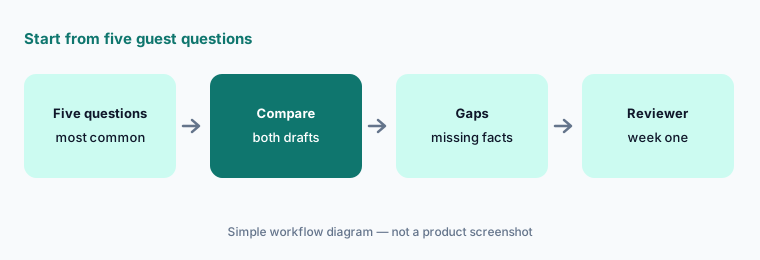
What it is: Before comparing feature lists, write down the five guest questions you answer most — Wi-Fi, parking, check-in time, early check-in, pets are common. For each, note how Guesty’s ReplyAI and Hostaway’s AI Replies would answer from the data each holds (listing details, saved replies, rules, Knowledge Base), and who reads the first week of replies. That short list tells you more than either marketing page.
If an answer depends on a fact neither system holds yet — a building-specific parking rule, a seasonal hot-tub schedule — write it down. That is setup work you will do on either platform.
Your five questions:
List your five most common guest questions. Note how each platform’s AI would answer them and who reviews the first week of replies.
2. Portfolio size and pricing transparency
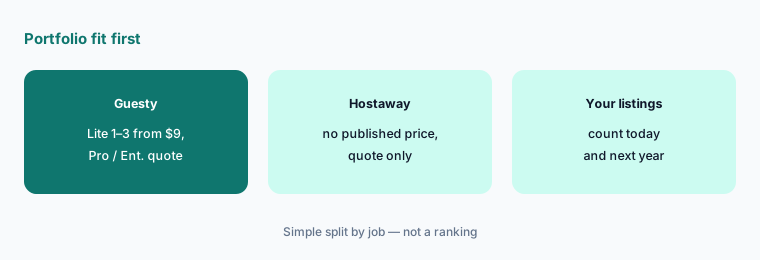
What it is: Guesty’s pricing page is built around listing count: Lite (1–3), Pro (4–199), Enterprise (200+). Only Lite shows a number — from $9 per listing per month — and Pro is quoted by listing count. Hostaway does not publish plans or prices; you get a quote. For a host with two or three listings, Guesty Lite is the only one of the two with a self-serve published starting point. For a 50-listing manager, both are quote conversations.
Ask each vendor for a written quote at the same listing count, with the AI and pricing features you would actually switch on named line by line.
Same listing count, two quotes:
Write down your listing count today and in a year. Ask both vendors for a written quote at that count with AI replies and dynamic pricing named on the quote.
3. ReplyAI vs AI Replies: drafts, rules, and the source data
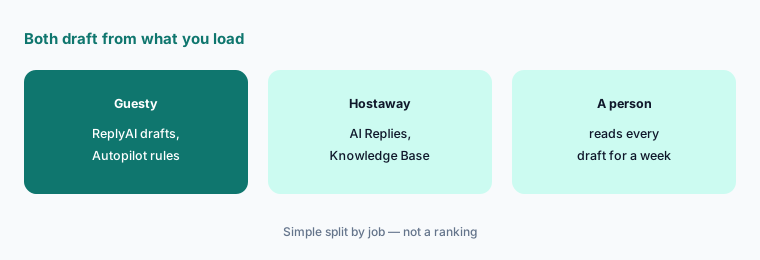
What it is: Guesty’s ReplyAI drafts a reply for each message in the unified inbox with reservation details beside it, and the ReplyAI Autopilot agent can read, apply sentiment analysis, and respond in brand voice based on rules you specify. Hostaway’s AI Replies drafts from your listings, reservation details, custom rules, and a per-listing Knowledge Base, and can translate. Both are only as accurate as the facts you load.
Load the same five facts into both trials — check-in steps, parking, pets, quiet hours, early check-in policy — then read every draft. Missing facts show up as guesses on either side.
Same facts, both trials:
Load the same five house-rule facts into both trials. Read every AI draft for a week and note which facts each platform guessed.
4. Auto-send: Autopilot rules vs Auto-Reply topics
What it is: Both platforms let AI answer guests without a person in the loop once you allow it. Guesty’s Autopilot responds “based on specified rules”; Hostaway says that once you are comfortable with AI Replies you can turn on Auto-Reply for the topics of your choosing. Hostaway also offers AI Sentiment & Escalations to surface negative conversations in the inbox; Guesty’s catalog includes agents that flag promises made to guests and route review complaints into tasks.
Start with answers that never change and cannot cost money (Wi-Fi, parking). Refunds, damage, fees, door access, and exceptions stay drafts on either platform.
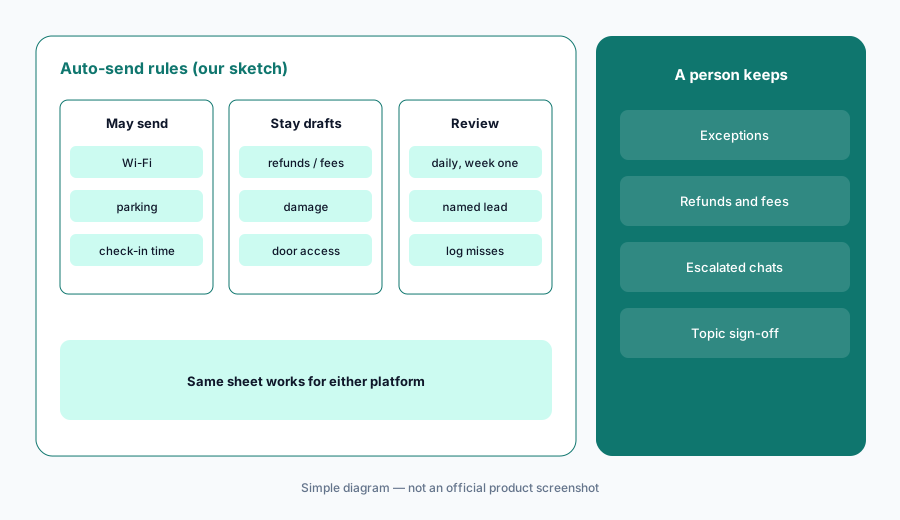
One topic at a time:
Write a one-page rule sheet: which guest topics may send without review and which always stay drafts. Allow one low-risk topic for one listing and read every message it sends for a week.
5. PriceOptimizer vs Hostaway Dynamic Pricing
What it is: Guesty’s PriceOptimizer is an add-on that adjusts or suggests nightly rates from market demand, seasonality, day of week, and detected local events, syncing rates across Airbnb, Vrbo, Booking.com, and 60+ channels, with manual edits at any time; Guesty’s FAQ also lists revenue management and dynamic pricing on Pro. Hostaway’s Dynamic Pricing sits in the dashboard, toggled per listing, with min/max price limits, manual overrides for dates, gap-night settings, and a choice to optimize for revenue, occupancy, or both. Either can sit beside a dedicated tool such as PriceLabs or Wheelhouse.
Whichever you use, the owner signs off the floor, ceiling, and minimum stay first. Rate changes are suggestions until someone has reviewed two weeks of them on one listing.
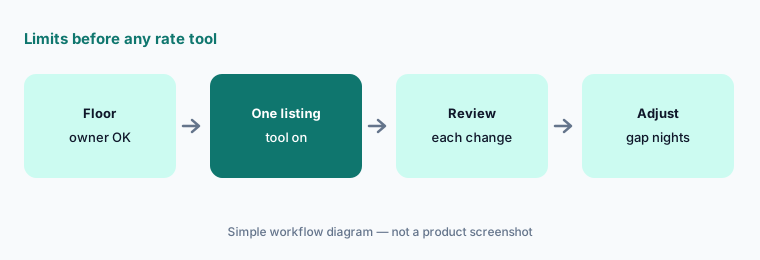
Floor first:
With the owner, set a floor, ceiling, and minimum stay for one listing. Turn on the platform’s pricing tool for that listing only and review every rate change for two weeks.
6. Who approves, and what is human vs AI
What it is: Both vendors sell help that is not AI. Guesty’s Guest Communication Services is a dedicated 24/7 human team; Hostaway advertises 24/7 human phone support. Their AI layers — ReplyAI, the agent catalog, and Guesty MCP on one side; AI Replies, Sentiment & Escalations, and the new AI CoHost on the other — all draft or act on your data. Write down, for each, who approves what before it touches a guest, a rate, or a listing.
Keep one approval sheet with three columns — guest messages, rates, listing text — and a named person in each. The same sheet works whichever platform you pick.
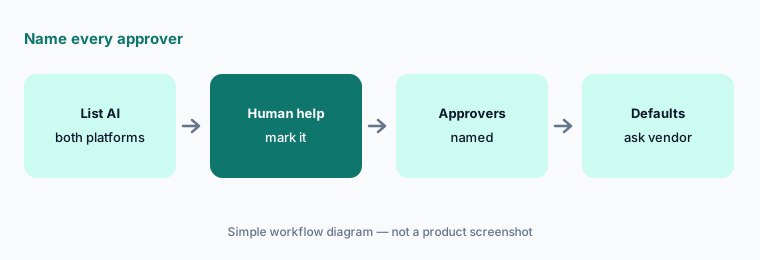
One approval sheet:
Make one approval sheet for guest messages, rates, and listing text. Name the approver for each and ask both vendors which AI features act without approval by default.
Pricing context (October 2026)
Guesty’s pricing page (read 13 Oct 2026; schema dateModified 7 Oct 2026): Lite from $9 per listing per month for 1–3 listings, with a 14-day free trial; Pro for 4–199 listings priced by listing count; Enterprise for 200+ listings as a customized offer; monthly or annual billing (annual costs less). ReplyAI is marked Freemium on all plans; PriceOptimizer, Damage Protection, and LocksManager are optional add-ons; a Guesty Ultimate bundle is quote-based. Add-on prices are not published.
Hostaway’s pricing page showed no prices when we checked on 13 Oct 2026, so Hostaway is quote-only. Its AI page says AI Replies has no add-on fee and is available on request; Dynamic Pricing is described on its Dynamic Pricing page without a separate price. See our Guesty AI and Hostaway AI reviews for feature detail.
Uncertainty: “Freemium” for ReplyAI is not defined on Guesty’s pricing page — ask what the free tier covers. Hostaway publishes no prices, and AI CoHost is newly announced; confirm which AI features are live in your account and which carry a fee. Both vendors publish revenue-lift and automation percentages without method; they are not repeated here. This page is not a ranking.
When it’s useful (honest take)
Guesty is useful when you want a published starting price at 1–3 listings, a broad AI agent catalog (operations, finance, reviews), Guesty MCP for your own AI tools, and a named lead who approves every Autopilot rule.
Hostaway is useful when you are happy to work from a quote, want AI Replies with a Knowledge Base and per-topic Auto-Reply at no add-on fee, built-in Dynamic Pricing, and inbox escalation flags.
Less useful when (either one) nobody reads the first weeks of drafts, you only need a pricing engine on top of another PMS (PriceLabs AI or Wheelhouse AI), or you manage long-term residential leases (RealPage AI).
Still choosing between Guesty and Hostaway? The $19 AI toolkit audit gives you a written plan for which tools to keep using and which to drop across your whole AI stack, including this pair.
Prefer to do it yourself? Spreadsheet — $9
Related options (educational)
| Need | Better home | Why |
|---|---|---|
| Guesty on its own | Guesty AI | ReplyAI, agents, PriceOptimizer |
| Hostaway on its own | Hostaway AI | AI Replies, Dynamic Pricing |
| Hosts with a few listings | Hospitable AI | Free Essentials plan |
| Dedicated pricing engine | PriceLabs AI · Wheelhouse AI | Beside either PMS |
| Multifamily, long-term leases | RealPage AI · Entrata AI | Residents, not guests |
FAQ
Should I choose Guesty or Hostaway?
This page is not a ranking. List your five most common guest questions, see how each platform’s AI would answer them from your data, get written quotes at the same listing count, and name who approves auto-sent messages and rate changes.
How much do Guesty and Hostaway cost in October 2026?
Guesty Lite starts at $9 per listing per month for 1–3 listings with a 14-day free trial; Pro (4–199 listings) and Enterprise (200+) are quoted. Hostaway does not publish prices; it quotes. Both as checked 13 October 2026.
Do Guesty and Hostaway charge extra for AI replies?
Guesty marks ReplyAI as Freemium on every plan without defining the free tier. Hostaway says AI Replies is available on request with no add-on fee. Confirm both in writing.
Can either platform send guest messages automatically?
Yes. Guesty’s ReplyAI Autopilot responds based on rules you set; Hostaway’s Auto-Reply sends for topics you choose. Keep refunds, damage, fees, and access as drafts and have a named lead approve each automatic topic.
Which has dynamic pricing?
Both. Guesty sells PriceOptimizer as an add-on and lists revenue management on Pro; Hostaway includes Dynamic Pricing in its dashboard with min/max limits and gap-night settings. Set an owner-approved floor before either runs.
Optional next step (if seats overlap)
If you pay for a short-term rental PMS, a separate pricing tool, an answering service, and chat seats that all draft the same guest replies, that overlap is worth mapping. Map the overlap with the $19 AI toolkit audit or the $9 AI toolkit spreadsheet. Email Audit $19 or Toolkit spreadsheet $9.
Checkout is live via Stripe. After you pay, we email delivery (spreadsheet) or intake next steps (audit).