Tool · Property ops · Lodgify · Oct 2026
Lodgify AI review (Oct 2026): AI website content, guest messaging, and channel management for vacation rentals
Lodgify is an all-in-one vacation-rental platform for independent hosts: channel manager across Airbnb, Vrbo, and Booking.com, a no-code direct booking website, unified inbox, payments, and task tools on higher plans. Its AI layer includes a Writing AI assistant in the inbox, an AI-search-optimized booking site, Lodgify MCP for ChatGPT and Claude, and AI Co-Host in early access. This page is about using those assists while the owner still owns every amenity and distance claim. Each section has a Try this.
What this Lodgify page covers
This page is for an independent vacation-rental host or small portfolio manager who wants one system for channels, a direct booking site, and guest messaging. The question it answers: what Lodgify’s AI features do, what each public plan costs, and who must approve listing copy and guest replies.
Lodgify’s pricing page (read 13 October 2026, USD, yearly billing, one-property slider) lists Basic at $14/month, Starter at $26/month, Professional at $47/month, and Ultimate at $68/month, with a 7-day free trial and no Lodgify booking commission. Lodgify AI describes AI Co-Host, MCP, AI-search-ready sites, and an AI-powered inbox that drafts replies you still send.
Ground rules: the owner approves every AI-written listing claim; AI inbox drafts are edited before send; local short-term rental permits and taxes stay a person’s job; and vendor revenue or hours-saved claims are not our measurement.
Major features (with how someone uses them)
Examples at a glance: each feature has a concrete example from a real job plus a short Try this you can run this week.
1. AI website and listing copy you verify (primary)
What it is: Lodgify’s homepage and AI page emphasize an AI-optimized / AI-search-ready direct booking website and no-code website builder (Starter and up). Property descriptions and amenity claims on that site are promises to guests — whether drafted by you, a template, or an AI writing assist.
An AI rewrite that invents a walk-to-beach distance or a hot tub you do not have will be crawled by guests and AI search alike. Delete unverifiable claims.
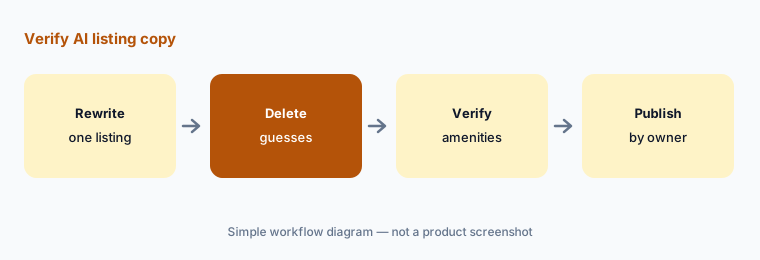
Primary workflow:
Ask Lodgify’s AI to rewrite one property description. Delete every amenity or distance claim you cannot verify.
2. Writing AI assistant in the unified inbox
What it is: Lodgify’s guest management and pricing pages describe a unified inbox with a Writing AI assistant / AI Messaging Assistant that suggests replies and can improve your writing. Professional adds custom message automation; Ultimate adds messaging workflows and the guest mobile app.
A polished AI reply can still promise an early check-in the cleaner cannot support. Check the calendar before you send.
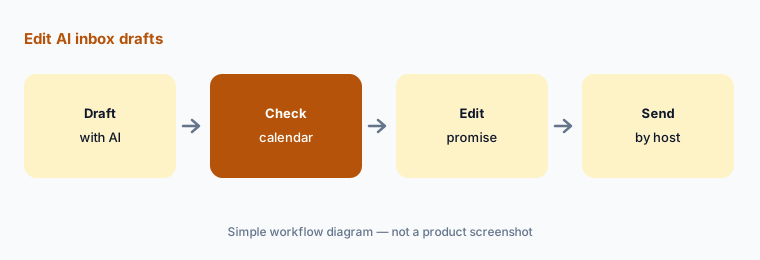
Edit every draft:
For one day, use Lodgify’s Writing AI only as drafts. Check each reply against the reservation calendar before sending.
3. Channel manager and calendar sync
What it is: Every plan includes API connections for Airbnb, Vrbo, and Booking.com with a unified calendar. Professional adds Google Vacation Rentals listing for your website. Lodgify states changes to rates and availability sync across channels.
A channel that falls out of sync creates double bookings. After connecting, force a test change and confirm it on each OTA.
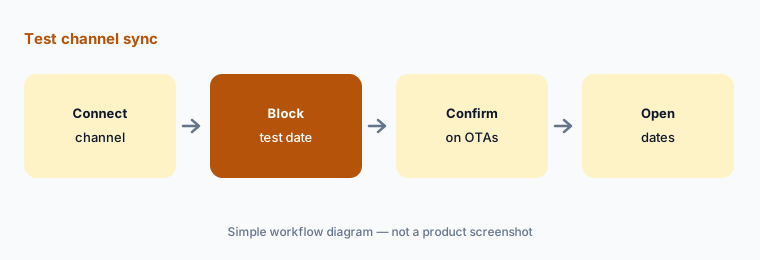
Test sync before go-live:
After connecting a channel, block one test date in Lodgify and confirm it appears on every connected booking site before you rely on sync.
4. Direct booking site built for AI search
What it is: Starter and higher include the no-code website builder and booking engine with 0% Lodgify booking fee. Lodgify’s AI page says the direct booking site is optimized for AI search (structured data, rich property details) and offers a free AI readiness check. Payment processing fees may still apply.
AI search will repeat whatever your site claims. Treat the readiness check as a technical pass, not a truth pass on amenities.
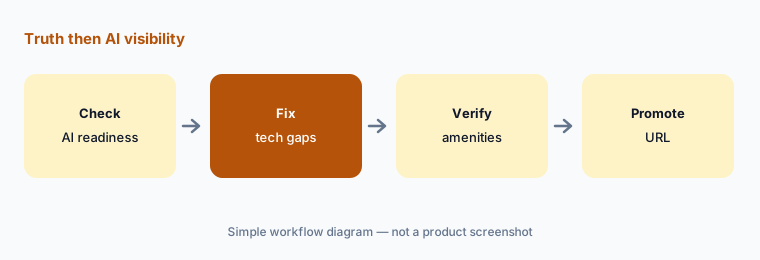
Truth then visibility:
Run Lodgify’s AI readiness check on your direct site. Fix technical gaps, then verify every amenity line against the property before you promote the URL.
5. AI Co-Host (early access) and Lodgify MCP
What it is: Lodgify’s AI page describes AI Co-Host as handling routine work and surfacing what needs you — you approve what matters. Lodgify MCP connects ChatGPT, Claude, or other MCP clients to read bookings, update settings, and build workflows in plain language. Availability and limits for Co-Host were described as early access / gradual rollout on the pages we read.
An MCP write that changes a rate or message rule is still your action. Scope which assistants may write.
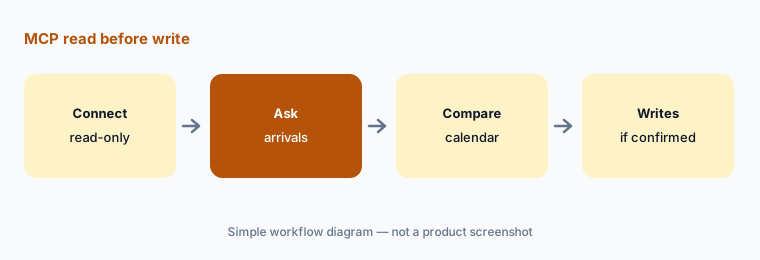
Read before write:
Connect Lodgify MCP in read-only mode. Ask for this week’s arrivals and compare the answer to your Lodgify calendar before allowing writes.
6. Dynamic Pricing on Professional and Ultimate
What it is: Lodgify’s pricing page includes Dynamic Pricing on Professional and Ultimate (with a trial mentioned on lower plans in marketing pages). Rates update from market data; Lodgify says changes come with explanations.
Automatic rate changes need a floor. Set a minimum nightly rate the owner signs before leaving dynamic pricing on.
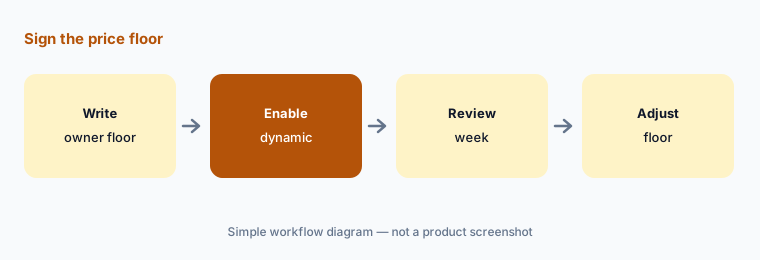
Sign the floor first:
Before leaving Dynamic Pricing on for one listing, write the minimum nightly rate with the owner and confirm it in Lodgify.
Pricing context (October 2026)
Lodgify’s pricing page (read 13 Oct 2026, USD, yearly billing, one property) lists Basic $14/month, Starter $26/month, Professional $47/month, and Ultimate $68/month, each with 0% Lodgify booking fee. Basic is capped at one property; Starter at two. Monthly billing is available at higher amounts; bi-yearly discounts are also offered. Seven-day free trial, no card.
Writing AI assistant sits in guest messaging across plans that include the unified inbox. Dynamic Pricing is included on Professional and Ultimate. AI Co-Host early-access terms and any MCP limits should be confirmed in-product. Payment processing fees may apply on direct bookings.
Uncertainty: Prices scale with property count — the figures above are the one-property yearly USD slider on 13 Oct 2026. Multi-property quotes differ. AI Co-Host was labeled early access; feature parity by plan can change. Vendor “up to X% direct bookings” claims are not repeated as our findings.
When it’s useful (honest take)
Useful when you are an independent host who wants published plan prices, a direct booking website, channel sync, and AI writing assists with the owner still approving copy.
Less useful when you need deep field-ops / cleaning automation (Breezeway AI), guidebook-centric guest experience at scale (Hostfully AI), or residential long-term accounting (Rentvine AI).
Paying for Lodgify AI and a few other AI tools? The $9 AI toolkit spreadsheet lists every AI subscription you have, what each one costs, and how fast it pays for itself, so you can see which ones are worth the money.
Want someone to do it for you? AI toolkit audit — $19
Related options (educational)
| Need | Better home | Why |
|---|---|---|
| Independent-host PMS + AI site | Lodgify AI (this page) | $14–$68/mo yearly |
| PMS + guidebooks + InboxAI | Hostfully AI | $15–$25/property + fee |
| Lightweight host automation | Hospitable AI | Per-property plans |
| Ops / cleaning specialist | Breezeway AI | From $19.99/unit |
| Pricing specialist | PriceLabs AI | $19.99 / $9.99 listing |
FAQ
How much does Lodgify cost in October 2026?
For one property on yearly USD billing, Lodgify lists Basic $14, Starter $26, Professional $47, and Ultimate $68 per month, with a 7-day free trial, as read 13 October 2026.
Does Lodgify take a booking commission?
Lodgify states 0% booking fee on its plans; you pay the subscription. Payment processing fees may still apply, and OTAs keep their own host fees.
What AI features does Lodgify offer?
Writing AI / AI Messaging Assistant in the inbox, an AI-search-optimized direct booking site, Lodgify MCP for ChatGPT and Claude, and AI Co-Host in early access.
Who should approve AI-written listing claims?
The owner. Delete every amenity or distance claim you cannot verify at the property before publishing.
Is Dynamic Pricing included?
Lodgify includes Dynamic Pricing on Professional and Ultimate (with trial options mentioned on lower plans). Set an owner-signed minimum rate first.
Optional next step (if seats overlap)
If you pay for Lodgify, a separate website builder, and a standalone messaging tool that overlap, that is worth mapping. Map the overlap with the $19 AI toolkit audit or the $9 AI toolkit spreadsheet. Email Audit $19 or Toolkit spreadsheet $9.
Checkout is live via Stripe. After you pay, we email delivery (spreadsheet) or intake next steps (audit).