Compare · Property ops · Oct 2026
AppFolio vs Buildium (Oct 2026): AI property management platforms for residential managers
AppFolio and Buildium both run residential property management — accounting, leasing, maintenance, resident messaging — and both now put AI into assistants, workflows, and bill capture. Buildium publishes “starting at” plan prices; AppFolio’s UI is Get a Quote while its pricing-page structured data lists per-unit amounts. This page compares those AI surfaces and who has to approve a resident message or an AI-drafted bill. It is not a ranking, and each section has a Try this.
What this comparison covers
This page is for a property-management owner or operations lead choosing between AppFolio and Buildium, or running one and hearing about the other’s AI. The question it answers: for portfolio size and unit minimums, Realm-X Assistant / Flows / Performers versus Lumina AI Workforce / Bill Scan, pricing transparency, and who must approve AI bills and resident messages.
We re-checked both vendors on 13 October 2026. AppFolio’s pricing page still shows Core / Plus / Max as Get a Quote, with a Core footnote for minimum spend and a 50-unit minimum; the same page’s JSON-LD Offers list Residential Core at $1.49, Plus at $3.20, and Max at $5.00 per unit per month. Buildium’s pricing page publishes Essential starting at $65/month, Growth $202/month, and Premium $420/month, with Lumina features by plan and Workforce priced per account.
Ground rules for either platform: AI never sends a legal notice or posts a bill without a named human; fair-housing review sits on leasing scripts; an AI-drafted bill is not accurate until the bookkeeper checks it against the invoice; and no tenant PII goes into general chat tools. Facts align with our AppFolio AI and Buildium AI reviews; vendor lift statistics are left out. This comparison is not a ranking.
| Question | AppFolio | Buildium |
|---|---|---|
| Built for | Residential portfolios (multifamily, single-family, affordable, student) on Core / Plus / Max | Small and mid-size residential managers (Buildium is a RealPage company) |
| In-product AI brand | Realm-X: Assistant & Messages (Core); Flows (Plus); Performers (Maintenance, Leasing, Resident Messenger, Accounting; Receptionist Performer announced 29 Sep 2026); new Realm-X Memory / Knowledge Base / Skills / Prompt-to-Flow; Claude connector | Lumina AI: AI Assistant, Write with Lumina, AI Bill Scan, Lumina AI Workforce agents (Maintenance, Leasing, Accounting, Resident Experience, Business Operations) |
| Published plan prices | UI: Get a Quote (Core 50-unit minimum + minimum spend). Pricing-page JSON-LD (13 Oct 2026): Residential Core $1.49 / Plus $3.20 / Max $5.00 per unit per month | Yes: Essential starting at $65/mo, Growth $202/mo, Premium $420/mo |
| AI on which plan | Assistant & Messages on Core; Flows + Accounting Performer (bill entry / close) on Plus; more Performers / Leasing CRM on Max | AI Assistant from Essential; AI-enhanced communications on Growth; full AI / automations suite on Premium; Workforce account-specific pricing |
| Bill / invoice AI | Accounting Performer (Bill Entry & Financial Close) on Plus+ | AI Bill Scan (email or upload; vendor, date, total, line items) |
| Who approves AI output | Named property manager approves bulk resident messages, Flows, and Performer actions before they widen | Bookkeeper approves every AI-drafted bill; manager approves resident-facing Lumina drafts |

Major features (with how someone uses them)
Examples at a glance: each feature has a concrete example from a real job plus a short Try this you can run this week.
1. Map your three repetitive weekly tasks (primary)
What it is: Before you compare brand names, list the three weekly tasks that eat the most staff time — for example open work orders older than seven days, vendor bill entry, and renewal reminders. Note which platform’s AI covers each task, on which plan, and who approves the output. That list is the comparison; marketing pages are not.
If a task needs a Performer or Workforce agent that only sits on a higher tier, write the tier name next to the task so the cost sheet stays honest.
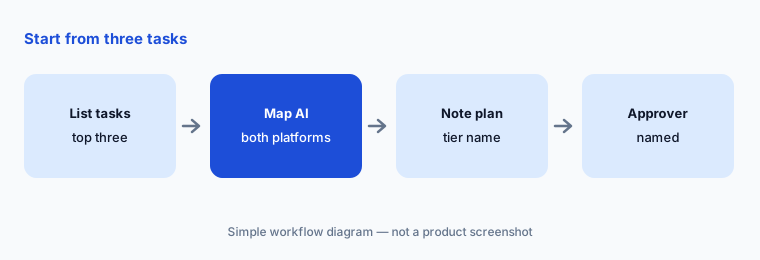
Your three tasks:
List your three most repetitive weekly tasks. Note which platform’s AI covers each, on which plan, and who approves the output.
2. Portfolio size and unit minimums
What it is: AppFolio’s Core plan states a 50-unit minimum and minimum spend on the public pricing page. Buildium’s published “starting at” prices are aimed at smaller portfolios climbing Essential → Growth → Premium, with a path to talk to sales above 5,000 units or for associations. Many mid-size managers could run either; the practical filter is whether you clear AppFolio’s minimum and whether you want self-serve published prices.
Count units under management and users separately. AI help is wasted if nobody owns the morning review of drafts.
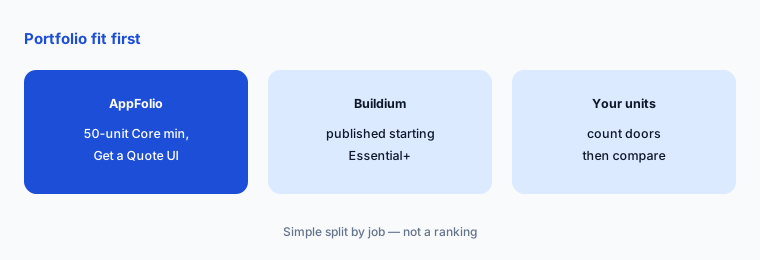
Count your units:
Write down your unit count and whether you clear AppFolio’s 50-unit Core minimum. Note Buildium’s published starting price for your likely tier before you compare AI features.
3. Realm-X vs Lumina: assistants, flows, agents
What it is: AppFolio’s Realm-X stacks Assistant & Messages (Core), Flows (Plus), and Performers that observe and act (Maintenance, Leasing, Resident Messenger, Accounting), plus the September 2026 Memory / Knowledge Base / Skills / Prompt-to-Flow work and a Realm-X Connector in Claude (Core read; Plus/Max read & write). Buildium’s Lumina AI stacks an AI Assistant, Write with Lumina, AI Bill Scan, and Lumina AI Workforce agents across Maintenance, Leasing, Accounting, Resident Experience, and Business Operations. Both can draft resident messages; both need a named approver before anything widens.
Pick one identical question (for example open work orders older than seven days at one property) and see how each assistant answers it in a trial — then check five rows by hand.
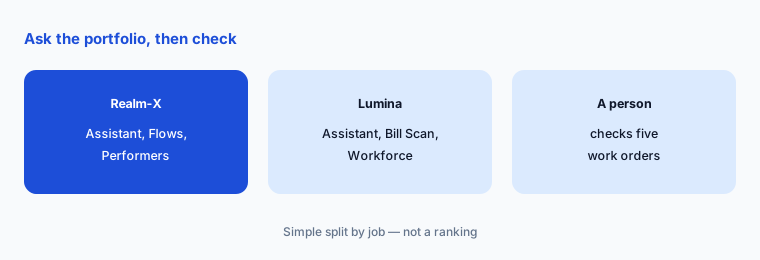
Same question, both tools:
Ask each assistant (or each trial) for open work orders older than seven days at one property. Check five of them against the work-order list before you message any resident or vendor.
4. AI bills: Accounting Performer vs Bill Scan
What it is: AppFolio’s Accounting Performer (Bill Entry & Financial Close on Plus; Budgeting on Max) routes and enters bills with human oversight in the Realm-X model. Buildium’s AI Bill Scan captures vendors, dates, totals, and line items from emailed or uploaded invoices. In both cases the bookkeeper approves every AI-drafted bill before it posts.
Run the same five vendor invoices through whichever trial you have and check only on vendor / date / total / GL accuracy — not on speed claims.
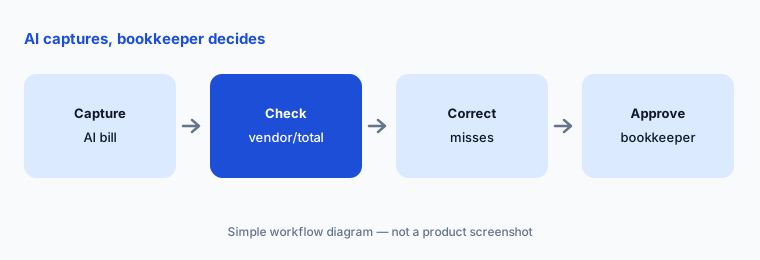
Five invoices:
Run AI Bill Scan or Accounting Performer bill entry on five vendor invoices. Have the bookkeeper check vendor, date, total, and GL on every draft bill before it is approved.
5. Resident messages and who approves
What it is: AppFolio’s Resident Messenger Performer and Realm-X Messages, and Buildium’s Write with Lumina / AI-enhanced communications, all draft resident-facing text. Bulk sends and after-hours agents are where teams get hurt: an AI-drafted legal notice or wrong rent figure can leave the building before anyone reads it. Name the approver before you turn on Flows, Performers, or Workforce agents that message residents.
Keep a one-page rule: which message types may auto-send, which always need a person, and who reviews the overnight log.
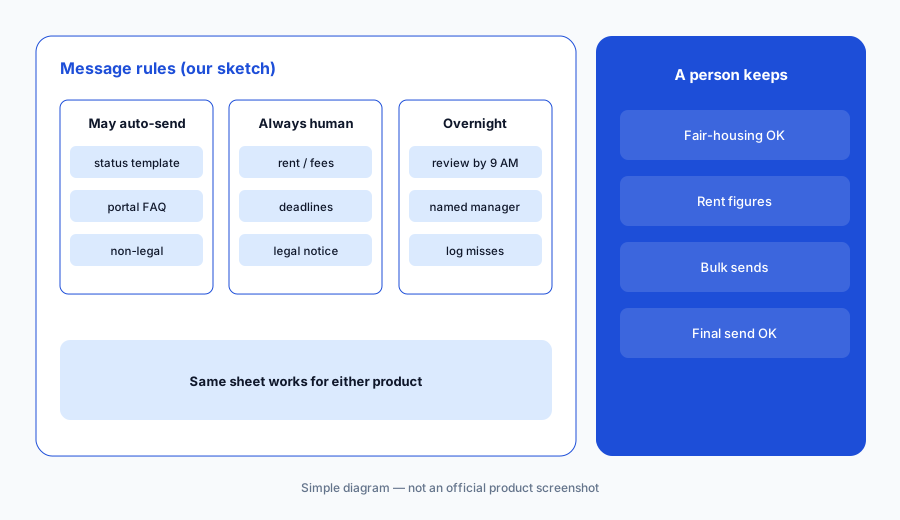
One-page message rules:
Write a one-page rule sheet for AI resident messages — what may auto-send, what always needs a person — and name who reviews overnight sends by 9 AM.
6. Pricing transparency and approval roles
What it is: Buildium publishes Essential / Growth / Premium starting amounts. AppFolio’s UI is quote-led with a 50-unit Core minimum; use the pricing-page JSON-LD unit rates ($1.49 / $3.20 / $5.00) only as structured data on that URL and still request a written quote that matches your unit mix. Put both on one cost sheet with the AI features you would turn on and the named reviewers for bills and resident messages.
Ask AppFolio how the schema unit rates relate to your quote, and ask Buildium for Lumina Workforce account-specific pricing in writing.
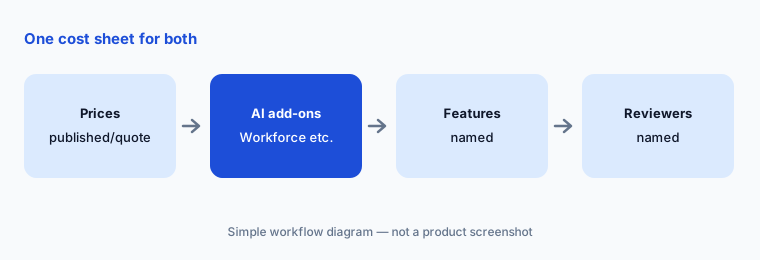
One cost sheet:
Build one cost sheet for both: Buildium’s published starting price (or quote) and AppFolio’s written quote at your unit count, plus who approves AI bills and resident messages in each.
Pricing context (October 2026)
AppFolio’s pricing page (checked 13 Oct 2026) shows Core / Plus / Max as Get a Quote, with Core minimum spend and a 50-unit minimum. The same page’s JSON-LD lists Residential Core $1.49, Plus $3.20, and Max $5.00 per unit per month. Treat the schema figures as published structured data and still get a written quote for your portfolio.
Buildium’s pricing page (checked 28 Oct 2026) publishes Essential starting at $65/month, Growth $202/month, and Premium $420/month. Lumina AI Workforce is account-specific; Maintenance Contact Center is a human call-center add-on (not AI). See our AppFolio AI and Buildium AI reviews for feature detail.
Uncertainty: AppFolio’s UI quote path and JSON-LD unit rates can diverge from the number on your contract — confirm in writing. Buildium Workforce pricing is account-specific. Which Performers or Workforce agents are live in your account can lag announcements (for example Receptionist Performer, 29 Sep 2026). Vendor productivity claims are not repeated here. This page is not a ranking.
When it’s useful (honest take)
AppFolio is useful when you clear the Core unit minimum, want Realm-X Flows / Performers and the Claude connector, and have a named property manager for bulk messages and Performer actions.
Buildium is useful when you want published starting prices, Lumina Bill Scan and Write with Lumina, and a bookkeeper who checks every AI-drafted bill.
Less useful when (either one) nobody owns bill or message approval, you need a standalone multifamily leasing agent (EliseAI), or you only needed a light published-price PMS (DoorLoop AI).
Still choosing between AppFolio and Buildium? The $19 AI toolkit audit gives you a written plan for which tools to keep using and which to drop across your whole AI stack, including this pair.
Prefer to do it yourself? Spreadsheet — $9
Related options (educational)
| Need | Better home | Why |
|---|---|---|
| AppFolio Realm-X on its own | AppFolio AI | Assistant, Flows, Performers |
| Buildium Lumina on its own | Buildium AI | Bill Scan, Workforce |
| Published per-unit + agents | DoorLoop AI | One / Connect / Multiply |
| Orion AI, quote-only | Rent Manager AI | Accounting-heavy |
| Multifamily leasing AI | EliseAI · Entrata AI | Beside the PMS |
FAQ
Should I choose AppFolio or Buildium?
This page is not a ranking. List your three most repetitive weekly tasks, note which platform’s AI covers each and on which plan, and check pricing transparency (Buildium starting prices vs AppFolio quote / schema unit rates) plus who approves bills and resident messages.
How much do AppFolio and Buildium cost in October 2026?
Buildium publishes Essential from $65/mo, Growth $202/mo, Premium $420/mo starting. AppFolio’s UI is Get a Quote with a 50-unit Core minimum; pricing-page JSON-LD lists Core $1.49, Plus $3.20, Max $5.00 per unit per month — confirm in a written quote.
What is the difference between Realm-X and Lumina?
Realm-X is AppFolio’s assistant / Flows / Performers stack (with a Claude connector). Lumina is Buildium’s Assistant / Write with Lumina / Bill Scan / AI Workforce stack. Both draft work inside the PMS; both need human approval on bills and resident messages.
Who should approve AI bills?
The bookkeeper. Check vendor, date, total, and GL (or property) on every AI-drafted bill before it posts — on either platform.
Can the AI message residents without a person?
Both can draft and, on higher tiers, act inside rules you set. Keep legal notices and rent figures on a named property manager’s approval until you trust the logs.
Optional next step (if seats overlap)
If you pay for a PMS AI suite, a separate bill-capture tool, and chat seats that all draft the same resident messages, that overlap is worth mapping. Map the overlap with the $19 AI toolkit audit or the $9 AI toolkit spreadsheet. Email Audit $19 or Toolkit spreadsheet $9.
Checkout is live via Stripe. After you pay, we email delivery (spreadsheet) or intake next steps (audit).