Tool · Hospitality ops · RoomRaccoon · Oct 2026
RoomRaccoon AI review (Oct 2026): all-in-one hotel software with automation and dynamic pricing for small hotels
RoomRaccoon is an all-in-one hotel platform for B&Bs, guesthouses, boutique and independent hotels: PMS, channel manager, booking engine, and payments, with add-on tools such as RaccoonRev (competitor insight and dynamic pricing rules), RaccoonRev Plus (AI pricing), RaccoonUpsell, and RaccoonHousekeeping. Unlike most hotel vendors, it publishes plan prices through a room calculator. This page is about letting the automation and AI pricing help while the owner still approves every automated rate and every guest message. Each section has a Try this.
What this RoomRaccoon page covers
This page is for an owner-operator or GM of a small or independent hotel who wants one system for rooms, channels, payments, and pricing — and wants to know what the AI part actually does. The question it answers: what RaccoonRev and RaccoonRev Plus change, what each plan costs on the published calculator, and who must approve automated rates and messages.
The pricing page (read Oct 17, 2026) shows four plans — Entry, Essentials, Premium, and Pro — with a room-count calculator and a monthly / annual toggle. Dynamic pricing starts on Essentials; AI pricing with RaccoonRev Plus is listed as included on Pro (and offered as an upgrade tool).
Ground rules: RaccoonRev Plus runs in co-pilot (suggestions) before autopilot; the owner sets the floor and approves every rate the tool may push; automated guest emails are approved as templates by a named person; no guest ID scans, passport images, or card numbers in any test.

Major features (with how someone uses them)
Examples at a glance: each feature has a concrete example from a real job plus a short Try this you can run this week.
1. RaccoonRev Plus suggestions before autopilot (primary)
What it is: RaccoonRev Plus is RoomRaccoon’s AI pricing tool. Its AI pricing page (read 14 Oct 2026) says it recommends rates from booking pace, lead time, weather, events, holidays, historical trends, and competitor data, forecasts up to 12 months ahead, and runs in a co-pilot mode (you review and apply suggestions) or an autopilot mode that applies rates automatically.
Start in co-pilot. A suggestion is a proposal until the owner accepts it; your floor is the line it must never cross on a quiet week or a festival weekend.
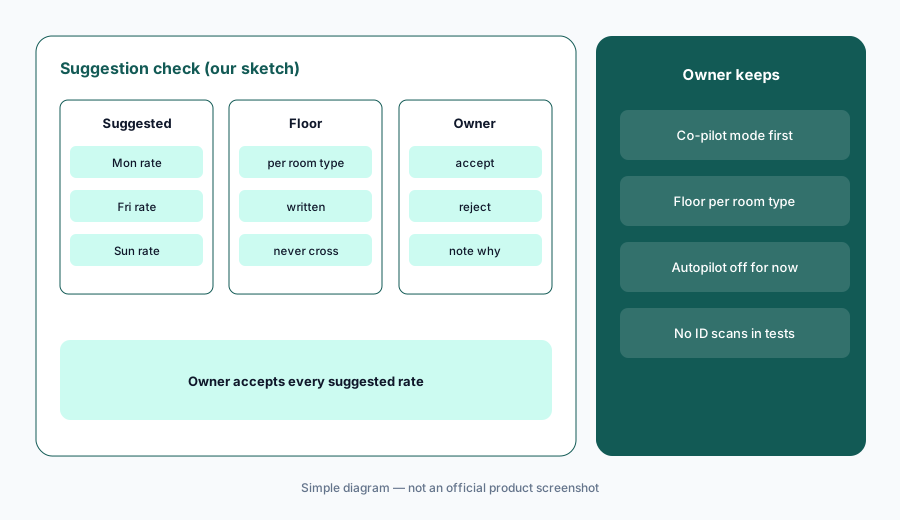
Primary workflow:
Turn on RoomRaccoon’s dynamic pricing as suggestions only for one room type. Check each suggested rate against your floor before accepting.
2. Autopilot only after the floor is written down
What it is: RoomRaccoon describes an autopilot mode for RaccoonRev Plus that applies rates 24/7, and syncs rates and availability to OTAs such as Booking.com and Expedia in real time. That speed is the point — and the risk. A wrong automated rate is live on every channel within seconds.
Before autopilot, write the floor, ceiling, and blackout dates per room type, and who may change them. Review the first week of automated changes every morning.
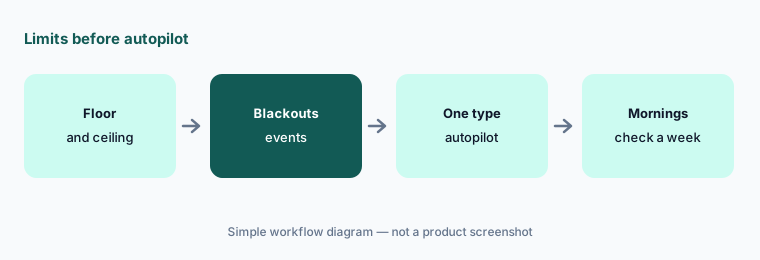
Limits first:
Write the floor, ceiling, and blackout dates for one room type. Switch only that room type to autopilot and review every automated change each morning for a week.
3. Automated guest emails and upsells
What it is: RoomRaccoon automates guest emails (confirmations, pre-arrival, invoices) and RaccoonUpsell offers add-ons and upgrades through a digital guest service menu. Automated messages and upsell prices speak in the hotel’s name.
An automated pre-arrival email with the wrong check-in time or parking fee becomes an argument at the desk. Approve each template once, by a named person, before it sends on its own.
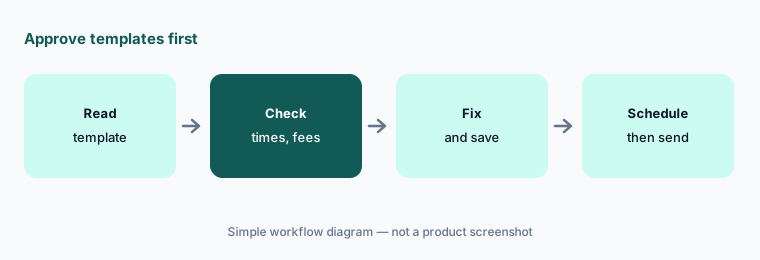
Approve templates:
Open your automated pre-arrival email and one RaccoonUpsell offer. Check every time, fee, and price against house rules before either sends automatically.
4. RaccoonRev competitor insight and pricing rules
What it is: RaccoonRev (the non-AI tier) combines competitor insight with dynamic pricing rules you write — for example, raise rates when occupancy passes a threshold. Rules are transparent; AI suggestions are not always.
Competitor rates are market context, not a promise. A comp set that includes a hostel or a five-minute-away resort will pull your rate the wrong way.
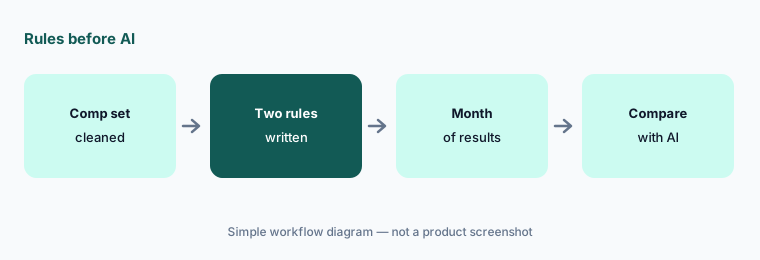
Rules before AI:
Write two dynamic pricing rules in RaccoonRev for one month. Compare the result with RaccoonRev Plus suggestions for the same dates before you pay for the AI tier.
5. Published plan prices and what changes the total
What it is: On the pricing page (as of Oct 17, 2026, US view, the calculator’s default before you enter rooms; monthly and annual toggles both checked) the plans showed Entry $207, Essentials $262, Premium $387, and Pro $542 per month on monthly billing, and $197, $250, $367, and $517 per month on annual billing. Monthly prices are lower than the $236 / $300 / $441 / $620 we saw on 14 Oct 2026; annual prices are unchanged. The page still says annual billing saves up to 20%, and the annual Entry card still shows $236 struck through. Figures change with your room count.
Upgrade tools (RaccoonRev Plus, RaccoonUpsell, RaccoonHousekeeping, RaccoonSite, RaccoonID) and integrations change the total. Essentials includes one upgrade tool, Premium three, Pro unlimited.
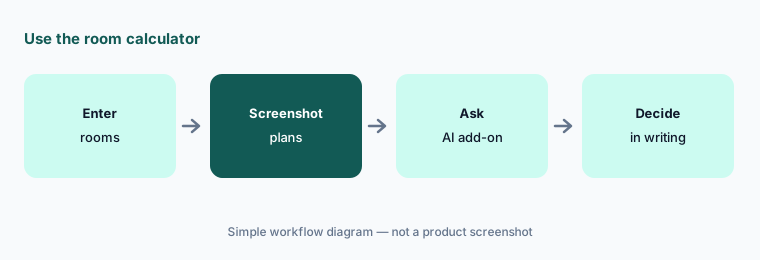
Use the calculator:
Enter your room count on RoomRaccoon’s pricing page. Screenshot Essentials and Pro on monthly and annual billing and ask in writing which plan includes the AI pricing you want.
6. The owner approves automated rates and messages
What it is: In a small hotel the owner is often the revenue manager and the front desk. RoomRaccoon can automate rates, emails, upsells, and payments; none of those should run without a named approver.
Accessible-room notes, smoking preferences, and VIP notes stay with a person at arrival. Guest ID scans from RaccoonID are never pasted into chat tools.
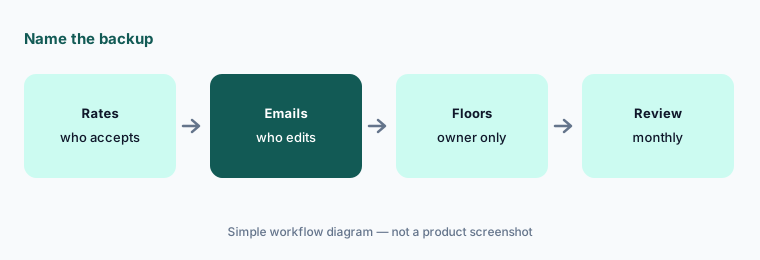
Name the backup:
Write who may accept rate suggestions, who may edit automated guest emails, and who may change floors or autopilot while you are away.
Pricing context (October 2026)
RoomRaccoon’s pricing page (read Oct 17, 2026, US view, monthly and annual toggles checked) publishes four plans through a room calculator. Before entering a room count, the page showed Entry $207, Essentials $262, Premium $387, and Pro $542 per month on monthly billing, and $197 / $250 / $367 / $517 per month on annual billing (monthly prices were higher when we read the page on 14 Oct 2026; annual prices are unchanged). Your figures will differ with room count, currency, and region.
Dynamic pricing starts on Essentials; more pricing rules and advanced revenue reporting on Premium; AI pricing with RaccoonRev Plus, financial reporting, and unlimited integrations on Pro. Upgrade tools are priced separately unless your plan includes them. Payment processing fees are separate — confirm them on the quote.
Uncertainty: The calculator’s default figures are not your price — enter your rooms and confirm in writing. Whether RaccoonRev Plus is cheaper as an upgrade or inside Pro depends on your plan. AI pricing results quoted by RoomRaccoon customers are vendor claims, not our measurement.
When it’s useful (honest take)
Useful when you run a small or independent hotel that wants PMS, channels, payments, and pricing in one place with published plan prices, and the owner will approve automated rates and messages.
Less useful when you need a full-service RMS (Duetto AI · IDeaS G3 RMS AI), a larger platform with agent messaging (Mews AI · Cloudbeds AI), or you run vacation rentals rather than a hotel (Guesty AI).
Paying for RoomRaccoon AI and a few other AI tools? The $9 AI toolkit spreadsheet lists every AI subscription you have, what each one costs, and how fast it pays for itself, so you can see which ones are worth the money.
Want someone to do it for you? AI toolkit audit — $19
Related options (educational)
| Need | Better home | Why |
|---|---|---|
| Small hotel all-in-one with published prices | RoomRaccoon AI (this page) | Entry → Pro calculator |
| Small hotel / B&B all-in-one | Little Hotelier AI | Basics from $39 / Pro from $179 a month (5-room default) |
| Independent hotel PMS + AI | Mews AI · Cloudbeds AI | Quote |
| Rate shopping and pricing beside your PMS | Lighthouse AI | From €99/month (independents) |
| Guest messaging AI | HiJiffy AI · Asksuite AI | Published / quote |
FAQ
How much does RoomRaccoon cost in October 2026?
As of Oct 17, 2026, the pricing calculator showed Entry $207, Essentials $262, Premium $387, and Pro $542 per month on monthly billing ($197 / $250 / $367 / $517 per month on annual billing) in its default US view, before entering a room count. Monthly prices dropped from the $236 / $300 / $441 / $620 we saw on 14 October 2026. Your price depends on room count — enter yours.
What is RaccoonRev Plus?
RoomRaccoon’s AI pricing tool. It recommends rates from booking pace, lead time, weather, events, holidays, history, and competitor data, and runs in co-pilot (suggestions) or autopilot mode. It is included on Pro.
Should I turn on autopilot straight away?
No. Run suggestions only for one room type, check each against your floor, then write floors, ceilings, and blackout dates before switching one room type to autopilot.
Can RoomRaccoon send guest messages automatically?
Yes — automated guest emails and RaccoonUpsell offers. Approve every template and upsell price once, by a named person, before they send on their own.
Who should approve RoomRaccoon automation?
The owner (or a named backup) for every automated rate, floor, and autopilot setting; a named front-office lead for guest email templates and upsell prices.
Optional next step (if seats overlap)
If you pay for an all-in-one, a separate pricing tool, and a separate chatbot that all touch the same rooms, that overlap is worth mapping. Map the overlap with the $19 AI toolkit audit or the $9 AI toolkit spreadsheet. Email Audit $19 or Toolkit spreadsheet $9.
Checkout is live via Stripe. After you pay, we email delivery (spreadsheet) or intake next steps (audit).