Tool · Hospitality ops · Stayntouch · Oct 2026
StayNTouch AI review (Oct 2026): mobile-first hotel PMS, kiosk check-in, and AI features
Stayntouch is a mobile-first cloud hotel PMS — staff can check guests in from a tablet, guests can self check-in at the Stayntouch Kiosk, and the PMS can assign rooms automatically and sell upgrades by room attribute. Its main AI-labelled product is Stayntouch Guest Messaging, an add-on announced for ITB Berlin in February 2026. Pricing is by request. This page is about letting automation assign rooms, sell upgrades, and answer guests while the front office manager still checks every room move and upsell rule. Each section has a Try this.
What this Stayntouch page covers
This page is for a GM, front office manager, or ops lead at a select-service, boutique, or full-service hotel considering a mobile-first PMS — or already on Stayntouch and weighing the AI messaging add-on. The question it answers: what is automated (room assignment, kiosk, upsells, guest replies), where the AI actually sits, and who approves.
Stayntouch’s newsroom (read 14 October 2026) lists “Stayntouch to Launch AI-Powered Guest Messaging at ITB Berlin” (26 February 2026). The Guest Messaging page describes an add-on embedded in the PMS with SMS, WhatsApp, OTA messaging, and web chat, real-time translation, and AI-to-human handoff. Room assignment, kiosk, and upsells are PMS automation rather than branded AI.
Ground rules: the front office manager reviews every automated room move and upsell rule; accessible-room, smoking, and VIP notes are checked by a person before arrival; guest messaging answers come from an approved fact sheet; no ID scans, passport images, or card numbers in any test.
Major features (with how someone uses them)
Examples at a glance: each feature has a concrete example from a real job plus a short Try this you can run this week.
1. Auto room assignment and kiosk upsells, checked before arrival (primary)
What it is: Stayntouch PMS lists automatic and timed room assignment at check-in, rooming-list quick check-in, and attribute-based upsells on its pricing page (read 14 Oct 2026). The Stayntouch Kiosk adds self check-in with ID scanning and upgrade offers. Automation decides which room a guest gets and what they are offered before anyone at the desk sees it.
A connecting-room family split across floors, or an accessible room handed to a walk-in, is a real failure — not a software glitch. The front office manager reviews every automated room move before guests arrive.
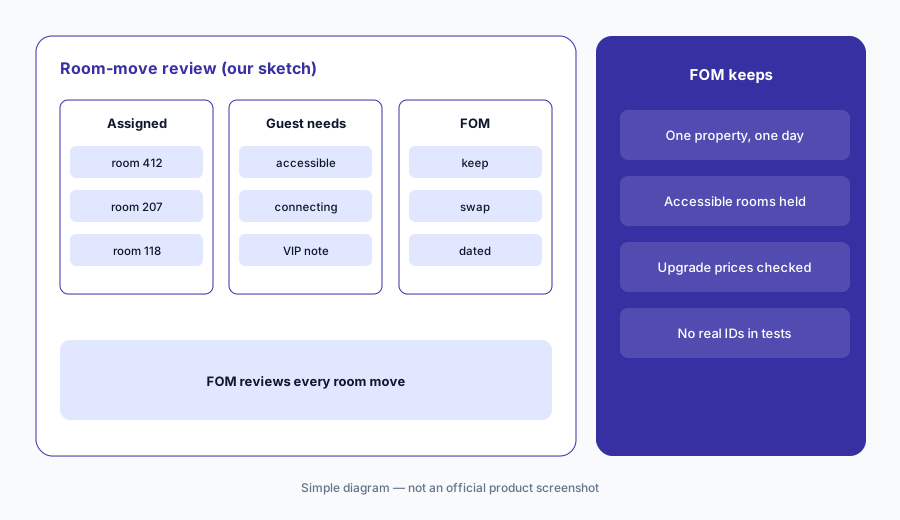
Primary workflow:
Run one day of auto room assignment or kiosk upsells at a single property. Have the front office manager review every room move before guests arrive.
2. Stayntouch Guest Messaging: AI replies with a human handoff
What it is: The launch release says Guest Messaging is embedded in the PMS, gives staff one inbox tied to live reservations, automates routine replies (room details, check-in instructions, housekeeping requests, invoices, add-ons), translates in real time, and lets guests switch between AI and staff. Stayntouch claims it automates up to 95% of guest requests and saves 25 hours per 100 bookings — vendor figures, not our measurement.
Replies that touch reservation changes or payments carry more risk than Wi-Fi answers. Decide which topics may be answered by AI and which always go to a person.
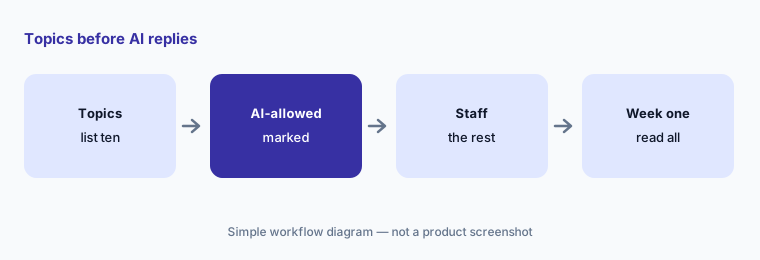
Topics first:
List ten guest-message topics. Mark which Stayntouch Guest Messaging may answer by AI and which must hand off to staff, then read every AI reply for the first week.
3. Kiosk check-in, ID scanning, and what stays out of tests
What it is: The Stayntouch Kiosk offers self check-in, with ID scanning and facial recognition described on the pricing page. That is identity data. Testing and training should use staff test profiles — never a real guest’s passport or card.
Local rules on ID capture and retention differ. Your GM or compliance lead confirms what the kiosk may store and for how long.
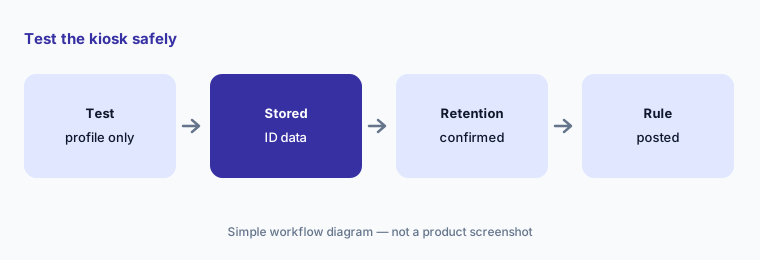
Test safely:
Run one kiosk check-in test with a staff test profile only. Write down what ID data the kiosk stores and confirm the retention period with your GM.
4. Attribute-based upsells and upgrade rules
What it is: Stayntouch sells upgrades by room attribute (view, floor, bed type) and automates upsells for services and packages, at the desk, on mobile, and at the kiosk. Upsell rules set which guests see which offer at which price.
An upgrade priced below the rate difference loses money on every acceptance. The revenue owner sets upgrade prices; the front office manager owns which guests see offers.
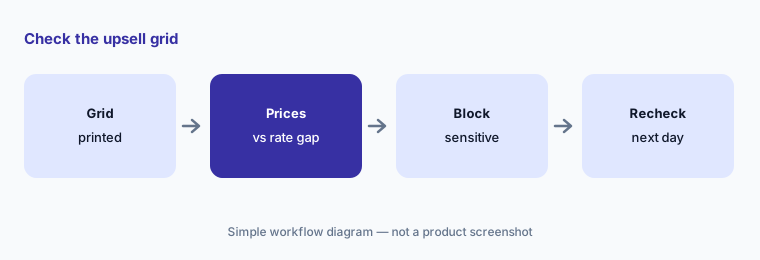
Upsell grid:
Print your upgrade and upsell rules. Check each price against the rate difference and remove offers that should never go to guests with accessibility or VIP notes.
5. How Stayntouch is priced
What it is: Stayntouch’s pricing page (14 Oct 2026) talks about “simple and transparent pricing”, unlimited interfaces and upgrades, and remote or on-site rollout — but shows only “Request Pricing” buttons. No dollar amounts were published. Guest Messaging and Kiosk are add-ons with “Get Pricing” forms.
Ask for a written quote that lists PMS, Kiosk, Guest Messaging, and payments separately, plus any messaging carrier fees for SMS and WhatsApp.
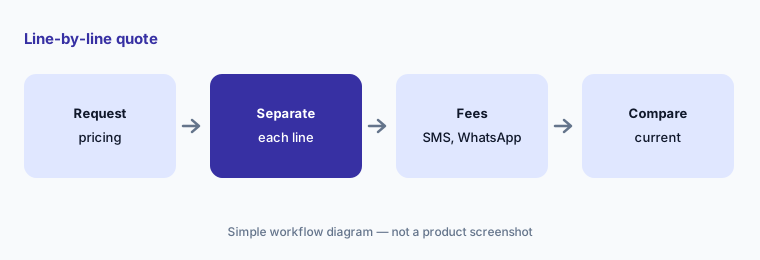
Line-by-line quote:
Ask Stayntouch for a written quote with PMS, Kiosk, and Guest Messaging as separate lines and any SMS or WhatsApp fees named.
6. The front office manager approves room moves and upsell rules
What it is: Automation in Stayntouch acts at the moment a guest checks in. That makes the front office manager the natural approver for room-assignment rules and upsell offers, with the revenue owner for upgrade prices and the guest services lead for message topics.
Write the approvers down so night and weekend managers know who may change rules and who may only follow them.
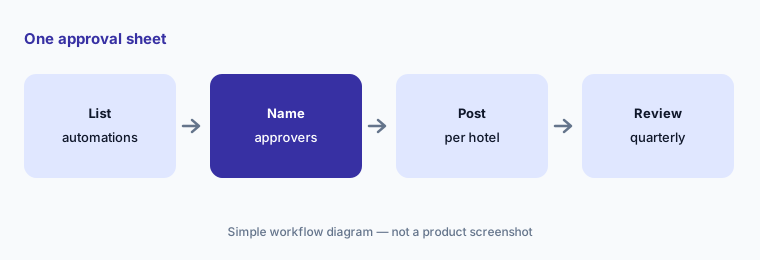
One approval sheet:
Write one approval sheet per property naming who approves room-assignment rules, upgrade prices, AI message topics, and kiosk ID settings.
Pricing context (October 2026)
Stayntouch’s pricing page (read 14 Oct 2026) shows feature lists and “Request Pricing” only — no public price. It promises unlimited interfaces and upgrades and remote or on-site rollout. Stayntouch Guest Messaging and Stayntouch Kiosk are add-ons with their own pricing forms.
Stayntouch Guest Messaging lists “$55 added RevPAR per month” and similar figures as vendor results; treat them as vendor claims. SMS and WhatsApp messaging may carry carrier or per-message costs — confirm on the quote.
Uncertainty: Prices are quote-only. Which automation is AI-driven versus rule-based is not always labelled; we treat room assignment and upsells as PMS automation. Guest Messaging availability by region and channel should be confirmed in writing.
When it’s useful (honest take)
Useful when you want a mobile-first PMS with kiosk check-in, automatic room assignment, and attribute-based upsells, and a named front office manager will check room moves and offers.
Less useful when you need a large-chain PMS (Oracle OPERA Cloud AI), an API-first PMS you build on (Apaleo AI), or a small-hotel all-in-one (RoomRaccoon AI · Little Hotelier AI).
Paying for StayNTouch AI and a few other AI tools? The $9 AI toolkit spreadsheet lists every AI subscription you have, what each one costs, and how fast it pays for itself, so you can see which ones are worth the money.
Want someone to do it for you? AI toolkit audit — $19
Related options (educational)
| Need | Better home | Why |
|---|---|---|
| Mobile-first PMS + kiosk | StayNTouch AI (this page) | Quote |
| Enterprise chain PMS | Oracle OPERA Cloud AI | Quote |
| API-first PMS + agent marketplace | Apaleo AI | €8 per room per month |
| Independent hotel PMS + AI | Mews AI · Cloudbeds AI | Quote |
| Guest messaging / voice AI | Canary Technologies AI | Quote |
FAQ
How much does Stayntouch cost in October 2026?
Stayntouch does not publish prices. Its pricing page shows Request Pricing only (14 October 2026). Ask for a written quote with PMS, Kiosk, and Guest Messaging as separate lines.
What AI features does Stayntouch have?
Stayntouch Guest Messaging, an AI-powered messaging add-on announced 26 February 2026, with SMS, WhatsApp, OTA messaging, web chat, translation, and AI-to-human handoff. Room assignment and upsells are PMS automation.
Can Stayntouch assign rooms automatically?
Yes — automatic and timed room assignment is listed for check-in. Have the front office manager review every automated room move before guests arrive, especially accessible rooms and VIP notes.
Is it safe to test the kiosk with real guest IDs?
No. Use staff test profiles only, and confirm with your GM what ID data the kiosk stores and for how long.
Who should approve Stayntouch automation?
The front office manager for room-assignment and upsell rules, the revenue owner for upgrade prices, a guest services lead for AI message topics, and the GM for kiosk ID settings.
Optional next step (if seats overlap)
If you pay for a PMS with messaging, a separate guest messaging tool, and a separate upsell tool that all touch the same arrivals, that overlap is worth mapping. Map the overlap with the $19 AI toolkit audit or the $9 AI toolkit spreadsheet. Email Audit $19 or Toolkit spreadsheet $9.
Checkout is live via Stripe. After you pay, we email delivery (spreadsheet) or intake next steps (audit).