Tool · Hospitality ops · Oracle OPERA Cloud · Oct 2026
Oracle OPERA Cloud AI review (Oct 2026): OPERA Cloud Assistant, AI Room Assignment, and AI rate descriptions for hotels
Oracle OPERA Cloud is the cloud version of OPERA, the hotel property management system used by many chains and large independents for reservations, front desk, rates, housekeeping, and billing. In June 2026 Oracle added OPERA Cloud Assistant: a natural-language helper for procedures, AI-assisted room assignment, AI-generated rate code descriptions, and AI translation of configuration content — at no additional cost to OPERA Cloud customers. This page is about using those features while the front office manager and revenue manager still check what guests and channels see. Each section has a Try this.
What this OPERA Cloud page covers
This page is for a front office manager, revenue manager, hotel IT lead, or brand standards team on OPERA Cloud or evaluating it. The question it answers: which AI features OPERA Cloud includes, how they are switched on, what they cost, and who checks room assignments, upgrades, and AI-written rate text.
Oracle announced OPERA Cloud Assistant on 16 June 2026, saying the capabilities were “available today at no additional cost to OPERA Cloud customers worldwide.” Oracle’s documentation shows AI features controlled through OPERA Controls — for example the AI Rate Description Assistant (AI_RATE_DESC) and the AI Room Types Description Assistant (AI_ROOM_DESC). OPERA Cloud itself has no public price list; Oracle says users pay for the functionality they need.
Ground rules: the front office manager checks accessible-room, smoking, and VIP assignments before arrival; the revenue manager approves every AI-written rate description and every upgrade rule; brand or regional staff review AI translations; and no guest PII goes into tests outside OPERA. Wyndham’s and Oracle’s statements about productivity are their claims, not our measurement.
Major features (with how someone uses them)
Examples at a glance: each feature has a concrete example from a real job plus a short Try this you can run this week.
1. AI Room Assignment: batch assignment you check before arrival (primary)
What it is: Oracle’s guide describes AI Room Assignment as a data-science feature for batch room assignment. It weighs accessibility and smoking preferences first, then other guest preferences (dropping some when no room matches all of them), ranks reservations by VIP status, membership level, and market group, and balances room rotation to spread wear and keep future availability contiguous. You run it from Front Desk Workspace → Room Assignment → I Want To… → AI Room Assignment; it runs in the background without a confirmation, and assigned rooms show “AI” after the room number.
An accessible-room guest placed in a standard room is a serious failure, not a preference miss. A person checks those assignments every time.
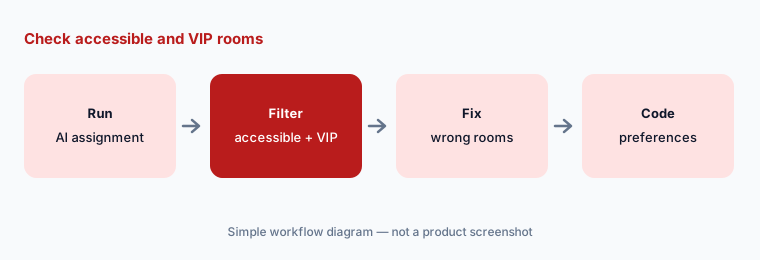
Primary workflow:
Run AI Room Assignment for one night’s arrivals at one property. Have the front office manager check accessible-room and VIP assignments before guests arrive.
2. Do Not Move and AI upgrades: the controls around room assignment
What it is: Oracle’s AI Room Assignment guide describes two OPERA Controls that shape the run. With Do Not Move active, pre-assigned reservations marked Do Not Move are left alone. With Reservation Upgrade active, OPERA identifies reservations to upgrade when a room type is overbooked — based on reservation importance, length of stay, and cost of upgrade — for the market groups you select. Upgraded reservations are marked “AI Upgrade.”
A complimentary upgrade is a revenue decision. The revenue or front office manager chooses which market groups are eligible and checks the upgrades before arrival.
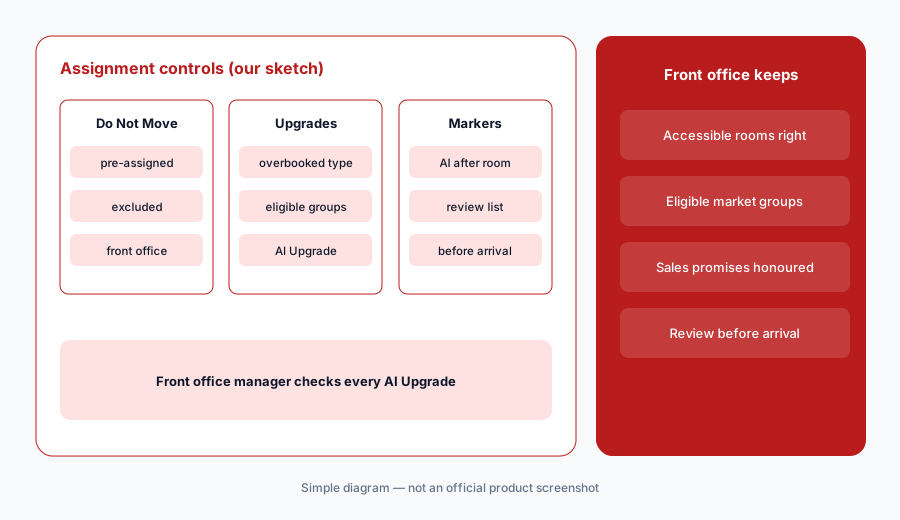
Review upgrades:
Before the next oversold night, list which market groups may get AI complimentary upgrades. Review every reservation marked AI Upgrade before guests arrive.
3. OPERA Cloud Assistant: procedure help in plain language
What it is: OPERA Cloud Assistant gives staff natural-language access to operational knowledge, hotel procedures, and Oracle documentation — Oracle’s examples include “How do I run a report?” and guidance on a night audit — answering in the employee’s preferred language.
Oracle’s documentation knows OPERA, not your house rules. Answers about your own policies need your SOPs, and a supervisor should confirm anything involving money or keys.
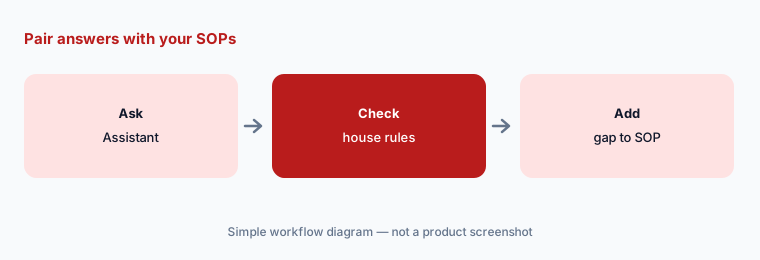
Pair with your SOPs:
Ask OPERA Cloud Assistant three questions new hires ask most. Mark which answers need your hotel’s own rule added before trainees rely on them.
4. AI rate code descriptions
What it is: With the AI Rate Description Assistant (AI_RATE_DESC) on, OPERA Cloud drafts rate code descriptions from package details, rate attributes, and structured inputs already in the system. Oracle positions this as consistent rate content across distribution channels and multi-property portfolios.
Rate text is what guests read before they book. A description that drops “non-refundable” or adds a breakfast you do not include creates disputes.
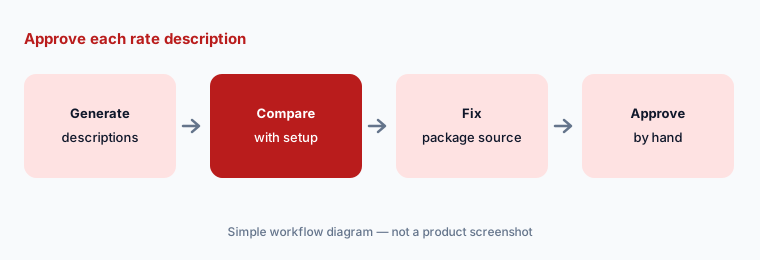
Approve each rate text:
Generate AI descriptions for five rate codes. Check cancellation terms, inclusions, and taxes in each against the rate setup before publishing.
5. AI translation of configuration and operational content
What it is: OPERA Cloud Assistant’s AI translation produces ready-to-use translations of configuration descriptions and operational content, aimed at global brands keeping terminology consistent across regions. OPERA Cloud already supports 20 user languages.
Machine translation of brand terms and legal wording can drift. Regional staff should read translated content before it reaches guests or new hires.
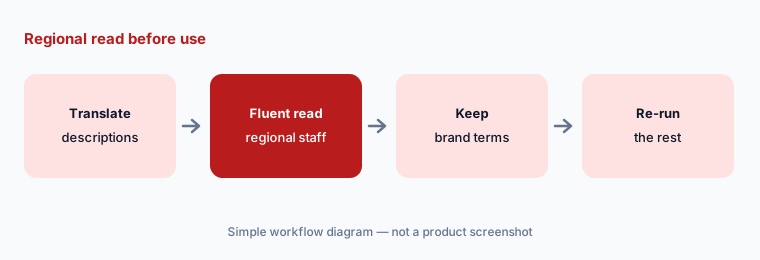
Regional read first:
Translate ten configuration descriptions into one language your team reads. Have a fluent colleague mark every brand term or policy line that changed meaning.
6. AI room-type descriptions and switching features on
What it is: Oracle’s Room Management OPERA Controls list an AI Room Types Description Assistant (AI_ROOM_DESC) alongside the rate description control. Because these are OPERA Controls, someone with configuration rights decides which properties get each AI feature and when.
Turning a control on chain-wide changes what every property’s staff see. Pilot at one property and name who owns each control.
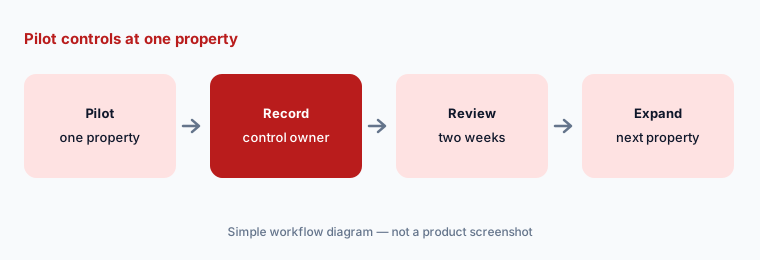
Name control owners:
List every AI-related OPERA Control your properties use, who turned it on, and who reviews its output. Pilot new ones at one property first.
Pricing context (October 2026)
Oracle does not publish OPERA Cloud prices; its PMS page (read 14 Oct 2026) says users only pay for the functionality they need, and pricing comes through Oracle or a partner quote. Oracle’s 16 June 2026 release says OPERA Cloud Assistant capabilities are available at no additional cost to OPERA Cloud customers.
Plan for related costs outside the AI features: integrations through the Oracle Hospitality Integration Platform (OHIP) — channel managers such as SiteMinder list an extra connection fee for OXI/OHIP — payment processing, and any partner apps.
Uncertainty: No public OPERA Cloud prices on 14 Oct 2026. The AI Room Assignment guide we read is from an older documentation release (22.3); screens and options may differ in current releases — confirm in your version’s user guide. Oracle and Wyndham statements about productivity are their claims, not our measurement.
When it’s useful (honest take)
Useful when you run a chain, a large independent, or a multi-property group already on OPERA Cloud, and you want AI help inside existing front desk, revenue, and configuration screens without buying another tool — with named managers checking assignments, upgrades, and rate text.
Less useful when you are a small independent hotel that wants an all-in-one with native guest messaging (Mews AI · Cloudbeds AI), or you only need distribution help next to your PMS (SiteMinder AI).
Paying for Oracle OPERA Cloud AI and a few other AI tools? The $9 AI toolkit spreadsheet lists every AI subscription you have, what each one costs, and how fast it pays for itself, so you can see which ones are worth the money.
Want someone to do it for you? AI toolkit audit — $19
Related options (educational)
| Need | Better home | Why |
|---|---|---|
| Chain or enterprise PMS with built-in AI | Oracle OPERA Cloud AI (this page) | Assistant at no extra cost |
| Cloud PMS with native AI guest messaging | Mews AI | Core / Pro — quote |
| Independent-hotel all-in-one | Cloudbeds AI | Flex → Enterprise — quote |
| Channel manager on top of OPERA | SiteMinder AI | OXI/OHIP fee applies |
| Help-desk AI for guest questions | Intercom Fin | General support inbox |
FAQ
How much does OPERA Cloud Assistant cost?
Oracle said on 16 June 2026 that the OPERA Cloud Assistant capabilities are available at no additional cost to OPERA Cloud customers. OPERA Cloud itself has no public price list.
What does AI Room Assignment take into account?
Oracle’s guide lists accessibility and smoking preferences first, other guest preferences, reservation importance (VIP, membership, market group), and room rotation. Do Not Move reservations can be excluded.
How do I know which rooms the AI assigned?
Oracle’s guide says AI-assigned reservations show “AI” after the room number and AI upgrades show “AI Upgrade.” The run happens in the background without a confirmation message.
Can OPERA Cloud write rate descriptions?
Yes. With the AI Rate Description Assistant OPERA Control on, it drafts rate code descriptions from package and rate details already in OPERA. A revenue manager should approve each one.
Who should check OPERA Cloud AI output?
The front office manager checks accessible-room, smoking, and VIP assignments and upgrades; the revenue manager approves rate text and upgrade eligibility; regional staff review translations.
Optional next step (if seats overlap)
If you pay for OPERA Cloud plus separate tools for room assignment help, rate content, or staff Q&A that the Assistant now covers, that is worth mapping. Map the overlap with the $19 AI toolkit audit or the $9 AI toolkit spreadsheet. Email Audit $19 or Toolkit spreadsheet $9.
Checkout is live via Stripe. After you pay, we email delivery (spreadsheet) or intake next steps (audit).