Tool · Restaurant ops · Harri · Oct 2026
Harri AI review (Oct 2026): Salli AI assistant, One-Click Schedule, and labor compliance for hospitality teams
Harri is a workforce platform for hospitality — hiring, scheduling, timekeeping, and labor compliance — with an AI assistant called Salli that coordinates specialist agents and waits for a manager to confirm before it acts. This page covers what Salli and One-Click Schedule actually do, what is available versus “coming soon,” and why the GM still publishes every schedule. Each section has a Try this.
What this Harri page covers
This page is for a restaurant GM, area manager, or HR lead who runs Harri or is comparing restaurant scheduling platforms. The question it answers: what Salli and its agents can do today, where One-Click Schedule stands, which labor-compliance tools sit in which bundle, and who signs off before anything reaches the team.
Harri’s Agentic AI page (read 15 October 2026) says Salli is live and available for Harri customers. Behind one conversation sit agents for sales and labor, compliance, team requests, schedule warnings, timekeeping, team moments, local events, and timesheets. Harri says Salli proposes actions and nothing goes through without your confirmation. The pricing page lists every Workforce Management bundle (Base, Core, Perform) as custom — contact for pricing.
Ground rules: the GM publishes every schedule; the area manager owns labor targets; HR owns minor-labor and Fair Workweek rules; the payroll lead approves timecard fixes; no employee Social Security numbers or medical notes in any chat. Harri’s accuracy, time-saved, and location-count figures are Harri’s claims, not our measurement.
Major features (with how someone uses them)
Examples at a glance: each feature has a concrete example from a real job plus a short Try this you can run this week.
1. One-Click Schedule (primary)
What it is: Harri’s One-Click Schedule page describes a schedule generated for the whole week in one click, built around labor rules, availability, and demand. Every manager edit trains a per-location labor model. Harri states the engine checks 57 million combinations in under 30 seconds with 98% accuracy — those are Harri’s claims, not something we measured. On Harri’s U.S. pricing page (read 15 Oct 2026) One Click Schedule is listed as an add-on marked “Coming soon”, while the UK page markets it now. Ask Harri whether it is switched on for your account before you plan around it.
A generated schedule is a draft until the GM publishes it. Compliance warnings and overtime shifts are exactly where a one-click result can still be wrong for your store.
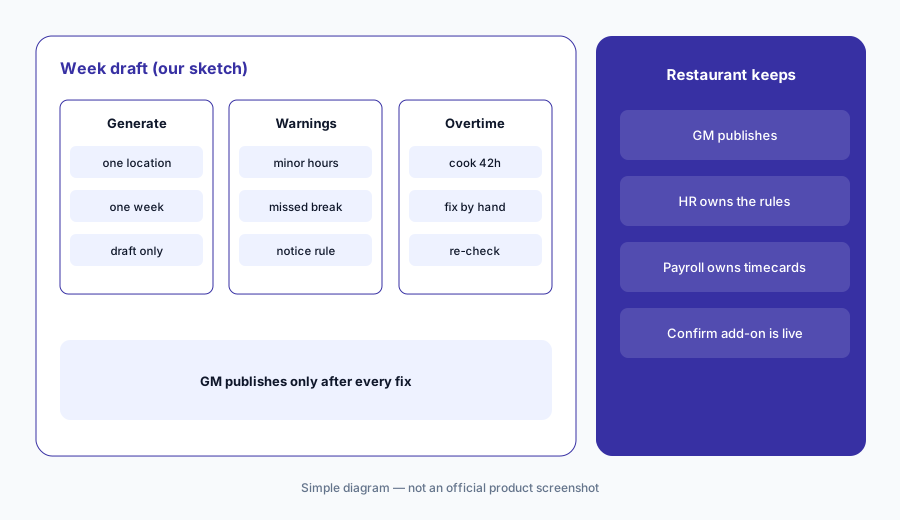
Primary workflow (once One-Click Schedule is on your account):
Generate one week with Harri's One-Click Schedule for one location. Have the GM check every compliance warning and overtime shift before publishing.
2. Salli: ask, propose, confirm
What it is: Salli answers plain-language questions about sales, labor, schedules, and the team using your live Harri data and your existing role permissions (Agentic AI page). It can message team members, suggest schedule fixes, and run routine tasks — but Harri says it waits for your confirmation first. On the pricing page, Salli for operations is listed as an available add-on; Salli for hiring is marked “coming soon.”
Confirmation is the control. A manager who clicks approve on every suggestion without reading has turned the safeguard off.
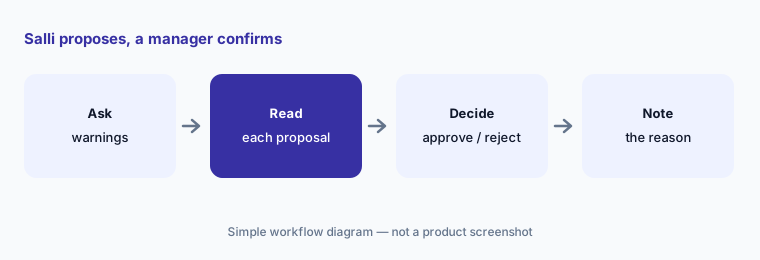
Read before you confirm:
Ask Salli for this week’s schedule warnings at one store. Have the GM approve or reject each proposed fix and write one line on why.
3. Labor compliance: breaks, minors, Fair Workweek
What it is: Harri’s Compliance Agent forecasts premium and overtime cost for the week ahead and knows Fair Workweek, spread-of-hours, and split-shift rules (Agentic AI page). On the pricing grid, Break Compliance is in every Workforce Management bundle; Predictive Scheduling and Minor Employment rules start at Core; Activity Based Scheduling and the Risk Analysis Dashboard are Perform only.
Software can flag a rule only if the rule is set up correctly. HR checks the configured rules against your city and state law once, then after any law change.
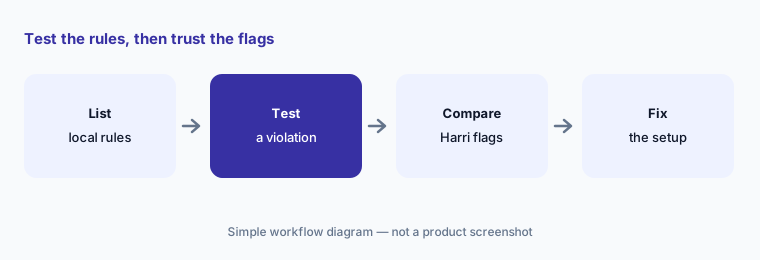
Check the rules, not just the flags:
Write down your three hardest labor rules (minors, breaks, schedule-change notice). Check that Harri flags a test violation of each before you trust the warnings.
4. Team requests and timesheets
What it is: The Team Requests agent checks time-off balances and coverage, bulk-approves requests it sees as safe, and flags the rest. The Timesheet agent sorts timecards into errors, pending, and ready, fixes missed punches it can, and approves clean cards in one action (Agentic AI page).
Bulk approval saves time and can also hide a pattern. The payroll lead spot-checks auto-approved cards every pay period.
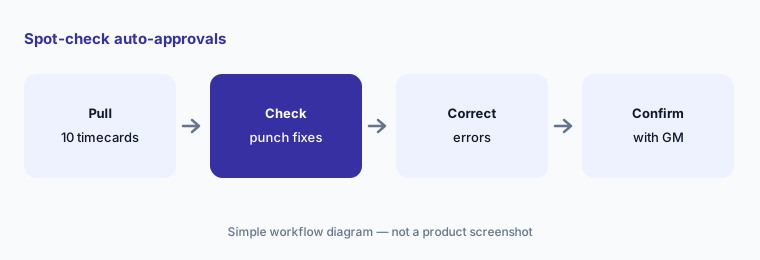
Spot-check the auto-approvals:
Before payroll closes, check ten timecards Harri marked ready and every missed-punch fix it made. Have the payroll lead confirm each with the GM.
5. Demand forecasting and local events
What it is: Harri’s Workforce Management bundles add POS demand forecasting at Core and AI demand forecasting at Core and Perform — the pricing grid notes AI demand forecasting requires professional services. Salli’s Local News & Events agent reads nearby events (a game, a festival, a road closure) and what they may mean for demand. Harri’s forecast-accuracy percentages are vendor claims.
A forecast is only as good as last year’s data and this week’s calendar. The GM adds what Harri can’t know — a private party, a closed patio, a menu change.
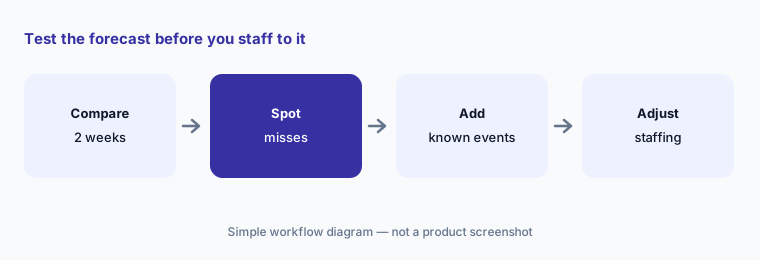
Test the forecast first:
Compare two weeks of Harri’s sales forecast with actual sales by daypart. Have the GM add any event Harri missed before the next schedule.
6. Who signs off, and what it costs
What it is: Harri does not publish prices: every bundle on the pricing page (read 15 Oct 2026) says custom, contact for pricing. Ask the quote to name which bundle you are on, whether Salli and One-Click Schedule are included or add-ons, and whether AI demand forecasting needs paid professional services. Compare against 7shifts AI, which publishes per-location prices, and POS-bundled scheduling in Toast AI.
One approval sheet stops the “the AI did it” excuse: GM publishes schedules, HR owns compliance rules, payroll approves timecards, area manager owns labor targets.
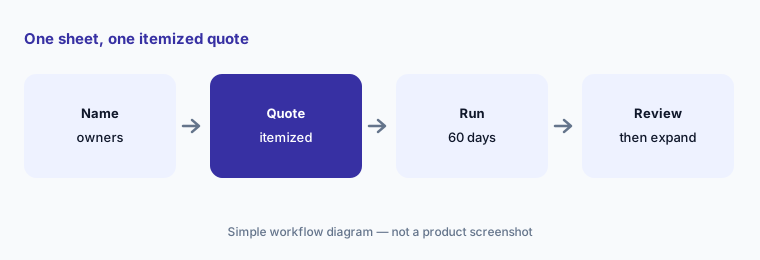
One sheet, one quote:
Make one approval sheet for schedules, compliance rules, timecards, and labor targets. Ask Harri for a quote that lists Salli and One-Click Schedule as separate lines.
Pricing context (October 2026)
Harri’s pricing page (read 15 Oct 2026) lists bundles, not prices: Talent Acquisition (Core, Perform), Workforce Management (Base, Core, Perform), and Engage360 — each marked custom, contact for pricing. Harri says mobile apps for managers and employees come at no additional fee.
Add-ons on the same page: Salli (operations) — available; One Click Schedule — coming soon; Salli for hiring — coming soon; Carri AI recruiting, LMS, Performance Management, and Harri IQ analytics — available; UK Pay — UK only. A separate Salli trial page offered free use “until June 30th” with no year shown; confirm current trial terms with Harri.
Uncertainty: One-Click Schedule is marketed on Harri’s UK page but listed as coming soon on the US pricing page we read on 15 Oct 2026 — confirm it is live on your account. All prices are quote-only. Accuracy, time-saved, and location counts are Harri’s claims.
When it’s useful (honest take)
Useful when you run multiple restaurant or hotel locations with minors, break rules, or Fair Workweek obligations, want an assistant that proposes fixes but waits for a manager, and can get an itemized quote.
Less useful when you are a single location that wants a published monthly price (7shifts AI), you prefer scheduling inside your POS (Toast AI or Square for Restaurants AI), or nobody will read Salli’s proposals before confirming.
Paying for Harri AI and a few other AI tools? The $9 AI toolkit spreadsheet lists every AI subscription you have, what each one costs, and how fast it pays for itself, so you can see which ones are worth the money.
Want someone to do it for you? AI toolkit audit — $19
Related options (educational)
| Need | Better home | Why |
|---|---|---|
| Hospitality workforce suite + AI assistant (this page) | Harri AI | Quote only |
| Restaurant scheduling with published prices | 7shifts AI | Comp free · $44.99 → $149.99 per location |
| Scheduling inside the POS | Toast AI · Square for Restaurants AI | See POS reviews |
| Multi-unit ops, forecasting, and inventory | Crunchtime AI | Quote only |
| Phone and guest-facing AI (not labor) | Slang AI · Popmenu AI | See those pages |
FAQ
What is Salli in Harri?
Salli is Harri’s AI assistant. It answers questions about sales, labor, schedules, and the team from your Harri data, coordinates specialist agents, and proposes actions that a manager confirms before they run. Harri’s pricing page lists Salli for operations as an available add-on (15 Oct 2026).
Is Harri’s One-Click Schedule available now?
Harri’s UK page markets it, but the US pricing page we read on 15 October 2026 lists One Click Schedule as an add-on marked coming soon. Ask Harri whether it is enabled for your account and region.
How much does Harri cost in October 2026?
Harri does not publish prices. Every bundle on its pricing page says custom, contact for pricing. Ask for a quote that lists Salli, One-Click Schedule, and any professional-services fees separately.
Does Harri handle Fair Workweek and minor-labor rules?
Harri says its Compliance Agent knows Fair Workweek, spread-of-hours, and split-shift rules, and the pricing grid puts minor-employment rules in Core and Perform. HR should still test each rule with a deliberate violation before trusting the warnings.
Who should approve Harri’s AI output?
The GM publishes every schedule, HR owns compliance rules, the payroll lead approves timecard fixes, and the area manager owns labor targets. Salli proposes; people confirm.
Optional next step (if seats overlap)
If you pay for Harri, a POS with its own scheduling module, and a separate HR or payroll tool that all track the same shifts, that overlap is worth mapping. Map the overlap with the $19 AI toolkit audit or the $9 AI toolkit spreadsheet. Email Audit $19 or Toolkit spreadsheet $9.
Checkout is live via Stripe. After you pay, we email delivery (spreadsheet) or intake next steps (audit).