Tool · Restaurant ops · MarginEdge · Oct 2026
MarginEdge AI review (Oct 2026): Tom AI, invoice processing, recipe costing, and the AI Connector for restaurants
MarginEdge is a restaurant back office built around invoices: you photograph them, MarginEdge codes them, and the product prices flow into food cost, recipe costs, a daily controllable P&L, and your accounting system. In 2026 it added Tom AI, an in-app assistant that answers from your own data, and the AI Connector, which lets ChatGPT, Claude, and Gemini read that data. This page is about using those tools for the boring, useful jobs while a bookkeeper still approves the books and a chef still owns the recipes. Each section has a Try this.
What this MarginEdge page covers
This page is for a restaurant owner, chef, GM, or bookkeeper who uses MarginEdge or is comparing back-office tools. The question it answers: what Tom AI and the AI Connector can do today, what MarginEdge’s invoice and recipe AI does (and where people are still in the loop), what it costs, and who approves invoice coding, recipe costs, supplier orders, and menu prices.
MarginEdge’s AI page (read 15 October 2026) describes Tom as a “restaurant operations copilot” built on your MarginEdge data, the AI Connector for ChatGPT and Claude, a custom sales forecast, the AI Recipe Uploader, and invoice processing that uses “a combination of AI and real people.” Its 2026 update (12 October 2026) adds SmartPrep (September 2026), which turns the forecast into prep plans.
Ground rules: the bookkeeper approves every invoice’s GL coding before it posts or gets paid; the chef approves recipe matches and plate costs; the GM approves every supplier order and menu price change; no guest data, employee SSNs, or bank details go into any AI chat; and testimonials on vendor pages are customer claims, not our measurement.
Major features (with how someone uses them)
Examples at a glance: each feature has a concrete example from a real job plus a short Try this you can run this week.
1. Tom AI: ask about prices, plate costs, and waste (primary)
What it is: Tom is MarginEdge’s in-app AI assistant — “Tom the tomato” in the top-right menu and in the centre of the mobile app. It answers from your MarginEdge data: invoices, product prices, recipes, inventory, and sales. MarginEdge’s 2026 update gives examples like price trends on your most-purchased products and which menu items have the highest plate cost percentage. There is nothing to set up.
Tom’s answers are only as good as your invoices and recipe links. Before acting on a price trend, check it against the invoices behind it.
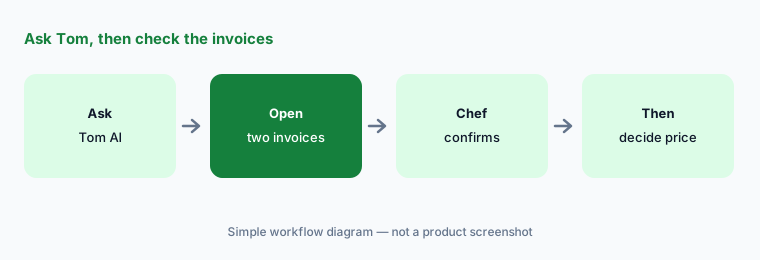
Primary workflow:
Ask MarginEdge's Tom AI which five ingredients rose most in price this month. Have the chef check each against the last two invoices before changing any menu price.
2. Invoice processing: AI plus people, bookkeeper approves coding
What it is: MarginEdge’s core job is invoice processing: you photograph or upload invoices, and MarginEdge says it uses “a combination of AI and real people to code all your invoices,” keeping product prices current. Processing is unlimited on the flat plan, with vendor statement reconciliation and Bill Pay for US restaurants included. 2026 updates added more ways to edit line items and miscellaneous charges during invoice approval, plus new EDI links with distributors such as Shamrock and Allen Brothers.
Coded is not the same as approved. The bookkeeper approves GL coding — and checks every invoice from a new vendor for the first month — before anything posts to accounting or gets paid.
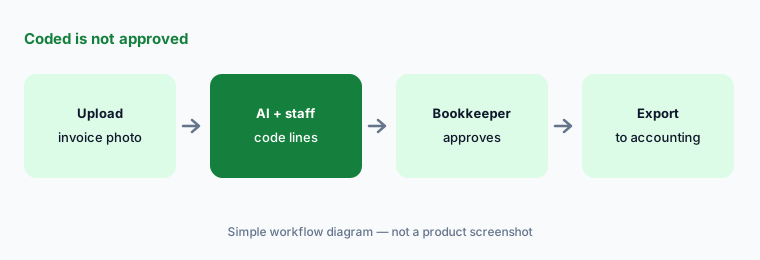
Coded is not approved:
Have the bookkeeper review the next 20 processed invoices line by line. Note every GL code they change and fix the vendor item setup for any repeat mistake.
3. AI Connector: MarginEdge data inside ChatGPT, Claude, and Gemini
What it is: The MarginEdge AI Connector is an MCP server that lets ChatGPT, Claude, Gemini, and other MCP-compatible tools read your MarginEdge data, so you can ask cross-location questions or combine it with your POS and scheduling data. MarginEdge says it is “included in your subscription · no extra cost.” A MarginEdge admin turns it on; you sign in through MarginEdge (no API key); restaurant data needs the Admin or Franchisee Admin role; and the connection FAQ (updated 5 Oct 2026) says the connector is read-only — it “can’t create, edit, delete, or submit anything in MarginEdge.”
Read-only keeps your books safe, but the answers now live in another AI tool. Use a business workspace the owner has approved, and never paste guest or staff personal data into the same chat.
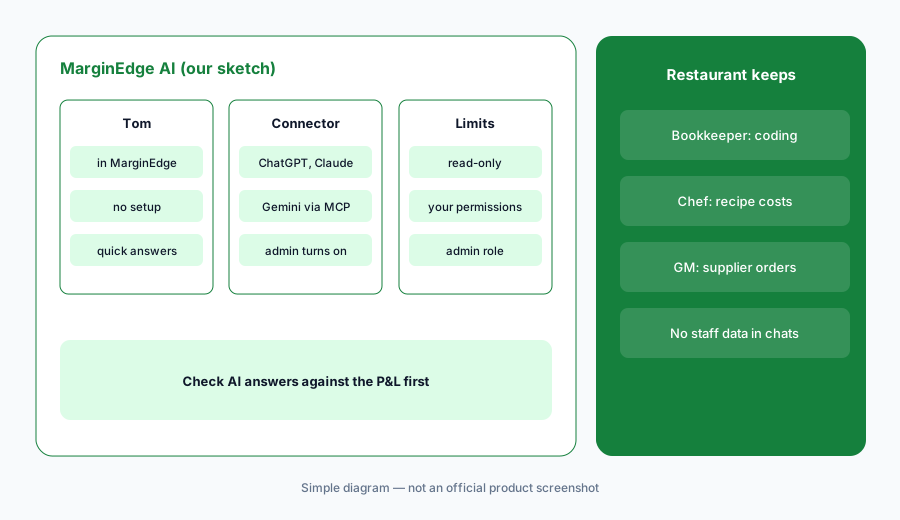
Check before you share:
Connect MarginEdge to one approved AI workspace with an admin login. Ask one cross-location food-cost question and check the answer against the P&L in MarginEdge before sharing it.
4. AI recipe uploader and recipe costing
What it is: Recipe costing needs every ingredient matched to a product you buy. MarginEdge’s Recipe Uploader lets you “paste in your ingredient list and AI matches everything to your products,” and 2026 updates added reusable uploads, recipe scaling, and French and Spanish recipe translation. Plate costs then follow your invoice prices.
A wrong match — a 5 lb bag mapped to a 50 lb case — quietly breaks every plate cost that uses it. The chef approves each recipe’s matches and yields before its cost drives a menu price.
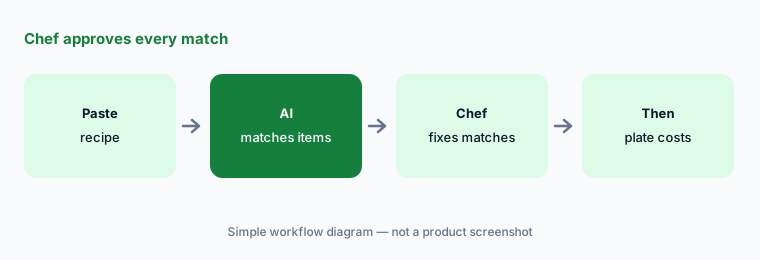
Chef approves matches:
Upload five recipes with the AI uploader. Have the chef check every ingredient match and unit size before the plate costs are used for pricing.
5. Sales forecasting and SmartPrep
What it is: MarginEdge builds a sales forecast from up to three years of your sales plus holidays, seasonality, weather, and trends; it needs at least 28 days of sales and updates daily. In September 2026 MarginEdge added SmartPrep, which turns that forecast into daily prep plans with digital checklists and label printing. You can also import your own forecast.
A forecast does not know about the street fair or the private party. MarginEdge’s help article says notes you add are not yet used by the model, so the kitchen manager adjusts prep for known events.
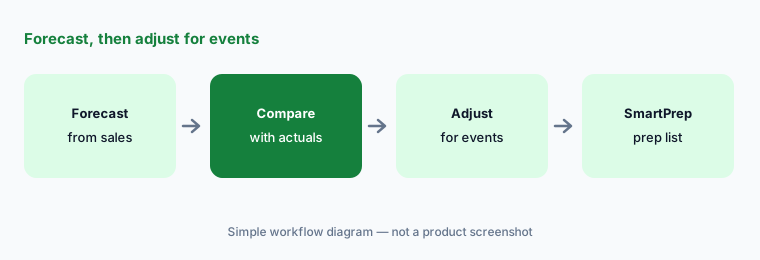
Adjust for events:
Compare MarginEdge's forecast with actual sales for the last two weeks. Have the kitchen manager mark every day off by more than 10% and write down why.
6. Price alerts, budgets, and the daily P&L
What it is: MarginEdge tracks product prices from every invoice and alerts you when they move, and it keeps a daily controllable P&L (food, beverage, and labor) against budget. 2026 updates added a multi-unit product pricing report that shows when locations pay different prices for the same product.
A price alert is a prompt to look, not a reason to switch suppliers. The GM or chef checks the invoice and talks to the rep before any supplier order changes.
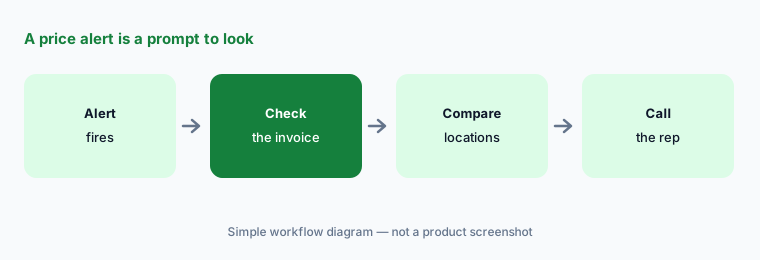
Look before you switch:
Pick the three price alerts with the biggest dollar impact this month. Have the GM check each invoice and call the rep before any supplier order changes.
Pricing context (October 2026)
MarginEdge’s pricing page (read 15 Oct 2026) shows one flat plan: MarginEdge at $350 per month per location, with unlimited invoice processing, unlimited US bill payments, email support, one-on-one training, and no contract on monthly billing. Annual billing is 10% off (MarginEdge says that saves $420 a year). MarginEdge + Freepour (a liquor smart scale) is $500 per month per location. Large groups can ask for bespoke pricing.
Extras to budget: onboarding packages (no price shown), and Toast users pay a pass-through API fee plus Toast’s Restaurant Management Suite at $50 per month per location. Tom and the AI Connector are included in the subscription.
Uncertainty: Tom and the AI Connector are new in 2026, and MarginEdge says it keeps adding connector tools, so the list of what the connector can read changes. Prices above are MarginEdge’s published list for October 2026 and exclude onboarding packages and POS fees. Testimonials on MarginEdge pages are customer claims, not our measurement.
When it’s useful (honest take)
Useful when you have a pile of paper invoices, want food cost and plate costs to follow real prices, and have a bookkeeper who approves coding and a chef who owns recipes — and you like asking questions instead of building reports.
Less useful when you need a full accounting system with payroll and scheduling (Restaurant365 AI), or you only want POS-side answers about sales (Square for Restaurants AI, Toast AI).
Paying for MarginEdge AI and a few other AI tools? The $9 AI toolkit spreadsheet lists every AI subscription you have, what each one costs, and how fast it pays for itself, so you can see which ones are worth the money.
Want someone to do it for you? AI toolkit audit — $19
Related options (educational)
| Need | Better home | Why |
|---|---|---|
| Invoice processing + recipe costing + Tom | MarginEdge AI (this page) | $350/month per location |
| Restaurant accounting, AP, payroll, scheduling | Restaurant365 AI | Quote only |
| POS with built-in AI insights | Square for Restaurants AI | Free $0 · Plus $49 · Premium $149 |
| POS with Toast IQ | Toast AI | Starter Kit $0 · Point of Sale $69 · custom |
| Ad hoc analysis on an exported report | Claude (sanitized export) | General chat; no MarginEdge data unless connected |
FAQ
What is Tom in MarginEdge?
Tom is MarginEdge’s built-in AI assistant. It answers questions from your MarginEdge data — invoices, prices, recipes, inventory, and sales — such as which products are rising in price or which dishes have the highest plate cost percentage. It needs no setup.
Does the MarginEdge AI Connector cost extra?
No. MarginEdge says the AI Connector is included in the subscription. It works with ChatGPT, Claude, Gemini, and other MCP tools, needs an admin to turn it on, and is read-only, so the AI tool cannot change anything in MarginEdge.
How much does MarginEdge cost in October 2026?
MarginEdge lists $350 per month per location with unlimited invoice processing, or $500 per month per location bundled with Freepour. Annual billing is 10% off. Onboarding packages and Toast integration fees are extra.
Does AI code my invoices without a person checking?
MarginEdge says it uses a combination of AI and real people to code invoices. Your bookkeeper should still approve GL coding before anything posts to accounting or gets paid.
Who should approve MarginEdge AI output?
The bookkeeper approves invoice coding; the chef approves recipe matches, yields, and plate costs; the GM approves every supplier order and menu price change. Tom and the connector suggest — people decide.
Optional next step (if seats overlap)
If you pay for invoice processing, a separate inventory app, and a POS add-on that now overlap, that is worth mapping. Map the overlap with the $19 AI toolkit audit or the $9 AI toolkit spreadsheet. Email Audit $19 or Toolkit spreadsheet $9.
Checkout is live via Stripe. After you pay, we email delivery (spreadsheet) or intake next steps (audit).