How-to · Restaurants · MarginEdge · Oct 16, 2026
Let MarginEdge's Tom AI process invoices, and keep the bookkeeper on every coding approval
MarginEdge's Tom AI helps process invoices with human coding in the loop. Paying from AI coding without a bookkeeper still misstates food cost. This page shows how to map one vendor, capture with Tom, and keep the bookkeeper on every coding approval.
Who this is for
Restaurant owners, chefs, or bookkeepers on MarginEdge who want Tom on invoices with bookkeeper coding approval. For MarketMan Smart Ordering — a different job — see MarketMan Smart Ordering chef approve.
How to do it
This is a how-to, not a ranking. Per the MarginEdge AI review, Tom AI and invoice processing use AI plus people; the bookkeeper approves coding before payment.

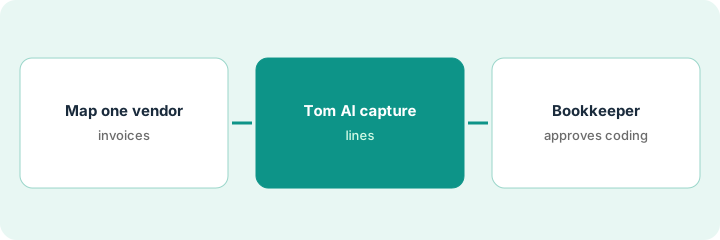
1. Map one vendor's invoices
What it is: Pick one vendor and confirm how invoices arrive (email, upload, photo).
- Choose a high-volume vendor first.
- Confirm the general ledger categories you expect.
- Name the bookkeeper who approves coding.
- Park other vendors until this path is clean.
They start with the produce house that emails PDFs daily. Meat invoices wait a week.
Write vendor name, inbox, and expected categories on one line.
2. Tom AI capture
What it is: Let Tom / MarginEdge capture the invoice lines; keep payment off.
- Allow capture for that vendor.
- Review raw lines for missing items.
- Do not pay from this step.
- Flag odd units for the chef if needed.
Twelve invoices capture cleanly; one credit memo needs a hand look.
List exceptions before coding approval.
3. Bookkeeper approves coding before payment
What it is: The bookkeeper approves or corrects coding, then payment follows your normal controls.
- Approve category and location coding.
- Correct mismatches to recipes or vendors.
- Only then release for bill pay if you use it.
- Re-train the team when the same error repeats.
Bookkeeper recodes two lines from paper to packaging. Payment runs after approval.
Log: invoice count, coding edits, approver, date.
Pricing context (October 2026)
This how-to isn't a price sheet. Per the MarginEdge AI review and MarginEdge's pricing page (checked Oct 16, 2026), MarginEdge is $350 per month per location ($500 with Freepour); Toast users may owe Toast Restaurant Management Suite about $50 per location plus API pass-through. Dated October 2026.
Checked Oct 16, 2026 on the vendor’s own pricing page: MarginEdge’s pricing page lists MarginEdge at $350 per month per location and MarginEdge + Freepour at $500 per month per location. Toast users may owe Toast Restaurant Management Suite $50 per location plus an API pass-through.
Uncertainty: The only prices this site sells here are the optional $9 AI toolkit spreadsheet and $19 AI toolkit audit.
When this helps (honest take)
Useful when you process many invoices and a bookkeeper will approve coding.
Not useful when you need AI supplier order suggestions — see MarketMan Smart Ordering.
Related options (educational)
| Need | Where to look | Why |
|---|---|---|
| MarginEdge AI | MarginEdge AI | Primary path |
| MarginEdge vs MarketMan | MarginEdge vs MarketMan | Side-by-side |
| MarketMan Smart Ordering | MarketMan Smart Ordering | A different job |
| Restaurant stack map | Stack map: restaurant ops | Where MarginEdge fits |
FAQ
How is this different from MarketMan Smart Ordering?
A different job: this page is Tom invoice coding with bookkeeper approval. MarketMan Smart Ordering is chef/GM approval of supplier order suggestions.
Does Tom pay vendors by itself?
Not in this routine. Coding approval and your bill-pay controls stay with people.
Where do MarginEdge prices live?
$350 per location on the page we checked; confirm Toast fees if applicable. Our Oct 16, 2026 check of the vendor’s own pricing page is summarized in the pricing section above.
How is this different from MarketMan Smart Ordering?
A different job: this page is Tom invoice coding. MarketMan Smart Ordering is chef/GM approval of supplier orders.
Optional next step
If you want a one-page toolkit map for the tools you already pay for, use the optional $9 AI toolkit spreadsheet. If you want a short review of seat waste and unused tools, use the optional $19 AI toolkit audit. Neither is required to follow this how-to.