Compare · Restaurant ops · Oct 2026
MarginEdge vs MarketMan (Oct 2026): AI invoice processing and inventory for restaurants
MarginEdge and MarketMan both turn supplier invoices into food-cost data, but they start from different ends. MarginEdge is a flat-priced back office where invoices are coded by AI plus real people, with the Tom assistant and an AI Connector on top. MarketMan is inventory and purchasing first, with AI invoice scanning, Smart Ordering suggestions, and AI recipe tools on its higher plans. This page compares jobs — it is not a ranking — and each section has a Try this.
What this comparison covers
This page is for a restaurant owner, chef, GM, or bookkeeper choosing between MarginEdge and MarketMan, or running one and wondering about the other. The question it answers: how each handles invoices, recipe costs, supplier orders, AI questions, and integrations, what each publishes as a price, and who approves the money.
We re-read both vendors’ pages on 15 October 2026. MarginEdge’s pricing page shows $350 per location per month for everything, with unlimited invoice processing. MarketMan’s pricing page shows Starter $249, Growth $299, and Enterprise from $449 per month, with AI features split by plan. Facts line up with our MarginEdge AI and MarketMan AI reviews.
Ground rules for either tool: the bookkeeper approves invoice totals and GL coding before anything is paid; the chef approves recipe matches, units, and plate costs before a menu price moves; the chef or GM approves every supplier order; no employee or guest personal data goes into any AI chat; and vendor savings figures are their claims, not our measurement. This comparison is not a ranking. For a full accounting suite, see Restaurant365 AI; for multi-unit back office, see Crunchtime AI.
| Question | MarginEdge | MarketMan |
|---|---|---|
| Published price | $350 per location per month, one flat plan; MarginEdge + Freepour $500; bespoke for large groups | Starter $249 · Growth $299 per month · Enterprise from $449; API and Commissary add-ons |
| Invoice capture | Unlimited invoices processed; “a combination of AI and real people” code them | AI-powered invoice scans: 50 a month on Starter, unlimited on Growth and Enterprise; email scanning on Enterprise |
| Recipe costing | Recipe costing with AI Recipe Uploader (AI matches ingredients to products) | Real-time recipe costing on every plan; AI-assisted recipe suggestions and optimization on Growth+ |
| Ordering | Inventory and ordering; Tom gives guidance on prep, ordering, and waste | Smart Ordering (AI weekly order suggestions), Order By Recipe, PO approval on web and mobile — Growth+ |
| AI assistant | Tom (in-app copilot) + AI Connector for ChatGPT and Claude, included | No chat assistant on the pages we read; AI sits inside ordering, scanning, and recipe tools |
| Bills and accounting | Accounting integrations, vendor statement reconciliation, and unlimited bill pay (bill pay for US restaurants only) | POS + accounting integrations; vendor EDI in the US, Canada, and UK |
| Who approves | Bookkeeper approves invoice coding; chef approves recipe matches | Bookkeeper checks scanned invoices; chef or GM approves every PO |
Major features (with how someone uses them)
Examples at a glance: each feature has a concrete example from a real job plus a short Try this you can run this week.
1. Same five invoices through both (primary)
What it is: MarginEdge says it uses “a combination of AI and real people to code all your invoices” and processes an unlimited number on its flat plan (AI page, pricing). MarketMan offers AI-powered invoice scanning — 50 scans a month on Starter, unlimited on Growth and Enterprise, and email invoice scanning on Enterprise (pricing). See MarginEdge AI and MarketMan AI for the full workflows.
The fair test is the same messy invoices in both: a credit memo, a split delivery fee, a case-versus-each unit, and a handwritten change. Coded or scanned is not the same as approved.
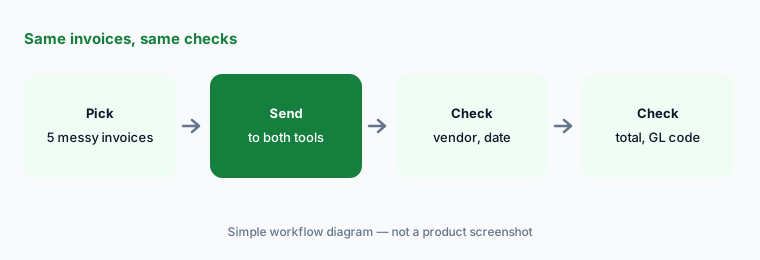
Same invoices, same checks:
Send the same five invoices through each tool's trial or demo. Have the bookkeeper check vendor, date, total, and GL code on every result.
2. Recipe costing and AI recipe tools
What it is: MarginEdge’s Recipe Uploader lets you “paste in your ingredient list and AI matches everything to your products,” and plate costs then follow invoice prices (AI page). MarketMan includes real-time recipe costing on every plan and adds AI-assisted recipe suggestions and AI-powered recipe optimization on Growth and Enterprise (plan matrix).
A wrong unit match — a 5 lb bag mapped to a 50 lb case — breaks every plate cost that uses it. The chef approves matches in either tool before cost numbers drive a menu price.
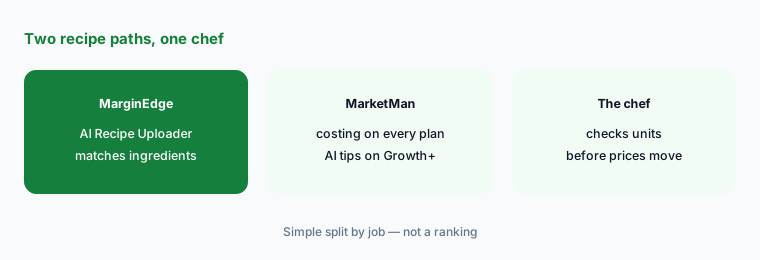
Same five dishes:
Cost the same five dishes in both tools. Have the chef check every ingredient match and unit size before comparing plate costs.
3. Supplier orders and suggestions
What it is: MarketMan’s Smart Ordering gives “AI-powered suggestions on what to order each week,” alongside Order By Recipe and PO approval on web and mobile — all on Growth and Enterprise (pricing). MarginEdge includes inventory and ordering tools, and says Tom gives guidance on prep, ordering, and waste before it hits the P&L (AI page); we did not find an automatic order-suggestion feature described on the MarginEdge pages we read.
A suggested order is a draft until the chef or GM edits and approves it. Keep a person on every order for a new supplier for at least two weeks.
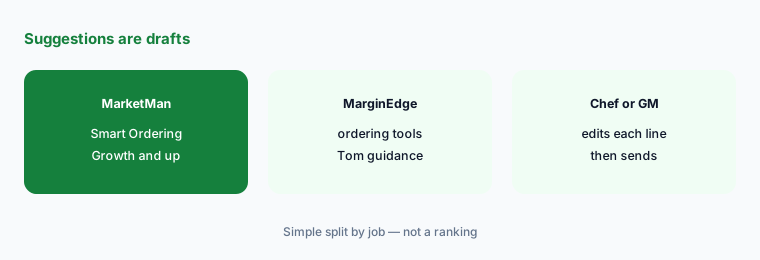
Draft vs what you sent:
For one supplier, compare the order each tool would help you build with what the chef actually ordered last week. The chef approves every line before anything is sent.
4. AI assistants: Tom and the AI Connector
What it is: MarginEdge has Tom, an in-app copilot that explains cost overages and sales swings from your MarginEdge data, and an AI Connector that brings that data into ChatGPT and Claude; our MarginEdge AI review covers the read-only connector rules. MarketMan’s AI lives inside its tools — scanning, Smart Ordering, and recipe suggestions — and we found no chat assistant on the MarketMan pages we read (see MarketMan AI).
An answer in a chat window is only as good as the invoices behind it. Check any AI answer against the source report before acting.
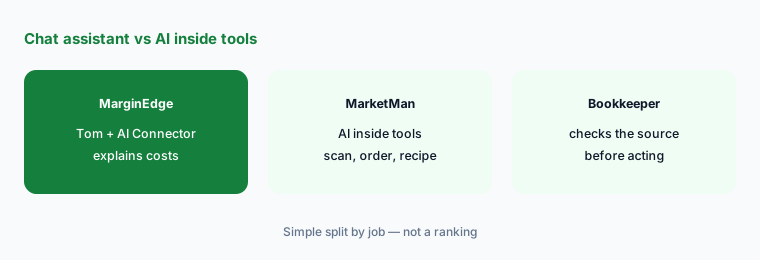
Same question, check the source:
Ask one food-cost question in Tom (or a connected AI tool) and pull the matching MarketMan report. Have the bookkeeper check both against the invoices behind them.
5. POS, accounting, and distributor links
What it is: MarginEdge lists POS and accounting integrations and unlimited bill pay, which it marks as US restaurants only for now; Toast users pay a pass-through API fee plus Toast’s Restaurant Management Suite at $50 per month per location (pricing FAQ). MarketMan lists POS and accounting integrations, vendor EDI in the US, Canada, and UK (1, 2, or unlimited by plan), and a read-only API add-on; Square sellers new to MarketMan can use Square Restaurant Inventory by MarketMan at USD 99 per month per location (see MarketMan AI).
Integration costs are easy to miss. Ask both vendors, in writing, what your POS, accounting software, and top distributors will cost to connect on your plan.
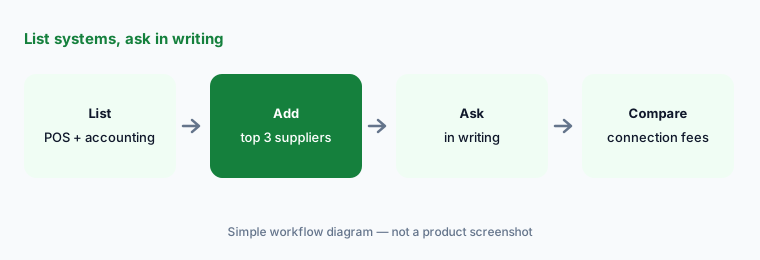
List, then ask in writing:
List your POS, accounting software, and top three distributors. Ask each vendor in writing which connect on your plan and what any connection costs.
6. Price and who approves the money
What it is: MarginEdge publishes one price — $350 per location per month — with unlimited invoices, US bill pay, support, and training, and $500 with the Freepour liquor scale. MarketMan publishes Starter $249, Growth $299, and Enterprise from $449 per month, plus add-ons; Smart Ordering and AI recipe tools need Growth or higher. On both, the bookkeeper owns invoices and payments, the chef owns recipes, and the chef or GM owns supplier orders.
Price the plan you would actually need. If you want AI order suggestions on MarketMan, compare against Growth, not Starter.
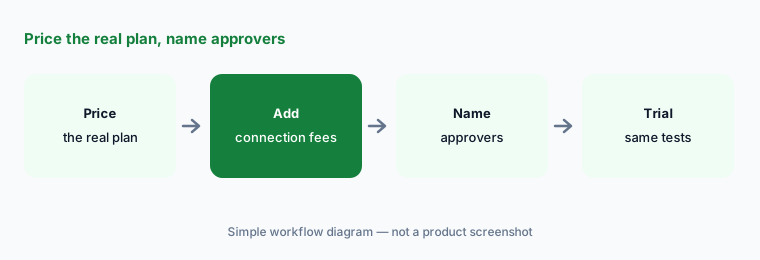
One approval sheet:
Make one approval sheet for invoices, recipe costs, and supplier orders, with a dollar limit for GM sign-off. Price the plan you would actually need on each tool, connection fees included.
Pricing context (October 2026)
MarginEdge (pricing page, read 15 Oct 2026): $350 per location per month; MarginEdge + Freepour $500 per location per month; bespoke pricing for large groups; unlimited invoices processed, unlimited bills paid (US restaurants only), email support, one-on-one training, no contracts; onboarding packages (no price shown); Toast users add a pass-through API fee and Toast’s Restaurant Management Suite at $50 per month per location.
MarketMan (pricing page, read 15 Oct 2026): Starter $249 per month (50 AI invoice scans a month), Growth $299 (Smart Ordering, AI recipe tools, unlimited scanning), Enterprise from $449 (email scanning, advanced reports, unlimited EDI, read-only API). API add-on $25–$199 per month by location count; Commissary $499 or $749 per month. Square path: USD 99 per month per location for sellers new to MarketMan (see MarketMan AI).
Uncertainty: MarketMan’s pricing page does not say whether its plan prices are per location; confirm for multi-unit quotes. MarginEdge’s AI Connector and Tom are new in 2026 and still changing. We did not find an automatic order-suggestion feature on MarginEdge’s pages. This page is not a ranking — pick from the same five invoices, five dishes, and named approvers.
When it’s useful (honest take)
MarginEdge is useful when you want one flat price, invoices coded by AI plus people, bill pay included (US restaurants), and an AI assistant (Tom) that explains your costs.
MarketMan is useful when you want ingredient-level inventory and purchasing, AI order suggestions a chef will edit, distributor EDI (US, Canada, UK), or the Square-billed path.
Less useful when (either one) nobody will review invoices or orders in the first month, or you need full restaurant accounting (Restaurant365 AI) or multi-unit forecasting and counts (Crunchtime AI).
Still choosing between MarginEdge and MarketMan? The $19 AI toolkit audit gives you a written plan for which tools to keep using and which to drop across your whole AI stack, including this pair.
Prefer to do it yourself? Spreadsheet — $9
Related options (educational)
| Need | Better home | Why |
|---|---|---|
| MarginEdge on its own | MarginEdge AI | $350 per location per month |
| MarketMan on its own | MarketMan AI | Starter $249 · Growth $299 · Enterprise from $449 |
| Full restaurant accounting suite | Restaurant365 AI | Quote only |
| Multi-unit back office + voice counts | Crunchtime AI | Quote only |
| Labor side of the P&L | 7shifts vs Harri | Not a ranking |
FAQ
Should I choose MarginEdge or MarketMan?
This page is not a ranking. Send the same five invoices and cost the same five dishes in both, price the plan you would actually need, and name who approves invoices, recipes, and orders. Pick from those results.
How much do MarginEdge and MarketMan cost in October 2026?
MarginEdge publishes $350 per location per month ($500 with Freepour). MarketMan publishes Starter $249, Growth $299, and Enterprise from $449 per month, plus add-ons. Toast users on MarginEdge also pay Toast-side fees. Confirm on each pricing page.
Which one uses AI to process invoices?
Both. MarginEdge says AI and real people code your invoices, with unlimited processing. MarketMan offers AI-powered invoice scanning — 50 a month on Starter and unlimited on Growth and Enterprise. Either way, the bookkeeper approves before payment.
Does either tool suggest supplier orders?
MarketMan’s Smart Ordering gives AI suggestions on what to order each week on Growth and Enterprise. MarginEdge has ordering tools and Tom’s guidance; we did not find automatic order suggestions on its pages. The chef or GM approves every order.
Who should approve AI output in either tool?
The bookkeeper approves invoice totals and GL coding, the chef approves recipe matches and plate costs, and the chef or GM approves supplier orders. AI drafts; people sign off.
Optional next step (if seats overlap)
If you pay for an invoice tool, an inventory tool, and an accounting suite that all read the same invoices, that overlap is worth mapping. Map the overlap with the $19 AI toolkit audit or the $9 AI toolkit spreadsheet. Email Audit $19 or Toolkit spreadsheet $9.
Checkout is live via Stripe. After you pay, we email delivery (spreadsheet) or intake next steps (audit).