Tool · Restaurant ops · Square · Oct 2026
Square for Restaurants AI review (Oct 2026): Square AI, Managerbot, AI ordering channels, and the new Square Kiosk
Square for Restaurants is Square’s POS for counter-service and full-service food and beverage businesses: payments, kitchen displays, online ordering, kiosks, staff tools, and marketing in one account. Its AI layer has grown fast in 2026: Square AI answers questions about your business, Managerbot drafts schedules, orders, and campaigns for you to approve, your menu now syncs to ChatGPT, Claude, and Google Ask Maps for ordering, Apple Business keeps Apple Maps listings current, and the new Square Kiosk takes orders by voice. This page is about using that AI for useful jobs while the owner still decides what customers see and pay. Each section has a Try this.
What this Square for Restaurants page covers
This page is for a restaurant owner, general manager, or ops lead who runs Square or is choosing a POS. The question it answers: which Square AI features exist today, which are still beta, what Square publishes about price, and who must approve menu changes, prices, schedules, orders, and campaigns.
Square’s restaurant pricing page (read 15 October 2026) lists Square AI and AI voice ordering, both labelled beta. Managerbot, the agent built on Square AI, went to open beta on 28 April 2026. Square then added ordering through a ChatGPT app and Claude plugin (1 July 2026), Google’s Ask Maps (6 August 2026), and Apple Business listings (24 September 2026), and on 14 October 2026 launched the new Square Kiosk with a voice layer that knows your menu.
Ground rules: the owner approves every menu and price change before it syncs to AI ordering channels, and every campaign; the GM accepts every schedule; the kitchen manager approves every purchase order; the chef checks allergen data before a kiosk answers guests; no guest card data or employee SSNs go into any test; and vendor figures are Square’s (or Apple’s) claims, not our measurement.
Major features (with how someone uses them)
Examples at a glance: each feature has a concrete example from a real job plus a short Try this you can run this week.
1. Square AI: ask your own numbers (primary)
What it is: Square AI is a chat assistant inside Square. You ask in plain words — top items, slow hours, how this month compares with last — and it answers from your Square data, industry trends, and web search, and can suggest Square features you may not be using. Square’s pricing page lists it under AI-powered insights and labels it beta (Square opened the beta in June 2025).
Square’s own Managerbot help article says its AI is built on large language models that “can make mistakes” and asks sellers to validate responses. Check the first answers against a report you already trust.
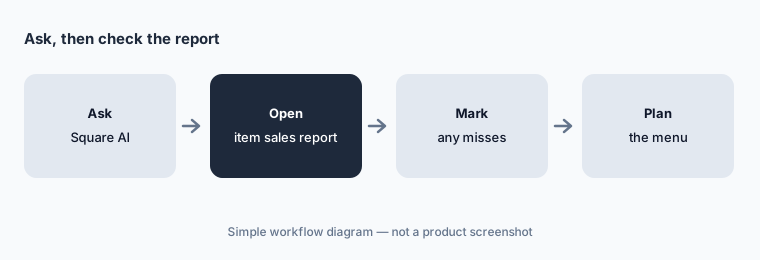
Primary workflow:
Ask Square AI for last month's top ten items by sales. Check them against your item sales report and mark any item it got wrong.
2. Managerbot: drafts and proposals you approve
What it is: Managerbot is Square’s business agent, opened to more sellers in open beta on 28 April 2026. It watches sales, labor percentage, stock against sales velocity, and catalog gaps (items without photos, duplicate tax rates, missing descriptions), and it can draft staff schedules, purchase orders from an invoice or packing list, email campaigns, and bulk menu updates. Square’s rule: “Managerbot proposes an action, and sellers approve.” It is available at no additional cost to most non-franchise US food and beverage sellers, for owners and employees with full access permissions.
Approval only protects you if the right person approves. Decide who signs off each task type — the owner for campaigns and prices, the GM for schedules, the kitchen manager for purchase orders. Square’s help article says you can undo an action by asking Managerbot to reverse it; test that once on something harmless.
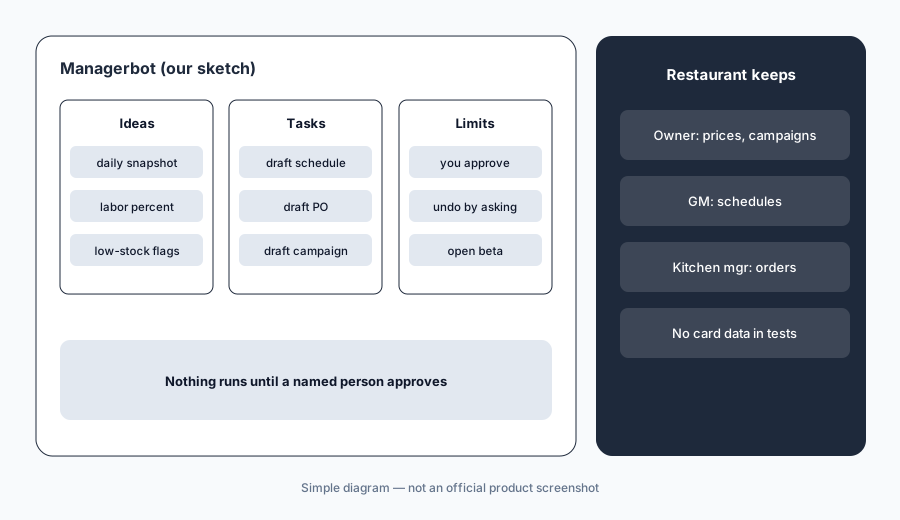
One approver per task:
List the task types Managerbot can draft for you (schedules, purchase orders, campaigns, menu updates). Write one named approver beside each before anyone accepts a draft.
3. AI ordering channels: ChatGPT, Claude, and Google Ask Maps
What it is: On 1 July 2026 Square launched a ChatGPT app and a Claude plugin, and on 6 August 2026 it added Google’s Ask Maps. Eligible US food and beverage sellers with an active Square Online Ordering profile (and, for Ask Maps, a Google Business Profile) are opted in automatically. Square syncs menus, hours, and ordering details in real time; guests check out with Order by Cash App, and orders land in your POS and kitchen display with the source visible in reporting. Square says there are no added fees or marketplace commissions on these orders.
Automatic sync means a wrong price or a sold-out item reaches AI assistants as fast as it reaches your own ordering page. The owner approves every menu and price change in Square before it syncs, and checks what the assistants show at least once a month.
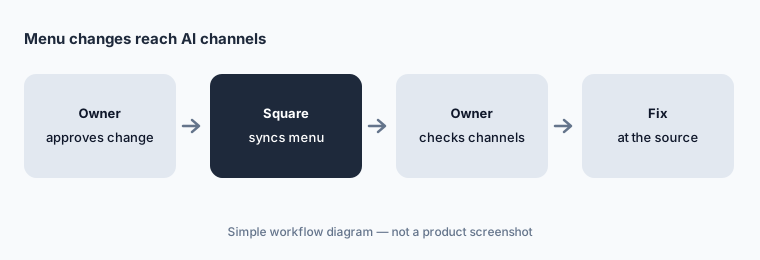
Check what guests see:
Ask ChatGPT, Claude, and Google Ask Maps for your restaurant's hours and three menu prices. Fix any wrong answer in Square Dashboard and check again the next day.
4. Apple Business: Apple Maps, Siri, and Wallet listings
What it is: Since 24 September 2026 you can connect Apple Business from Square Dashboard (Channels → Apple Business). Square then keeps your logo, hours, address, and phone number in sync across Apple Maps, Siri, and Wallet, and adds action links — Menu, Order, Pickup, Delivery, Book — to your Apple Maps place card. It needs a payments-activated Square account and a fixed physical location, in the eight countries Square lists. Square’s partner page quotes figures for more views and higher click-through on claimed place cards; those are vendor claims, not ours.
Connecting hands day-to-day management of your Apple listing to Square. Pick one person who owns listing facts, so hours in Square, Google, and Apple never disagree.
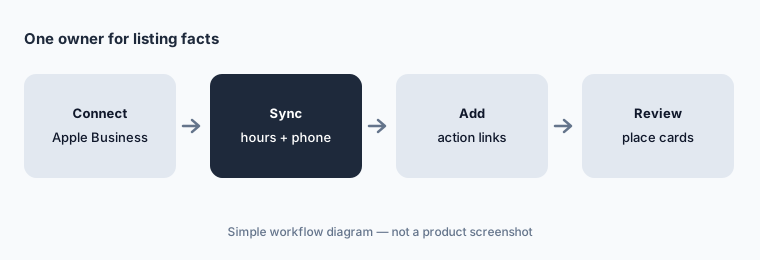
One owner for listing facts:
Connect Apple Business for one location. Compare its Apple Maps place card with your Google profile and your website, and fix any mismatch in Square.
5. The new Square Kiosk: voice ordering and menu questions
What it is: Square unveiled the new Square Kiosk on 14 October 2026: a standalone 21.5-inch self-ordering station with what Square calls an agentic voice layer that knows your menu. Guests order by voice or touch, ask menu questions — including allergy information and vegetarian options — and get suggestions based on what sells at that location, the time of day, or what is already in the cart. Price, inventory, and menu changes made in Square reach every kiosk automatically.
A kiosk that answers allergy questions is only as safe as the allergen data in your menu. The chef checks every allergen and ingredient line in Square before the kiosk goes live, and the GM decides which upsells it may suggest.
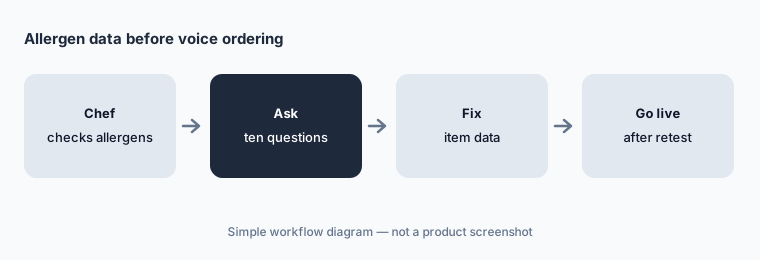
Allergen data first:
Ask the kiosk ten allergy and ingredient questions before launch. Have the chef check every answer against the allergen sheet and fix the item data in Square first.
6. Voice ordering for phone calls (beta)
What it is: Square’s restaurant pricing page lists Voice ordering: “AI-powered voice ordering answers all calls and sends every order straight to your kitchen.” It is labelled beta, and the page does not show a separate price for it. Because orders go straight to the kitchen, a misheard modifier becomes a remade ticket.
Decide what the phone agent should not handle — large parties, catering, allergy questions — and make sure those calls reach a person.
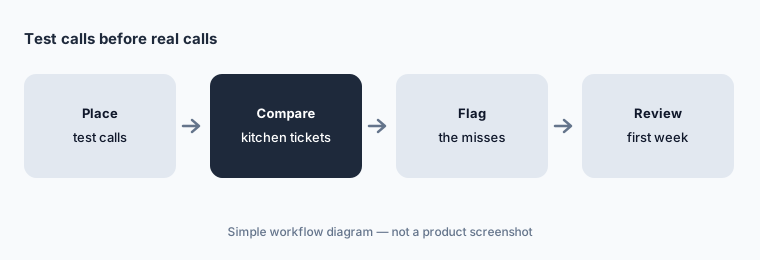
Test calls first:
Place five test phone orders with tricky modifiers. Have the FOH manager compare each kitchen ticket with what was said before Voice ordering answers real calls.
Pricing context (October 2026)
Square’s restaurant pricing page (read 15 Oct 2026) lists three plans: Square Free at $0/month (you pay processing only), Square Plus at $49/month per location, and Square Premium at $149/month per location. In-person card processing is 2.6% + 15¢, 2.5% + 15¢, and 2.4% + 15¢ respectively; online payments are 3.3% + 30¢ on Free and 2.9% + 30¢ on Plus and Premium. Plus and Premium have a free 30-day trial, and businesses processing over $250,000 a year can ask about custom pricing.
Add-ons on the same page: the Square KDS app at $30/month per device on Plus or $20 on Premium (not on Free), and Square Kiosk software at USD 99/month per device. The new Square Kiosk hardware is $1,999 with a countertop stand and needs Plus or Premium (Square, 14 Oct 2026). Square AI and Voice ordering are labelled beta; Managerbot is in open beta at no additional cost for eligible sellers; Square says the ChatGPT, Claude, and Ask Maps channels add no fees or commissions.
Uncertainty: Square AI, Managerbot, and Voice ordering were beta or open beta on 15 Oct 2026, and Square has not said what they will cost after beta. AI channel eligibility depends on Square Online Ordering and, for Ask Maps, a Google Business Profile. Existing sellers may be on legacy plans with different prices (the new Kiosk is not offered on legacy Restaurants POS Plus or Premium plans). Apple Maps view and click-through figures are vendor claims, not our measurement.
When it’s useful (honest take)
Useful when you run Square (or are choosing a POS for a counter-service or small full-service restaurant) and want quick answers, drafted schedules and campaigns you approve, and your menu showing correctly in AI assistants and maps — with an owner who checks every price and a chef who owns allergen data.
Less useful when you need invoice processing and recipe costing (MarginEdge AI), a full restaurant accounting back office (Restaurant365 AI), or a POS whose AI agents are built around full-service depth (Toast AI).
Paying for Square for Restaurants AI and a few other AI tools? The $9 AI toolkit spreadsheet lists every AI subscription you have, what each one costs, and how fast it pays for itself, so you can see which ones are worth the money.
Want someone to do it for you? AI toolkit audit — $19
Related options (educational)
| Need | Better home | Why |
|---|---|---|
| Restaurant POS + AI insights and an agent | Square for Restaurants AI (this page) | Free $0 · Plus $49 · Premium $149 per location |
| Restaurant POS with Toast IQ | Toast AI | Starter Kit $0 · Point of Sale $69 · custom |
| Invoice processing + recipe costing | MarginEdge AI | $350/month per location |
| Restaurant accounting, AP, and P&L | Restaurant365 AI | Quote only |
| Scheduling across POS brands | 7shifts AI | Comp free → Premium per location |
FAQ
Does Square AI cost extra?
Square lists Square AI on its restaurant pricing page and labels it beta. Managerbot is in open beta at no additional cost for most non-franchise US food and beverage sellers. Square had not published post-beta pricing on 15 October 2026.
Can Managerbot change my menu or schedule by itself?
No. Square says Managerbot proposes an action and the seller approves; every action needs approval before it runs, and you can ask it to reverse an action. Keep one named person approving each task type.
How do restaurants show up in ChatGPT, Claude, and Google Ask Maps?
Eligible US food and beverage sellers with an active Square Online Ordering profile are opted in automatically; Ask Maps also needs a Google Business Profile. Square syncs menus, hours, and ordering details, and orders arrive in your POS and kitchen display.
How much does Square for Restaurants cost in October 2026?
Square Free is $0/month plus processing, Square Plus is $49/month per location, and Square Premium is $149/month per location. KDS and kiosk software are per-device add-ons, and the new Square Kiosk hardware is $1,999 with a countertop stand.
Who should approve Square AI changes?
The owner approves every menu and price change before it syncs to ordering channels, and every campaign; the GM approves schedules; the kitchen manager approves purchase orders; the chef checks the allergen data the kiosk uses.
Optional next step (if seats overlap)
If you pay for a POS with built-in AI and marketing, a separate email tool, and a separate phone-ordering service that now overlap, that is worth mapping. Map the overlap with the $19 AI toolkit audit or the $9 AI toolkit spreadsheet. Email Audit $19 or Toolkit spreadsheet $9.
Checkout is live via Stripe. After you pay, we email delivery (spreadsheet) or intake next steps (audit).