Tool · Restaurant ops · Restaurant365 · Oct 2026
Restaurant365 AI review (Oct 2026): R365 AI, P&L questions, food-cost variance alerts, and AI purchase orders
Restaurant365 (R365) is a restaurant back office that puts accounting, inventory and purchasing, scheduling and labor, and payroll in one system, connected to your POS. Its AI layer, R365 AI, launched in May 2026: AI Dashboards answer plain-language requests, AI Advisor (early access) answers P&L questions, and R365 says the AI spots food-cost variances, matches AP invoices, and suggests purchase orders from demand. This page is about using that AI for the jobs controllers and kitchen managers already do — while a bookkeeper still approves AP and a GM still approves every order. Each section has a Try this.
What this Restaurant365 page covers
This page is for a multi-unit restaurant controller, bookkeeper, GM, or kitchen manager who runs Restaurant365 or is shortlisting a restaurant back office. The question it answers: which R365 AI features are generally available, which are early access or beta, what Restaurant365 publishes about price (nothing, as of October 2026), and who approves AP, purchase orders, schedules, and period close.
Restaurant365’s R365 AI announcement (12 May 2026) says AI Dashboards and the Labor Management Suite are generally available, while AI Advisor, AI Scheduling, and Secure Data Share are early access through R365 Chef’s Table. Its R365 AI page (read 15 October 2026) adds food-cost variance detection across locations, AI-driven purchase orders based on actual demand, and AP invoice matching. R365’s help center lists AI-generated shifts as beta.
Ground rules: the bookkeeper approves every AP invoice and clears every match alert; the GM approves every purchase order before it reaches a supplier and every schedule before it is published; the kitchen manager explains variances with a count before orders change; the controller signs off close; no employee SSNs or bank details go into any test; and vendor percentages are Restaurant365’s claims, not our measurement.
Major features (with how someone uses them)
Examples at a glance: each feature has a concrete example from a real job plus a short Try this you can run this week.
1. Food-cost variance alerts (primary)
What it is: Restaurant365 ties recipes, purchasing, and inventory counts to the P&L. Its R365 AI page says the AI can “spot food cost variances across locations in real time” and track recipe costs against live ingredient pricing, and its AI-powered accounting article says AI Dashboards surface a food-cost variance tied to the vendor or invoice behind it while the period is still open.
A variance tells you where to look, not what happened. Waste, theft, a missed count, a wrong recipe, and a price change look the same until someone counts.
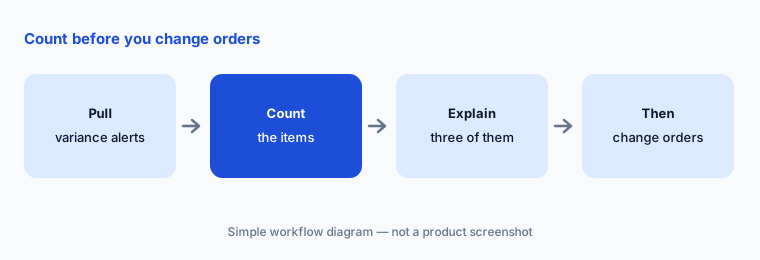
Primary workflow:
Pull one week of Restaurant365 food-cost variance alerts. Have the kitchen manager explain three of them with a count sheet before anyone changes an order.
2. AI Dashboards and AI Advisor: P&L questions in plain words
What it is: R365 AI was announced on 12 May 2026. AI Dashboards (generally available) build a dashboard from a plain-language prompt, with no report request or configuration. AI Advisor is an agent you ask questions that cross accounting and operations — Restaurant365’s examples are “Which locations are profitable after labor?” and “Where are my food costs widening?” — and it is in early access through R365 Chef’s Table, the customer co-creation program.
An answer about profit is an answer about your books. The controller or bookkeeper checks the first answers against the P&L report before anyone acts on them.
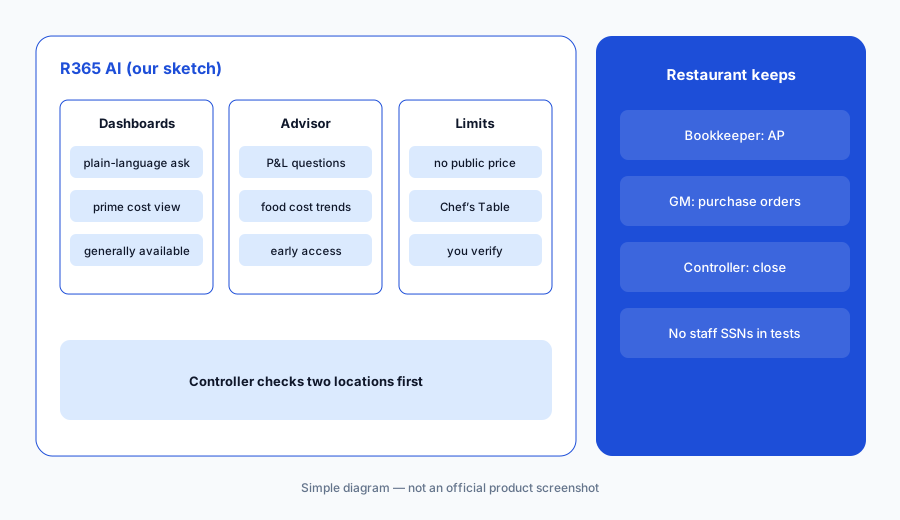
Check two locations:
Ask R365 AI Dashboards for prime cost by location for the last four periods. Have the controller check two locations against the P&L before the dashboard goes to the ops call.
3. AP automation and invoice matching: bookkeeper approves
What it is: R365’s AP Automation captures invoices by photo or email, matches them against the purchase order and GL code, and routes them for approval and posting. Its AP invoice help article (updated 15 Sep 2026) lists the alerts you review before approving: threshold violations when a unit price is outside the variance you set, items on the PO but not the invoice (and the reverse), price and quantity differences from the PO, and contract-price violations.
Matching finds differences; it does not decide who is right. The bookkeeper approves every AP invoice and clears every alert before payment.
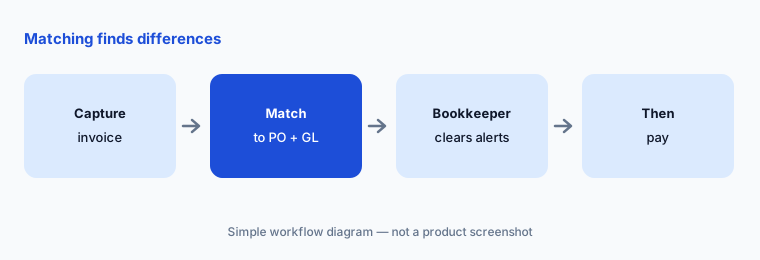
Bookkeeper clears alerts:
Filter one week of AP invoices to those with price or contract alerts. Have the bookkeeper clear each alert against the PO and contract before approving payment.
4. AI purchase order suggestions: the GM approves every order
What it is: Restaurant365 says R365 AI can “generate AI-driven purchase orders based on actual demand,” alongside precision prep recommendations. The pages we read do not explain how the suggestions are built, whether they are generally available, or which modules include them — ask during a demo and get the answer in writing.
A suggested order is a draft until a person sends it. The kitchen manager checks on-hand counts, and the GM approves every purchase order before it reaches a supplier.
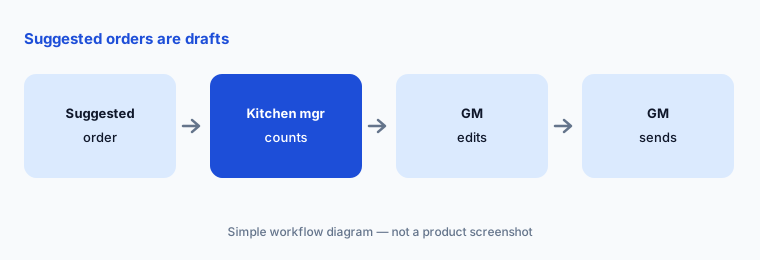
Drafts until approved:
For two weeks, compare each suggested purchase order with the one your GM would have written. The GM edits and approves every order before it reaches the supplier.
5. AI-generated shifts and the Labor Management Suite
What it is: The Labor Management Suite (time and attendance, forecasting, scheduling, labor dashboards) is generally available. AI-generated shifts are in beta: a manager triggers generation for a week or specific days, and R365 suggests shifts from the labor forecast, availability, and punch history. R365’s help article (updated 21 Sep 2026) says no suggested shift is saved automatically, a shift that breaks a labor rule shows the rule name and any added overtime, and unfilled shifts become open shifts. Restaurant365 claims its AI labor engine cut average labor forecast error by 15% — its figure, not ours.
Rules in the software are only the rules someone entered. The GM checks minors, breaks, and predictive-scheduling rules before publishing.
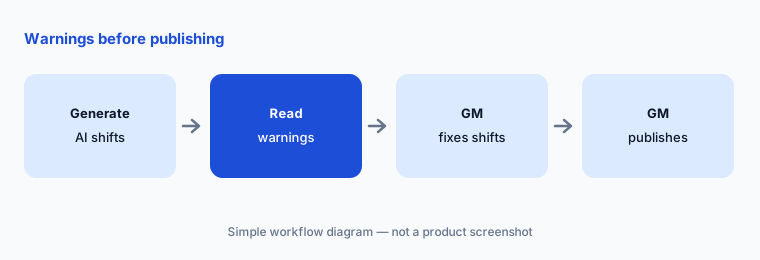
Read every warning:
Generate one week of AI shifts for one location. Have the GM read every warning and overtime flag before approving anything.
6. Close faster: variances before close and Secure Data Share
What it is: Restaurant365 says its AI connects every transaction to the P&L to surface financial variances before the period closes and reduce manual reconciliation; R365 connects to more than 100 POS systems so sales, labor, and tips land in the general ledger without re-keying. Enterprise analytics teams can request Secure Data Share, a direct Snowflake connection (early access).
A faster close only helps if someone still reviews the entries. The controller signs off reconciliations and every AI-surfaced adjustment.
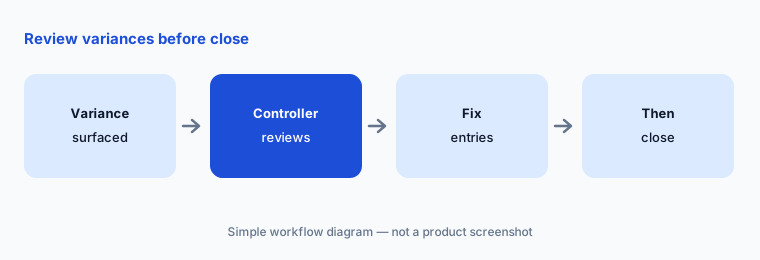
Controller signs off:
Before your next close, list every variance R365 surfaced this period. Have the controller mark each as timing, error, or real cost before any adjustment.
Pricing context (October 2026)
Restaurant365’s pricing page (read 15 Oct 2026) lists four modules — Accounting, Inventory & Purchasing, Workforce Management, and Payroll & HR — and no prices; you contact sales for a quote. We don’t publish a number because Restaurant365 doesn’t.
Per the 12 May 2026 announcement, R365 AI is “available now within the Restaurant365 platform”: AI Dashboards and the Labor Management Suite are generally available; AI Advisor, AI Scheduling, and Secure Data Share are early access through R365 Chef’s Table; AI-generated shifts are labelled beta in the help center. The pages we read do not say whether any of these carry an extra fee.
Uncertainty: Restaurant365 is quote-only; price depends on modules and locations. AI Advisor, AI Scheduling, and Secure Data Share were early access, and AI-generated shifts beta, on 15 Oct 2026; how AI purchase orders work was not documented on the pages we read. Vendor figures (up to 5% lower food and labor costs, 50% faster accounting processes, 15% lower labor forecast error, an estimated $100,000 saved across 10 locations) are Restaurant365’s claims, not our measurement.
When it’s useful (honest take)
Useful when you run several locations and want accounting, AP, inventory, and labor in one system with AI on top — and you have a bookkeeper who approves AP, a GM who approves every order and schedule, and a controller who owns close.
Less useful when you mainly need invoice processing and recipe costing at one or two stores (MarginEdge AI), only POS-level answers about sales (Square for Restaurants AI), or scheduling on its own (7shifts AI).
Paying for Restaurant365 AI and a few other AI tools? The $9 AI toolkit spreadsheet lists every AI subscription you have, what each one costs, and how fast it pays for itself, so you can see which ones are worth the money.
Want someone to do it for you? AI toolkit audit — $19
Related options (educational)
| Need | Better home | Why |
|---|---|---|
| Accounting + AP + inventory + labor in one | Restaurant365 AI (this page) | Quote only |
| Invoice processing + recipe costing | MarginEdge AI | $350/month per location |
| POS with AI insights and Managerbot | Square for Restaurants AI | Free $0 · Plus $49 · Premium $149 |
| Scheduling and labor across POS brands | 7shifts AI | Comp free → Premium per location |
| AP for a non-restaurant finance team | BILL AI | See vendor pricing page |
FAQ
What is R365 AI?
R365 AI is Restaurant365’s AI layer, announced 12 May 2026. It includes AI Dashboards (plain-language dashboards), AI Advisor (an agent for P&L and operations questions), AI Scheduling, food-cost variance detection, AP invoice matching, and AI purchase order suggestions.
Is AI Advisor available to every Restaurant365 customer?
Not yet. On 15 October 2026 AI Advisor, AI Scheduling, and Secure Data Share were early access through R365 Chef’s Table. AI Dashboards and the Labor Management Suite were generally available.
How much does Restaurant365 cost in October 2026?
Restaurant365 does not publish prices. Its pricing page lists Accounting, Inventory & Purchasing, Workforce Management, and Payroll & HR modules and asks you to contact sales for a quote.
Does Restaurant365 send purchase orders automatically?
Restaurant365 says R365 AI can generate AI-driven purchase orders based on actual demand. The pages we read do not describe automatic sending; treat every suggestion as a draft the GM edits and approves.
Who should approve Restaurant365 AI output?
The bookkeeper approves AP invoices and clears match alerts; the GM approves purchase orders and schedules; the kitchen manager explains variances with a count; the controller signs off close and adjustments.
Optional next step (if seats overlap)
If you pay for restaurant accounting, a separate invoice tool, and a separate scheduling app that now overlap, that is worth mapping. Map the overlap with the $19 AI toolkit audit or the $9 AI toolkit spreadsheet. Email Audit $19 or Toolkit spreadsheet $9.
Checkout is live via Stripe. After you pay, we email delivery (spreadsheet) or intake next steps (audit).