Compare · Restaurant ops · Oct 2026
7shifts vs Harri (Oct 2026): AI scheduling and labor tools for restaurant teams
7shifts and Harri both build restaurant schedules and watch labor rules, but they are sold very differently. 7shifts publishes per-location prices and adds AI through its sales forecast, Operational Insights summaries, and AI course building. Harri is a quote-only hospitality workforce suite with the Salli assistant and specialist agents that wait for a manager to confirm. This page compares jobs — it is not a ranking — and each section has a Try this.
What this comparison covers
This page is for a restaurant owner, GM, HR lead, or multi-unit ops lead choosing between 7shifts and Harri, or running one and hearing about the other. The question it answers: how each forecasts, drafts schedules, enforces labor rules, uses AI, and handles tips and timecards — what each costs, and who publishes the schedule.
We re-read both vendors’ pages on 15 October 2026. 7shifts’ plan page lists Comp free, Essentials $44.99, Pro $89.99, and Premium $149.99 per location per month on monthly billing. Harri’s pricing page marks every bundle “Custom - contact for pricing,” lists Salli as an available add-on, and still shows One Click Schedule as “Coming soon.” Facts line up with our 7shifts AI and Harri AI reviews.
Ground rules for either tool: the GM publishes every schedule; HR checks configured rules against city and state law; the payroll lead approves timecard and tip changes; no employee Social Security numbers, bank details, or medical notes go into any chat; and accuracy or labor-savings figures are the vendors’ claims, not our measurement. This comparison is not a ranking. For scheduling inside the POS, see Toast vs Square.
| Question | 7shifts | Harri |
|---|---|---|
| Published price | Comp free · Essentials $44.99 · Pro $89.99 · Premium $149.99 per location per month (monthly billing) | Every bundle “Custom - contact for pricing” |
| Labor compliance | Compliance warnings, overtime alerts, state labor-law tools on Pro and Premium; scheduling alerts for breaks, fair workweek, minors under 16/18 | Break Compliance in every workforce bundle; Predictive Scheduling and Minor Employment from Core |
| Forecasting | Machine-learning sales forecast from POS data; advanced hourly labor forecast on Premium | POS demand forecasting from Core; AI demand forecasting needs professional services |
| Auto-scheduling | Templates auto-fill from past schedules and availability; schedules from labor targets and projected sales | One Click Schedule add-on listed “Coming soon” on the US pricing page |
| AI assistant | Operational Insights AI summary of the Log Book; AI course building in Employee Training (Premium) | Salli assistant with compliance, requests, schedule-warning, and timesheet agents; manager confirms |
| Tips and pay | Tip Management (Premium, or $49.99 add-on + $1 per instant payout) | Timesheet agent; UK Pay (UK only) |
| Who publishes | GM publishes; managers approve every Shift Pool swap | GM confirms Salli proposals and publishes |
Major features (with how someone uses them)
Examples at a glance: each feature has a concrete example from a real job plus a short Try this you can run this week.
1. Start from your three hardest rules (primary)
What it is: On 7shifts, labor compliance tools — compliance warnings and reports, overtime alerts, and state-based labor law tools — come with Pro and Premium (plan page), and the scheduler flags required breaks, fair workweek rules, minor restrictions for under-16s and under-18s, and expired certifications as you build (scheduling page). On Harri, Break Compliance is in every workforce bundle and Predictive Scheduling and Minor Employment rules start at Core (pricing grid); Salli’s Compliance Agent forecasts premium and overtime cost (Agentic AI page).
A warning only covers a rule that is set up right. Test each hard rule with a deliberate violation on a draft schedule in either tool.
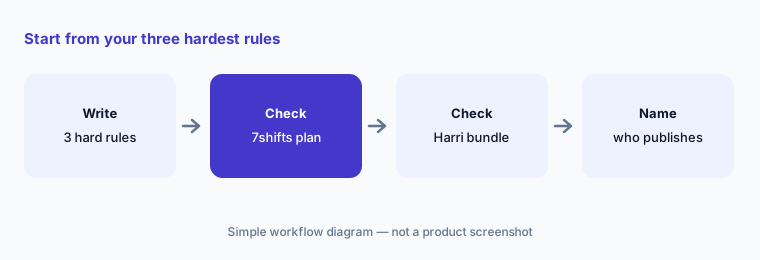
Your three rules:
Write down your three hardest scheduling rules (minors, breaks, overtime). Check which plan of each tool enforces them and who approves the final schedule.
2. Sales forecasts and labor targets
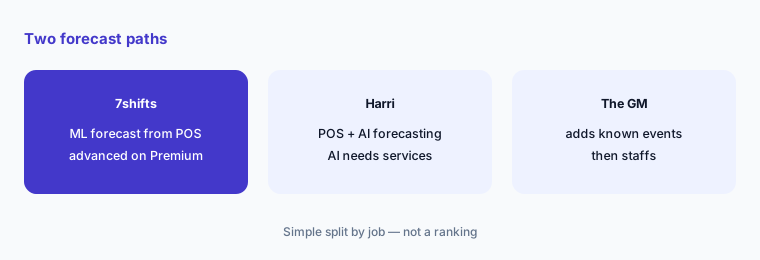
What it is: 7shifts forecasts sales from your POS with machine learning; its help article (updated 6 May 2026) calls ~95% accuracy a statistical average and reports an average daily error of 5.51% in its latest audit — 7shifts’ figures (see 7shifts AI). Labor targets, hourly forecasts, and labor recommendations start at Essentials; Premium adds advanced versions. Harri lists POS demand forecasting from Core and AI demand forecasting at Core and Perform, noting AI forecasting requires professional services; Salli’s local-events agent reads nearby events (see Harri AI).
Both forecasts miss what they cannot know — a private party, a closed patio, a game night. The GM adds those by hand.
Test the forecast:
Compare two weeks of forecast with actual sales by day in the tool you run. Have the GM note every day off by more than 10% and why before trusting it.
3. Auto-scheduling: templates vs One Click Schedule
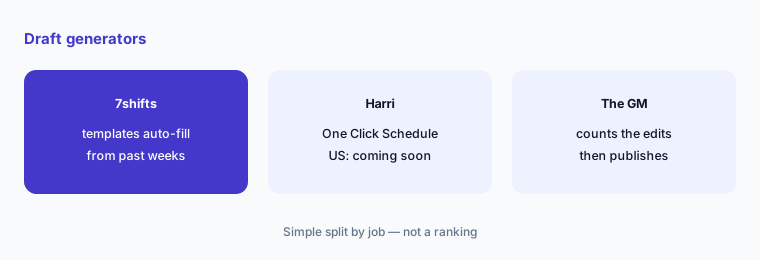
What it is: 7shifts auto-fills shifts from past schedules and availability with templates that factor in time off, overtime, and labor compliance (scheduling page), and its plan page lists schedules created for you from labor targets and projected sales. Harri markets One-Click Schedule, but its US pricing page (read 15 Oct 2026) lists the One Click Schedule add-on as “Coming soon” — ask whether it is on for your account.
A one-click draft is still a draft. Count how many edits the GM makes before publishing; that number tells you more than any demo.
Count the edits:
Auto-fill one week for one department in the tool you run. Have the GM count every edit the draft needed before publishing, then ask the other vendor to demo the same week.
4. AI assistants: Operational Insights vs Salli
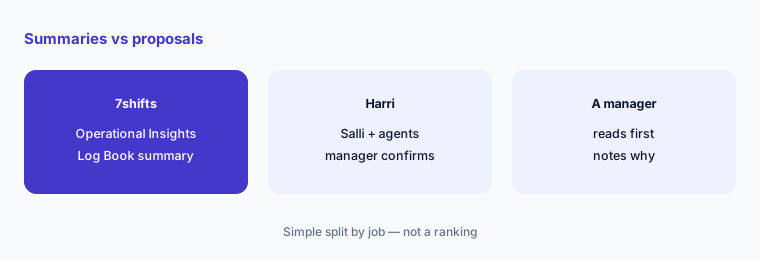
What it is: 7shifts’ Operational Insights (July 2026) writes an AI summary of Log Book entries, sales, and labor; it needs the Log Book add-on or a plan upgrade, and Employee Training builds courses with AI on Premium (see 7shifts AI). Harri’s Salli is live for Harri customers and coordinates compliance, team-request, schedule-warning, and timesheet agents; Harri says “nothing goes through without your confirmation” (Agentic AI page).
A summary can drop the one line that matters, and a confirm button only protects you if someone reads first. Keep a person reading on bad days.
Read, then decide:
Review one week of AI summaries or Salli proposals. Have the GM approve or reject each item and write one line on why.
5. Tips, timecards, and payroll handoff
What it is: 7shifts Tip Management is included in Premium or costs $49.99 per location per month plus $1 per instant payout, and can send tips to payroll (plan page). Harri’s Timesheet agent sorts timecards and fixes missed punches it can, and its Team Requests agent bulk-approves requests it judges safe (Agentic AI page); Harri lists UK Pay for the UK only.
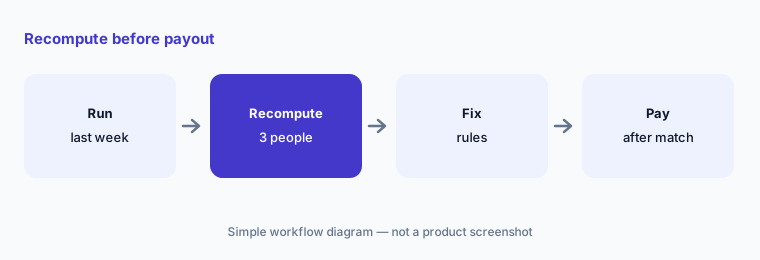
Tip-pool and timecard rules repeat every pay period, so one wrong rule costs money every two weeks. Recompute a few people by hand first.
Recompute before payout:
Run last week’s tips or timecards through the tool you are testing. Have the payroll lead recompute three employees by hand before the first real payout.
6. Price and who publishes the schedule
What it is: 7shifts publishes Comp free, Essentials $44.99, Pro $89.99, and Premium $149.99 per location per month ($39.99 / $79.99 / $134.99 billed annually), new-customer pricing subject to change. Harri publishes no prices; every bundle is a quote, with Salli and One Click Schedule listed as add-ons. On both, the GM publishes, HR owns the rule setup, payroll owns timecards and tips, and the area manager owns labor targets.
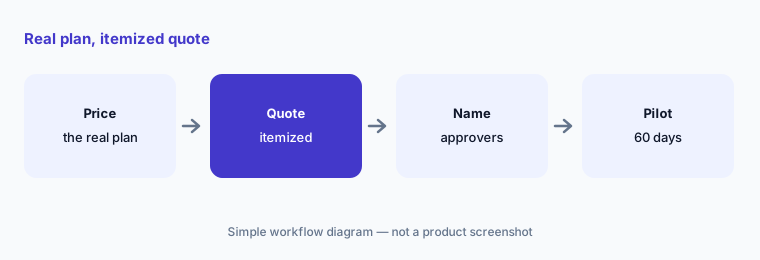
Compare the plan that actually covers your three rules — on 7shifts that is often Pro or Premium, on Harri often Core or Perform — not the cheapest tier.
One approval sheet:
Make one approval sheet for schedules, compliance rules, timecards, tips, and labor targets. Price the 7shifts plan and ask for the Harri quote that cover your three rules.
Pricing context (October 2026)
7shifts (plan page, read 15 Oct 2026; “New customer pricing. Prices are subject to change.”): Comp free (one location, up to 15 employees); Essentials $44.99 per location per month ($39.99 annual; up to 30 employees); Pro $89.99 ($79.99 annual; unlimited employees, labor compliance, Manager Log Book); Premium $149.99 ($134.99 annual; tips, tasks, advanced labor forecast and insights). Add-ons: Tip Management $49.99 + $1 per instant payout; Log Book $14.99; Task Management $12.99. 14-day trial with Pro features; franchise discounts on request.
Harri (pricing page, read 15 Oct 2026): Workforce Management Base, Core, and Perform — each “Custom - contact for pricing.” Add-ons: Salli available; One Click Schedule coming soon. AI demand forecasting requires professional services. See Harri AI for the full grid.
Uncertainty: Harri’s prices are quote-only, and One Click Schedule is listed as coming soon on its US pricing page even though Harri markets it elsewhere. 7shifts’ forecast accuracy and Harri’s location counts are vendor claims. 7shifts prices are new-customer prices and may change. This page is not a ranking — pick from your three rules, a counted-edits test, and named approvers.
When it’s useful (honest take)
7shifts is useful when you want published per-location prices, a free or low-cost start, POS-based forecasts, and compliance alerts on Pro or Premium.
Harri is useful when you run multiple hospitality locations with Fair Workweek or minor-labor obligations, want an assistant that proposes fixes and waits for a manager, and can work from an itemized quote.
Less useful when (either one) nobody reads warnings before publishing, or you would rather schedule inside your POS (Toast AI or Square for Restaurants AI).
Still choosing between 7shifts and Harri? The $19 AI toolkit audit gives you a written plan for which tools to keep using and which to drop across your whole AI stack, including this pair.
Prefer to do it yourself? Spreadsheet — $9
Related options (educational)
| Need | Better home | Why |
|---|---|---|
| 7shifts on its own | 7shifts AI | Comp free · $44.99 → $149.99 per location |
| Harri on its own | Harri AI | Quote only |
| Scheduling inside the POS | Toast vs Square | Not a ranking |
| Multi-unit back office + labor | Crunchtime AI · Restaurant365 AI | Quote only |
| Food-cost side of the P&L | MarginEdge vs MarketMan | Not a ranking |
FAQ
Should I choose 7shifts or Harri?
This page is not a ranking. Write your three hardest scheduling rules, check which plan of each tool enforces them, count the edits a drafted schedule needs, and name who publishes. Pick from those results.
How much do 7shifts and Harri cost in October 2026?
7shifts publishes Comp free, Essentials $44.99, Pro $89.99, and Premium $149.99 per location per month on monthly billing (lower on annual). Harri does not publish prices — every bundle says custom, contact for pricing.
Is Harri’s One-Click Schedule available?
Harri markets it, but its US pricing page (15 October 2026) lists the One Click Schedule add-on as coming soon. Ask Harri whether it is enabled for your account and region.
Which handles minor-labor and Fair Workweek rules?
Both say they do. 7shifts flags minors, breaks, and fair workweek rules as you schedule, with labor compliance tools on Pro and Premium. Harri includes break compliance in every bundle and minor-employment and predictive-scheduling rules from Core. Test each rule with a deliberate violation.
Who should publish the schedule?
The GM publishes on either tool, HR owns the rule setup, payroll approves timecards and tips, and the area manager owns labor targets. AI drafts and proposes; people publish.
Optional next step (if seats overlap)
If you pay for a scheduling tool, a POS with its own scheduling module, and a payroll or tips tool that all track the same shifts, that overlap is worth mapping. Map the overlap with the $19 AI toolkit audit or the $9 AI toolkit spreadsheet. Email Audit $19 or Toolkit spreadsheet $9.
Checkout is live via Stripe. After you pay, we email delivery (spreadsheet) or intake next steps (audit).