Tool · Restaurant ops · Crunchtime · Oct 2026
Crunchtime AI review (Oct 2026): forecasting, voice inventory counts, and AI analytics for multi-unit restaurants
Crunchtime is a multi-unit restaurant operations suite (inventory, labor, kitchen, ops execution) that expanded from AI Forecasting into voice inventory counts, an AI Analyst, photo compliance checks, and AI Actions. This page is about verifying forecasts and counts with a named kitchen manager — not treating vendor accuracy claims as your measurement. Each section has a Try this.
What this Crunchtime page covers
This page is for a multi-unit ops lead, kitchen manager, or franchisee who runs Crunchtime or is comparing back-of-house platforms with AI. The question it answers: what AI Forecasting, Voice-Based Inventory, AI Analyst, Photo Intelligence, and AI Actions do, whether prices are public, and who owns counts and orders.
Crunchtime’s AI for the complete operations management lifecycle page (read 15 October 2026) covers AI Forecasting, Voice-Based Inventory, AI Analyst, Photo Intelligence, and AI Actions. The 21 April 2026 press release announced four new AI capabilities building on AI Forecasting. The public pricing URL returned 404 on 15 Oct 2026 — treat commercial terms as quote-only unless your sales sheet says otherwise.
Ground rules: the kitchen manager owns inventory counts and supplier orders; the GM accepts every forecast before staffing or prep changes; above-store leaders still sample photo and checklist exceptions; no guest PII or card data in any test; Crunchtime’s 98–99% forecast accuracy and “3–4x faster” count claims are vendor figures, not our measurement.

Major features (with how someone uses them)
Examples at a glance: each feature has a concrete example from a real job plus a short Try this you can run this week.
1. Voice-Based Inventory: count by speaking (primary)
What it is: Crunchtime’s Voice-Based Inventory lets staff speak item names and quantities into the Inventory mobile app; AI speech-to-text turns that into structured counts. The AI lifecycle page and 21 April 2026 press release describe hands-free counting. A Crunchtime support “What’s New in Inventory” note (summarized in our research capture) said the feature was available to Inventory customers at no cost through 30 June 2026, then requires premium AI licensing — confirm on your quote.
A mis-heard count still becomes a purchase order. The kitchen manager recounts a sample by hand before anyone trusts the voice run.
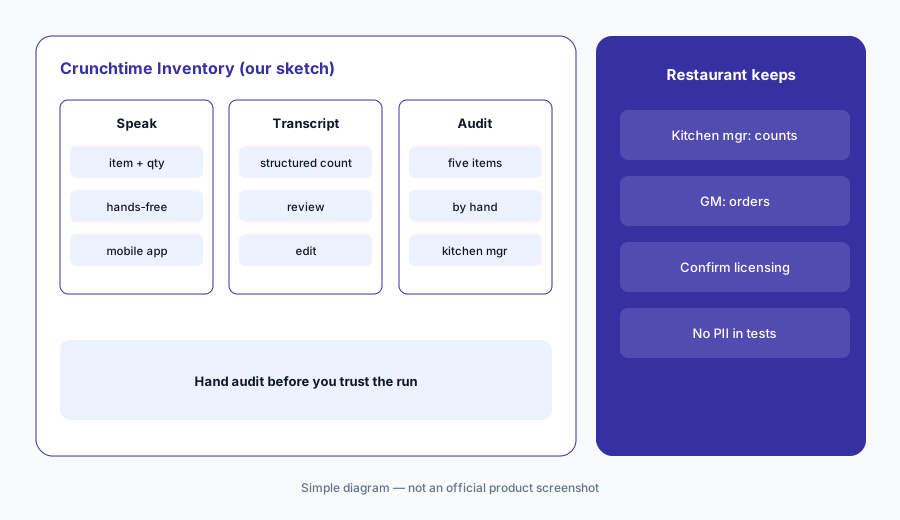
Primary workflow:
Run one inventory count by voice in Crunchtime at one store. Have the kitchen manager recount five items by hand and compare.
2. AI Forecasting: sales, guests, and checks
What it is: Crunchtime’s AI Forecasting uses a custom-built algorithm to predict sales, guests, or checks, with weather, holidays, and (per support notes) local events as inputs. Crunchtime says customers achieve 98–99% accuracy — that is Crunchtime’s claim, not ours. The GM still accepts the forecast before it drives labor or prep.
A forecast that misses a local event or catering block will over- or under-staff. Compare AI vs actual for two weeks before you trust it for schedules.
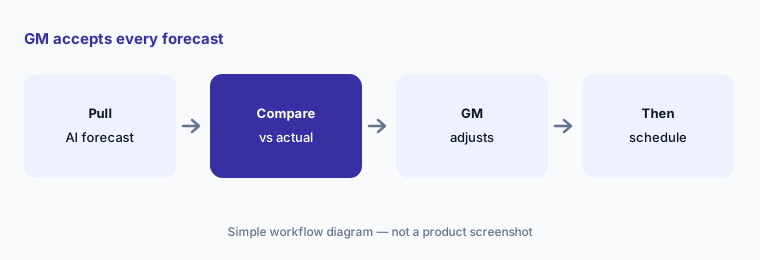
GM accepts the forecast:
Compare Crunchtime's sales forecast with actual sales for the last two weeks. Have the GM adjust any day that was off by more than 10% before building next week's schedule.
3. AI Analyst: natural-language questions across ops data
What it is: Crunchtime’s AI Analyst (described April 2026) lets operators ask natural-language questions across inventory and ops-execution data, with formulas and logic shown behind answers. It is aimed at district and brand leaders who otherwise wait on exports.
An Analyst answer is still only as good as the underlying counts and checklists. Spot-check the source report before you change a vendor or write up a store.
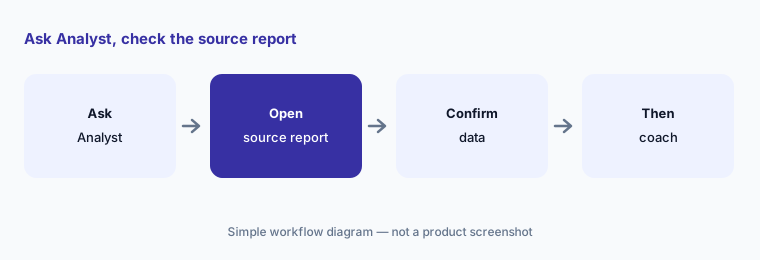
Source report first:
Ask Crunchtime's AI Analyst one food-cost or inventory question. Have the kitchen or ops lead check the answer against the standard variance report before coaching a store.
4. Photo Intelligence: flag execution issues from store photos
What it is: The 21 April 2026 release and AI page describe Photo Intelligence: AI reviews store photos against brand and safety standards so above-store leaders can manage by exception instead of sampling at random.
A false flag still needs a human. Above-store leaders confirm photo exceptions before writing up a store or changing a checklist.
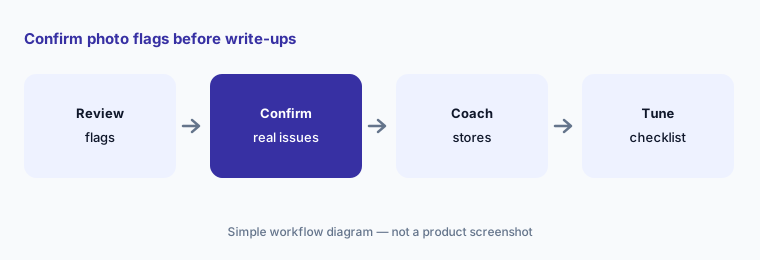
Human on every write-up:
Review twenty Photo Intelligence flags from one week. Have an above-store leader confirm each real exception before any store write-up.
5. AI Actions: turn checklist trends into follow-ups
What it is: Crunchtime AI Actions analyzes tasks and checklists at scale, flags execution issues (including patterns that look like pencil-whipping), and can generate follow-up actions for stores. People still assign and close those follow-ups.
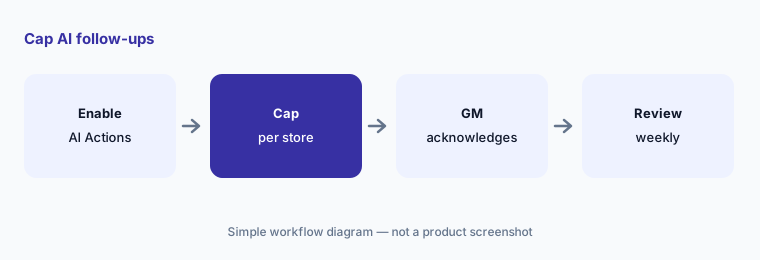
Auto-generated follow-ups can pile up. Cap how many AI Actions create per store per week until managers clear the queue.
Managers still close the loop:
Turn on AI Actions for one checklist family. Cap new follow-ups per store and have the GM acknowledge each one before the next wave.
6. Who owns forecasts, counts, and orders
What it is: On Crunchtime, the kitchen manager owns voice and manual counts and every supplier order; the GM accepts forecasts before labor or prep changes; above-store leaders confirm photo and AI Actions exceptions. Inventory AI may also sit beside MarginEdge AI or MarketMan AI for invoices — map overlap before you add another seat.
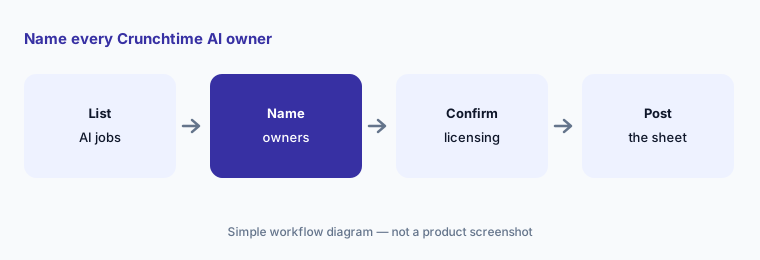
Keep one approval sheet: forecasts, counts, orders, photo exceptions, and AI Actions. Post it before Voice Inventory expands past the trial window.
One sheet for the suite:
Make one approval sheet for forecasts, voice counts, supplier orders, photo flags, and AI Actions. Name the kitchen manager, GM, and above-store lead for each.
Pricing context (October 2026)
Crunchtime’s public pricing URL returned 404 on 15 Oct 2026 — treat plans as quote-only unless your sales sheet publishes amounts. Ask which modules (Inventory, Labor, Ops Execution, Kitchen) and which AI features (Forecasting, Voice Inventory, AI Analyst, Photo Intelligence, AI Actions) are included vs licensed separately.
Support notes summarized in our research said Voice-Based Inventory was available at no cost through 30 June 2026, then requires premium AI licensing. Confirm the end date and ongoing fee on your quote before you build counts around voice entry.
Uncertainty: No public price list on 15 Oct 2026. Voice Inventory trial end date and premium licensing come from support documentation — confirm on your quote. Forecast accuracy and “3–4x faster” count figures are Crunchtime’s claims, not our measurement.
When it’s useful (honest take)
Useful when you run multi-unit inventory and ops execution on Crunchtime (or are standardizing on it) and have a kitchen manager who will audit voice counts and a GM who will accept forecasts.
Less useful when you need a single-location invoice scanner first (MarginEdge AI, MarketMan AI), mainly need POS profit AI (SpotOn AI), or nobody will recount after voice entry.
Paying for Crunchtime AI and a few other AI tools? The $9 AI toolkit spreadsheet lists every AI subscription you have, what each one costs, and how fast it pays for itself, so you can see which ones are worth the money.
Want someone to do it for you? AI toolkit audit — $19
Related options (educational)
| Need | Better home | Why |
|---|---|---|
| Crunchtime AI suite (this page) | Crunchtime AI | Quote only · voice + forecast + analyst |
| Invoice + recipe costing | MarginEdge AI | $350/mo per location published |
| Inventory + Smart Ordering | MarketMan AI | Starter $249 · Growth $299 |
| Restaurant365 P&L AI | Restaurant365 AI | Quote only |
| POS-side profit AI | SpotOn AI | Profit Assist $100/loc · Profit AI beta |
FAQ
What is Crunchtime Voice-Based Inventory?
It lets staff speak item names and quantities into the Inventory mobile app so AI speech-to-text records structured counts. The kitchen manager should still recount a sample by hand. Confirm whether voice remains free or moves to premium AI licensing on your quote after mid-2026.
How accurate is Crunchtime AI Forecasting?
Crunchtime says customers achieve 98–99% accuracy — that is the vendor’s claim. Compare AI vs actual for at least two weeks and have the GM accept every forecast before staffing changes.
How much does Crunchtime cost in October 2026?
No public price list was available on 15 Oct 2026 (pricing URL 404). Ask sales which modules and AI features are included vs add-ons, and confirm Voice Inventory licensing after any trial window.
What are Photo Intelligence and AI Actions?
Photo Intelligence flags store photos that may miss brand or safety standards. AI Actions turns checklist trends into follow-up tasks. Above-store leaders and GMs still confirm exceptions before write-ups.
Who should approve Crunchtime AI output?
Kitchen manager for counts and supplier orders; GM for forecasts that drive labor or prep; above-store leaders for photo and AI Actions exceptions. AI suggests — people publish.
Optional next step (if seats overlap)
If you pay for Crunchtime inventory AI, a separate invoice tool, and a POS-side profit assistant that all explain the same food-cost variance, that overlap is worth mapping. Map the overlap with the $19 AI toolkit audit or the $9 AI toolkit spreadsheet. Email Audit $19 or Toolkit spreadsheet $9.
Checkout is live via Stripe. After you pay, we email delivery (spreadsheet) or intake next steps (audit).