How-to · Restaurants · MarketMan · Oct 16, 2026
Use MarketMan Smart Ordering suggestions, and have the chef or GM approve every supplier order
MarketMan Smart Ordering can suggest weekly supplier orders. Orders that email vendors without chef or GM approval still overbuy or miss allergens. This page shows how to review suggestions, check recipe costs, and approve every order before send.
Who this is for
Chefs, GMs, or bookkeepers on MarketMan Growth+ who want Smart Ordering with human approval. For MarginEdge Tom invoice coding — a different job — see MarginEdge Tom invoice bookkeeper approve.
How to do it
This is a how-to, not a ranking. Per the MarketMan AI review, Smart Ordering and AI recipe tools sit on Growth and higher; the chef or GM approves supplier orders.

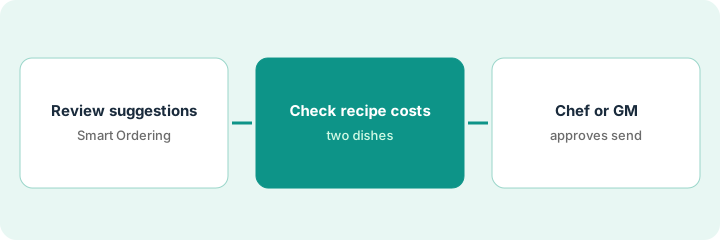
1. Review Smart Ordering suggestions
What it is: Open this week's Smart Ordering suggestions and compare to the walk-in reality.
- Compare suggested quantities to on-hand counts.
- Cut items you already have.
- Do not send to the vendor yet.
- Note if you are on Growth or higher (Starter lacks Smart Ordering on the matrix we read).
Smart Ordering wants two cases of cream; walk-in already has one and a half. Suggestion trimmed.
Walk the cooler once with the suggestion list in hand.
2. Check recipe costs
What it is: Spot-check recipe costs for dishes that drive the order.
- Open real-time recipe costing for two high-volume dishes.
- Flag cost spikes before you approve volume.
- Ask the bookkeeper about invoice price changes.
- Keep AI recipe rewrites off unless the chef asked for them.
Salmon cost jumped; GM cuts weekend special volume before approving the fish order.
Write dish, old cost, new cost, order impact.
3. Chef or GM approves before send
What it is: A named chef or GM approves the purchase order, then it sends.
- Approve line by line or as a whole with initials.
- Send only after approval.
- Confirm EDI or email actually went out.
- Review waste next week against what you approved.
Chef approves produce and dairy; meat waits for the butcher quote. Orders send at 2 p.m.
Log: order, approver, exceptions, send time.
Pricing context (October 2026)
This how-to isn't a price sheet. Per the MarketMan AI review and MarketMan's pricing page (checked Oct 16, 2026), Starter is $249, Growth $299, and Enterprise from $449 per month; Smart Ordering needs Growth or higher. Square Restaurant Inventory by MarketMan is listed at $99 per month per location for sellers new to MarketMan on qualifying Square plans. Dated October 2026.
Checked Oct 16, 2026 on the vendor’s own pricing page: MarketMan’s pricing page lists Starter $249, Growth $299, and Enterprise from $449 per month. Smart Ordering needs Growth or higher. Square Restaurant Inventory by MarketMan is $99 per month per location for sellers new to MarketMan on qualifying Square plans.
Uncertainty: The only prices this site sells here are the optional $9 AI toolkit spreadsheet and $19 AI toolkit audit.
When this helps (honest take)
Useful when you are on Growth+ and a chef or GM will approve every supplier order.
Not useful when you only need invoice coding with a bookkeeper — see MarginEdge Tom.
Related options (educational)
| Need | Where to look | Why |
|---|---|---|
| MarketMan AI | MarketMan AI | Primary path |
| MarginEdge vs MarketMan | MarginEdge vs MarketMan | Side-by-side |
| MarginEdge Tom invoices | MarginEdge Tom approve | A different job |
| Restaurant stack map | Stack map: restaurant ops | Where MarketMan fits |
FAQ
Does Starter include Smart Ordering?
On the matrix we read, Smart Ordering starts at Growth. Confirm on your plan.
How is this different from MarginEdge Tom?
A different job: this page is supplier order suggestions. MarginEdge Tom is invoice capture and coding.
Where do MarketMan prices live?
See the pricing section; confirm Square's $99 path only if you are new to MarketMan. Our Oct 16, 2026 check of the vendor’s own pricing page is summarized in the pricing section above.
Does Starter include Smart Ordering?
On the matrix we read, Smart Ordering starts at Growth. Confirm on your plan.
Optional next step
If you want a one-page toolkit map for the tools you already pay for, use the optional $9 AI toolkit spreadsheet. If you want a short review of seat waste and unused tools, use the optional $19 AI toolkit audit. Neither is required to follow this how-to.