What’s new · Accounting firm ops · TaxDome · Sep 2026
What's new in TaxDome (Sep 2026): September Atlas, MCP, checklist, and workflow updates to verify with your firm admin
TaxDome's Help Center lists eight changes under September 2026: client approval and invoice placement in Tax Return Delivery, employee cost rates, one QuickBooks deposit per Stripe payout, recurring-invoice controls, bulk invoice printing, automatic due-date updates, pipeline safeguards, and draft proposal printing. None of them is Atlas, MCP, or an AI checklist: on 21 October TaxDome's AI page still says Atlas, MCP connectors, and the public API are “coming this fall”. So the firm admin's job is two lists — what changed in September, and what to ask about the AI pieces. For the product review, see our TaxDome AI review.
What this page covers
This page is for a firm admin, operations manager, or practice lead at a tax or bookkeeping firm on TaxDome who wants September's changes without reading every note — especially anything that changes what a client approves before signing, how payments reach QuickBooks, and how jobs move through a pipeline. It is educational and not tax, audit, or accounting advice; a licensed CPA, EA, or the engagement partner owns any return, workpaper, audit conclusion, client letter, or filing.
We list only entries dated September 2026 in TaxDome's Help Center release notes, which date changes by month rather than by day. Blog articles, webinars, and social posts are left out. The headline asks about Atlas, MCP, and checklists because firms are waiting on them; the September notes contain none, so section 6 says where each stands according to TaxDome's AI page and its Summer Update recap — as questions, not features we tested.
Ground rules stay the same: the preparer of record reviews every return before Tax Return Delivery sends it, the tax manager approves every change to what a client must approve or pay, and the firm admin owns every automation that moves a job. Descriptions below are TaxDome's.

Major features (with how someone uses them)
Examples at a glance: each feature has a concrete example from a real job plus a short Try this you can run this week.
1. September items to decide on (primary)
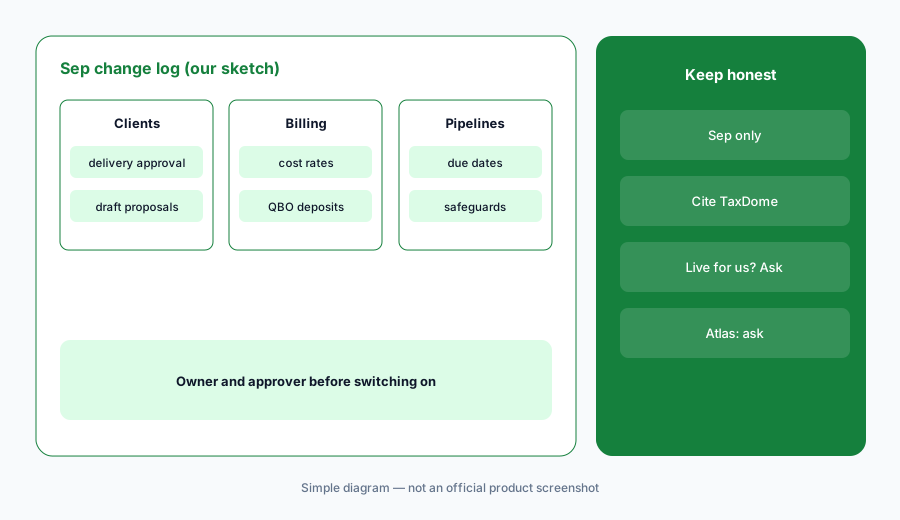
What it is: From TaxDome's dated September notes, eight changes need an owner: (1) Tax Return Delivery can require client approval before signing, place the invoice where you choose, and use a redesigned editor (TaxDome release notes, Sep 2026); (2) employee cost rates per team member, with custom rates renamed Billing rates (TaxDome release notes, Sep 2026); (3) one QuickBooks Online deposit per Stripe payout for US firms on TaxDome Payments (TaxDome release notes, Sep 2026); (4) recurring invoices activated on a client's behalf, plus filters and sorting (TaxDome release notes, Sep 2026); (5) bulk invoice printing to one PDF; (6) the Update job dates automation now sets the Due date; (7) pipeline shortcuts and safeguards (a stage holding any jobs can't be deleted); and (8) draft proposals printed or downloaded with a DRAFT stamp. We list only entries dated September 2026.
Primary workflow:
Pick one September TaxDome item. Have the firm admin ask TaxDome whether it is live in your account and who must approve it, and write the answer and date down.
2. Tax Return Delivery: client approval before signing
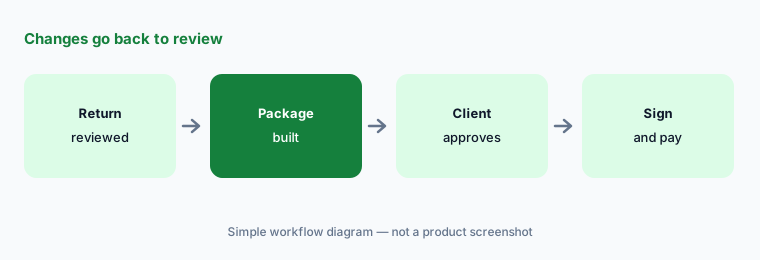
What it is: Per the September notes, Tax Return Delivery can now require client approval before signing — from a specific contact or any eligible contact — and lets you resend the package with a note when a client asks for changes. You choose where the invoice appears in the delivery, and the package is built in a redesigned editor with section status badges and step-by-step navigation.
A client clicking “approve” is not the preparer's review. The return has to be final before the package goes out, and changes a client asks for go back through the reviewer.
Changes go back to review:
Turn on client approval for five returning clients, and have the tax manager confirm that any change a client asks for goes back to the preparer of record for review before the package is resent.
3. Cost rates, QuickBooks deposits, and invoices
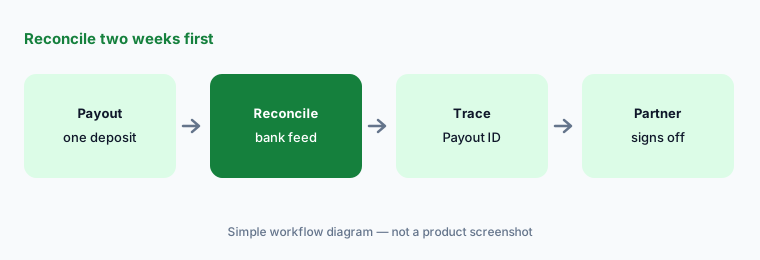
What it is: The September notes add an hourly cost rate per team member (earlier rates are kept when a rate changes), sync each Stripe payout to QuickBooks Online as a single deposit with separate accounts for processing and technology fees (each payment shows its Payout ID), let you activate an unsigned recurring invoice on a client's behalf with a saved or new payment method so future bills go through autopay, add filters and sorting to recurring invoices, and print selected invoices as one PDF (more than 50 arrive by email link).
Activating autopay on a client's behalf is a client-authorization question before it is a billing setting. Write down what consent the firm needs first.
Reconcile two weeks first:
After switching to one QuickBooks deposit per payout, have the billing lead reconcile two weeks of deposits against the bank feed and the managing partner sign off before it stays on.
4. Due dates, pipeline safeguards, and draft proposals
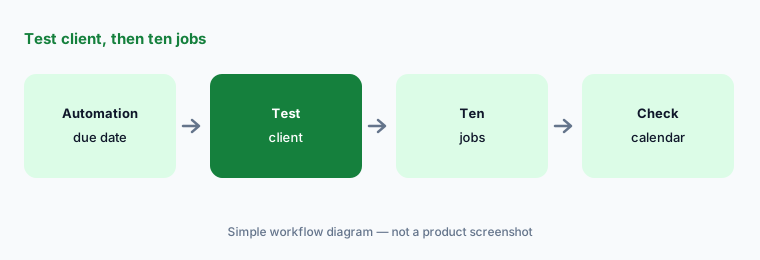
What it is: Per the September notes, the Update job dates automation now sets a job's Due date as well as Intake date and Internal deadline date. You can open a linked template directly from an automation step, and a pipeline stage that holds any jobs — archived ones included — can't be deleted; the dialog links to those jobs. Proposals can be printed or downloaded before sending with a DRAFT stamp that disappears once sent.
An automation that writes due dates writes them for every job it touches. Due dates that drive client reminders deserve a check before the season.
Test client, then ten jobs:
Turn on automatic due dates on a test client first, then on ten real jobs, and have the operations manager check every due date against the firm's calendar before the automation runs firm-wide.
5. AI checklists and automatching: not September
What it is: The September notes have no checklist entry. TaxDome's release notes date AI-generated document checklists from prior-year returns (Drake, Lacerte, UltraTax, and ProSeries) to January 2026 and AI automatching of uploads to checklist items to March 2026; the AI page says document tagging and renaming are available today and are turned on in Firm settings. If your firm skipped these in spring, they are still the AI features you can use now.
A checklist built from last year's return misses whatever changed this year — a new job, a sold rental, a new state. The preparer of record compares it with what they know before it goes to the client.
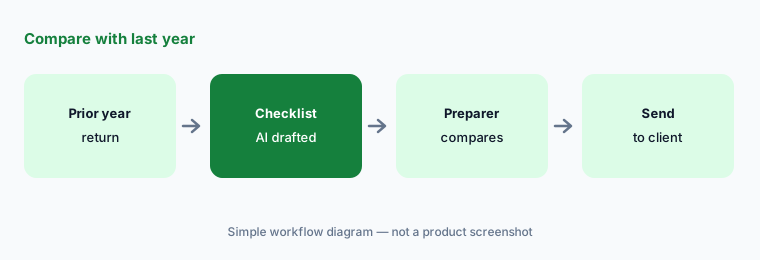
Compare with last year:
Generate AI checklists for ten returning clients, and have the preparer of record compare each with last year's return and add anything that changed before it goes to the client.
6. Atlas and MCP: what to ask
What it is: No September release note covers Atlas or MCP. On 21 October 2026 TaxDome's AI page says Atlas (its AI operations agent), open MCP connectors for tools such as Claude and ChatGPT, and a documented public API are “coming this fall”, with a September beta waitlist for Atlas; it says every automated task logs what it did and waits for the team's approval before anything goes out. TaxDome's Summer Update recap had said all three would reach all firms at the end of Q3 2026, so treat availability as a question for your account.
An agent that drafts reminders for every overdue client is speaking for the firm. Before turning it on, decide who approves its actions and what client data an outside AI tool may read through MCP.
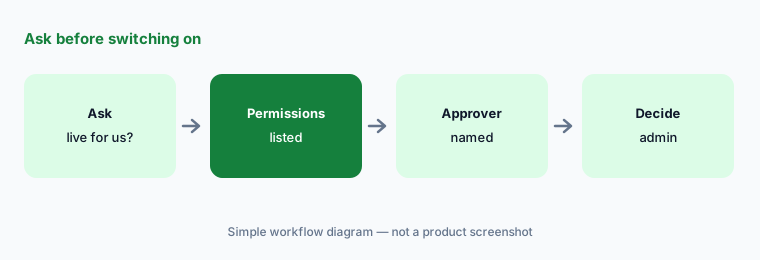
Ask before switching on:
Have the firm admin ask TaxDome whether Atlas and MCP are live in your account and which permissions they use, and have the tax manager be named as approver for anything sent to a client before either is turned on.
Pricing context (October 2026)
TaxDome's pricing page (checked 21 Oct 2026) prints per-seat annual prices billed upfront: Essentials $800, Pro $1,000, and Business $1,200 per seat per year on a 1-year term (lower on 2- and 3-year terms; 25+ seats quoted). Pro firms can add monthly seats at $100 per seat per month; Business seasonal seats are $500 per seat for a 4-month term.
The September notes give no prices. Ask whether Tax Return Delivery approval, payout sync, and Atlas or MCP (when live) change your plan or bill (as of 21 Oct 2026).
Uncertainty: We list only items dated September 2026 in TaxDome's Help Center release notes, read through a reader on 21 Oct 2026 because TaxDome's sites block automated fetching; the notes give a month, not a day. Atlas, MCP, and the public API were still described as coming this fall on that date, and the Summer Update recap's end-of-Q3 target and the AI page's wording differ — both stated. We did not test any of these features.
When it’s useful (honest take)
Useful when your firm runs on TaxDome and you need September's changes with an owner and an approver, plus written questions about Atlas and MCP.
Less useful when you need the product deep-dive — use TaxDome AI — or you are choosing a practice system (Karbon vs TaxDome, Canopy AI).
Paying for TaxDome and a few other AI tools? The $9 AI toolkit spreadsheet lists every AI subscription you have, what each one costs, and how fast it pays for itself, so you can see which ones are worth the money.
Want someone to do it for you? AI toolkit audit — $19
Related options (educational)
| Need | Better home | Why |
|---|---|---|
| TaxDome product review | TaxDome AI | Tool review |
| Karbon vs TaxDome | Karbon vs TaxDome | Compare |
| Karbon's September changes | What’s new in Karbon (Sep 2026) | What’s new |
| Return prep TaxDome connects to | Juno AI | Tool review |
| Accounting firm stack inventory | Stack map for accounting firm ops | Stack map |
FAQ
Which September 2026 TaxDome items did you read?
The September 2026 section of TaxDome's Help Center release notes: Tax Return Delivery approval and invoice placement, employee cost rates, one QuickBooks deposit per payout, recurring-invoice controls, bulk invoice printing, automatic due dates, pipeline safeguards, and draft proposals. Read 21 October 2026.
Did Atlas or MCP launch in September?
Not according to the release notes. On 21 October TaxDome's AI page still says Atlas, MCP connectors, and the public API are coming this fall, with a September beta waitlist for Atlas. Ask TaxDome what is live in your account.
Where are the AI checklists?
TaxDome's release notes date AI-generated document checklists to January 2026 and AI automatching to March 2026. The preparer of record should compare each checklist with last year's return before it goes to a client.
Can a client's approval replace our review?
No. Client approval in Tax Return Delivery happens after the return is prepared and reviewed; changes a client asks for go back through the preparer of record. This is not tax advice.
How much does TaxDome cost in October 2026?
Essentials $800, Pro $1,000, and Business $1,200 per seat per year on a 1-year term, billed upfront; 25+ seats are quoted (pricing page, 21 Oct 2026).
Optional next step (if seats overlap)
If September's TaxDome changes overlap with a payments tool, a proposals tool, or an AI agent your firm already pays for, map that overlap before the next renewal. Map the overlap with the $19 AI toolkit audit or the $9 AI toolkit spreadsheet. Email Audit $19 or Toolkit spreadsheet $9.
Checkout is live via Stripe. After you pay, we email delivery (spreadsheet) or intake next steps (audit).