Tool · Accounting firm ops · Thomson Reuters SurePrep · Oct 2026
Thomson Reuters SurePrep AI review (Oct 2026): 1040SCAN extraction, SPbinder workpapers, TaxCaddy client intake, and AI review help
SurePrep, now part of Thomson Reuters, is a set of 1040 tools that many larger tax firms already run in busy season: 1040SCAN reads and sorts client documents and pushes data into the tax software, SPbinder holds the workpapers, and TaxCaddy is the client portal that gathers documents and delivers returns. Thomson Reuters added Ready to Review, an agentic AI 1040 preparer built on CoCounsel, in December 2025. This page is about using them while the reviewing tax manager still checks every field the software fills in. Each section has a Try this.
What this SurePrep page covers
This page is for a tax firm owner, reviewing tax manager, preparer of record, client manager, or firm administrator at a firm that prepares 1040s on CCH Axcess Tax, GoSystem Tax RS, Lacerte, or UltraTax CS. It is not tax, audit, or accounting advice; a licensed CPA, EA, or the engagement partner owns any return, workpaper, audit conclusion, client letter, or filing.
Thomson Reuters' SurePrep page lists four offerings: TaxCaddy, SPbinder, 1040SCAN, and Outsource. Its FAQ says SurePrep integrates with CCH Axcess Tax, GoSystem Tax RS, Lacerte, and UltraTax CS, and that only 1040SCAN ORGANIZE works with any tax software; the old sureprep.com address now forwards to Thomson Reuters. Separately, Ready to Review is Thomson Reuters' agentic AI for 1040 preparation, generally available in the US since 15 December 2025 and switched on through CoCounsel Tax.
Ground rules before you rely on anything: the reviewing tax manager logs every field 1040SCAN or Ready to Review fills differently from the filed return on closed work before the season; the preparer of record confirms every AI-suggested K-1 category; the client manager reads every document request list before clients see it. Client names, SSNs, and return data stay out of shared examples.
Major features (with how someone uses them)
Examples at a glance: each feature has a concrete example from a real job plus a short Try this you can run this week.
1. 1040SCAN: scan, sort, and populate, with AI verification (primary)
What it is: 1040SCAN reads client source documents with OCR, bookmarks and sorts them into a standard workpaper index that follows the order of the return, and exports the data to the tax software. Thomson Reuters says it recognizes 4 to 7 times as many tax documents as competing scan-and-populate tools and removes the need to verify OCR data for 65% of standard documents by combining patented text-layer matching with AI that sets thresholds to catch mistakes — vendor claims. Its Review Wizard shows the original document and the captured data side by side so staff can correct fields or capture missed ones.
The 65% is the share Thomson Reuters says needs no manual verification. The rest still needs a person, and a field that was auto-verified can still come from the wrong document.
Primary workflow:
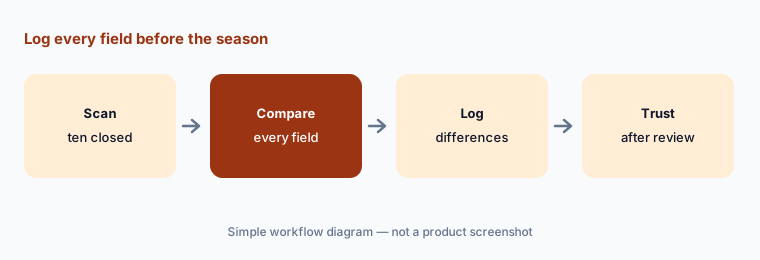
Run 1040SCAN on ten closed returns' documents. Have the reviewing tax manager log every field it populated differently from the filed return before trusting it in season.
2. SPbinder workpapers, leadsheets, and sign-off levels
What it is: SPbinder is SurePrep's digital workpaper binder. It organizes documents into an index that follows the 1040, accepts PDF, Excel, Word, and email files, and gives preparers tick marks, annotations, threaded notes, and hyperlinked cross-references between figures on any file type, with up to four sign-off levels. Leadsheets gather final amounts in one place with change tracking and variance detection for a materiality-based review; Thomson Reuters walked through these in a 26 May 2026 post.
A leadsheet that ties out is only as good as the documents behind it. A sign-off level that nobody owns becomes a box someone clicks.
Name each sign-off:
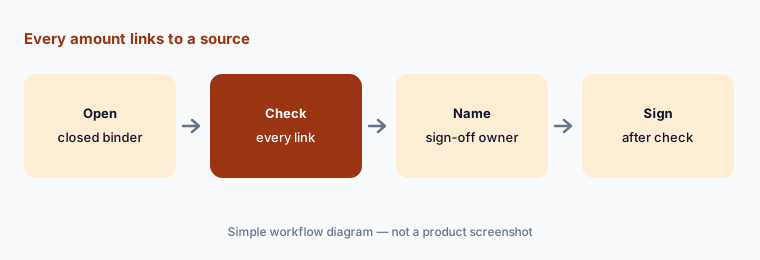
Open five closed SPbinder files. Have the reviewing tax manager confirm every leadsheet amount links to a source document and write down who owns each sign-off level before the season.
3. AI K-1 reclass and auto-indexing of non-standard documents
What it is: Two SPbinder features use AI directly. K-1 Reclass pre-fills dropdown suggestions for which income and expense category each supplemental K-1 amount belongs to; the preparer assigns them, and SPbinder exports the data to the tax software and updates the binder. DILLY/DILOP uses AI and machine learning to auto-index non-standard documents by looking at how similar documents were indexed the prior year.
A suggested category is a tax judgment presented as a dropdown. Last year's indexing repeats last year's mistakes too.
Confirm every category:
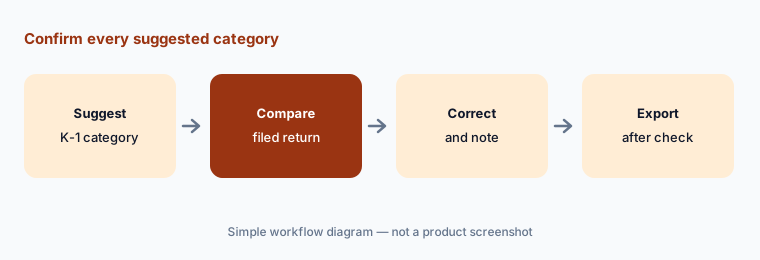
Run K-1 Reclass on three closed returns with supplemental K-1 statements. Have the preparer of record compare every suggested category with the filed return before any export to the tax software.
4. TaxCaddy client intake, document requests, and delivery
What it is: TaxCaddy is the client-facing app (iOS, Android, desktop). It builds a document request list for each client from data in the firm's tax software, shows what has arrived and what is outstanding, and can pull documents from financial institutions and payroll providers through Smart Links. Clients answer questionnaires, sign with e-signatures (with knowledge-based authentication for some forms), pay invoices and tax payments, and receive the final return. TaxCaddy works with UltraTax CS, GoSystem Tax RS, CCH Axcess Tax, and Lacerte for 1040s and 1041s.
A request list built from last year's return asks for last year's documents. A client who closed an account gets a reminder they cannot answer.
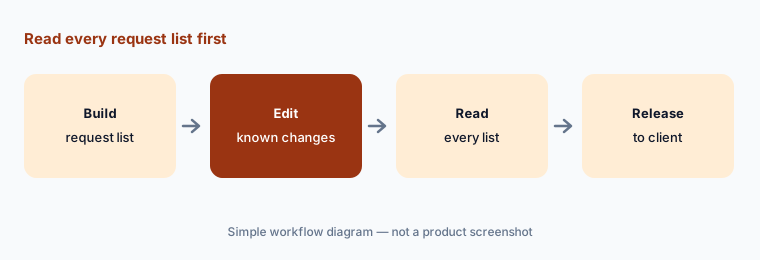
Read before release:
Generate TaxCaddy document request lists for ten returning clients. Have the client manager edit each for known changes before any list is released to a client.
5. Ready to Review: agentic AI 1040 preparation on CoCounsel
What it is: Ready to Review is Thomson Reuters' agentic AI for 1040 preparation, launched for US 1040s on 15 December 2025 with Gather and Tax Preparer agents. Its FAQ describes the workflow: upload the client's source documents and prior-year return, then review an AI-prepared simple 1040 draft with verification links back to the source documents and diagnostics; agents check inputs against the source documents, run the data through the Thomson Reuters tax engine, and give two-year comparisons and categorized diagnostics. Firms provision it in CoCounsel Tax and keep their own portal for client review, signatures, and e-file. An early-adopter partner quoted by Thomson Reuters cited about an hour saved on each simple 1040 — a customer claim.
“Ready to review” means ready for a person to review. Diagnostics the agent “addressed” still need someone to read how it addressed them.
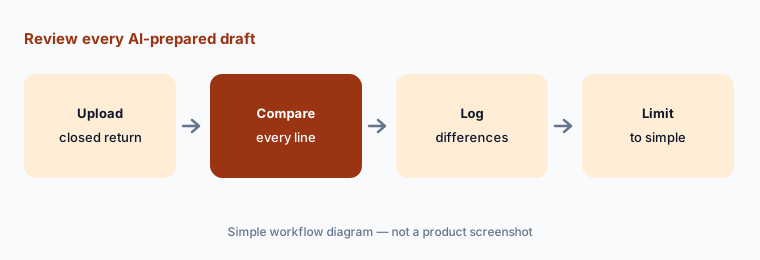
Review every draft:
Run five simple 1040s your firm filed last year through Ready to Review. Have the preparer of record compare every line of each draft with the filed return before using it on a live return.
6. CoCounsel Tax and the Outsource service around SurePrep
What it is: Thomson Reuters sells two things next to SurePrep that firms often ask about in the same meeting. CoCounsel Tax is its AI assistant for tax research and documents: cited answers drawn from Checkpoint, the Internal Revenue Code, and government sources, document upload and analysis (a return or a K-1), and guided multistep templates. It is also where Ready to Review is switched on. SurePrep's Outsource service is a year-round team of people that prepares returns for a firm, using SurePrep's AI tools with quality control. Neither one signs a return.
A research answer with a citation is still an answer someone has to read. An outsourced return is still the firm's return.
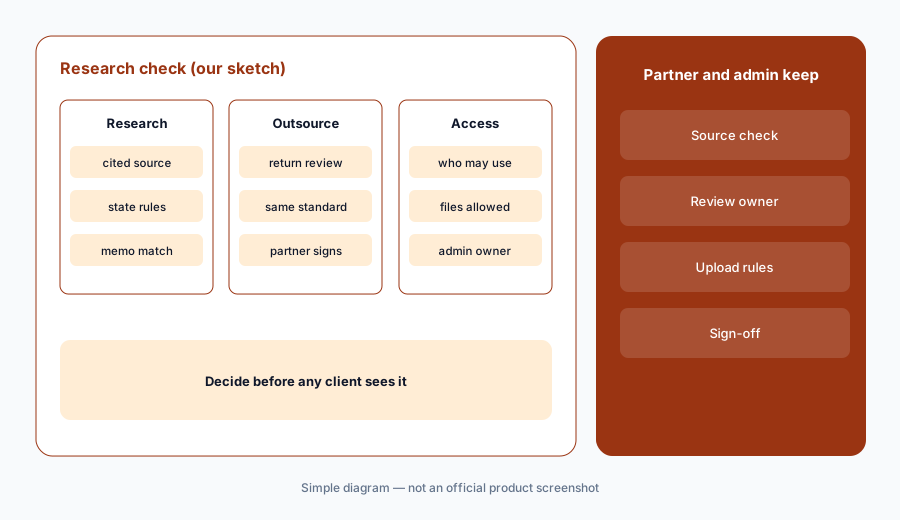
Partner signs advice:
Before anyone relies on CoCounsel Tax or sends returns to Outsource, have the tax partner check every cited source on three closed questions and write down who reviews outsourced returns before they are filed.
Pricing context (October 2026)
SurePrep is quote-only. The SurePrep, 1040SCAN, SPbinder, and TaxCaddy pages on tax.thomsonreuters.com (checked 21 Oct 2026) offer “Contact sales” or “Request free demo” and print no prices. The Ready to Review page also offers a demo and no price.
The one public Thomson Reuters figure nearby is CoCounsel Tax Essentials at $1,300 per year for one user on a one-year plan (online pricing for firms with up to 10 users, as listed 21 Oct 2026). It includes unlimited AI conversations, 20 Checkpoint-backed answers per user per week, document upload and analysis, and workspaces; the Tax Research module is a per-user add-on with no printed price. That plan is not a SurePrep or Ready to Review price — ask for those in writing.
Document-coverage, verification, and time-saved figures on Thomson Reuters pages are vendor or customer claims, not our measurements.
Uncertainty: We did not test SurePrep or Ready to Review. Features, dates, and the CoCounsel Tax Essentials price come from Thomson Reuters pages read on 21 Oct 2026 (the pricing page was read through a page reader) and can change. Thomson Reuters does not publish SurePrep or Ready to Review prices. Which tax software each product connects to differs by product (TaxCaddy lists four; 1040SCAN's features page names UltraTax CS and GoSystem Tax RS; the SurePrep FAQ lists four for the suite) — confirm yours. Ready to Review is described for simple 1040s.
When it’s useful (honest take)
Useful when your firm prepares a high volume of 1040s on CCH Axcess Tax, GoSystem Tax RS, Lacerte, or UltraTax CS, wants scanning, workpapers, and a client portal from one vendor, and a named reviewing tax manager will log every populated field on closed returns before the season.
Less useful when you want one flat per-return price with business returns included (Juno AI), agents that run client bookkeeping and close (Basis AI or Digits AI), receipt and invoice capture for bookkeeping clients (Dext AI), or cited tax research (Blue J).
Paying for Thomson Reuters SurePrep and a few other AI tools? The $9 AI toolkit spreadsheet lists every AI subscription you have, what each one costs, and how fast it pays for itself, so you can see which ones are worth the money.
Want someone to do it for you? AI toolkit audit — $19
Related options (educational)
| Need | Better home | Why |
|---|---|---|
| 1040 scanning, workpapers, client portal | Thomson Reuters SurePrep (this page) | Quote |
| AI tax return prep priced per return | Juno AI | Per return; $50 list |
| Agents for tax, CAS, and audit first passes | Basis AI | Quote |
| Cited tax research and Workflows | Blue J | $1,498 per user/year (Individual) |
| CCH-grounded research inside CCH Axcess | CCH Axcess Expert AI | Quote |
FAQ
What is Thomson Reuters SurePrep?
SurePrep is a set of 1040 tools now sold by Thomson Reuters: 1040SCAN reads, sorts, and populates client documents into the tax software, SPbinder holds the workpapers, TaxCaddy is the client portal, and Outsource is a return-preparation service.
Does SurePrep use AI?
Yes. Thomson Reuters says 1040SCAN uses AI with text-layer matching to remove manual verification for 65% of standard documents, SPbinder suggests K-1 categories and auto-indexes non-standard documents with AI, and Ready to Review is a separate agentic AI for simple 1040s.
How much does SurePrep cost in October 2026?
Thomson Reuters prints no SurePrep or Ready to Review prices; each page offers a sales contact or demo. The nearby public figure is CoCounsel Tax Essentials at $1,300 per user per year, which is a different product.
Which tax software does SurePrep work with?
Thomson Reuters lists CCH Axcess Tax, GoSystem Tax RS, Lacerte, and UltraTax CS, and says only 1040SCAN ORGANIZE works with any tax software. Confirm the connection for each product you plan to buy.
Who should check SurePrep's AI output?
The reviewing tax manager for every field 1040SCAN or Ready to Review fills in, the preparer of record for every suggested K-1 category and each draft return, the client manager for document request lists, and the tax partner for research answers and outsourced returns.
Optional next step (if seats overlap)
If your firm pays for a scan-and-populate tool, a per-return AI preparer, a research assistant, and general chat seats that all read the same client documents, that overlap is worth mapping. Map the overlap with the $19 AI toolkit audit or the $9 AI toolkit spreadsheet. Email Audit $19 or Toolkit spreadsheet $9.
Checkout is live via Stripe. After you pay, we email delivery (spreadsheet) or intake next steps (audit).