Tool · Accounting firm ops · Juno · Oct 2026
Juno AI review (Oct 2026): AI tax return preparation, Binder workpapers, Reviewer checks, and Advisor planning for tax firms
Juno (juno.tax), built by a CPA, automates the data work in tax prep: it reads client source documents, builds workpapers, flags what needs judgment, and pushes the data into the tax software a firm already uses. It comes as four parts in one plan: Preparer for extraction and data entry, Binder for workpapers, Reviewer for source-to-return checks, and Advisor for planning and client drafts, priced at one flat rate per return. This page is about using it while the preparer of record still reviews every extracted field before export. Each section has a Try this.
What this Juno page covers
This page is for a tax firm owner, preparer of record, reviewing tax manager, or firm administrator at a firm that prepares 1040s or business returns and uses Drake, Lacerte, ProConnect, ProSeries, CCH Axcess, or similar software. It is not tax, audit, or accounting advice; a licensed CPA, EA, or the engagement partner owns any return, workpaper, audit conclusion, client letter, or filing. Juno itself says nothing moves without your sign-off.
Juno's pricing page lists one plan with everything included: Preparer, Binder, Reviewer, Advisor, all integrations, K-1 processing, and business returns, with no feature tiers or add-ons. Its 2026 releases include a K1x integration for complex K-1s (8 Jan 2026), business returns (16 Apr 2026), a self-correcting verification layer (18 Jun 2026), and an expected document checklist (14 Aug 2026).
Ground rules before you rely on anything: the preparer of record compares every extracted field with the source document before data is pushed to the tax software; the reviewing tax manager approves every business-return mapping and every Reviewer exception; the tax partner signs any planning advice Advisor drafts. Client names, SSNs, and EINs stay out of any shared examples.

Major features (with how someone uses them)
Examples at a glance: each feature has a concrete example from a real job plus a short Try this you can run this week.
1. Preparer: extraction from source documents into your tax software (primary)
What it is: Juno's Preparer reads W-2s, 1099s, K-1s, Schedules C and E, brokerage statements, and QuickBooks or Xero financials — the pricing page says 97 document types; the home and Preparer pages say 100+ — and pushes the data directly to Drake, Lacerte, ProConnect, ProSeries, CCH Axcess, and more. Every value links back to its source, and nothing is pushed until someone marks it ready. Juno says it handles 95% of data entry; that is a vendor claim.
An extracted number that looks right can come from the wrong box, the wrong page, or a superseded form. The link to the source only helps if the preparer opens it.
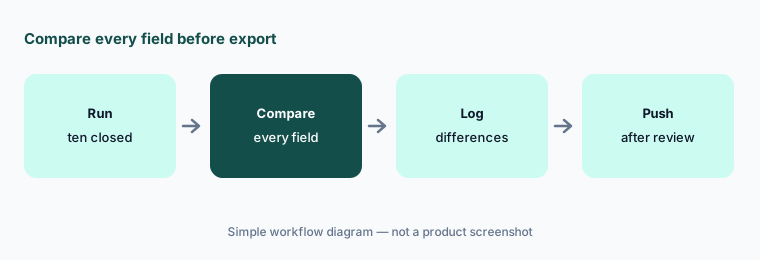
Primary workflow:
Send ten closed returns' source documents through Juno. Have the preparer of record compare every extracted field with the filed return before using it on a live return.
2. Business returns from QuickBooks and Xero
What it is: Juno added business returns on 16 April 2026 — Forms 1120, 1120-S, and 1065. It pulls the profit and loss statement and balance sheet from QuickBooks or Xero, maps the client's categories to return lines, and flags items such as meals, entertainment, and penalties for treatment; the preparer reviews the mapping, reclassifies, and approves. Business returns cost the same per return as 1040s. The ProSeries page says business-return support in ProSeries is coming, so check which tax software it covers for your firm.
A category mapping is a tax judgment wearing a spreadsheet's clothes. A vague account name in the client's books becomes a line on the return.
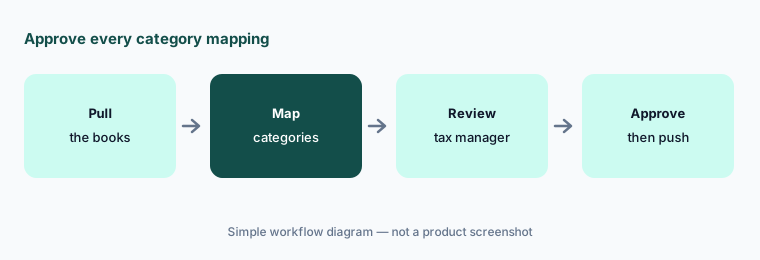
Approve every mapping:
Run three closed business returns through Juno. Have the reviewing tax manager compare every mapped category with the filed return before using it on a live return.
3. Binder workpapers with source mapping
What it is: Juno's Binder builds a structured workpaper for each return from the client's documents, organized by client and return, with every data point mapped to its source document. It includes tick marks, calculator tapes, references, sign-offs, and notes, and supports real-time collaboration so preparers and reviewers can flag fields for each other and track what has been reviewed. Juno says it can replace separate workpaper software.
A complete-looking binder can still be missing the one document the client never sent. Sign-off means someone checked, not that the binder exists.
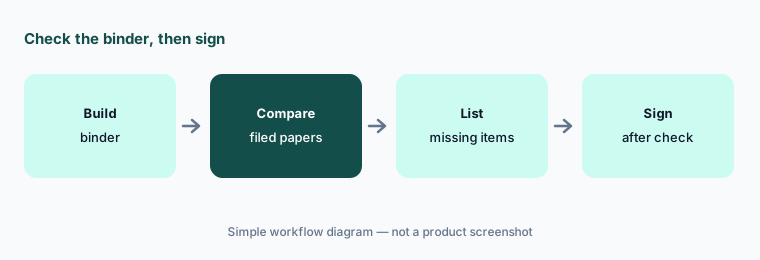
Sign off after checking:
Compare Juno's binder with your filed workpapers on five closed returns. Have the reviewing tax manager list every missing or extra item before Binder replaces your current workpapers.
4. Reviewer checks and the self-correcting verification layer
What it is: Juno's Reviewer compares source documents and prior-year returns with the draft return and surfaces exceptions — a missed state return, a typo, income on the wrong line — with side-by-side fields and bounding boxes, plus firm-specific “Gotcha checks” you define. On 18 June 2026 Juno described a self-correcting verification layer that cross-checks figures within the same brokerage statement before data lands in the tax software; it reports its internal benchmark on the hardest statements moving from 98.6% to 99.9%+. Those are Juno's own figures on its own test set.
A tool that shows exceptions, not every line, is only as good as what it chooses to show. The lines it stays quiet on still belong to the reviewer.
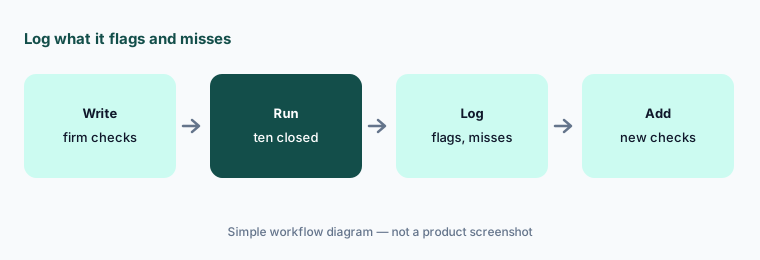
Review what it skips:
Write three firm-specific Gotcha checks and run Reviewer on ten closed returns. Have the reviewing tax manager log every flag as right or wrong and every issue it missed.
5. Expected document checklists and complex K-1s
What it is: Juno's expected document checklist (14 Aug 2026) reads a client's prior-year return, lists every document it included, clears each one as it arrives (by upload, through a practice-management portal, or by email), and can draft a client-ready note naming what is still missing, kept in sync with the list. For complex K-1s, the K1x integration (8 Jan 2026) brings extracted and validated K-1 data into Juno when a firm decides a package needs it.
Last year's return knows last year. A closed account or a new K-1 changes what the client owes you, and a reminder for a document that already came in costs goodwill.
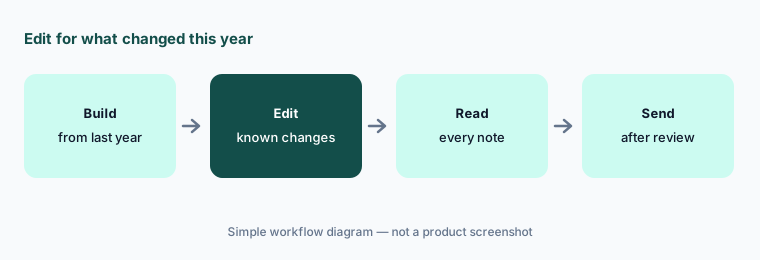
Read before sending:
Build expected document checklists for ten returning clients. Have the client manager edit each for known changes and read every drafted note before it goes to a client.
6. Advisor planning drafts and practice-management connections
What it is: Juno's Advisor answers tax questions with citations, creates and compares planning scenarios from a client's data, summarizes projections, and drafts client emails, planning summaries, and one-click slide decks; Juno says you review and edit before anything goes out. On the workflow side, Juno connects to practice systems — TaxDome (July 2025), Canopy (4 June 2026), Karbon (25 June 2026), and Firm360 (15 July 2026) — plus Box and SmartVault. In the Karbon setup, a firm pastes a Karbon API key into Juno and maps a work item template, after which each new work item becomes a Juno preparation with its documents.
A planning deck built from client data looks finished, and clients treat it as advice. An API key pasted into another system acts with whatever access that key has.
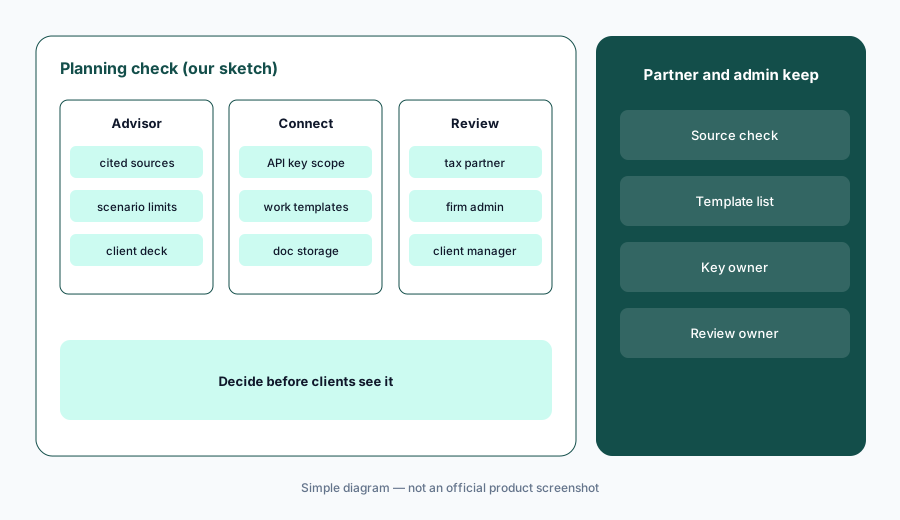
Partner signs advice:
Before any Advisor draft reaches a client, have the tax partner read every cited source and number. Before connecting a practice system, have the firm administrator scope which work items or templates flow into Juno.
Pricing context (October 2026)
Juno charges one flat rate per return — a 1040 or a business return, single or multi-state, same price — and the rate falls as volume rises (pricing page, checked 21 Oct 2026). The page's calculator shows a $50 list price per return, a volume discount of a few dollars per return at higher volumes, and an “end of tax season” discount of $5 per return on a firm's first order; at its default of 500 returns that works out to $44 per return. Above 2,500 returns pricing is custom, with a pilot. Users scale with volume: 2 users per 100 returns.
Everything is included: Preparer, Binder, Reviewer, Advisor, all integrations, K-1 processing, and business returns, with free setup and support (the page values Binder and Reviewer at “$20/return” and Advisor at “$1,000/year” — Juno's figures). Returns are valid for the period of the purchase (one year from start for new customers). The free trial is 5 free preparations, no credit card.
Time-saved figures and customer outcomes on Juno's site are vendor or customer claims, not our measurements.
Uncertainty: We did not test Juno. Features, dates, and prices come from juno.tax pricing, product, integration, and blog pages as read on 21 Oct 2026 and can change. The per-return figures come from the pricing page's calculator, which we read from the page source rather than a rendered screen; slide it for your own volume and get a written quote. The document-type count differs between pages (97 vs 100+). Accuracy figures are Juno's internal benchmark. Business-return support in ProSeries is described as coming.
When it’s useful (honest take)
Useful when your firm prepares many 1040s or business returns, spends busy season keying source documents, and a named preparer of record will compare every extracted field before data is pushed to the tax software.
Less useful when you need cited tax research rather than prep (Blue J), practice management and client requests (Financial Cents AI), proposals and engagement letters (Ignition AI), or audit engagement software (Fieldguide vs DataSnipper).
Paying for Juno AI and a few other AI tools? The $9 AI toolkit spreadsheet lists every AI subscription you have, what each one costs, and how fast it pays for itself, so you can see which ones are worth the money.
Want someone to do it for you? AI toolkit audit — $19
Related options (educational)
| Need | Better home | Why |
|---|---|---|
| AI tax return prep from source documents | Juno AI (this page) | Per return; $50 list |
| Client portal, AI checklists, Juno integration | TaxDome AI | $800–$1,200 per seat/year |
| Practice management with Smart Prep | Canopy AI | $74 / $109 per user/month annual |
| Small-firm practice management with AI file agents | Financial Cents AI | $19 / $49 / $69 per user/month annual |
| Proposals and engagement letters with AI price help | Ignition AI | From $39 per month annual (Solo) |
FAQ
What is Juno used for?
Juno (juno.tax) automates tax prep data work: Preparer extracts data from client documents and pushes it to the tax software, Binder builds workpapers, Reviewer flags source-to-return exceptions, and Advisor drafts planning scenarios and client communications.
How much does Juno cost in October 2026?
Juno charges one flat rate per return that falls with volume. Its pricing calculator shows a $50 list price per return, a $5 end-of-season discount on a first order, and custom pricing above 2,500 returns. All modules and integrations are included.
Which tax software does Juno work with?
Juno says it pushes data to Drake, Lacerte, ProConnect, ProSeries, CCH Axcess, and more, and connects to TaxDome, Canopy, Karbon, and Firm360. Check business-return support for your tax software.
Does Juno replace the preparer's review?
No. Treat extracted fields, mappings, and Reviewer flags as a first pass. The preparer of record should compare every extracted field with the source before data is pushed, and the reviewing tax manager approves every exception.
Who should check Juno's AI output?
The preparer of record for every extracted field, the reviewing tax manager for business-return mappings, binders, and Reviewer exceptions, the client manager for missing-document notes, the tax partner for Advisor drafts, and the firm administrator for practice-system connections.
Optional next step (if seats overlap)
If your firm pays for a per-return prep tool, a practice system with its own AI checklists, and general chat seats that all read the same client documents, that overlap is worth mapping. Map the overlap with the $19 AI toolkit audit or the $9 AI toolkit spreadsheet. Email Audit $19 or Toolkit spreadsheet $9.
Checkout is live via Stripe. After you pay, we email delivery (spreadsheet) or intake next steps (audit).