Tool · Accounting firm ops · MindBridge · Oct 2026
MindBridge AI review (Oct 2026): full-population general ledger risk analysis, journal entry testing, and audit planning signals
MindBridge (Ottawa) analyzes every transaction in a general ledger or subledger, not a sample, and ranks entries by risk using a mix of statistical tests, business rules, and machine learning, with an explanation for each flag. Audit firms use it for journal entry testing, risk assessment, and risk-based sampling; in 2026 it added a redesigned risk assessment, subledger analysis, an Agentic Risk Assessment capability, an integration with Fieldguide, and an MCP server. This page is about using its risk signals while the audit senior and engagement partner still decide what each flagged entry means. Each section has a Try this.
What this MindBridge page covers
This page is for an audit partner, audit manager, audit senior, or data analytics lead at a CPA firm using MindBridge or evaluating it. It is not tax, audit, or accounting advice; a licensed CPA, EA, or the engagement partner owns any return, workpaper, audit conclusion, client letter, or filing. A risk ranking is an input to professional judgment, not a conclusion, and nothing here replaces your firm's methodology or the standards you audit to.
MindBridge says its platform can analyze up to 1 billion transactions in one analysis. Its 2026 audit releases came in two steps: an 8 June update (Subledger Analysis, a more granular Risk Assessment experience, a Monetary Flow Dashboard) and a 22 September announcement (Agentic Risk Assessment, a preview of the Analysis Designer Agent, and an MCP server). On 20 August 2026 MindBridge and Fieldguide announced an integration.
Ground rules before you rely on anything: the audit senior compares flagged entries with what the team actually tested and follows up the ones nobody looked at; the audit manager approves any change to analysis settings; the engagement partner decides whether a flagged entry changes the risk assessment, the sample, or a conclusion. MindBridge's own wording keeps professional judgment with the auditor.

Major features (with how someone uses them)
Examples at a glance: each feature has a concrete example from a real job plus a short Try this you can run this week.
1. Full-population general ledger and journal entry analysis (primary)
What it is: MindBridge ingests every journal entry, payment, and ledger line from the client's system and ranks each one by risk, combining statistical models, business rules, and unsupervised machine learning (platform page). Its FAQ lists the kinds of patterns it looks for — entries posted late at night or on holidays, round amounts, bypassed approvals, activity concentrated in one vendor or subsidiary — and says each flag comes with an explanation. We call the result a risk ranking.
A high-ranked entry is unusual, not wrong. The useful question is whether the entries your team tested last year overlap with the ones MindBridge ranks highest — and what is in the ones nobody tested.
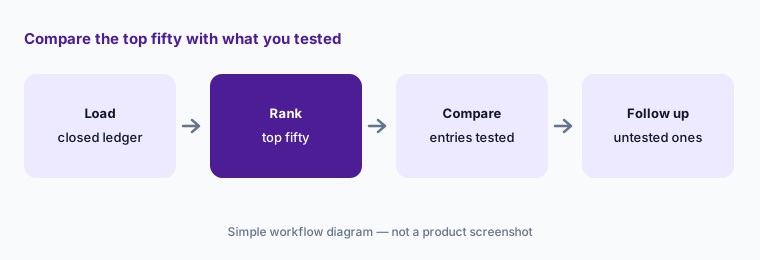
Primary workflow:
Run MindBridge on one closed year's general ledger. Have the audit senior compare its top fifty flagged entries with the entries your team actually tested.
2. Risk Assessment, Subledger Analysis, and the Monetary Flow Dashboard
What it is: MindBridge's 8 June 2026 update introduced a more granular Risk Assessment experience that identifies which accounts and assertions warrant more scrutiny, a unified Subledger Analysis for subledger data with risk-based sampling support, a Monetary Flow Dashboard for tracing how money moves between accounts, better periodic analysis for recurring engagements, more flexible duplicate-transaction controls, and downloadable data requirement exports.
An account that ranks “high” because of one large unusual entry may still be low risk once you understand the entry. The ranking points you somewhere; it does not set the risk.
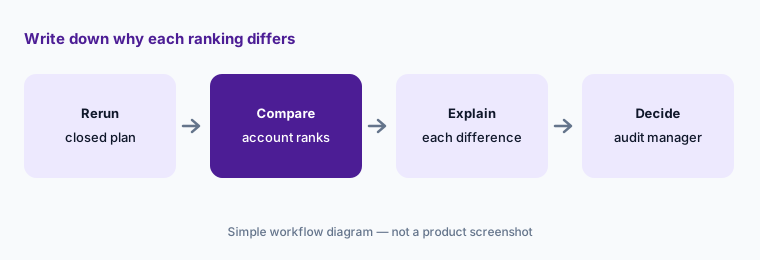
Write down the why:
Rerun planning for one closed engagement in MindBridge. Have the audit manager compare every account it ranks high or low with the risks your team documented and write down why each differs.
3. Agentic Risk Assessment for audit planning
What it is: Announced on 22 September 2026, Agentic Risk Assessment (ARA) is MindBridge's evidence-linked, methodology-aligned risk assessment experience: it connects evidence, analytics, assertions, materiality, and methodology to support planning decisions, and is designed to work with firm-built and third-party workpaper tools and agentic workflows. MindBridge did not give a general availability date in the announcement.
A drafted risk assessment that reads well can still miss a risk only the engagement team knows about — a new system, a lawsuit, a change in management.
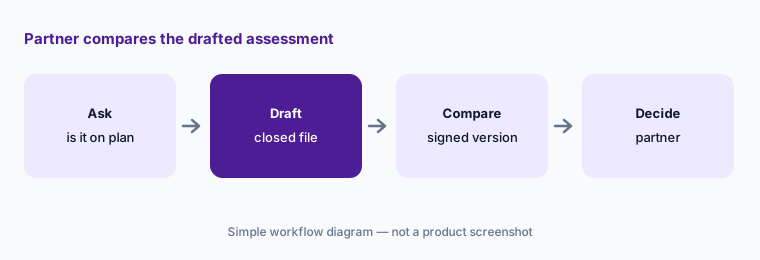
Partner decides:
Ask MindBridge whether Agentic Risk Assessment is available on your plan. If it is, have the engagement partner compare its draft for one closed engagement with the risk assessment your team signed.
4. Analysis Designer Agent (preview) for setting up analyses
What it is: MindBridge is previewing the Analysis Designer Agent (ADA): a user describes what they want to analyze, and the agent checks whether the data is suitable, recommends methods for ranking risk, and builds the configuration, with governance and expert review kept in the loop. It is a preview, so ask whether your firm can use it.
A configuration built for the wrong objective still produces a confident-looking list. Settings decide which entries rank high.
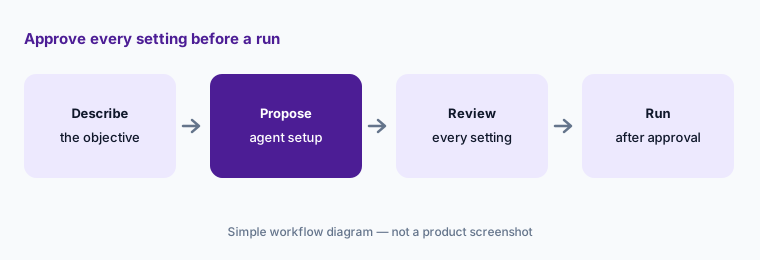
Approve the setup:
If your firm gets the Analysis Designer Agent preview, have the audit manager review every setting it proposes for one closed engagement before anyone runs it on live data.
5. MindBridge inside Fieldguide
What it is: MindBridge and Fieldguide announced a partnership on 20 August 2026 that brings MindBridge's full-population analysis into Fieldguide's engagement platform for risk assessment, planning, journal entry testing, risk-based sampling, and continuous monitoring. MindBridge's integration page says engagement data can flow to MindBridge and flagged transactions, samples, and supporting outputs return to Fieldguide for testing and review. See our Fieldguide AI review.
When a ranked list flows straight into an agent's test plan, a wrong setting on one side quietly shapes the other.
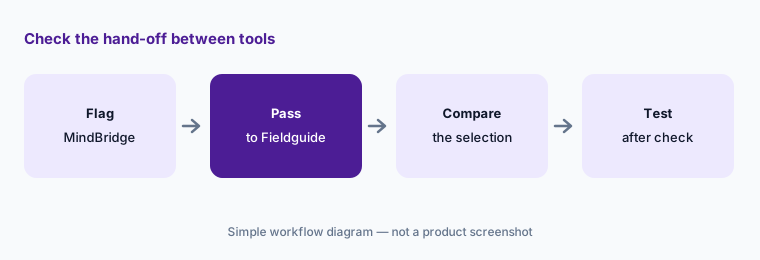
Check the hand-off:
On one closed engagement, have the audit manager compare the MindBridge selection with what arrived in Fieldguide before any agent tests it.
6. MCP server, Developer Portal, and who sees client ledgers
What it is: MindBridge's 22 September 2026 announcement says its Model Context Protocol (MCP) server lets users ask compatible AI assistants about analysis results and identified risks, with access governed by each user's MindBridge permissions. The Developer Portal (26 March 2026) documents more than 130 API endpoints for connecting MindBridge to ERP, GRC, BI, and automation tools. MindBridge's FAQ says it offers 3,000+ ERP and accounting system connectors.
A full client general ledger is some of the most sensitive data a firm holds. An outside AI assistant that can read analysis results inherits every permission the connecting user has.
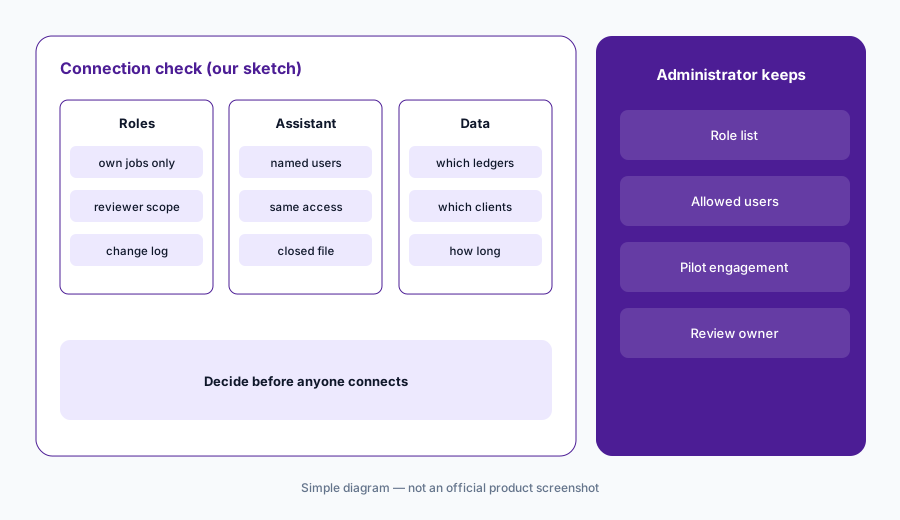
Admin decides first:
Before anyone connects an AI assistant to MindBridge, have the firm administrator check which engagements each user can see and test the connection on a closed engagement first.
Pricing context (October 2026)
MindBridge publishes no prices; mindbridge.ai/pricing returned not-found on 21 Oct 2026 and the site offers “Book a demo.” Quote-only. Ask in writing whether pricing is per engagement, per entity, per transaction volume, or per user, whether Subledger Analysis, Agentic Risk Assessment, and the MCP server are included in your plan, and how data connectors are billed.
Vendor figures — up to 1 billion transactions per analysis, 3,000+ connectors, KPMG using MindBridge in more than 60 countries (8 June 2026) and in KPMG Clara “across 90,000+ professionals” (FAQ), and a customer citing 20–25% fewer first-year review hours — are MindBridge's or its customers' claims, not our measurements. BDO UK announced a partnership on 29 June 2026.
Uncertainty: We did not test MindBridge. Features and dates come from MindBridge's platform page, FAQ, and newsroom as read on 21 Oct 2026 and can change. No prices are published. Agentic Risk Assessment was announced without a general availability date and the Analysis Designer Agent is a preview. Scale and time-saved figures are vendor or customer claims.
When it’s useful (honest take)
Useful when your firm audits clients with large ledgers, wants journal entry testing and planning based on the whole population rather than a sample, and a named audit senior will follow up every flagged entry the team did not test.
Less useful when your audit work is mostly small compilations and reviews (Caseware AI covers those engagement files), your bottleneck is vouching documents rather than finding risky entries (DataSnipper AI), or you want an engagement platform with testing agents (Fieldguide AI).
Paying for MindBridge AI and a few other AI tools? The $9 AI toolkit spreadsheet lists every AI subscription you have, what each one costs, and how fast it pays for itself, so you can see which ones are worth the money.
Want someone to do it for you? AI toolkit audit — $19
Related options (educational)
| Need | Better home | Why |
|---|---|---|
| Full-population ledger and journal entry analysis | MindBridge AI (this page) | Quote only |
| Engagement platform with testing agents | Fieldguide AI | Quote only |
| Document matching and test automation in Excel | DataSnipper AI | Quote only |
| Risk suggestions inside Caseware engagements | Caseware AI | Quote only |
| Your own company's month-end close | BlackLine | Different job |
FAQ
What does MindBridge do for auditors?
MindBridge analyzes every transaction in a client's general ledger or subledger and ranks entries by risk with an explanation for each flag. Audit firms use it for journal entry testing, risk assessment, and risk-based sampling.
How much does MindBridge cost in October 2026?
MindBridge publishes no prices and has no public pricing page; the site offers demos. Ask how pricing is measured and which 2026 capabilities your plan includes.
What is MindBridge's Agentic Risk Assessment?
Announced 22 September 2026, it is an evidence-linked risk assessment experience that connects analytics, assertions, materiality, and methodology to support audit planning, and is designed to work with other workpaper tools. No general availability date was given.
Does MindBridge work with Fieldguide?
Yes. The two companies announced an integration on 20 August 2026 that brings MindBridge analysis into Fieldguide for risk assessment, journal entry testing, and risk-based sampling, with flagged transactions and samples returning to Fieldguide.
Who should check MindBridge's output?
The audit senior for every flagged entry the team did not test, the audit manager for every analysis setting and every hand-off to another tool, and the engagement partner for any change to the risk assessment, sample, or conclusion.
Optional next step (if seats overlap)
If you pay for MindBridge, an engagement platform with its own analytics, and general chat seats that all touch the same client ledgers, that overlap is worth mapping. Map the overlap with the $19 AI toolkit audit or the $9 AI toolkit spreadsheet. Email Audit $19 or Toolkit spreadsheet $9.
Checkout is live via Stripe. After you pay, we email delivery (spreadsheet) or intake next steps (audit).