Tool · Accounting firm ops · Karbon · Oct 2026
Karbon AI review (Oct 2026): AI client summaries and email drafts, Kai AI coworker, Aider period close checks, AI Rule Builder, and the Karbon MCP server for accounting firms
Karbon is a practice-management platform that accounting, bookkeeping, tax, and audit firms run their email, work, clients, and billing in. Its AI comes in layers: Karbon AI (summaries, email drafts, smart suggestions) went to every customer in March 2026; Kai, an AI coworker that can take actions, is in limited early access; and Aider, which Karbon bought in 2025, runs period close checks across client ledgers. This page is about using them while a named person still owns every email, close fix, and number that reaches a client. Each section has a Try this.
What this Karbon page covers
This page is for a managing partner, operations manager, or client manager at an accounting or bookkeeping firm that runs on Karbon or is evaluating it. It is not tax, accounting, or audit advice, and nothing here replaces a CPA or EA reviewing the work.
Karbon made Karbon AI available to all customers on 31 March 2026: client summaries that now draw on 100+ notes and timeline entries, work-conversation and email summaries, compose-and-refine in your firm's style, quick replies, emails drafted from tasks, and smart assignment suggestions. Its AI page adds flags for missed time entries and says Karbon AI runs on the Azure OpenAI Service.
Ground rules before you turn anything on: the client manager reads every AI-drafted client email; the bookkeeping manager approves every close fix pushed back to the ledger; no Kai agent action runs without someone approving it in Karbon's AI Agent Management System. Karbon's FAQ says administrators can switch AI off for the firm.
Major features (with how someone uses them)
Examples at a glance: each feature has a concrete example from a real job plus a short Try this you can run this week.
1. Client emails drafted from tasks (primary)
What it is: “Create email from tasks” auto-drafts a client email from a work item's tasks, “reflecting your progress and any notes you add,” and compose-and-refine rewrites drafts in your firm's style (31 Mar 2026 release). Quick replies offer editable responses to incoming email.
A draft built from tasks is only as current as the tasks. If a task was not ticked off, the email asks the client for something you already have.
Primary workflow:
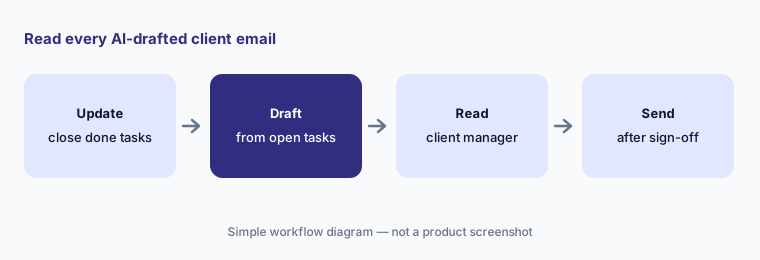
Draft client emails from tasks for ten clients who still owe documents. Have the client manager check every requested item and due date against the job checklist before any email is sent.
2. Client summaries and email summaries
What it is: A client summary combines emails, notes, work items, and billing data into one brief; since 31 March 2026 it reads 100+ notes and timeline entries instead of 10. Email summaries condense long threads and internal discussions.
A summary covers what is in Karbon. A phone call nobody logged, or a promise made in a personal inbox, will not be there.
Check before the meeting:
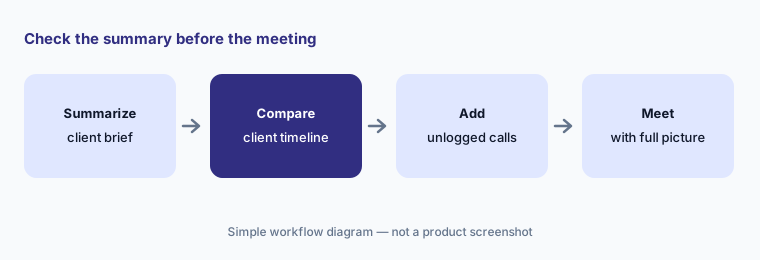
Pull client summaries for five clients before their next meeting. Have the client manager compare each with the client timeline and fill in anything missing before the meeting.
3. Smart suggestions and missed-time flags
What it is: Smart suggestions propose colleagues and contacts to assign based on prior work history, and Karbon's AI page lists time tracking help that flags missed time entries “based on actual tasks completed.” Karbon says Karbon AI draws on jobs, team capacity, time, budgets, billing, and payments.
Suggestions repeat past patterns. If the person who always did a client's payroll has moved to tax, the suggestion still points at them.
Two-week check:
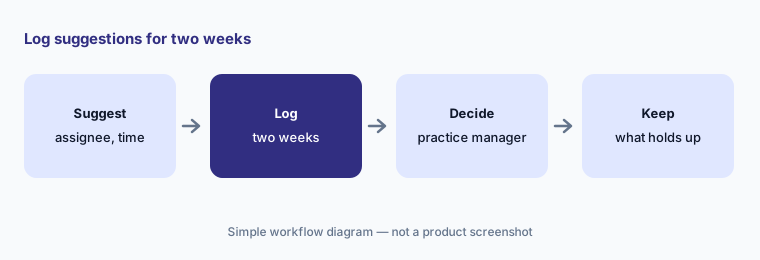
For two weeks, compare the AI's assignment suggestions and missed-time flags with what actually happened. Have the practice manager accept or reject each one and note why before anyone relies on them.
4. Kai AI coworker (limited early access)
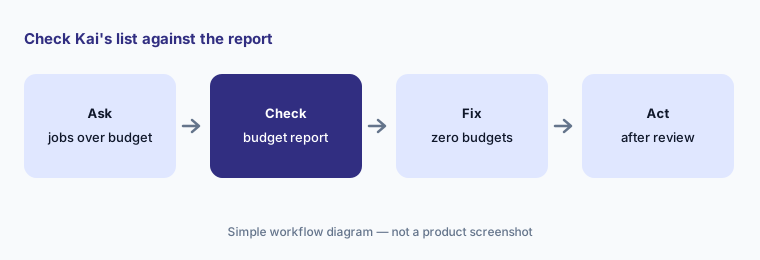
What it is: Kai, announced 3 June 2026, answers questions from live Karbon data (“Which jobs are over budget?”), gives a morning briefing, and invokes agents for tasks Karbon lists as workpaper creation, timesheet review, and work prioritization. Karbon's Kai FAQ says every agent action goes through the AI Agent Management System, where you approve, edit, or reject it, and that Kai works within your existing permissions. Kai is in limited early access with a waitlist.
An answer from live data still depends on clean data. Budgets that were never set make every job look fine.
Check the list first:
If your firm is in early access, ask Kai which ten jobs are over budget. Have the operations manager check each against the Time & Budgets report before anyone acts on the list.
5. Aider period close checks and the AI Rule Builder
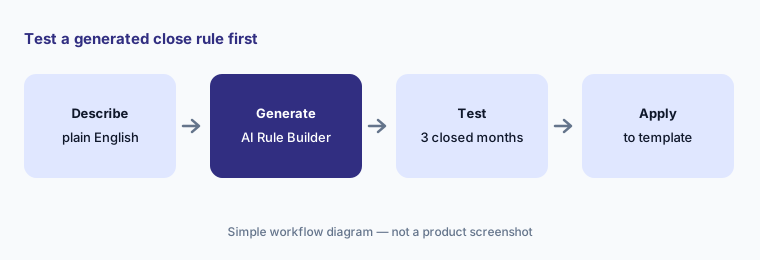
What it is: Karbon acquired Aider on 30 September 2025. Aider's rebuilt period close went live for all US customers on 27 April 2026: checks run each period across QuickBooks Online and Xero clients, flag unreconciled transactions, data issues, and variances, and fixes made in Aider push back to QuickBooks. The 29 June 2026 release added the AI Rule Builder (“Generate Check” turns a plain-English description into a rule; nothing saves until you approve it); 5 August 2026 added Client Questions and AI Document Validation; 28 September 2026 added cash- or accrual-basis account checks and a W-9 check option to exclude credit card spend.
A generated rule can be stricter or looser than you meant. Test it on months you already closed.
Test before applying:
Describe one close check in plain English and let the AI Rule Builder generate it. Have the bookkeeping manager test the rule on three closed months before applying it to every client.
6. MCP server, AI notetaker, and admin controls
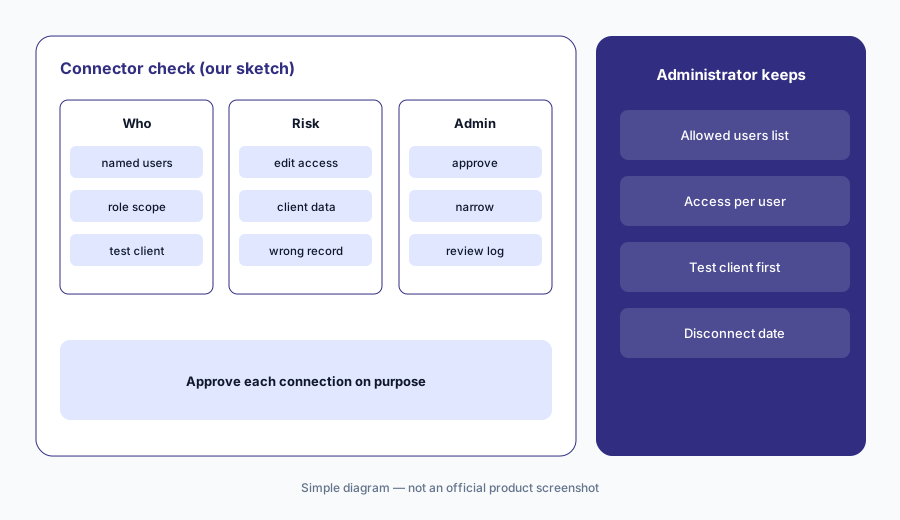
What it is: At Karbon Next on 3 June 2026 Karbon announced a public MCP server that connects Karbon to outside AI tools, and an AI notetaker that joins client meetings and files structured notes in Karbon. Karbon's llms.txt lists the server at mcp.karbonhq.com; the Kai page still marks the notetaker “coming soon.” Karbon's REST API is limited to Business and Enterprise plans (developer docs). On governance, Karbon's AI FAQ says AI is on for all users by default, administrators can turn it off in firm settings, firm data is not used to train models, and processing stays in your data's region.
An outside AI tool connected through MCP can see and change what the connecting user can. Decide who may connect before anyone does.
Admin decides first:
Before anyone connects an outside AI tool to the Karbon MCP server, have the firm administrator list which users may connect and test it on a test client first.
Pricing context (October 2026)
Karbon's pricing page (checked 21 Oct 2026) prints two plans: Team $59 per user per month paid annually ($79 paid monthly) and Business $89 per user per month paid annually (a higher monthly-billed rate is listed); monthly billing is only for teams of four or more. Enterprise is “contact us.” Karbon's AI FAQ says Karbon AI is available to all customers at no additional cost and that any future AI pricing would be announced in advance.
Kai is in limited early access with no announced price. Aider period close automation is sold through “book a demo” with no printed price (close automation page). Karbon Payments fees are printed: 2.6% + $0.30 per card payment (premium cards 3.6% + $0.30; American Express 3.9% + $0.30) and ACH 1% + $0.30, capped at $5.00. eSignature credits start at $100 for 100.
Karbon's pricing page also prints an ROI estimate (“$39,191 saved per employee, per year” and 19.9 hours a week). Those are Karbon's calculations from its own customer averages, not our measurements.
Uncertainty: We did not test Karbon. Features, dates, and prices come from Karbon's pricing page, AI pages, release notes, and press as read on 21 Oct 2026 and can change. Kai is in limited early access and the AI notetaker is marked coming soon; Aider period close is US-only and works with QuickBooks Online and Xero. Time-saved and close-labor figures are Karbon's or its customers' claims.
When it’s useful (honest take)
Useful when your firm already runs client email and work in Karbon (or is choosing a practice system), staff spend hours chasing documents and writing status emails, and a named client manager will read every draft before it goes out.
Less useful when your bottleneck is a tax-season client portal with organizers and return delivery (TaxDome AI), you need cited tax research rather than workflow (Blue J), or you are closing your own company's books rather than clients' (FloQast).
Paying for Karbon AI and a few other AI tools? The $9 AI toolkit spreadsheet lists every AI subscription you have, what each one costs, and how fast it pays for itself, so you can see which ones are worth the money.
Want someone to do it for you? AI toolkit audit — $19
Related options (educational)
| Need | Better home | Why |
|---|---|---|
| Practice-management AI: client emails, summaries, close checks | Karbon AI (this page) | $59 / $89 per user/month annual; AI at no extra cost |
| Client portal, organizers, tax workflow | TaxDome AI | $800–$1,200 per seat/year |
| Cited tax research and memos | Blue J | $1,498/year Individual |
| Your own company's month-end close | FloQast | Different job |
| Sanitized policy drafts in general chat | Claude for finance | No client data |
FAQ
What is the difference between Karbon AI and Kai?
Karbon AI is the set of features every customer has had since 31 March 2026: summaries, email drafts, quick replies, and smart suggestions. Kai is an AI coworker that answers questions from firm data and invokes agents to take actions; it is in limited early access.
Does Karbon AI cost extra in October 2026?
Karbon's FAQ says Karbon AI is available to all customers at no additional cost on paid plans. Team is $59 and Business $89 per user per month paid annually; Aider period close is sold by demo with no printed price.
What is Aider in Karbon?
Aider is a period close automation company Karbon acquired on 30 September 2025. Its rebuilt period close went live for US customers on 27 April 2026 and runs checks across QuickBooks Online and Xero clients.
Can Karbon's AI be turned off?
Yes. Karbon's FAQ says AI is enabled for all users by default and account administrators can disable it in firm settings. Kai agent actions go through an approval step before they run.
Who should check Karbon AI output?
The client manager for every AI-drafted client email and summary; the practice manager for assignment and missed-time suggestions; the bookkeeping manager for every close rule and fix pushed to a client's ledger.
Optional next step (if seats overlap)
If you pay for Karbon, a separate close tool, and a general chat seat that all draft the same client emails, that overlap is worth mapping. Map the overlap with the $19 AI toolkit audit or the $9 AI toolkit spreadsheet. Email Audit $19 or Toolkit spreadsheet $9.
Checkout is live via Stripe. After you pay, we email delivery (spreadsheet) or intake next steps (audit).