Tool · Accounting firm ops · Blue J · Oct 2026
Blue J AI review (Oct 2026): cited tax research answers, client-file Projects, tax writing, agentic Workflows for returns and IRS notices, and Blue J in Legora
Blue J is an AI tax research tool: you ask a tax question in plain language and get an answer with inline citations to primary sources, Tax Notes commentary, and IBFD international content. In 2026 it added international content, agentic Workflows that turn returns, IRS notices, and agreements into review notes and draft responses, and a link-up with Legora. This page is about using it while a reviewing tax manager still reads every cited authority before a position reaches a client. Each section has a Try this.
What this Blue J page covers
This page is for a tax partner, tax manager, or research lead at a CPA firm, tax practice, or law firm tax group that uses Blue J or is evaluating it. It is not tax advice, and nothing here replaces a CPA, EA, or tax attorney reading the authority.
Blue J's how it works page describes answers “powered by primary authoritative content, Tax Notes, and IBFD,” client files you can attach, Projects that keep threads tied to one client or engagement, and tax writing that turns research into memos and client emails. The Tax Notes content comes from an agreement with Tax Analysts announced in January 2024 (Blue J); IBFD content went live on 25 March 2026.
Ground rules: the reviewing tax manager opens every cited authority before an answer shapes advice; no SSNs, EINs, or unredacted returns go into a Project unless firm policy and the contract allow it; the engagement partner signs every client-facing memo or email. Blue J's security page and pricing page cite SOC 2 Type II.

Major features (with how someone uses them)
Examples at a glance: each feature has a concrete example from a real job plus a short Try this you can run this week.
1. Cited answers to tax questions (primary)
What it is: Ask a question the way you would ask a colleague and Blue J answers with inline citations and a source list; its pricing page lists unlimited questions, “full US federal and SALT tax coverage,” and an authoritative database “updated daily.” Blue J's own figures: more than 6,000 organizations and 14 million questions answered (Oct 2026 boilerplate).
A citation shows where an answer came from, not that the source supports the exact point. Read the section, not just the link.
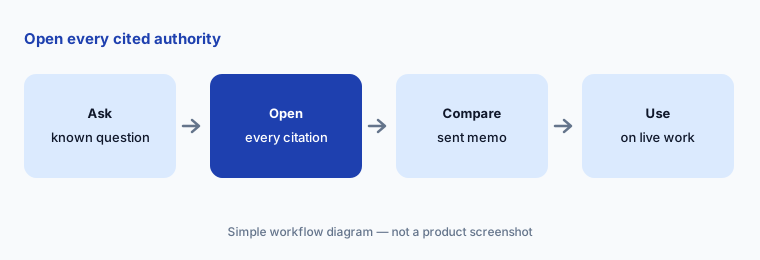
Primary workflow:
Run five tax questions your firm already answered last season through Blue J. Have the reviewing tax manager open every cited authority and compare it with the memo your firm sent before anyone uses Blue J on a live client question.
2. Client files and Projects
What it is: You can attach tax returns, operating agreements, and other documents to get answers tailored to a client's facts, and Projects keep every thread grounded in the same client or engagement documents so you can pick up where you left off (how it works).
An answer tied to an uploaded agreement is only as good as the version you uploaded. A superseded amendment gives a confident wrong answer.
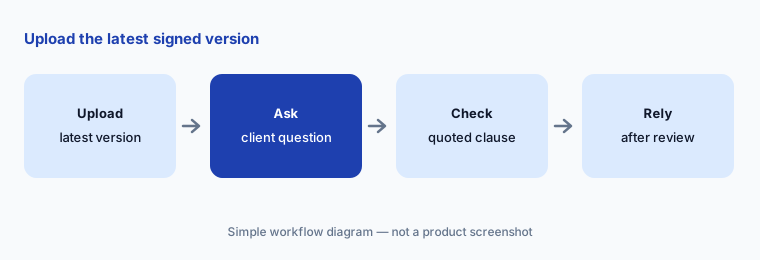
Check the document version:
Create one Project for a closed engagement and attach the return and agreement. Have the engagement manager check that every answer quotes the right document before anyone uploads live client files.
3. Tax writing: memos and client emails
What it is: Blue J turns research into draft client deliverables — memos and client emails — and its pricing page lists “instantly generate memos and emails” with unlimited drafting on the Individual plan.
A client email that sounds certain can carry a position the reviewer would have hedged. Tone is a tax decision too.
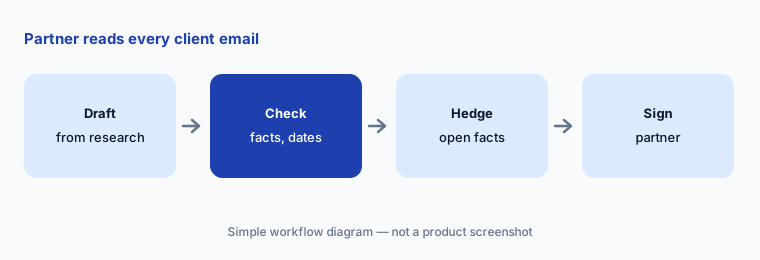
Partner reads first:
Turn one research answer into a client email. Have the engagement partner check every fact, date, and dollar amount against the file before it is sent.
4. Agentic Workflows for returns, notices, and agreements
What it is: Blue J's Workflows page lists pre-built Workflows: give it a return and source documents and it returns technical review notes, a cited internal memo, or a client email; give it an IRS notice and it drafts a response plan with key deadlines and a cited response; give it a partnership, LLC, or trust agreement and it returns a structured tax analysis with missing information to follow up on. Blue J says Workflows show every step and source and “pause to ask for your input” when judgment calls are needed. We found no dated launch announcement; Blue J's free CPE session on AI workflows runs 19 November 2026.
A notice response that misses a deadline or answers the wrong tax year is worse than none. Deadlines get checked against the notice itself.
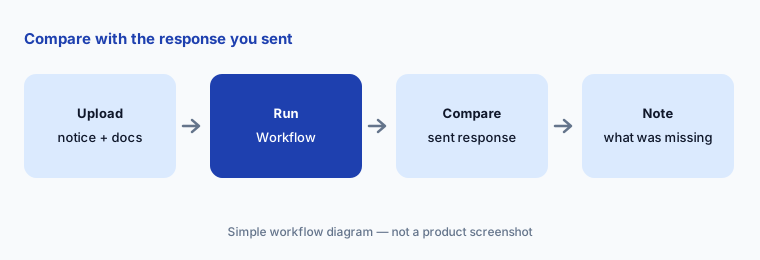
Compare with what you sent:
Run the IRS notice Workflow on one notice your firm already answered. Have the tax manager compare the deadlines and cited authority with the response you actually sent.
5. International (IBFD) and state nexus research
What it is: Since 25 March 2026 Blue J's library includes IBFD cross-border content covering treaty analysis and country commentary across 220+ jurisdictions, for questions on permanent establishment, transfer pricing, and Pillar Two. On the state side, the SALT Workflow takes facts about a client's revenue and activities by state and returns a state-by-state view of where the client may have nexus and which filings to address first, with supporting authority (Workflows).
Nexus depends on facts staff often do not have: remote employees, inventory in a third-party warehouse, marketplace sales.
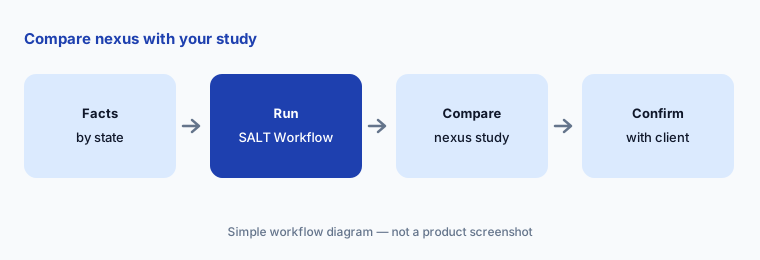
Compare with your study:
Give the SALT Workflow the facts for one client whose nexus you already mapped. Have the SALT manager compare every state it lists with your filed position.
6. Blue J inside Legora (early access)
What it is: On 19 October 2026 Legora and Blue J announced that Blue J's tax research can be queried from inside Legora, the legal AI platform, with answers carrying inline citations back to Blue J sources “subject to applicable content permissions.” The connection is built on the Model Context Protocol; Blue J runs the research on its own infrastructure; users need subscriptions to both products and sign in with their own accounts. It opens first to selected joint customers in early access, with general availability planned for November. (We review Legora separately: Legora AI.)
Two products in one answer means two sets of permissions. A citation you cannot open is not one you can rely on in advice.
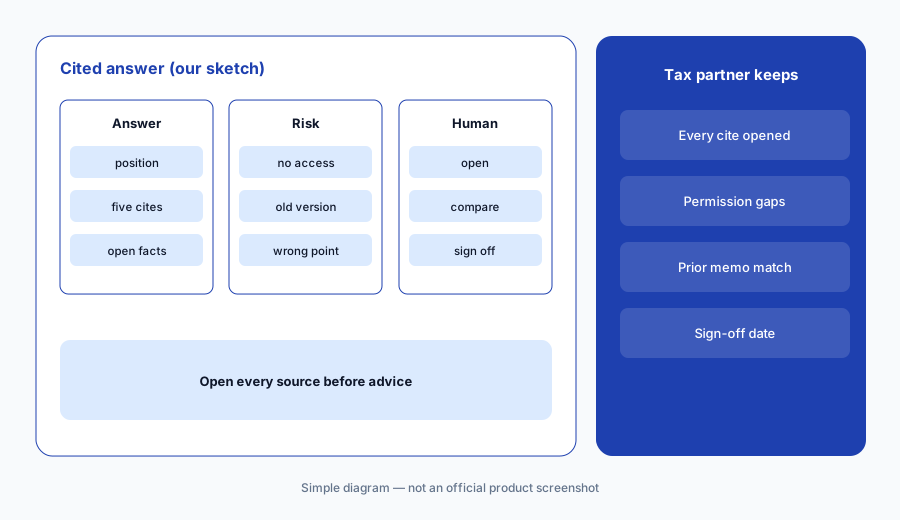
Open every source:
If your firm uses Legora, ask the integrated Blue J one question you have already answered. Have the tax partner confirm every citation opens and matches before the integration is used in client advice.
Pricing context (October 2026)
Blue J's pricing page (checked 21 Oct 2026) prints one number: Individual $1,498 per year per user (“best for sole practitioners”), with full US federal and SALT coverage and unlimited questions, drafting, file uploads, and citations. The Team plan (dedicated support, onboarding, usage insights, SSO) is “contact for pricing.” Blue J offers a 7-day free trial with no credit card and says there are “no add-ons, no extra fees.”
Blue J inside Legora needs separate subscriptions to both products (19 Oct 2026). Blue J's time figures — 3 hours saved per user each week and 75% less time on research (how it works) — and its pricing-page savings calculator are Blue J's numbers, not our measurements. Blue J raised a $122M Series D in August 2025 (Blue J).
Uncertainty: We did not test Blue J. Features, dates, and prices come from Blue J's pricing, product, Workflows, security, and blog pages as read on 21 Oct 2026 and can change. Usage counts differ across Blue J's own pages (6 million questions in the March 2026 boilerplate, 14 million in October 2026; 4,000 and 6,000 firms on the same page), so we quote them with dates. The Legora integration is in early access; Workflows had no dated launch post we could find.
When it’s useful (honest take)
Useful when your firm answers federal, state, or cross-border tax questions every week, juniors currently start in a search engine or general chat, and a reviewing tax manager will open every cited authority before advice goes out.
Less useful when your bottleneck is client intake and document chasing (TaxDome AI), email and recurring workflow (Karbon AI), or you only need sanitized wording help with no tax authority involved (Claude for finance).
Paying for Blue J and a few other AI tools? The $9 AI toolkit spreadsheet lists every AI subscription you have, what each one costs, and how fast it pays for itself, so you can see which ones are worth the money.
Want someone to do it for you? AI toolkit audit — $19
Related options (educational)
| Need | Better home | Why |
|---|---|---|
| Cited tax research, memos, notice Workflows | Blue J (this page) | $1,498/year Individual; Team quote |
| Collaborative email, workflow, close checks | Karbon AI | $59 / $89 per user/month annual |
| Client portal, AI checklists, tax workflow | TaxDome AI | $800–$1,200 per seat/year |
| Legal AI workspace where Blue J can plug in | Legora AI | Quote only |
| Sanitized wording help in general chat | Claude for finance | No client data |
FAQ
What sources does Blue J use?
Blue J says its answers draw on primary authoritative content, Tax Notes commentary from Tax Analysts, and IBFD international tax content added on 25 March 2026, with inline citations so you can open each source.
How much does Blue J cost in October 2026?
The Individual plan is $1,498 per year per user with unlimited questions and drafting. The Team plan is priced on request. A 7-day free trial needs no credit card.
What are Blue J Workflows?
Pre-built, multi-step Workflows that take a return, IRS notice, agreement, or state facts and produce review notes, a draft response, a structured analysis, or a nexus breakdown, pausing for your input on judgment calls.
Does Blue J work inside Legora?
Yes, from 19 October 2026 in early access for selected joint customers, with general availability planned for November. You need subscriptions to both and sign in with your own accounts.
Who should check Blue J output?
The reviewing tax manager for every cited authority; the engagement manager for answers based on uploaded client files; the engagement partner for every memo or email that reaches a client.
Optional next step (if seats overlap)
If you pay for Blue J, a legacy research library, and a general chat seat that juniors all use for the same tax questions, that overlap is worth mapping. Map the overlap with the $19 AI toolkit audit or the $9 AI toolkit spreadsheet. Email Audit $19 or Toolkit spreadsheet $9.
Checkout is live via Stripe. After you pay, we email delivery (spreadsheet) or intake next steps (audit).