Tool · Accounting firm ops · Wolters Kluwer · Oct 2026
Wolters Kluwer CCH Axcess Expert AI review (Oct 2026): AI tax research, document automation, and workflow help inside CCH Axcess for tax firms
CCH Axcess is Wolters Kluwer's cloud suite for tax, audit, workflow, and document management, used by many large and mid-size CPA firms. Expert AI is the name for the AI built into it: CCH Axcess Intelligence answers research questions with citations to CCH content, Scan extracts data from W-2s, 1099s, and K-1s, and further modules cover client intake, audit documents, advisory, and scheduling. This page is about using them while a named reviewer still reads every source, field, and conclusion. Each section has a Try this.
What this CCH Axcess page covers
This page is for a tax partner, tax manager, or operations lead at a firm that already files in CCH Axcess Tax or is weighing it. It is not tax, accounting, or audit advice, and nothing here replaces a CPA or EA reviewing the work.
Wolters Kluwer launched Expert AI on 15 October 2025 with CCH Axcess Intelligence as its first module, built on the conversational research introduced in CCH AnswerConnect. Its Expert AI page now lists six modules with Expert AI inside: Audit, Client Collaboration, Intelligence, Scan, Workflow, and Advisor. In a 30 March 2026 release the company said CCH Axcess serves 10,000 firms, including 95 of the Top 100, and 1.4 million users.
Ground rules before you rely on anything: the reviewing tax manager reads every cited CCH source before a position is used; the preparer of record checks every field Scan populates; the engagement partner signs off every audit conclusion. Wolters Kluwer describes Expert AI as explainable, auditable, and under human-in-the-loop governance, and those controls only work if someone actually does the review.

Major features (with how someone uses them)
Examples at a glance: each feature has a concrete example from a real job plus a short Try this you can run this week.
1. CCH Axcess Intelligence: cited research answers (primary)
What it is: Intelligence is a conversational assistant inside CCH Axcess that gives “citation-backed” answers grounded in CCH AnswerConnect content, analyzes uploaded documents such as K-1s, and helps draft memos and client communications (Intelligence page). Wolters Kluwer demonstrated it again at AICPA ENGAGE in June 2026. The vendor claims up to 90% less time on document review and about three hours saved per professional per week (from studies it cites).
A citation shows where an answer came from, not that the answer fits your client's facts. The source can be right and the conclusion still wrong for this return.
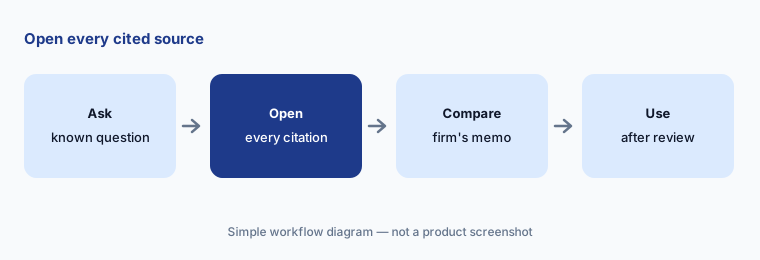
Primary workflow:
Ask the AI three research questions your firm answered last season. Have the reviewing tax manager compare each cited CCH source with the memo your firm actually sent.
2. CCH Axcess Scan with K-1 automation
What it is: On 29 June 2026 Wolters Kluwer made AI document intelligence in CCH Axcess Scan generally available to firms on or moving to CCH Axcess Tax. Scan classifies and extracts data from W-2s, 1099s, and K-1s, including supplemental statements, and flows it into CCH Axcess Tax. The vendor says early users saw 30% to 70% efficiency gains and that K-1 entry, which takes 10 to 15 minutes by hand, drops by 60% to 80%; at ENGAGE it cited K-1 processing time down by as much as 91.7%.
K-1 supplemental statements vary from fund to fund. An amount read into the wrong line looks just as clean as a right one.
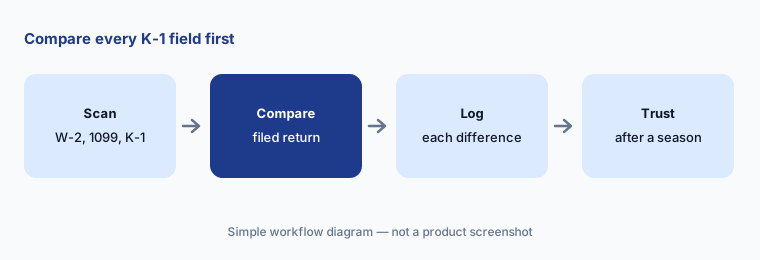
Compare before trusting:
Run Scan on ten closed returns with K-1s. Have the preparer of record compare every extracted field with the filed return and log each difference before using Scan in season.
3. Client Collaboration: intake, request lists, and document classification
What it is: Wolters Kluwer launched CCH Axcess Client Collaboration on 21 October 2025. It automates intake, request lists, engagement letters with e-signature, document exchange, secure messaging, questionnaires, and deadline tracking, and uses AI to classify and extract data from client documents and summarize activity. The Expert AI page says it predicts the information a client needs to send.
A predicted request list is a guess based on last year. New income, a move, or a new entity will not be on it unless someone asks.
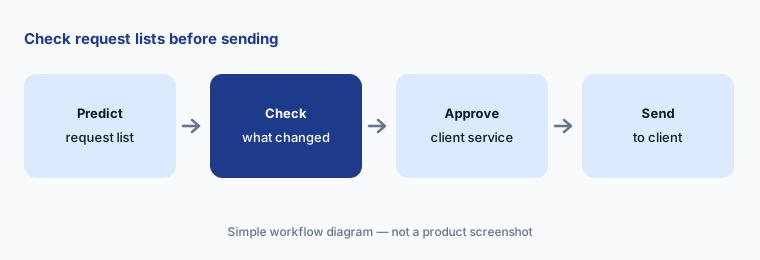
Check before sending:
Generate request lists for ten returning clients. Have the client service manager check each list against last year's return and the client's notes before anything is sent.
4. CCH Axcess Audit: document analysis agents
What it is: Wolters Kluwer's audit launch introduced Document Analysis Agents that read board minutes, leases, and revenue contracts, produce summaries, highlight risks, and answer follow-up questions inside CCH Axcess Engagement and Knowledge Coach. Its June 2026 audit update describes a “Knowledge-Driven Audit” with agentic workflows that connect documents, prior-year context, and firm guidance while keeping audits “auditor-led.”
A summary of a lease can miss the clause that matters for the audit. The agent highlights; the auditor decides what is significant.
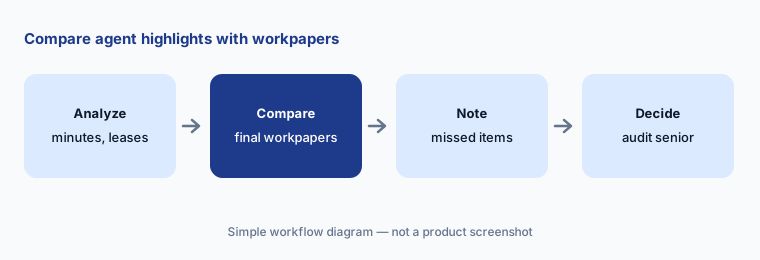
Compare first:
Run the document agents on one closed engagement's minutes and leases. Have the audit senior compare every highlighted item with the final workpapers and note anything missed before using them on a live audit.
5. CCH Axcess Advisor: advisory opportunities and outreach drafts
What it is: Wolters Kluwer made CCH Axcess Advisor generally available to US firms on 13 May 2026. It reads CCH Axcess Tax data to surface and rank advisory opportunities across the client base, estimates potential tax savings, and helps turn them into defined engagements; the Expert AI page adds that it drafts outreach. Answers are grounded in CCH AnswerConnect content.
An estimated saving is a starting point for a conversation, not a promise. A client who hears a number will remember it.
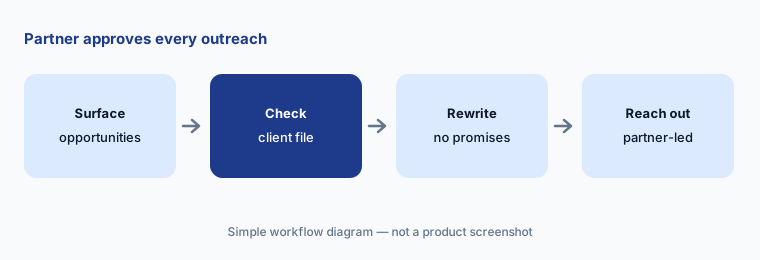
Partner review:
Review Advisor's top ten opportunities. Have the engagement partner check each against the client file and approve every outreach draft before any client hears an estimated saving.
6. Workflow scheduling help and AI governance
What it is: Wolters Kluwer's Expert AI page lists CCH Axcess Workflow with AI-driven scheduling and routing that balances skills, capacity, and deadlines to recommend staffing; its December 2025 tax update describes this as a Calendar Scheduler. On governance, the vendor says Expert AI runs inside the CCH Axcess environment with audit trails for each recommendation, under human-in-the-loop review, and the Intelligence page says client data is never used to train AI models.
An audit trail shows what the AI did. It does not decide who is allowed to accept a staffing change or a research answer; your firm has to.
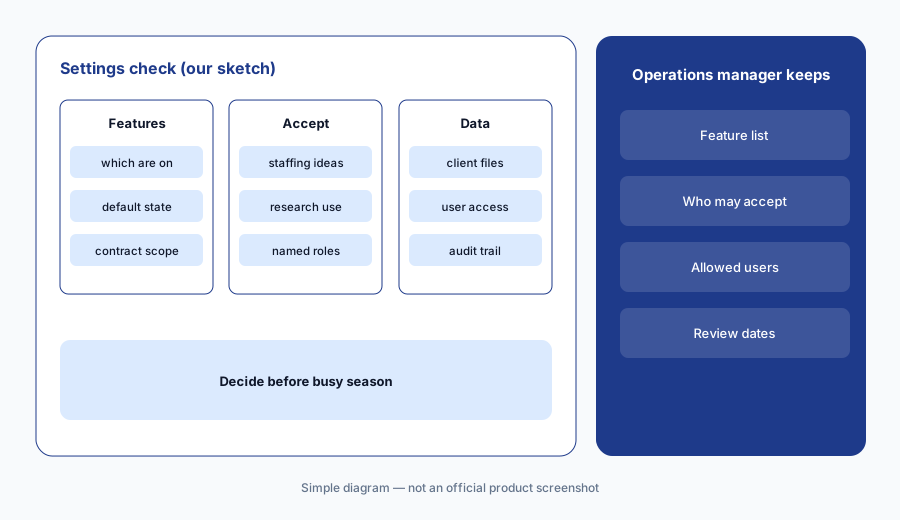
Settings first:
Before busy season, have the operations manager list which Expert AI features are on, who may accept each staffing suggestion, and which staff may use Intelligence on client files.
Pricing context (October 2026)
Wolters Kluwer does not print prices for CCH Axcess Expert AI, Intelligence, Scan, Advisor, or Client Collaboration. Each product page offers “Request a quote” (Intelligence page, checked 21 Oct 2026). Scan's K-1 capability is generally available to firms on, or moving to, CCH Axcess Tax (29 Jun 2026).
Ask in writing which Expert AI modules your current CCH Axcess contract includes, whether Intelligence needs a CCH AnswerConnect subscription, how Scan is billed (per return, per document, or per seat), and whether any AI features are turned on by default.
Wolters Kluwer's figures — 20% to 30% less manual work, up to 90% less document review time, and an estimated $30,000 to $60,000 of annual value per user — are the vendor's calculations, not our measurements.
Uncertainty: We did not test CCH Axcess. Features and dates come from Wolters Kluwer's product pages, news releases, and expert-insight articles and a Business Wire release as read on 21 Oct 2026 and can change. No prices are published. Time-saved figures are Wolters Kluwer's or its customers' claims. The audit agents and Workflow scheduler were described as new or upcoming in vendor material; confirm what is live in your account.
When it’s useful (honest take)
Useful when your firm already prepares returns in CCH Axcess Tax, staff spend season hours keying K-1s and searching research, and a named reviewing tax manager will open every cited source.
Less useful when your firm is not on CCH Axcess (a stand-alone research tool such as Blue J fits more systems), your bottleneck is document collection and client portal work (Canopy AI or TaxDome AI), or you need an audit platform with testing agents (Fieldguide AI).
Paying for CCH Axcess Expert AI and a few other AI tools? The $9 AI toolkit spreadsheet lists every AI subscription you have, what each one costs, and how fast it pays for itself, so you can see which ones are worth the money.
Want someone to do it for you? AI toolkit audit — $19
Related options (educational)
| Need | Better home | Why |
|---|---|---|
| Research, K-1 extraction, and AI inside CCH Axcess | CCH Axcess Expert AI (this page) | Quote only |
| Stand-alone cited tax research | Blue J | $1,498/year Individual |
| Practice management with document sorting and intake | Canopy AI | $74 / $109 per user/month annual |
| Audit evidence review and testing agents | Fieldguide AI | Quote only |
| Sanitized policy drafts in general chat | Claude for finance | No client data |
FAQ
What is CCH Axcess Expert AI?
Expert AI is Wolters Kluwer's name for the AI built into the CCH Axcess suite, launched 15 October 2025. It runs inside modules such as CCH Axcess Intelligence (research), Scan (document extraction), Client Collaboration, Audit, Advisor, and Workflow.
Is CCH Axcess Intelligence the same as CCH AnswerConnect?
No. AnswerConnect is the CCH research library; Intelligence is the conversational assistant inside CCH Axcess that answers questions with citations grounded in that content and analyzes documents such as K-1s.
How much does CCH Axcess Expert AI cost in October 2026?
Wolters Kluwer publishes no prices. Each module page offers a quote request. Ask which modules your contract includes and how Scan is billed before you plan for it.
When did K-1 automation in Scan become available?
Wolters Kluwer announced general availability of AI document intelligence in CCH Axcess Scan, including K-1s and supplemental statements, on 29 June 2026 for firms on or moving to CCH Axcess Tax.
Who should check CCH Axcess AI output?
The reviewing tax manager for every cited research answer; the preparer of record for every field Scan populates; the client service manager for every request list; the audit senior and engagement partner for every audit summary and conclusion.
Optional next step (if seats overlap)
If you pay for CCH Axcess modules, a separate research tool, and general chat seats that all answer the same tax questions, that overlap is worth mapping. Map the overlap with the $19 AI toolkit audit or the $9 AI toolkit spreadsheet. Email Audit $19 or Toolkit spreadsheet $9.
Checkout is live via Stripe. After you pay, we email delivery (spreadsheet) or intake next steps (audit).