Tool · Accounting firm ops · Fieldguide · Oct 2026
Fieldguide AI review (Oct 2026): AI agents for audit and advisory engagements, evidence review, workpaper drafting, and request lists
Fieldguide is an engagement platform for audit and advisory work — financial audits, SOC 2, PCI, internal audit, and risk advisory — built around request lists, workpapers, and testing sheets. Its AI comes as AI Chat and AI Actions in every sheet and a family of agents: Field Auditor reviews evidence and runs tests, Field Orchestrator plans and coordinates them, and Field Financials drafts financial statements. This page is about using them while the audit senior and engagement partner still own every exception, workpaper, and conclusion. Each section has a Try this.
What this Fieldguide page covers
This page is for an audit partner, audit manager, or advisory practice lead at a CPA firm that uses Fieldguide or is evaluating it. It is not audit, attestation, or accounting advice, and nothing here replaces professional judgment under your firm's methodology and standards.
Fieldguide's 2026 releases came quickly: the Spring release on 29 April (AI Actions with multi-step reasoning, Agent Triggers, a Testing Agent for PCI), Field Orchestrator on 8 June at AICPA ENGAGE, and Field Financials and Fieldguide MCP on 12 August. Fieldguide says Field Planner and Field Reviewer arrive “later this year.”
Ground rules before you rely on anything: the audit senior reviews every exception and evidence match an agent produces; the audit manager approves every Orchestrator plan before it runs; the engagement partner signs off every AI-drafted workpaper, financial statement, and conclusion. Fieldguide's agent pages say every output runs through a review space where the team checks and signs off.
Major features (with how someone uses them)
Examples at a glance: each feature has a concrete example from a real job plus a short Try this you can run this week.
1. Field Auditor: evidence review, testing, and exceptions (primary)
What it is: Field Auditor's product page describes a Testing Agent that runs control testing end to end, matches evidence to each sample, extracts data from source documents with citations, and documents each exception with its evidence, following the firm's own standard operating procedures. Results land in a review space for sign-off.
An agent that tests every sample also produces exceptions at volume. A false exception wastes a day; a missed one is a finding nobody raised.
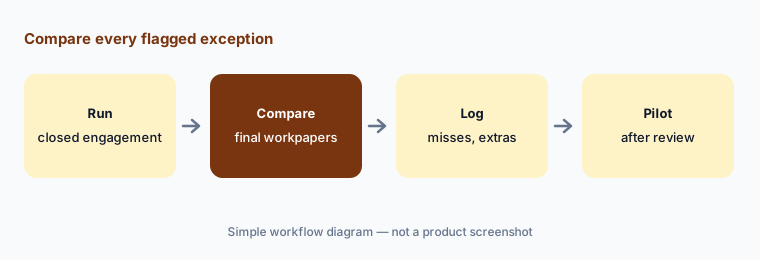
Primary workflow:
Run Fieldguide's AI on one closed engagement's evidence set. Have the audit senior compare every exception it flags with the final workpapers before using it on a live engagement.
2. Request lists and evidence intake
What it is: Fieldguide's request management ties each request to controls, tests, and workpapers, reuses requests across engagements, and copies, renames, and links client uploads to the right workpaper. Field Auditor's Request Analysis Agent reviews each upload as it arrives, checks it against the request, flags gaps, and tells the client what is still needed (Field Auditor).
An automatic “this is incomplete” note goes to the client. If the agent is wrong, the client gets a confusing request from your firm.
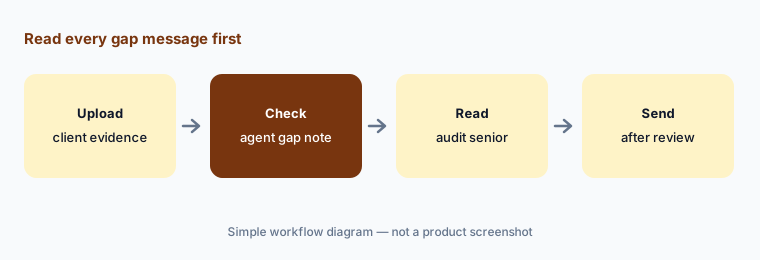
Read before sending:
On one engagement, have the audit senior read every gap message the agent drafts and check it against the request list before any message reaches the client.
3. AI Actions and AI Chat in every sheet
What it is: AI Actions run one instruction across every row of a column, each from that row's own context; AI Chat answers questions grounded in the engagement and firm methodology (embedded AI page). The 29 April 2026 release moved every AI Action to a multi-step reasoning engine, added @-references to pull in sheets or columns, and a reasoning panel showing which sources the AI consulted; citations and reasoning traces are part of Fieldguide's Advanced package. Admins can scope saved prompts by department.
A prompt that works on ten rows can fail on the eleventh. The reasoning panel shows why; someone has to read it.
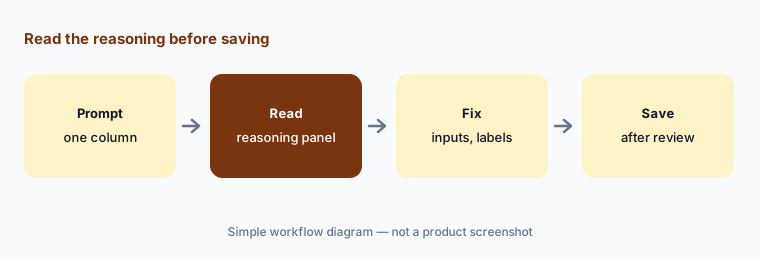
Read the reasoning:
Run one AI Action across a closed engagement's controls. Have the audit manager read the reasoning panel for every row that changed a conclusion before saving the prompt for the team.
4. Field Orchestrator, Field Board, and Agent Review
What it is: Fieldguide launched Field Orchestrator on 8 June 2026. Inside the audit program, it reads the engagement context, proposes a multi-step plan the auditor reviews and approves, and delegates work to Fieldguide's agents across population analysis, sample selection, evidence collection, extraction, testing, and workpaper generation, pausing for human review. Its first use case is end-to-end substantive testing. Field Board shows every control and deliverable as a Kanban view, and the Agent Review Experience gathers agent-tested controls into one workspace for sign-off.
A long agent run multiplies one early mistake. A wrong population or sample method carries through every later step.
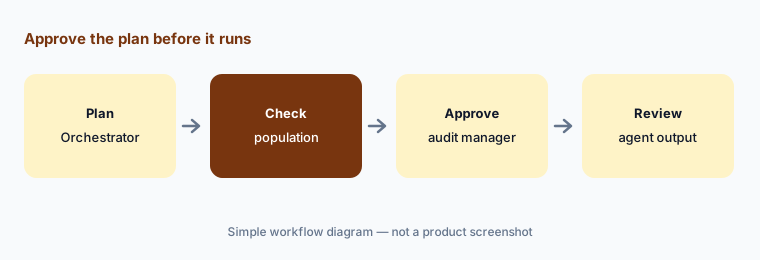
Approve the plan:
Ask Field Orchestrator for a substantive testing plan on one closed engagement. Have the audit manager check the population and sample method before approving it, then compare the output with the final workpapers.
5. Field Financials: financial statement and disclosure drafting
What it is: Fieldguide announced Field Financials on 12 August 2026: three agents that draft financial statements, roll forward the prior year, trace every number to source with foot, cross-foot, and tie-out checks, and draft footnote disclosures from applicable standards and the firm's library (product page). Fieldguide said the first agent arrives in August with the others “through the fall.”
A tie-out shows the numbers agree. It does not tell you a disclosure is complete or the right one for this client.
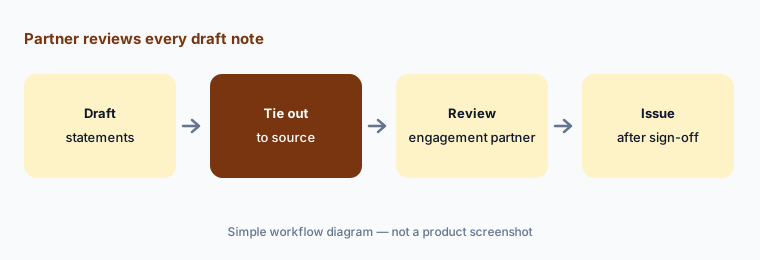
Partner sign-off:
Have Field Financials draft statements for one engagement your firm already issued. Have the engagement partner compare every note and figure with the issued statements before using it on a live engagement.
6. Fieldguide MCP, agent triggers, and firm controls
What it is: Fieldguide announced Fieldguide MCP on 12 August 2026 (rolling out since July): live engagement data flows into Claude, Copilot, OpenAI, and other MCP tools, so a practitioner can ask what is open or overdue and take routine actions such as posting a comment or starting an engagement from a template, reviewing the exact wording before anything changes. The MCP page says each practitioner sees only the engagements they can already access. The Spring 2026 release added Agent Triggers (agents run when a client submits a request or uploads a document) with admin settings per engagement, and Fieldguide announced AIUC-1 certification on 6 May 2026.
Triggers and outside AI tools make agents run without anyone clicking a button. Decide which engagements and which users get them.
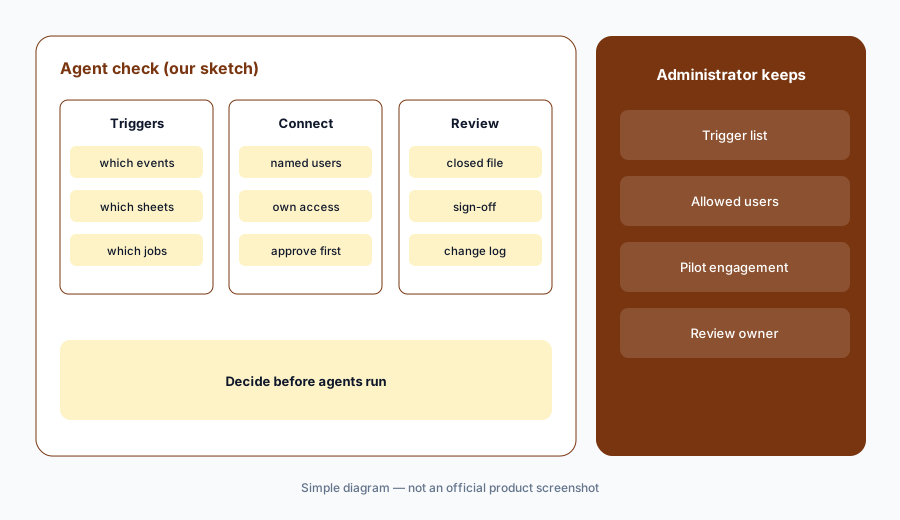
Admin decides first:
Before turning on Agent Triggers or the MCP connection, have the firm administrator list which engagements and users get each one and test it on a closed engagement first.
Pricing context (October 2026)
Fieldguide does not publish prices; there is no public pricing page (fieldguide.com/pricing returned not-found on 21 Oct 2026), and the site offers demos. The Spring 2026 release notes that AI Actions citations, reasoning traces, and cross-sheet context are part of an Advanced package, so ask which AI features your package includes.
Ask in writing whether Field Auditor, Field Orchestrator, Field Financials, and Fieldguide MCP are priced per engagement, per user, or per package, what happens to agent runs when a package limit is reached, and when Field Planner and Field Reviewer will be available on your plan.
Fieldguide's customer stories cite firms such as BerryDunn more than doubling engagement capacity. Those are vendor and customer claims, not our measurements.
Uncertainty: We did not test Fieldguide. Features and dates come from Fieldguide's product pages and blog as read on 21 Oct 2026 and can change. No prices are published. Field Financials agents were announced as arriving between August and the fall; Field Planner and Field Reviewer are described as coming later in 2026. Capacity and time-saved figures are vendor or customer claims.
When it’s useful (honest take)
Useful when your firm runs audit or advisory engagements with heavy evidence testing (SOC 2, PCI, internal audit, financial audit), staff spend weeks chasing and checking evidence, and a named audit senior will review every agent-tested control.
Less useful when your audit work already lives in CCH Axcess Engagement and Knowledge Coach (CCH Axcess Expert AI), your firm is mostly tax and bookkeeping (Canopy AI or Karbon AI), or you only need a few compilations a year.
Paying for Fieldguide AI and a few other AI tools? The $9 AI toolkit spreadsheet lists every AI subscription you have, what each one costs, and how fast it pays for itself, so you can see which ones are worth the money.
Want someone to do it for you? AI toolkit audit — $19
Related options (educational)
| Need | Better home | Why |
|---|---|---|
| Audit and advisory engagements with testing agents | Fieldguide AI (this page) | Quote only |
| Audit document agents inside CCH Axcess | CCH Axcess Expert AI | Quote only |
| Practice management for tax and bookkeeping | Canopy AI | $74 / $109 per user/month annual |
| Your own company's month-end close | FloQast | Different job |
| Sanitized policy drafts in general chat | Claude for finance | No client data |
FAQ
What are Fieldguide's Field Agents?
Field Agents are Fieldguide's AI agents for engagements: Field Auditor (evidence review and testing), Field Orchestrator (plans and coordinates agents), and Field Financials (financial statement drafting), with Field Planner and Field Reviewer announced for later in 2026.
How much does Fieldguide cost in October 2026?
Fieldguide publishes no prices and has no public pricing page. Its Spring 2026 release says AI Actions citations and reasoning traces are part of an Advanced package, so ask which AI features your package includes.
What is Field Orchestrator?
Field Orchestrator, launched 8 June 2026, reads the engagement context, proposes a multi-step plan the auditor approves, and delegates testing work to Fieldguide's agents, pausing for human review. Its first use case is end-to-end substantive testing.
Can Fieldguide connect to Claude or Copilot?
Yes. Fieldguide MCP, announced 12 August 2026, connects engagement data to Claude, Copilot, OpenAI, and other MCP tools, showing each practitioner only the engagements they can already access and asking for review before routine actions.
Who should check Fieldguide's AI output?
The audit senior for every exception, evidence match, and client gap message; the audit manager for every Orchestrator plan and saved prompt; the engagement partner for every AI-drafted workpaper, financial statement, and conclusion.
Optional next step (if seats overlap)
If you pay for Fieldguide, a separate data extraction add-in, and general chat seats that all touch the same engagement evidence, that overlap is worth mapping. Map the overlap with the $19 AI toolkit audit or the $9 AI toolkit spreadsheet. Email Audit $19 or Toolkit spreadsheet $9.
Checkout is live via Stripe. After you pay, we email delivery (spreadsheet) or intake next steps (audit).