Tool · Accounting firm ops · Caseware · Oct 2026
Caseware AI review (Oct 2026): AiDA assistant, AI-assisted financial statement and audit workflows, and Caseware Cloud for CPA firms
Caseware (Toronto) makes audit, review, compilation, and financial statement software used by many CPA firms, including the AICPA's Dynamic Assurance Solution (DAS) on Caseware Cloud. Its AI started in 2024 as AiDA, an assistant inside the engagement file; Caseware says AiDA has since evolved into Caseware Verity (launched 20 May 2026), which works across the engagement, with agents for disclosure checklists, risk suggestions, and Excel workpapers. This page is about using them while the engagement partner still signs every AI-assisted financial statement and audit document. Each section has a Try this.
What this Caseware page covers
This page is for an audit or assurance partner, engagement manager, or firm administrator at a CPA firm on Caseware Cloud (DAS, OnPoint, or DAS PCR for preparation, compilation, and review) or weighing Caseware's AI. It is not tax, audit, or accounting advice; a licensed CPA, EA, or the engagement partner owns any return, workpaper, audit conclusion, client letter, or filing, and nothing here replaces judgment under your firm's methodology and professional standards.
A naming note first. Caseware launched AiDA in 2024; in a 28 July 2026 post it says it evolved AiDA into Caseware Verity rather than extending it. Depending on your account and product, you may still see AiDA or already see Caseware Verity; this page covers both and uses the newer name for features added since May. The 2026 dates: Verity launch on 20 May, DAS updates on 8 June, Verity for Excel on 9 September, and the Risk Suggestion Agent on 6 October.
Ground rules before you rely on anything: the engagement partner signs every AI-drafted note, checklist answer, and financial statement; the audit manager approves every risk suggestion before it enters the risk assessment; the audit senior checks every client submission an agent accepts. Caseware says nothing Verity suggests is written into the file until a person reviews, accepts, edits, or rejects it.
Major features (with how someone uses them)
Examples at a glance: each feature has a concrete example from a real job plus a short Try this you can run this week.
1. AiDA and Caseware Verity inside the engagement (primary)
What it is: AiDA, per Caseware's own history, answered questions about a page of the engagement or a PDF, pulled key terms with links back to the source, and surfaced standards guidance for the checklist step you were on. Caseware Verity works across the engagement — trial balance, materiality, logged risks, documents, firm methodology — and gives citation-backed suggestions you accept, edit, or reject. For compilations and reviews, DAS PCR on Caseware Cloud already drafts financial statements and note disclosures from the imported trial balance; the AI helps draft and check the wording.
A note that reads well can describe last year's facts, miss a subsequent event, or use a disclosure that does not apply to this client. The issued statements are the test.
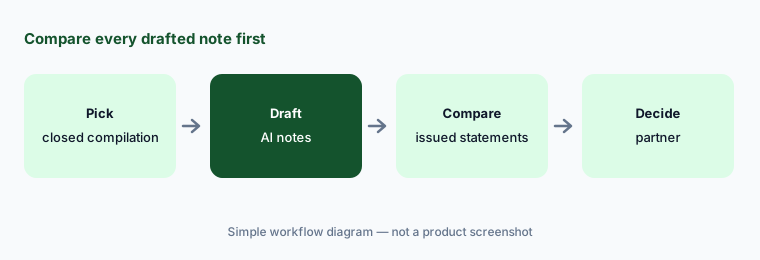
Primary workflow:
Ask AiDA to draft notes for one closed compilation. Have the engagement partner compare every note with the issued financial statements before using it on a live engagement.
2. Disclosure Checklist Agent
What it is: The Disclosure Checklist Agent reads the financial statements selected in a Caseware Cloud engagement and drafts answers across the full disclosure checklist, each linked to the passage it relies on, for reviewers to approve before anything is committed. It started with US DAS customers; on 6 October 2026 Caseware announced UK availability. Caseware cites an average of 2.7 review hours saved per checklist run in its beta — its claim.
“Yes, disclosed” means the agent found text. Whether the disclosure is complete and right for this client is still the reviewer's call.
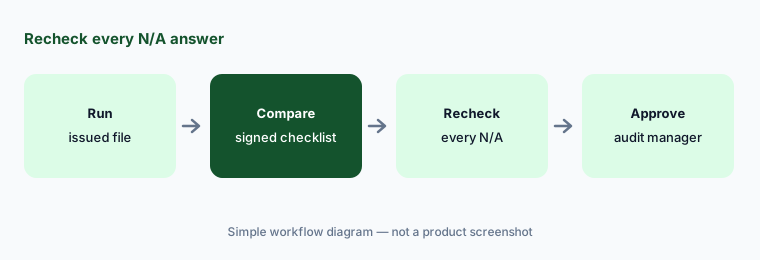
Review the N/A answers:
Run the Disclosure Checklist Agent on one engagement your firm already issued. Have the audit manager compare every suggested answer with the signed checklist and recheck every N/A.
3. Risk Suggestion Agent for planning
What it is: Caseware launched the Risk Suggestion Agent worldwide on 6 October 2026: it draws on current and prior-year financial information, existing risks, controls, and selected documents such as board minutes to suggest engagement-specific risks for the team to review, and Caseware says it is included at no additional cost within a firm's existing licence. The AI page still labeled it “Coming Soon” on 21 Oct 2026, so confirm it is in your account.
Suggested risks come from what is in the file. A risk that only came up in a conversation with the client will not be on the list.
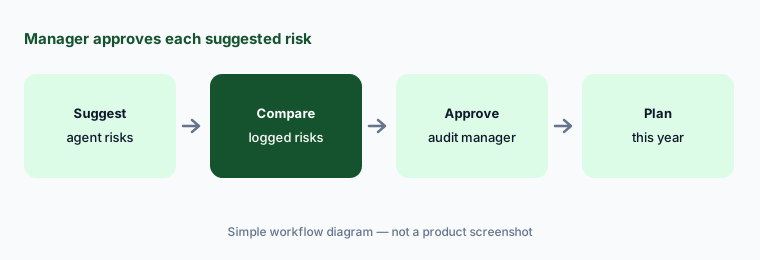
Manager approves:
Run the Risk Suggestion Agent on one closed engagement. Have the audit manager compare every suggestion with the risks your team logged before any suggestion enters this year's risk assessment.
4. Caseware Verity for Excel and Client Requests
What it is: Announced 9 September 2026, Caseware Verity for Excel brings the engagement context — trial balance, materiality, samples, client-submitted documents — into Excel workpapers and can run multi-step work there, from workpaper generation to tests of controls and tests of details, with suggestions reviewed before changes apply. Caseware says it is generally available and included for any firm with Caseware Verity access. A new Client Requests experience with a Response Validation Agent, which checks client submissions for completeness before they are accepted, is in limited early access. Caseware cites nine hours saved per engagement in testing — its claim.
If an agent accepts a client file and pulls it into a workpaper, a wrong or partial file flows straight into the test.
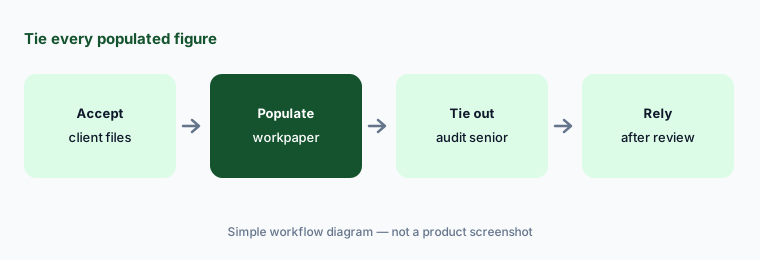
Tie every figure:
Let Caseware Verity for Excel populate one workpaper on a closed engagement. Have the audit senior tie every figure to the client's documents and check each statement period before relying on it.
5. Caseware Validate and AI-assisted financial statements
What it is: Caseware Validate is an AI financial statement review tool: upload current and prior drafts, and it checks casting and math, consistency across tables, notes, and narrative, and prior-period variances, then exports a marked-up file with an audit log. Caseware says it shows only meaningful exceptions — a vendor claim we did not test. In DAS PCR and OnPoint Audit on Caseware Cloud, draft statements and disclosures populate from trial balance mapping.
A statement that casts and cross-references can still be wrong. Validation checks arithmetic and consistency, not whether the right accounting was applied.
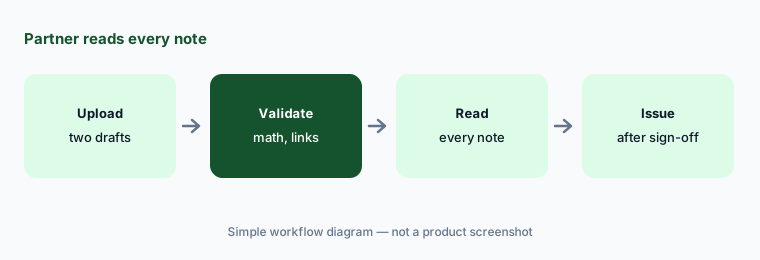
Partner sign-off:
Run Caseware Validate on one statement your team already corrected by hand. Have the engagement partner compare every flag with the corrections your team made before relying on it for a live statement.
6. Document Intelligence Agent, firm-built agents, and governance
What it is: Caseware's 20 May 2026 launch described a Document Intelligence Agent (closed beta then; still marked “Coming Soon” on the AI page on 21 Oct 2026) that extracts information from source documents into workpapers. On 4 June 2026 Caseware opened an Agentic Pioneer Program for large firms to build their own agents on Caseware Verity, with Agent Workbench, governed MCP interfaces, and Agent Studio. Caseware says Verity outputs are citation-backed and traceable, run within firm-set permissions with engagement-level data isolation, and that it holds SOC 2 Type II and ISO 27001 certification.
A firm-built agent or a new extraction agent changes what lands in the engagement file. Someone has to decide which agents are allowed on which engagement types.
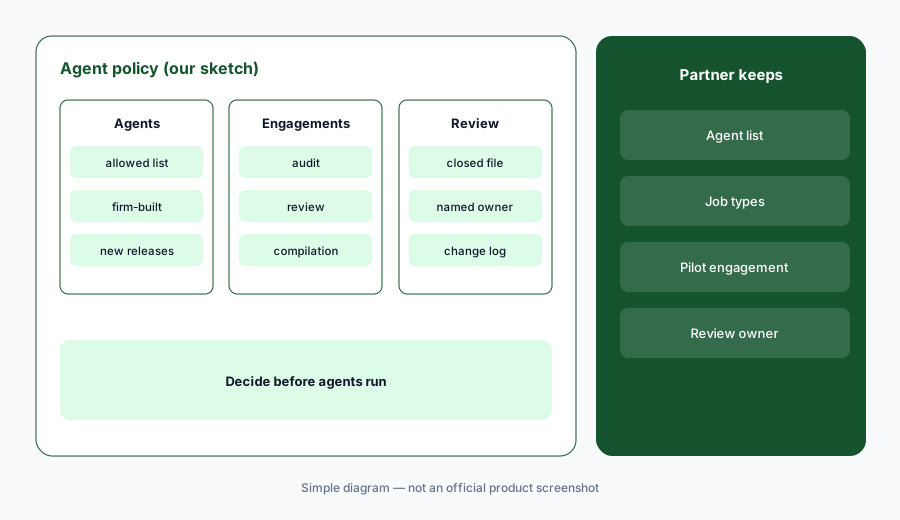
Partner decides first:
Before turning on a new Caseware Verity agent, have the quality and risk partner list which engagement types may use it, who reviews its output, and which closed engagement it is tested on first.
Pricing context (October 2026)
Caseware publishes no prices; caseware.com/us/pricing returned not-found on 21 Oct 2026 and every product page offers “Request a demo.” Quote-only. Caseware says the Risk Suggestion Agent is included at no additional cost within an existing licence (6 Oct 2026) and Verity for Excel is included for firms that already have Caseware Verity access (9 Sep 2026); it does not print what Caseware Verity itself costs.
Ask in writing which Caseware Verity features and agents your licence covers, whether AI is priced per user, per engagement, or per firm, what the Disclosure Checklist Agent requires (it is tied to DAS and was US-only until the UK launch), and whether AiDA remains on older products.
Caseware's figures — 94% accuracy on its own beta test set, up to 85% time saved per interaction, 2.7 hours per disclosure checklist, nine hours per engagement, and more than $100 million invested in AI — are vendor claims, not our measurements.
Uncertainty: We did not test Caseware. Features and dates come from Caseware's AI pages, product pages, blog, and news releases as read on 21 Oct 2026 and can change. No prices are published. The AI page still labels the Risk Suggestion and Document Intelligence agents “Coming Soon” although the Risk Suggestion Agent was announced worldwide on 6 Oct 2026; Client Requests is in limited early access. Time-saved and accuracy figures are Caseware's claims.
When it’s useful (honest take)
Useful when your firm already runs audits, reviews, or compilations in Caseware Cloud (DAS, OnPoint, DAS PCR), checklists and notes take hours per engagement, and a named engagement partner will sign every AI-assisted statement.
Less useful when your audit files live in another platform (Fieldguide AI or CCH Axcess Expert AI), you need full-ledger risk analysis (MindBridge AI), or your main bottleneck is vouching documents in Excel (DataSnipper AI).
Paying for Caseware AI and a few other AI tools? The $9 AI toolkit spreadsheet lists every AI subscription you have, what each one costs, and how fast it pays for itself, so you can see which ones are worth the money.
Want someone to do it for you? AI toolkit audit — $19
Related options (educational)
| Need | Better home | Why |
|---|---|---|
| Engagement AI inside Caseware Cloud | Caseware AI (this page) | Quote only |
| Engagement platform with testing agents | Fieldguide AI | Quote only |
| Audit document agents inside CCH Axcess | CCH Axcess Expert AI | Quote only |
| Full-ledger risk analysis | MindBridge AI | Quote only |
| Document matching in Excel workpapers | DataSnipper AI | Quote only |
FAQ
What happened to Caseware AiDA?
Caseware launched AiDA in 2024 as an assistant inside the engagement. In a 28 July 2026 post it says it evolved AiDA into Caseware Verity, launched 20 May 2026, which works across the engagement and adds agents. Depending on your product you may still see AiDA.
How much does Caseware AI cost in October 2026?
Caseware publishes no prices. It says the Risk Suggestion Agent is included at no additional cost within an existing licence and Verity for Excel is included for firms with Caseware Verity access. Ask for a written quote for Verity itself.
What is the Caseware Disclosure Checklist Agent?
It reads the selected financial statements in a Caseware Cloud engagement and drafts disclosure checklist answers linked to the supporting passage, for reviewers to approve. It started with US DAS customers and was announced for the UK on 6 October 2026.
Can Caseware AI draft financial statement notes?
Caseware Cloud products such as DAS PCR populate draft statements and notes from the trial balance, and Caseware's AI helps draft and check wording. Treat every draft as a first pass the engagement partner compares with the facts before issue.
Who should check Caseware's AI output?
The engagement partner for every note, checklist answer, and financial statement; the audit manager for every risk suggestion; the audit senior for every client file an agent accepts; and the quality and risk partner for which agents are allowed.
Optional next step (if seats overlap)
If you pay for Caseware, a separate document extraction tool, and general chat seats that all touch the same engagement files, that overlap is worth mapping. Map the overlap with the $19 AI toolkit audit or the $9 AI toolkit spreadsheet. Email Audit $19 or Toolkit spreadsheet $9.
Checkout is live via Stripe. After you pay, we email delivery (spreadsheet) or intake next steps (audit).