Tool · Accounting firm ops · DataSnipper · Oct 2026
DataSnipper AI review (Oct 2026): AI extraction, document matching, and audit test automation inside Excel for audit teams
DataSnipper is an Excel add-in that audit and finance teams use to match source documents to workpapers, with a “Snip” linking each figure to the exact spot in the document it came from. Its AI now covers AI Extractions from any document layout, Excel Agents that run test procedures inside the workbook, a library of prebuilt agents, DocuMine for questions across long documents, Disclosure Agents, and, since 7 October 2026, Alwin, a cloud platform where agents run whole procedures. This page is about using them while the audit senior still re-performs a sample of every AI-matched test. Each section has a Try this.
What this DataSnipper page covers
This page is for an audit partner, audit manager, audit senior, or methodology lead at a CPA firm that already uses DataSnipper for vouching and matching, or is weighing its AI tiers. It is not tax, audit, or accounting advice; a licensed CPA, EA, or the engagement partner owns any return, workpaper, audit conclusion, client letter, or filing, and nothing here replaces judgment under your firm's methodology and the standards you audit to.
DataSnipper's AI arrived in layers. AI Extractions, DocuMine, and Excel Agents work inside Excel; the September 2026 Excel Agents update added prebuilt agents, Planning Mode, a per-action activity log, and usage controls; and Alwin, introduced 7 October 2026, moves longer procedures into the cloud. The pricing page groups these into three plans — Start, Accelerate, and Elevate — with no printed prices.
Ground rules before you rely on anything: the audit senior re-performs a sample of every AI-matched or agent-tested item and logs every difference; the audit manager approves every agent plan and every saved agent before staff reuse it; the engagement partner signs every disclosure conclusion and workpaper. DataSnipper's own pages say agents do the work and “your team reviews and signs off.”
Major features (with how someone uses them)
Examples at a glance: each feature has a concrete example from a real job plus a short Try this you can run this week.
1. AI Extractions and document matching for vouching (primary)
What it is: DataSnipper's core is Document Matching and Form Extraction inside Excel (the Start plan). AI Extractions adds prompt-based extraction from documents of any layout — bank statements, quarterly schedules, investment reports — with properties you define and reusable templates, and each extracted value is linked back to its source with a Snip.
A match that looks right in the workbook can point at the wrong line, the wrong page, or last year's invoice. The Snip shows where it came from; somebody has to open it.
Primary workflow:
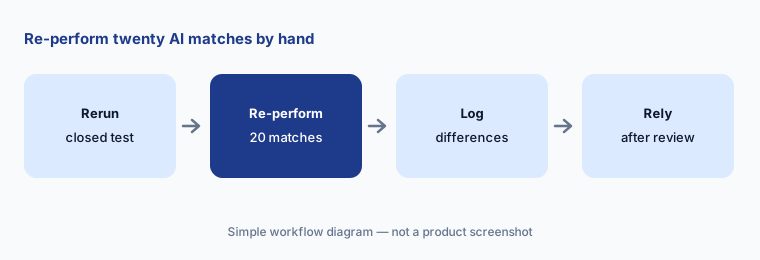
Rerun one closed vouching test with DataSnipper's AI extraction. Have the audit senior re-perform twenty matches by hand and log every difference before relying on it.
2. Excel Agents with Planning Mode and the activity log
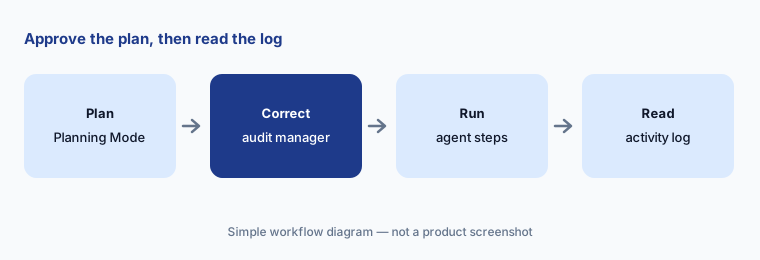
What it is: DataSnipper's Excel Agents run audit procedures inside the workbook from a prompt or a saved agent — journal entry screening, payroll reconciliation, inventory counts, expense policy checks. The September 2026 update added Planning Mode (the agent reviews the workpaper and documents, asks up to three clarifying questions, and proposes a plan you approve before it runs) and changed the activity log to one row per agent action, with a clickable Cells Affected column. DataSnipper frames the log as support for showing who did the work, who approved the agent, and when it was reviewed.
An agent that tests a whole population in minutes produces a lot of output to review. The activity log only helps if someone reads it before sign-off.
Approve the plan:
Turn on Planning Mode for one closed test. Have the audit manager correct the plan before approving it and read every activity log row before the workpaper is reviewed.
3. Prebuilt agents, Agent Builder, and who may change them
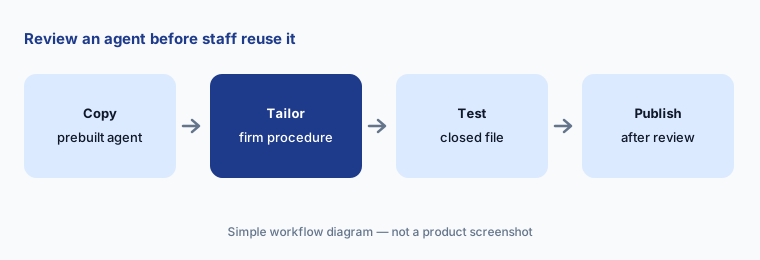
What it is: The Agent Library lists ready-to-use agents for procedures such as three-way purchase matching, cash receipt-to-AR matching, capital addition checks, manual revenue entry review, and prepaid expense checks — 71 were listed on 21 Oct 2026 (the September update said 50). Agent Builder lets a firm copy an agent and tailor it to its methodology; “Chat into Agent” saves a useful chat as a private draft agent; and a view-only role lets staff run published agents without editing them.
A prebuilt agent follows DataSnipper's version of a procedure, not necessarily your firm's. A tailored agent that nobody reviewed spreads one person's shortcut to every engagement.
Review before publishing:
Copy one prebuilt agent into Agent Builder. Have the audit methodology lead change it to your firm's procedure and run it on a closed file before publishing it to staff.
4. DocuMine questions across long documents
What it is: DataSnipper's DocuMine asks the same questions across many documents at once — lease agreements, board minutes, contracts — and returns answers linked to their sources, which a user approves or rejects with Snips before using them. DataSnipper's page cites customer figures such as 20+ hours saved per client across 30 lease reviews; those are vendor claims.
A clean answer to “Is there a renewal option?” is only as good as the question. A lease with an option buried in an amendment can come back “no.”
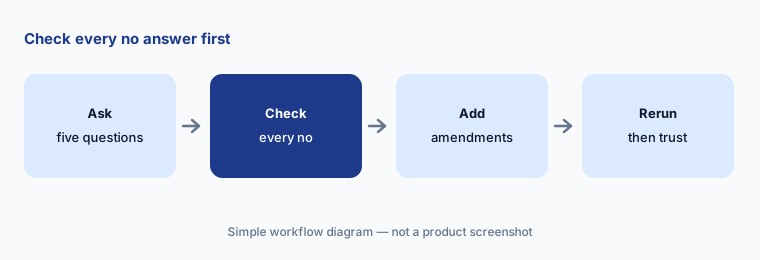
Check the no answers:
Ask DocuMine five questions across one closed year's leases. Have the audit senior check every answer of “no” or “not found” against the full document before trusting the rest.
5. Disclosure Agents for checklist review
What it is: DataSnipper's Disclosure Agents read a filing against a disclosure checklist (US GAAP or IFRS, matched to the firm's license), suggest a conclusion for each requirement, and link the evidence; Focus Mode lets the team scope out standards that don't apply, and every confirmation is recorded with a user and date stamp. DataSnipper pitches it as a way for junior staff to run more of the first pass, with senior sign-off.
A suggested “yes, disclosed” is not a judgment that the disclosure is adequate. The checklist answer and the partner's conclusion are different things.
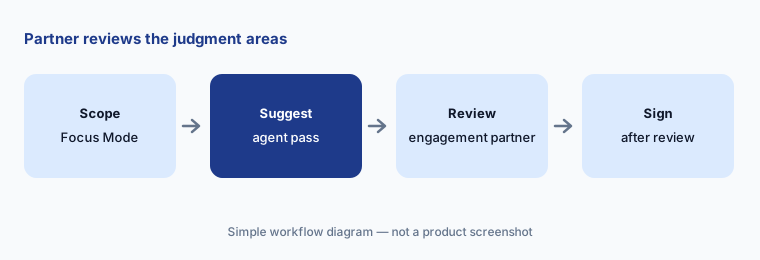
Partner sign-off:
Run Disclosure Agents on one engagement your firm already issued. Have the engagement partner compare every suggested conclusion with the signed checklist before using it on a live engagement.
6. Alwin cloud agents, UpLink requests, and usage controls
What it is: DataSnipper introduced Alwin on 7 October 2026 as a second surface beside Excel: cloud agents that plan a procedure for the auditor to approve, collect evidence from connected systems (SharePoint, Box, OneDrive, SAP Concur, Xero, QuickBooks, and UpLink), run several procedures in parallel, and return workpapers for review, with an Audit Workbench showing what is running and what needs input. UpLink is an add-on for client document requests: clients upload from a link without an account, and AI checks each upload against the request. The September 2026 update added a Consumption Dashboard showing AI usage by product and month with alerts before a limit.
Cloud agents pull client files from connected systems in bulk. Decide which connections, which engagements, and which users before the first run.
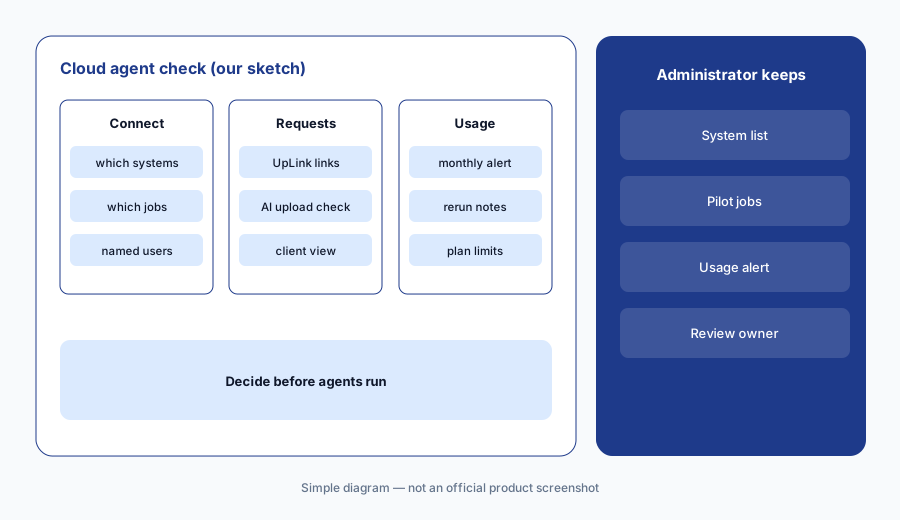
Admin decides first:
Before turning on Alwin connections or UpLink for a client, have the firm administrator list which systems, engagements, and users are allowed and set a usage alert on the Consumption Dashboard.
Pricing context (October 2026)
DataSnipper prints no prices. Its pricing page (checked 21 Oct 2026) lists three plans, each behind “Book Demo” or “Contact sales”: Start (Excel add-in, Document Matching, Form Extraction, Version Comparison, SSO, Snips); Accelerate (adds Excel Agents, Disclosure Agents, DocuMine, AI Extractions, Agent Builder and prebuilt agents, integrations); and Elevate (adds Alwin, Planning Mode, Audit Workbench, Review Workflow, Client Spaces). The Financial Statement Suite and UpLink are add-on modules. Quote-only.
AI use appears to be metered: the September 2026 update says only running a plan “uses a message” in Planning Mode, and the Consumption Dashboard tracks AI usage against limits. Ask in writing how messages or credits are counted, what happens when a limit is reached, and which plan your firm needs for the agents you plan to use (the September post describes Planning Mode in Excel Agents; the pricing page lists it under Elevate).
Time-saved figures on DataSnipper's pages — a customer citing cash testing “around 80% faster” with Alwin, another citing up to 90% less time on some procedures with Excel Agents — are vendor and customer claims, not our measurements.
Uncertainty: We did not test DataSnipper. Features and dates come from DataSnipper's pricing page, product pages, and blog as read on 21 Oct 2026 and can change. No prices are published. Agent counts differ between the September post (50) and the Agent Library page (71). Time-saved figures are vendor or customer claims.
When it’s useful (honest take)
Useful when your audit teams already work in Excel workpapers, spend days vouching invoices, bank statements, and leases, and a named audit senior will re-perform a sample of every AI-matched test.
Less useful when you want the whole engagement in one platform with agents (Fieldguide AI or Caseware AI), you need full-ledger risk analysis rather than document matching (MindBridge AI), or your firm is mostly tax and bookkeeping (Karbon AI).
Paying for DataSnipper AI and a few other AI tools? The $9 AI toolkit spreadsheet lists every AI subscription you have, what each one costs, and how fast it pays for itself, so you can see which ones are worth the money.
Want someone to do it for you? AI toolkit audit — $19
Related options (educational)
| Need | Better home | Why |
|---|---|---|
| Document matching and test automation in Excel | DataSnipper AI (this page) | Quote only |
| Engagement platform with testing agents | Fieldguide AI | Quote only |
| Full-ledger risk analysis for planning | MindBridge AI | Quote only |
| Engagement AI inside Caseware Cloud | Caseware AI | Quote only |
| Audit document agents inside CCH Axcess | CCH Axcess Expert AI | Quote only |
FAQ
What is DataSnipper used for?
DataSnipper is an Excel add-in for audit and finance teams that matches and extracts data from source documents into workpapers, linking each figure back to its source. Its AI tiers add AI Extractions, Excel Agents, DocuMine, Disclosure Agents, and the Alwin cloud platform.
How much does DataSnipper cost in October 2026?
DataSnipper publishes no prices. Its pricing page lists Start, Accelerate, and Elevate plans behind a demo or sales contact, with the Financial Statement Suite and UpLink as add-ons. Ask how AI messages or credits are counted.
What is Alwin by DataSnipper?
Alwin, introduced 7 October 2026, is DataSnipper's cloud platform where agents plan a procedure for the auditor to approve, collect evidence from connected systems, run several procedures in parallel, and return workpapers for review.
Does DataSnipper's AI replace re-performance?
No. Treat AI matches and agent results as a first pass. Have the audit senior re-perform a sample of every AI-matched test and log every difference, and keep that sample until your own results justify a change.
Who should check DataSnipper's AI output?
The audit senior for every AI match and extraction sample, the audit manager for every agent plan and activity log, the methodology lead for every published agent, and the engagement partner for every disclosure conclusion and workpaper.
Optional next step (if seats overlap)
If you pay for DataSnipper, an engagement platform with its own agents, and general chat seats that all read the same client documents, that overlap is worth mapping. Map the overlap with the $19 AI toolkit audit or the $9 AI toolkit spreadsheet. Email Audit $19 or Toolkit spreadsheet $9.
Checkout is live via Stripe. After you pay, we email delivery (spreadsheet) or intake next steps (audit).