Compare · Accounting firm ops · Oct 2026
Karbon vs TaxDome (Oct 2026): Karbon AI, Kai, and Aider close checks vs TaxDome AI checklists, Juno prep, and Atlas for accounting firms
Karbon and TaxDome are both practice-management systems for accounting firms, and both now ship AI. Karbon is built around shared team email and recurring client work, with Karbon AI included on paid plans, the Kai agent in early access, and Aider close checks for bookkeeping clients. TaxDome is built around a client portal and tax-season workflow, with AI tagging and document checklists from prior-year returns, Juno return prep, and the Atlas agent in beta. This page splits them by job, explains how to compare them on your own clients, says when not to switch systems for AI, and is not a ranking. Each section has a Try this.
What this comparison covers
This page is for a managing partner, firm owner, operations manager, or firm administrator at a tax, bookkeeping, or CPA firm choosing between Karbon and TaxDome, or wondering whether the other system's AI is a reason to move. It is not tax, audit, or accounting advice; a licensed CPA, EA, or the engagement partner owns any return, workpaper, audit conclusion, client letter, or filing.
Facts come from our Karbon AI and TaxDome AI reviews, re-checked on 21 October 2026 against Karbon's pricing page, AI page, and Kai page, and TaxDome's pricing page and AI page. We did not test either product. Hours-saved and accuracy figures on both vendors' sites are their claims.
The two overlap on client communication, document intake, and workflow, but start from different places. Karbon starts from the team inbox and the work item; TaxDome starts from what the client uploads and signs. Their newest AI follows the same lines: Karbon's close checks serve bookkeeping work, TaxDome's checklists and Juno serve tax season.
Ground rules for either pilot: the client manager reads every AI-drafted client email; the preparer of record checks every AI checklist and every Juno field; the bookkeeping manager approves every close fix pushed to a client's ledger; the managing partner decides which AI jobs justify a system. This comparison is not a ranking.
| Question | Karbon | TaxDome |
|---|---|---|
| Built around | Shared team email, work items, and recurring client work | Client portal, organizers, and tax-season workflow |
| AI available now | Karbon AI: client and email summaries, emails drafted from tasks, assignment suggestions, missed-time flags | Auto-tagging and renaming of uploads; AI document checklists from prior-year returns; AI-driven analytics on Pro and Business |
| Agent | Kai, limited early access (announced 3 Jun 2026) | Atlas, “coming this fall” with a September beta waitlist |
| Close and bookkeeping | Aider period close checks for US QuickBooks Online and Xero clients | Bookkeeping Hub on Pro and Business; quality checks “coming soon” |
| Return prep | No built-in return prep listed on Karbon's AI page | Juno integration, billed by Juno per return |
| Outside AI tools | Public MCP server announced 3 Jun 2026; API on Business and Enterprise | MCP connectors and public API “coming this fall” (beta) |
| Price (annual) | Team $59 / Business $89 per user per month paid annually; AI at no additional cost | Essentials $800 (one user), Pro $1,000, Business $1,200 per seat per year on a 1-year term |
| Who signs off | Client manager on every AI-drafted email; bookkeeping manager on every close fix | Preparer of record on every checklist; tax manager on every Atlas action |
Major features (with how someone uses them)
Examples at a glance: each feature has a concrete example from a real job plus a short Try this you can run this week.
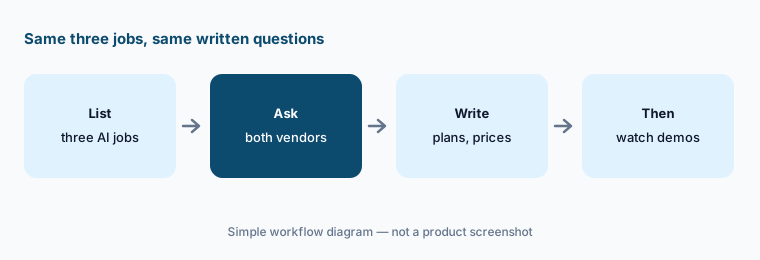
1. List the three AI jobs, then ask both vendors (primary)
What it is: Most firms that compare Karbon and TaxDome are really asking about three jobs: client emails and follow-ups, document intake, and close or review checks. The AI for each sits on different plans and, for Juno and Aider, with different billing. Karbon says Karbon AI comes at no additional cost on paid plans (AI FAQ), while Aider is sold by demo; TaxDome lists AI-driven analytics on Pro and Business (pricing), and Juno bills per return.
A demo shows each product's best case on the vendor's data. Written answers about plans and prices are what you can hold a vendor to.
Primary workflow:
List the three AI jobs your firm needs this season (client emails, document intake, close checks). Have the managing partner ask both vendors which plan includes each and write the answers and prices down before any demo counts.
2. Client emails: Karbon drafts from tasks vs TaxDome's Atlas reminders
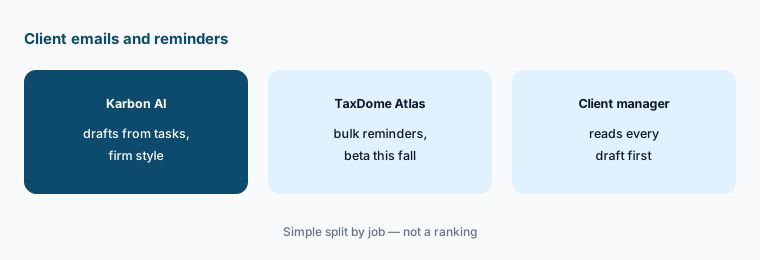
What it is: Karbon AI drafts a client email from a work item's tasks, rewrites drafts in your firm's style, and summarizes long threads (31 Mar 2026 release). TaxDome's Atlas is described as drafting bulk messages such as “a payment reminder for every overdue client” and waiting for approval before anything sends — but Atlas was still “coming this fall” on 21 Oct 2026.
An email drafted from stale tasks asks a client for something you already have. A bulk reminder sent to a client who paid yesterday costs goodwill.
Read before sending:
Draft ten client emails in whichever tool you pilot. Have the client manager check every requested item and amount against your records before any email is sent.
3. Document intake: TaxDome checklists and tagging vs Karbon document checks
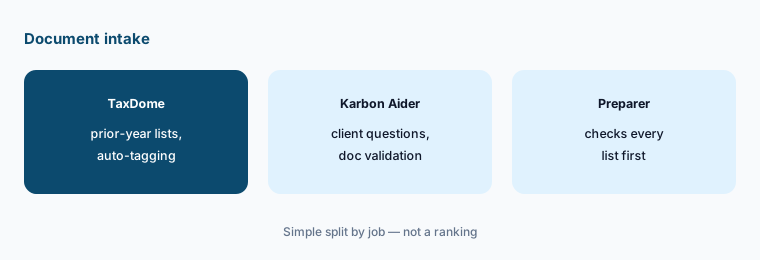
What it is: TaxDome tags, categorizes, and renames client uploads (live; turned on in Firm settings) and builds a document checklist from a client's prior-year return (Summer Update recap). Karbon's document help sits mostly in close work: Aider added Client Questions and AI Document Validation on 5 August 2026. For a tax-season portal, TaxDome does more of this job out of the box; for bookkeeping clients' month-end questions, Karbon's approach fits the close.
Last year's return knows last year. A new rental, a closed account, or a new K-1 changes what you need.
Check before release:
Generate checklists for ten returning clients. Have the preparer of record compare each with last year's return and known changes before it goes to the client.
4. Close and bookkeeping: Karbon Aider vs TaxDome Bookkeeping Hub
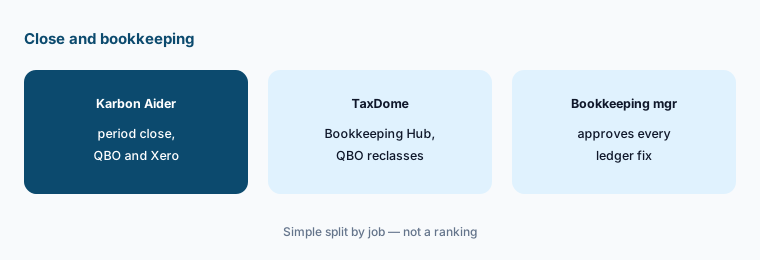
What it is: Aider period close went live for all US Karbon customers on 27 April 2026: checks run each period across QuickBooks Online and Xero clients, flag unreconciled transactions and variances, and fixes push back to the ledger. TaxDome's Bookkeeping Hub (Pro: 120 client ledger connections; Business: unlimited) lets staff reclassify uncategorized transactions, ask clients about them, and sync changes to QuickBooks Online; TaxDome lists added quality checks as “coming soon” (pricing FAQ).
A fix pushed to a client's ledger changes their books. That needs the same review as a fix typed by hand.
Approve every fix:
Run close checks on three closed months in whichever tool you pilot. Have the bookkeeping manager compare every flag and proposed fix with what the team actually changed.
5. Agents: Kai early access vs Atlas beta
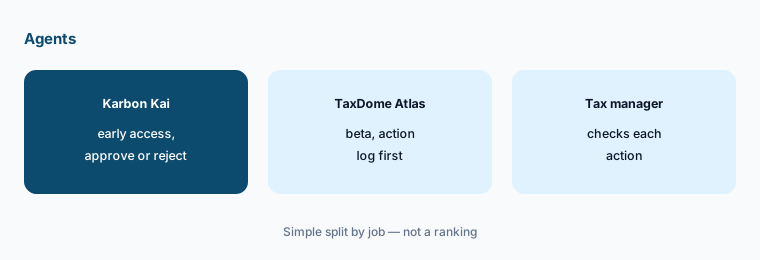
What it is: Kai, announced 3 June 2026, answers questions from live Karbon data and invokes agents for tasks Karbon lists as workpaper creation, timesheet review, and prioritization; every agent action is approved, edited, or rejected in Karbon's AI Agent Management System, and Kai is in limited early access (Kai page). Atlas, per TaxDome's AI page, plans steps from practice data, ships with prebuilt tasks, can turn a plain-English workflow into a saved agent, and logs every action before anything goes out; full access is “this fall.” Neither vendor has announced a separate agent price.
Early-access agents change quickly. Judge what is in your account today, not the roadmap slide.
Check what is live:
Ask both vendors whether their agent is live in your account today. Have the tax manager check one agent answer or action against your own reports before anyone relies on it.
6. Outside AI tools: MCP and APIs, and when not to switch
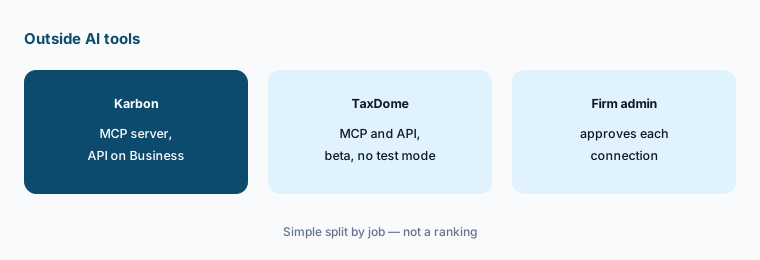
What it is: Karbon announced a public MCP server on 3 June 2026; its REST API is on Business and Enterprise. TaxDome's MCP connectors and public API are beta — off until a firm admin turns them on, with per-connection access levels and, its help article warns, no test mode, so actions really send. If your firm is settled on one system, a missing AI feature is rarely worth a migration in the middle of a season: switching moves client data, portal logins, templates, and billing, and both vendors' agents are still early.
An outside AI tool connected through MCP can act as the user who connected it. In TaxDome's beta, a test action can send a real invoice.
Admin decides first:
Before connecting any outside AI tool, have the firm administrator list which users may connect, with what access, and test it on a test client first.
Pricing context (October 2026)
Karbon (pricing page, checked 21 Oct 2026): Team $59 per user per month paid annually ($79 paid monthly) and Business $89 per user per month paid annually; Enterprise is “contact us.” That is $708 or $1,068 per user per year on annual billing. Karbon AI is included at no additional cost per Karbon's AI FAQ; Aider close automation is quoted by demo; Kai has no announced price.
TaxDome (pricing page, checked 21 Oct 2026): per seat per year, billed upfront, on a 1-year term — Essentials $800 (one user only), Pro $1,000, Business $1,200; lower per-year prices on 2- and 3-year terms; 25+ seats quoted. Temporary seats: Pro monthly $100 per seat; Business seasonal $500 per four-month term. Juno is billed separately by Juno per return.
Per user, the two land in a similar range on annual terms, so price alone rarely decides it. TaxDome's page also shows a cost calculator with other vendors' prices (it lists Karbon at $1,068 per user per year); those are TaxDome's figures. Compare written quotes for your seat count, add-ons, and renewal terms.
Uncertainty: We did not test either product. Features, dates, and prices come from each vendor's pricing and AI pages as read on 21 Oct 2026 (TaxDome's site read through a reader because it blocks plain scripted requests) and can change. Kai is in limited early access; Atlas, TaxDome MCP, and the TaxDome API are beta or coming this fall; Aider is US-only and works with QuickBooks Online and Xero. Time-saved and accuracy figures are vendor claims.
When it’s useful (honest take)
Useful when you are choosing a first practice system or re-evaluating at renewal, can name the three AI jobs you care about, and have a client manager, preparer of record, and bookkeeping manager who will check every AI output in a pilot.
Less useful when you need practice management with tax-resolution tools and Smart Prep (Canopy AI), cited tax research rather than workflow (Blue J or CCH Axcess Expert AI), or audit engagement software (Caseware AI).
Still choosing between Karbon and TaxDome? The $19 AI toolkit audit gives you a written plan for which tools to keep using and which to drop across your whole AI stack, including this pair.
Prefer to do it yourself? Spreadsheet — $9
Related options (educational)
| Need | Better home | Why |
|---|---|---|
| Team email, recurring work, close checks | Karbon AI | $59 / $89 per user/month annual |
| Client portal, tax-season checklists, Juno prep | TaxDome AI | $800–$1,200 per seat/year |
| Practice management with Smart Intake and Smart Prep | Canopy AI | $74 / $109 per user/month annual |
| Cited tax research | Blue J | $1,498/year Individual |
| Audit engagements in Caseware Cloud | Caseware AI | Quote only |
FAQ
What is the main difference between Karbon and TaxDome?
Karbon is built around shared team email and recurring client work, with Karbon AI included, Kai in early access, and Aider close checks. TaxDome is built around a client portal and tax-season workflow, with AI tagging and checklists, Juno return prep, and the Atlas agent in beta. This page is not a ranking.
Which is cheaper in October 2026?
On annual billing they are close: Karbon prints $59 or $89 per user per month (about $708 or $1,068 a year); TaxDome prints $800, $1,000, or $1,200 per seat per year on a 1-year term. Aider and Juno are billed separately. Compare written quotes.
Is Karbon AI or TaxDome AI included in the price?
Karbon says Karbon AI is included at no additional cost on paid plans. TaxDome includes auto-tagging on every plan and AI-driven analytics on Pro and Business; it has not announced a separate price for Atlas or MCP. Juno and Aider are priced separately.
Should we switch practice systems for the AI?
Usually not mid-season. A move touches client data, portal logins, templates, and billing, and both agents are still early. Revisit at renewal with written answers on which AI jobs each plan covers.
Who approves AI output in a side-by-side pilot?
The client manager for every AI-drafted email, the preparer of record for every checklist and Juno field, the bookkeeping manager for every close fix, the firm administrator for every outside AI connection, and the managing partner for the system decision.
Optional next step (if seats overlap)
If your firm pays for a practice system with AI, a separate close or tax-prep tool, and general chat seats that all draft the same client emails, that overlap is worth mapping. Map the overlap with the $19 AI toolkit audit or the $9 AI toolkit spreadsheet. Email Audit $19 or Toolkit spreadsheet $9.
Checkout is live via Stripe. After you pay, we email delivery (spreadsheet) or intake next steps (audit).