Tool · Accounting firm ops · Financial Cents · Oct 2026
Financial Cents AI review (Oct 2026): AI email drafting, client data requests, and workflow help for small accounting firms
Financial Cents is practice management for small and growing accounting, bookkeeping, and tax firms: workflows, client tasks and document requests, a client portal, time, billing, and proposals. Its AI covers client email drafting, three file agents launched on 24 September 2026 — AI File Validator, AI File Renaming, and AI File Routing — workflow checklist templates from a prompt, and, since 20 October 2026, the Financial Cents MCP for Claude, ChatGPT, and Gemini. This page is about using them while the client manager still reads every AI-drafted client request. Each section has a Try this.
What this Financial Cents page covers
This page is for an owner, operations manager, client manager, or firm administrator at a small accounting, bookkeeping, or tax firm that uses Financial Cents or is weighing it. It is not tax, audit, or accounting advice; a licensed CPA, EA, or the engagement partner owns any return, workpaper, audit conclusion, client letter, or filing.
Financial Cents' AI page lists six AI features: AI File Validator, AI File Renaming, AI File Routing, AI email drafting, AI workflow template generation, and the Financial Cents MCP. The three file agents were announced on 24 September 2026 as free on every plan; the September 2026 recap says renaming and validation shipped in July and routing in September. The MCP is on the Scale plan only.
Ground rules before you rely on anything: the client manager reads every AI-drafted client email and request before it is sent; the preparer of record or bookkeeping manager checks every file the validator passed before work starts; the firm administrator decides which file agents run on Just Do It and who may connect an AI assistant.

Major features (with how someone uses them)
Examples at a glance: each feature has a concrete example from a real job plus a short Try this you can run this week.
1. AI email drafting for client document requests (primary)
What it is: Financial Cents' AI page says staff can draft client emails and replies in seconds — reminders, updates, and requests — and save the best ones as templates. Requests themselves go out as client tasks with upload links; the Scale plan adds automatic follow-ups for client tasks and customizable client task emails (pricing page).
A fluent request can still ask for the wrong thing: a statement the client already uploaded, last year's form, or an account that closed. The draft is only as current as the open items behind it.
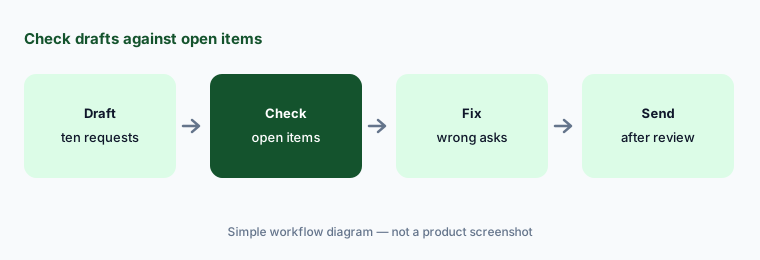
Primary workflow:
Let the AI draft document requests for ten bookkeeping clients. Have the client manager check every requested item against the client's open items before anything is sent.
2. AI File Validator for client uploads
What it is: The AI File Validator reads each document a client uploads to a client task and compares it with the request name, the project's accounting period, the project name, and client details. If it looks wrong — wrong tax year, wrong document type, wrong account, or wrong bank — the client sees feedback in the portal and can replace it. Financial Cents says it only flags files when it is highly confident; a client can keep a flagged file, and the firm then sees an advisory. It is turned on under Settings → AI Agents.
A conservative validator stays quiet when it is unsure. Quiet is not the same as checked — a file it passed can still be the wrong one.
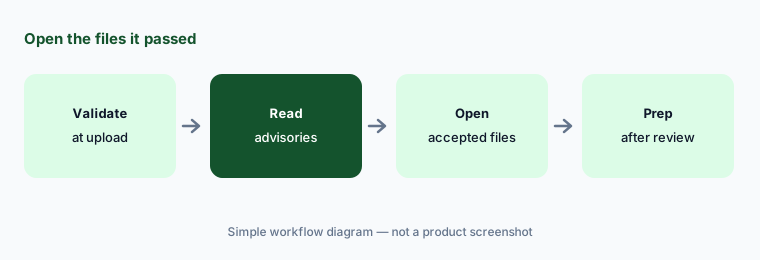
Check what it passed:
Turn on the AI File Validator for one request type. Have the preparer of record review every advisory and open every accepted file for ten clients before relying on it.
3. AI File Renaming: Just Do It or Always Ask
What it is: The AI File Renaming Agent reads each upload, detects the document date, type, account, and client, and renames it to the firm's naming convention. “Just Do It” renames automatically; “Always Ask” lets staff approve, edit, or reject each suggested name, in bulk if needed. When it is not confident it asks; every renamed file keeps its original name on record and carries a sparkle icon.
A wrong file name sends a document to the wrong place in someone's head. On busy days, that is how a statement gets missed.
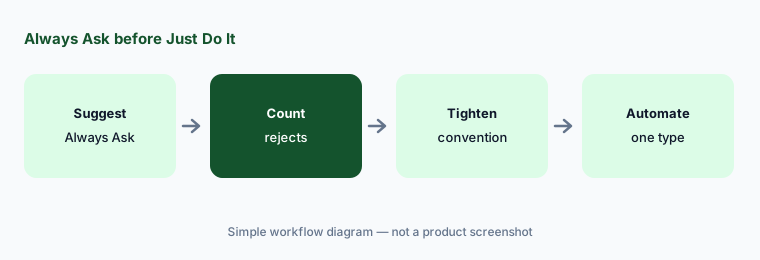
Approve before automatic:
Run AI File Renaming on Always Ask for two weeks. Have the operations manager count every rejected or edited name by document type before switching any type to Just Do It.
4. AI File Routing into client folders
What it is: The AI File Routing agent reads each file a client uploads to a client task, looks at how that client's folders are already organized, and files a copy in the best-fit folder — such as the right tax-year folder for a 1040. It starts in Always Ask, only files within that client's existing folders, never creates new ones, and leaves the original on the task; each routed file shows “Copied to [folder]”. The September 2026 recap describes it as the newest of the three agents.
Filing a copy is safe for the original, but a copy in the wrong year's folder is the one staff will open next season.
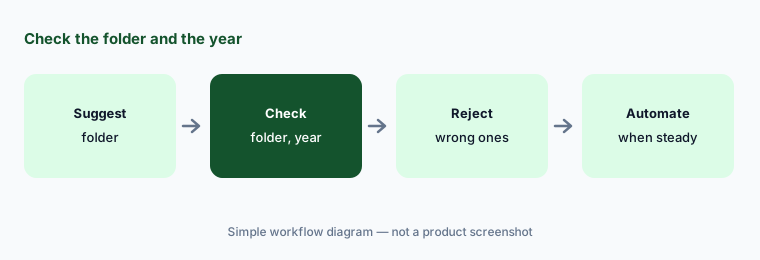
Check the folder:
Keep AI File Routing on Always Ask for one week. Have the client manager check every suggested folder and year before letting it file automatically.
5. AI workflow templates and Month-End Close
What it is: Staff can describe a process in one prompt and get a complete workflow checklist template to edit (AI page). Separately, the Month-End Close add-on syncs with each client's QuickBooks Online file, flags uncategorized transactions, missing attachments, large or inconsistent expenses, and missing payees, sends clients questions, and pushes approved changes back to QBO. Financial Cents does not describe Month-End Close as an AI feature; it is rules-based automation, priced per client.
A generated checklist reads like a finished process. It is someone else's process until a manager has walked a real client through it.
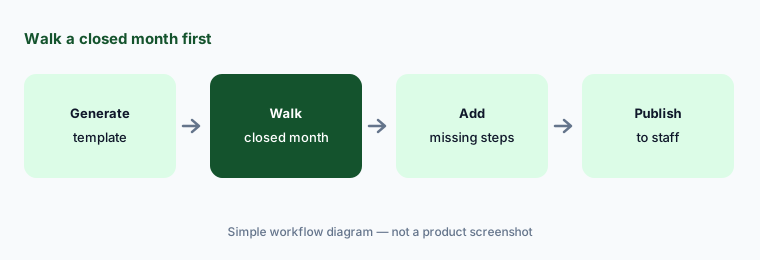
Walk it before use:
Generate one workflow template with AI. Have the bookkeeping manager walk one closed month for one client through it and add every missing step before staff use it.
6. Financial Cents MCP and AI agent controls
What it is: Financial Cents launched its MCP server on 20 October 2026 (the September recap already listed it as live for Scale plan firms). It connects a firm's account to Claude, ChatGPT, Gemini, Cursor, and other AI tools so staff can ask “What's overdue this week?” or “Which invoices are still unpaid?” and take actions such as logging time, creating tasks, uploading a file, or sending a client message. The recap lists 21 read tools and 12 write tools; the MCP page says each connection runs with the user's own permissions over OAuth 2.1, the assistant confirms before any change, deletes are not available, and access can be revoked in one click. Inside the app, Settings → AI Agents sets how each file agent behaves, and a sparkle icon shows what each agent did.
An AI assistant that can send a client message is sending it as your firm. Decide who may connect and which actions need a second look.
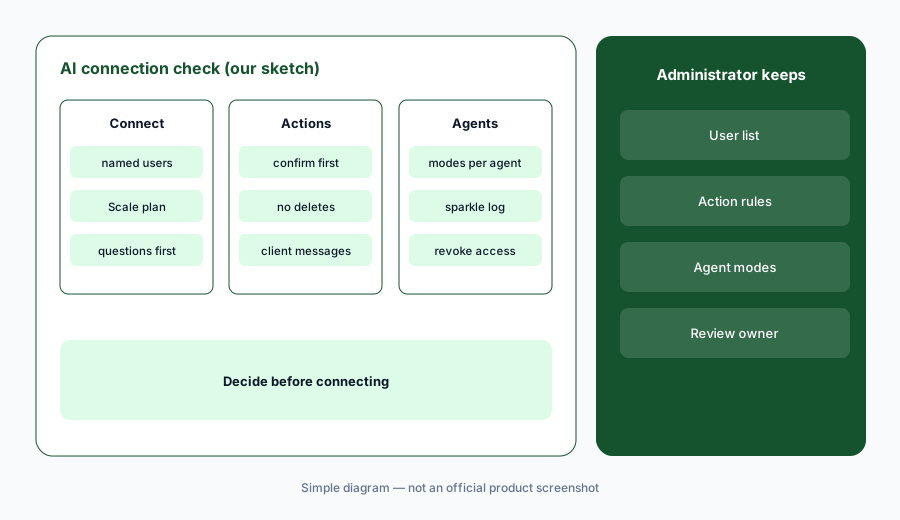
Admin decides first:
Before anyone connects an AI assistant through the Financial Cents MCP, have the firm administrator list which users may connect and require a person to check every client message the assistant drafts.
Pricing context (October 2026)
Financial Cents prints its prices (pricing page, checked 21 Oct 2026, USD): Solo $19 per month billed annually (one user only); Team $49 per user per month billed annually ($69 billed monthly); Scale $69 per user per month billed annually ($89 billed monthly); Enterprise custom. Monthly billing needs at least five users on Team and Scale, and all plans are a 12-month agreement. Free 14-day trial.
AI: the three file agents are free on every plan (per the 24 Sep 2026 announcement); “AI Features” are listed on Solo, Team, and Scale; the MCP needs Scale. Add-ons priced outside the plan: Month-End Close $5 per client per month billed annually, and identity checks (KBA) for e-signatures at $1–$2 per verification depending on package size.
Hours- and dollars-saved figures on the pricing page are Financial Cents' claims, not our measurements. A current promotion (a free month or 10% off for teams of two or more who book a demo by 30 October) may change the first-year cost; ask for it in writing.
Uncertainty: We did not test Financial Cents. Features, dates, and prices come from its pricing page, AI pages, MCP page, and articles as read on 21 Oct 2026 and can change. The file agents were announced on 24 Sep 2026, but the September recap says renaming and validation shipped in July — both stated. AI email drafting and workflow templates carry no launch date. Native eSignatures were targeted for late October and Tax Organizers for a beta before year end; neither is covered as live here.
When it’s useful (honest take)
Useful when you run a small firm with many client document requests, want AI help on intake without a separate tool, and a named client manager will read every AI-drafted request before it goes out.
Less useful when you need tax return prep automation (Juno AI), proposals with AI pricing help (Ignition AI), audit engagement software (Fieldguide vs DataSnipper), or a larger firm's team email and close checks (Karbon AI).
Paying for Financial Cents AI and a few other AI tools? The $9 AI toolkit spreadsheet lists every AI subscription you have, what each one costs, and how fast it pays for itself, so you can see which ones are worth the money.
Want someone to do it for you? AI toolkit audit — $19
Related options (educational)
| Need | Better home | Why |
|---|---|---|
| Practice management with AI file agents and MCP | Financial Cents AI (this page) | $19 / $49 / $69 per user/month annual |
| Team email, recurring work, close checks | Karbon AI | $59 / $89 per user/month annual |
| Client portal and tax-season checklists | TaxDome AI | $800–$1,200 per seat/year |
| Proposals, engagement letters, and AI price help | Ignition AI | From $39 per month annual (Solo) |
| AI tax return prep from source documents | Juno AI | Per return; $50 list |
FAQ
What AI features does Financial Cents have?
Financial Cents lists six: AI File Validator, AI File Renaming, AI File Routing, AI email drafting, AI workflow template generation, and the Financial Cents MCP for AI assistants such as Claude, ChatGPT, and Gemini.
How much does Financial Cents cost in October 2026?
Financial Cents prints Solo at $19 per month, Team at $49 per user per month, and Scale at $69 per user per month, all billed annually (Team $69 and Scale $89 billed monthly); Enterprise is custom. Month-End Close is $5 per client per month.
Are the AI agents included in every plan?
Financial Cents says the three file agents are free on every plan and can be turned on under Settings → AI Agents. The MCP is available on the Scale plan.
Can Financial Cents send client emails on its own?
AI drafts emails for staff to send, and file agents can act automatically if a firm chooses Just Do It. Keep a client manager's read-through on every AI-drafted request and every client message an AI assistant drafts through the MCP.
Who should check Financial Cents' AI output?
The client manager for every AI-drafted email and request, the preparer of record for files the validator passed, the operations manager for renaming and routing, the bookkeeping manager for generated templates and close changes, and the firm administrator for agent modes and MCP connections.
Optional next step (if seats overlap)
If you pay for practice management with AI file agents, a separate tax-prep tool, and general chat seats that all draft the same client emails, that overlap is worth mapping. Map the overlap with the $19 AI toolkit audit or the $9 AI toolkit spreadsheet. Email Audit $19 or Toolkit spreadsheet $9.
Checkout is live via Stripe. After you pay, we email delivery (spreadsheet) or intake next steps (audit).