Compare · Accounting firm ops · Oct 2026
Fieldguide vs DataSnipper (Oct 2026): engagement-platform AI agents vs Excel-based audit automation for CPA firms
Fieldguide and DataSnipper both put AI agents into audit work, but from opposite ends. Fieldguide is a cloud engagement platform: the request list, workpapers, and testing sheets live in it, and its Field Auditor, Field Orchestrator, and Field Financials agents work inside that file. DataSnipper starts in the Excel workpapers your team already uses, with AI Extractions, Excel Agents, and Disclosure Agents, and added the Alwin cloud platform on 7 October 2026. This page splits them by job, shows how to pilot both on one closed audit area, explains why many firms run both, and is not a ranking. Each section has a Try this.
What this comparison covers
This page is for an audit partner, audit manager, methodology lead, or firm administrator at a CPA firm choosing between Fieldguide and DataSnipper, or deciding whether to add one to the other. It is not tax, audit, or accounting advice; a licensed CPA, EA, or the engagement partner owns any return, workpaper, audit conclusion, client letter, or filing, and nothing here replaces judgment under your firm's methodology and the standards you audit to.
Facts come from our Fieldguide AI and DataSnipper AI reviews, re-checked on 21 October 2026: Fieldguide still has no public pricing page and its blog has added a CPA Canada engagement-forms agreement (29 Sep 2026) and a post on how it makes audit agents defensible (13 Oct 2026); DataSnipper's pricing page still lists Start, Accelerate, and Elevate with no prices. We did not test either product. Capacity and time-saved figures on both sites are vendor or customer claims.
The real difference is where the engagement file lives. Moving to Fieldguide means moving request lists, workpapers, and review into its platform; DataSnipper keeps your Excel workpapers and adds AI on top. Firms that run Fieldguide for SOC 2 and advisory work often keep DataSnipper for Excel-heavy financial audits, and the reverse also happens.
Ground rules for either pilot: the audit manager owns the pilot plan; the audit senior re-performs a sample of every agent-tested or AI-matched item and logs every difference; the engagement partner signs every conclusion and workpaper. This comparison is not a ranking.
| Question | Fieldguide | DataSnipper |
|---|---|---|
| Built around | A cloud engagement platform: request lists, workpapers, and testing sheets for audit and advisory | An Excel add-in that links workpaper figures to source documents (Snips), plus the Alwin cloud platform since 7 Oct 2026 |
| Where the work lives | In Fieldguide; the engagement file moves to the platform | In your existing Excel workpapers and audit methodology files |
| Testing AI | Field Auditor testing agents; Field Orchestrator (8 Jun 2026) plans multi-step substantive testing for auditor approval | AI Extractions and matching; Excel Agents with Planning Mode (September 2026 update); 71 prebuilt agents listed |
| Client requests | Request management tied to controls and workpapers; Request Analysis Agent checks uploads | UpLink add-on: clients upload from a link and AI checks each upload against the request |
| Financial statements | Field Financials agents announced 12 Aug 2026 (arriving August through the fall) | Disclosure Agents; Financial Statement Suite add-on |
| Outside AI tools | Fieldguide MCP (announced 12 Aug 2026) | Alwin connections to SharePoint, Box, OneDrive, SAP Concur, Xero, QuickBooks, and UpLink |
| Price | Quote only; no public pricing page; AI Actions citations and reasoning traces in an Advanced package | Quote only; Start, Accelerate, and Elevate plans with no printed prices; AI use metered |
| Who signs off | Audit senior on every agent-tested sample; engagement partner on every conclusion | Audit senior re-performs a sample of every AI match; engagement partner on every disclosure conclusion |
Major features (with how someone uses them)
Examples at a glance: each feature has a concrete example from a real job plus a short Try this you can run this week.
1. Run one closed audit area through both pilots (primary)
What it is: A demo on the vendor's sample file shows each product at its best. A closed audit area from your own files — cash, revenue vouching, a SOC 2 control set — shows what each one misses on your clients and your methodology. Both vendors offer demos only (DataSnipper pricing; Fieldguide has no public pricing page), so ask each for a pilot on a closed file before any contract.
Count the misses and the fixes, not the minutes saved. An agent that is fast but needs the senior to redo a third of its output has not saved the senior's time.
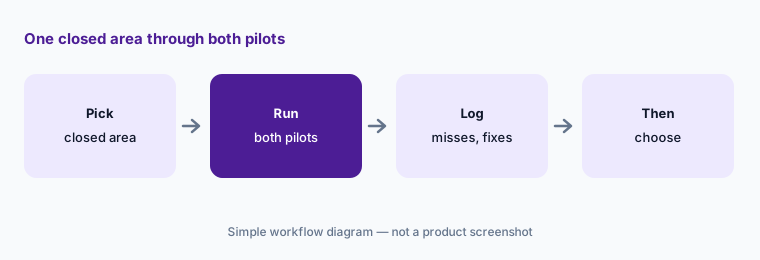
Primary workflow:
Pick one closed audit area. Have the audit manager run it through both pilots and log which exceptions each missed and who had to fix the output before choosing.
2. Testing: Field Auditor and Orchestrator vs Excel Agents and Planning Mode
What it is: Fieldguide's Field Auditor runs control testing end to end, matches evidence to each sample, and documents each exception; Field Orchestrator (8 June 2026) proposes a multi-step plan the auditor approves, then delegates population analysis, sample selection, testing, and workpaper drafting. DataSnipper's Excel Agents run procedures inside the workbook from a prompt or saved agent, and the September 2026 update added Planning Mode, where the agent asks up to three questions and proposes a plan before it runs.
Both tools now ask you to approve a plan. The plan is where a wrong cut-off date or a wrong population gets fixed — before the agent runs, not after.
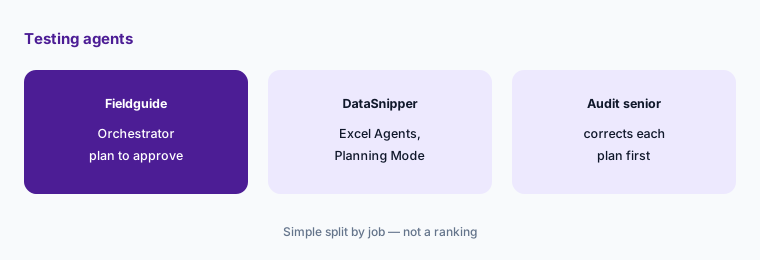
Approve the plan:
Have the audit senior read and correct each tool's test plan on one closed area before approving it, then re-perform ten samples by hand.
3. Client evidence: request management vs UpLink and AI Extractions
What it is: Fieldguide's request management ties each request to controls, tests, and workpapers, and its Request Analysis Agent checks each upload against the request as it arrives; the Spring 2026 release added Agent Triggers that run agents when a client uploads. DataSnipper's UpLink add-on lets clients upload from a link without an account and uses AI to check each upload against the request, while AI Extractions pull values from any document layout into Excel with a Snip back to the source.
An AI that tells a client “this looks right” is making a call your senior has not seen yet. Keep the senior's check on anything that counts as evidence.
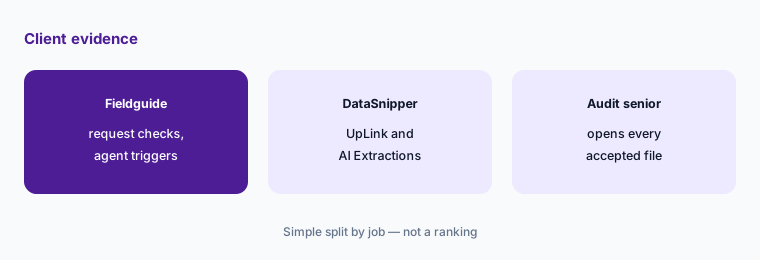
Check what counts as evidence:
Turn on upload checks for one request type in whichever tool you pilot. Have the audit senior open every accepted upload before it is used as evidence.
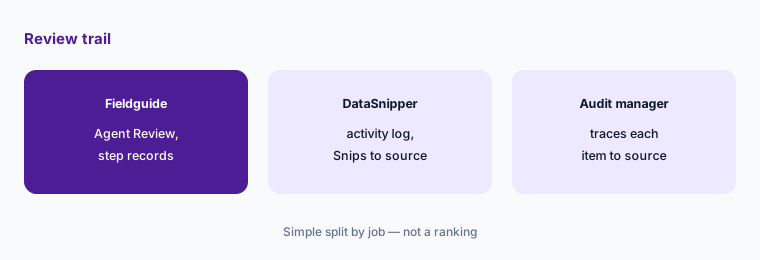
4. Review trail: Agent Review and reasoning traces vs the activity log and Snips
What it is: Fieldguide gathers agent-tested controls into an Agent Review workspace (8 June 2026), shows a reasoning panel for AI Actions (citations and traces are in its Advanced package), and its 13 October post describes recording each agent step's inputs, outputs, and model version and binding citations to a document version. DataSnipper's September update changed the Excel Agents activity log to one row per action with the cells affected, and every extracted value keeps a Snip to its source.
Peer reviewers and inspectors ask why a step was enough, not whether the tool ran. Whichever trail you choose, someone has to read it before sign-off.
Read the trail:
Pick one agent-tested item in each pilot. Have the audit manager trace it back to the exact source document and version before the workpaper is reviewed.
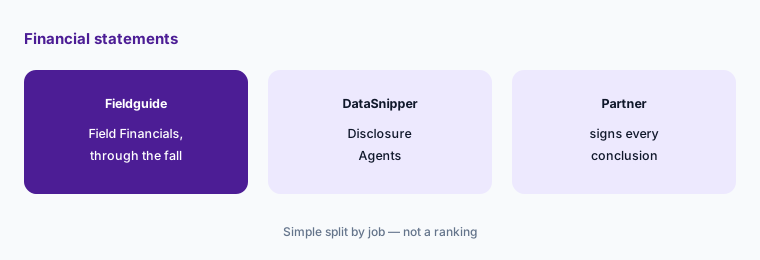
5. Financial statements: Field Financials vs Disclosure Agents
What it is: Fieldguide announced Field Financials on 12 August 2026: agents that draft financial statements, roll forward the prior year, tie numbers to source, and draft footnotes, with the first agent in August and the rest through the fall. DataSnipper's Disclosure Agents read a filing against a US GAAP or IFRS checklist and suggest a conclusion per requirement with linked evidence; its Financial Statement Suite is an add-on module.
A drafted footnote or a suggested “disclosed” is a first pass. Adequacy is the engagement partner's call.
Partner sign-off:
Run each tool's financial statement or disclosure AI on one engagement your firm already issued. Have the engagement partner compare every suggestion with what the firm signed before using it on a live engagement.
6. Outside AI tools, connections, and why many firms run both
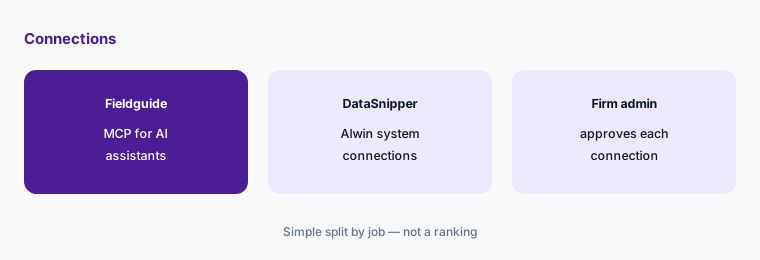
What it is: Fieldguide MCP (announced 12 August 2026) brings live engagement data into Claude, Copilot, OpenAI, and other MCP tools, scoped to the engagements a practitioner can already see. DataSnipper's Alwin (7 October 2026) connects to SharePoint, Box, OneDrive, SAP Concur, Xero, QuickBooks, and UpLink to collect evidence for cloud agents, with a Consumption Dashboard for AI usage. Running both is common: an engagement platform for SOC 2, PCI, and advisory work, and an Excel add-in for financial audits your methodology keeps in Excel. Fieldguide also connects to MindBridge for ledger risk analysis (20 Aug 2026).
Every connection is a path for client files to leave the engagement. Decide which systems, which engagements, and which users before the pilot starts.
Admin decides first:
Before connecting either tool to outside systems or AI assistants, have the firm administrator list which users, engagements, and systems are allowed, and start read-only on a pilot engagement.
Pricing context (October 2026)
Fieldguide (checked 21 Oct 2026): quote-only. There is no public pricing page (fieldguide.com/pricing returned not-found), and the site offers demos. Its Spring 2026 release says AI Actions citations, reasoning traces, and cross-sheet context are in an Advanced package.
DataSnipper (pricing page, checked 21 Oct 2026): quote-only. Start, Accelerate, and Elevate plans sit behind “Book Demo” or “Contact sales”; Excel Agents, Disclosure Agents, and AI Extractions are listed from Accelerate, Alwin and Planning Mode under Elevate; the Financial Statement Suite and UpLink are add-ons, and AI use is metered.
Because neither prints a price, compare written quotes for the same engagements: which agents are included, how AI usage is counted, what happens at a usage limit, and the renewal terms. If you run both, ask each vendor what overlaps so you are not paying twice for upload checks or extraction.
Uncertainty: We did not test either product. Features, dates, and plan contents come from each vendor's product pages, pricing pages, and blog as read on 21 Oct 2026 and can change. Neither vendor publishes prices. Field Financials agents were announced as arriving between August and the fall; Alwin was introduced 7 Oct 2026. Capacity and time-saved figures are vendor or customer claims.
When it’s useful (honest take)
Useful when you are choosing audit AI for the next busy season, have one closed audit area to pilot on, and an audit manager, audit senior, and engagement partner who will log and check every AI output.
Less useful when your firm is mostly tax and bookkeeping — tax prep (Juno AI), small-firm practice management (Financial Cents AI), or proposals and billing (Ignition AI) — or you need full-ledger risk analysis (MindBridge AI).
Still choosing between Fieldguide and DataSnipper? The $19 AI toolkit audit gives you a written plan for which tools to keep using and which to drop across your whole AI stack, including this pair.
Prefer to do it yourself? Spreadsheet — $9
Related options (educational)
| Need | Better home | Why |
|---|---|---|
| Engagement platform with testing and financial statement agents | Fieldguide AI | Quote only |
| Excel workpaper automation and cloud agents | DataSnipper AI | Quote only |
| Full-ledger risk analysis for planning | MindBridge AI | Quote only |
| Engagement AI inside Caseware Cloud | Caseware AI | Quote only |
| Audit document agents inside CCH Axcess | CCH Axcess Expert AI | Quote only |
FAQ
What is the main difference between Fieldguide and DataSnipper?
Fieldguide is a cloud engagement platform where the request list, workpapers, and AI agents live together. DataSnipper is an Excel add-in that adds AI extraction, matching, and agents to the workpapers you already use, plus the Alwin cloud platform since 7 October 2026. This page is not a ranking.
How much do Fieldguide and DataSnipper cost in October 2026?
Neither publishes prices. Fieldguide has no public pricing page; DataSnipper lists Start, Accelerate, and Elevate plans behind a demo or sales contact. Compare written quotes for the same engagements.
Can a firm use both?
Yes, and many do: an engagement platform for SOC 2, PCI, and advisory work, and an Excel add-in for financial audits kept in Excel. Ask both vendors which features overlap so you do not pay twice.
How should we pilot them?
Run one closed audit area through both, have the audit manager log every exception each tool missed and who fixed the output, and have the audit senior re-perform a sample by hand.
Who approves AI output in a side-by-side pilot?
The audit senior for every agent-tested sample and AI match, the audit manager for every test plan and review trail, the firm administrator for every connection, and the engagement partner for every conclusion and disclosure.
Optional next step (if seats overlap)
If your firm pays for an engagement platform with agents, an Excel audit add-in, and general chat seats that all read the same client documents, that overlap is worth mapping. Map the overlap with the $19 AI toolkit audit or the $9 AI toolkit spreadsheet. Email Audit $19 or Toolkit spreadsheet $9.
Checkout is live via Stripe. After you pay, we email delivery (spreadsheet) or intake next steps (audit).