Tool · Accounting firm ops · Digits · Oct 2026
Digits AI review (Oct 2026): AI-native general ledger, autonomous bookkeeping, and client reporting for accounting firms
Digits is a general ledger built around AI: it pulls in bank, card, and payroll activity, categorizes and reconciles transactions as they arrive, drafts schedules, and runs quality checks through the month, so the close is mostly review. For accounting firms it adds a partner program, per-client pricing, branded client reporting, and an MCP connection that lets AI assistants read and write the books under locked-period controls. This page is about using it while the bookkeeping manager still reviews every auto-booked transaction before a client sees a report. Each section has a Try this.
What this Digits page covers
This page is for a managing partner, bookkeeping manager, client manager, or firm administrator at a CAS or bookkeeping firm deciding whether to move client books to a new ledger. It is not tax, audit, or accounting advice; a licensed CPA, EA, or the engagement partner owns any return, workpaper, audit conclusion, client letter, or filing.
Digits calls itself an AI-native general ledger for business owners and accountants: automated books, month-end close, bill pay, invoicing, and live financials in one system (home page). Its 2026 releases include the Agentic Close with Quality Control (June 2026), eleven new quality checks (16 September 2026), Automated Schedules for fixed assets and prepaids, and the Write MCP with Locked Periods (13 October 2026), building on the Digits MCP launched in April.
Ground rules before you rely on anything: the bookkeeping manager compares every auto-booked transaction with closed books before any report goes to a client; the client accounting manager approves every schedule before it posts; the firm administrator decides which people and AI assistants may write to the ledger. Client names and account numbers stay out of shared examples.
Major features (with how someone uses them)
Examples at a glance: each feature has a concrete example from a real job plus a short Try this you can run this week.
1. AI bookkeeping: continuous categorization and reconciliation (primary)
What it is: On Digits' Agentic Close page, transactions are categorized as they arrive, lower-confidence items are surfaced for review, and the system learns from accountant decisions. Reconciliation runs before month-end: it matches transactions against source activity, resolves confirmed items, surfaces exceptions with what was attempted and why, and attaches each match to a highlighted box on the statement PDF. Digits says 95%+ of transactions post without a human touch — a vendor claim.
“Without a human touch” is the point and the risk. The transactions nobody touched are the ones to sample.
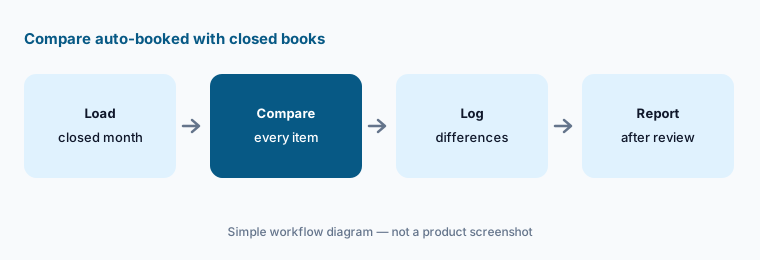
Primary workflow:
Load one closed month for one client into Digits. Have the bookkeeping manager compare every auto-booked transaction with the closed books before showing any report to the client.
2. Agentic Close Quality Control and the September checks
What it is: Quality Control runs inside the ledger through the month and flags missing categories, low-confidence categorizations, and missing vendors, customers, receipts, and bills. On 16 September 2026 Digits added eleven checks on public plans at no extra price: negative assets, liabilities, and revenue; clearing accounts that did not net out; equity movements net income does not explain; material changes in assets, liabilities, and equity; vendors or customers coded to more than one category; and personal information in descriptions and memos. Digits says the checks run the same way every time, can be tuned with plain-English instructions per client, and never silently change the books.
A check you did not enable is a check that did not run. A clean checklist means the enabled checks passed, not that the books are right.
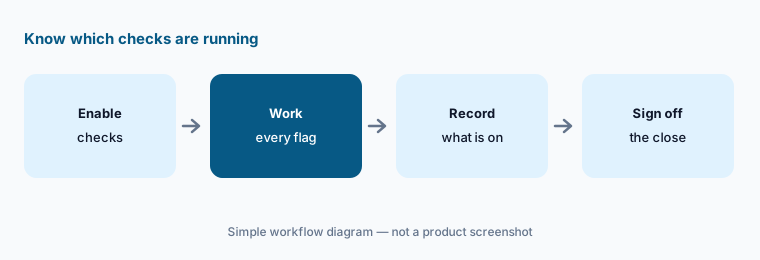
Record which checks run:
Enable the Quality Control checks for five clients on one closed month. Have the bookkeeping manager work every flag and write down which checks are on for each client before relying on the checklist.
3. Automated Schedules: fixed assets and prepaids
What it is: Automated Schedules detects transactions that should start a schedule, pre-fills the schedule from the transaction, and posts journal entries every period; you review the amount, term, categories, and posting dates and accept, dismiss, or adjust before anything is set up. Fixed assets and prepaid expenses are available now; revenue recognition and accrued expenses are marked “coming soon”. On the pricing page, Automated Schedules are on Core and above.
A schedule set up once posts every month for its life. A wrong useful life or term repeats until someone notices.
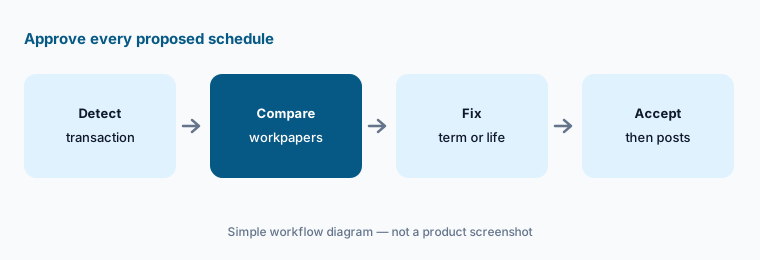
Approve every schedule:
Review every schedule Digits proposes for one client's closed quarter. Have the client accounting manager compare each with the firm's workpapers before accepting any.
4. Digits MCP with write access and Locked Periods
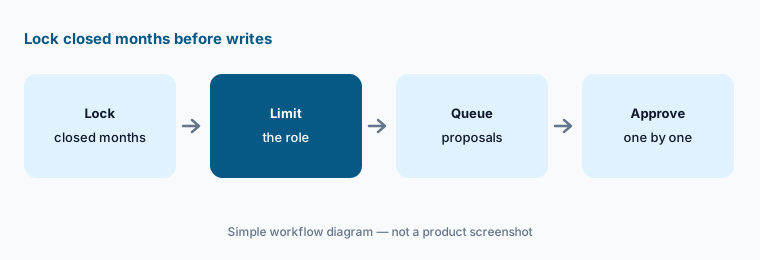
What it is: Digits launched its MCP connection in April 2026 and, on 13 October 2026, added write tools — recategorize and edit transactions, write journal entries, create and code bills, draft invoices, and update the chart of accounts — for Claude, ChatGPT, Cursor, and other MCP tools. Locked Periods route every edit to a locked month into a proposal-and-review queue that admins and managers approve; agents only see the write tools the user's Digits role allows. The post quotes an AI-native firm whose staff accountant ran two clients' quarter closes through Claude in about an hour and forty minutes instead of about seven hours — a customer claim. Digits says the MCP is free.
An AI assistant that can write journal entries is a new user of the ledger. Locked Periods protect closed months, not the open one.
Admin limits writes:
Before anyone connects an AI assistant to Digits with write access, have the firm administrator lock every closed period and set which roles may write journal entries.
5. Client reporting, branding, and Ask Digits
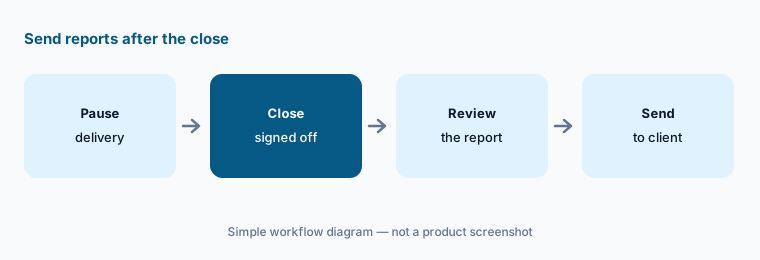
What it is: For firms, Digits lets you brand each client's workspace and send monthly financials, board packages, and client-ready summaries with your firm's logo, colors, and cover, delivered on a schedule (firm page). Custom Reports and Custom Dashboards are marked for firm partners on the pricing page. Every plan includes Ask Digits, a conversational assistant that answers questions about the books and can start tasks; Digits says raw financial data stays inside its own models.
A scheduled report goes out whether or not the month was reviewed. A branded report carries your firm's name either way.
Review before it goes:
Pause scheduled reports for five clients for one month. Have the client manager send each one only after the bookkeeping manager has signed off that client's close.
6. Firm program: per-client pricing, Free Firm Books, and moving clients
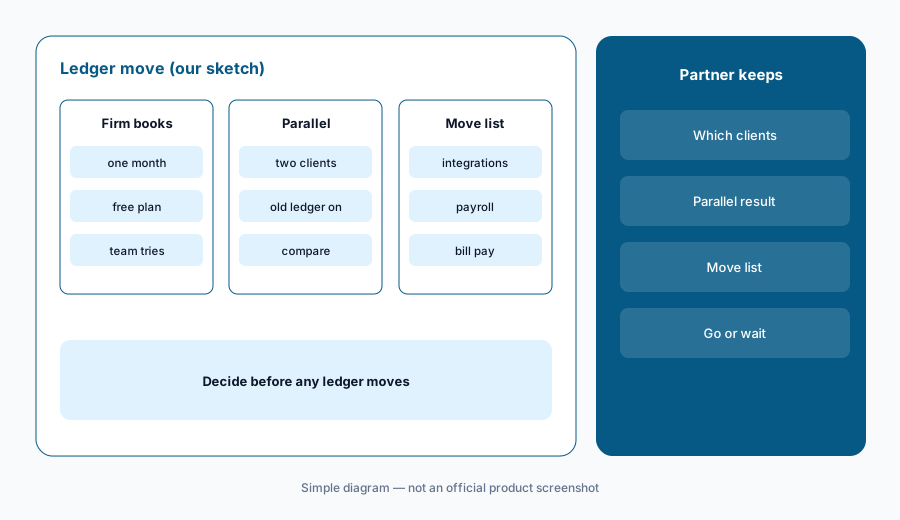
What it is: Digits' firm page describes a partner program: firms move clients onto Digits client by client, run their own books free (Free Firm Books), get partner-only plans and volume pricing, free Academy courses, office hours and certification, a dedicated account manager, a partner directory that introduces businesses to certified firms, and a dashboard that tracks auto-categorization and reconciliation rates by client. The pricing FAQ says firms are billed per client account, not per seat. Digits is a general ledger, so using it means moving a client's books off QuickBooks Online, Xero, or another ledger.
Switching a client's ledger is a bigger decision than adding a tool on top of it. History, integrations, and the client's own habits all move with it.
Partner decides moves:
Before moving any client ledger to Digits, have the managing partner run two simple clients in parallel for one month and list every integration and setting that would have to move.
Pricing context (October 2026)
Digits' pricing page (checked 21 Oct 2026) lists three business plans: Essentials $65 a month (solopreneurs and early-stage businesses), Core $100 a month (small and growing businesses; adds dimensional accounting and Automated Schedules), and Pro $250 a month, marked “Coming soon”. The page shows the figures per month and does not say whether a different rate applies to annual billing. AI bookkeeping and reconciliation, Ask Digits, quality checks, and API and MCP access are listed on every plan.
For firms, the pricing FAQ says Digits is priced per client account, not per seat: you pick a plan for each client, your own firm's books run free, and partner firms get exclusive plans and volume discounts. Partner-only plan prices are not published.
Automation-rate and time-saved figures on Digits' site are vendor or customer claims, not our measurements.
Uncertainty: We did not test Digits. Features, dates, and prices come from digits.com product, pricing, firm, and blog pages read on 21 Oct 2026 and can change. Partner-only plan prices are not public; get a written quote per client. The pricing page and its FAQ describe plan contents slightly differently (for example, which plan carries Custom Reports for firm partners) — confirm for your clients. Revenue recognition and accrual schedules are marked coming soon, and the Pro plan is not yet available.
When it’s useful (honest take)
Useful when your firm is willing to move clients with fairly simple books onto a new ledger, wants categorization, reconciliation, and quality checks running through the month, and a named bookkeeping manager will compare auto-booked transactions with closed books before any client report goes out.
Less useful when your clients must stay on QuickBooks Online or Xero (Dext AI or Basis AI work on top of an existing ledger), you need 1040 scanning (Thomson Reuters SurePrep), or you want practice management first (Karbon AI).
Paying for Digits AI and a few other AI tools? The $9 AI toolkit spreadsheet lists every AI subscription you have, what each one costs, and how fast it pays for itself, so you can see which ones are worth the money.
Want someone to do it for you? AI toolkit audit — $19
Related options (educational)
| Need | Better home | Why |
|---|---|---|
| AI-native ledger with agentic close | Digits AI (this page) | $65 / $100 per month (business plans) |
| Agents on top of an existing ledger | Basis AI | Quote |
| Document capture and AI Assist for firms | Dext AI | Per client; 10-client minimum |
| Practice management with close checks | Karbon AI | $59 / $89 per user/month annual |
| Practice management with close automation | Canopy AI | $74 / $109 per user/month annual |
FAQ
What is Digits?
Digits is an AI-native general ledger. It connects to banks, cards, and payroll providers, categorizes and reconciles transactions as they arrive, drafts schedules, runs quality checks during the month, and produces live financials, with a partner program for accounting firms.
How much does Digits cost in October 2026?
Digits lists Essentials at $65 a month and Core at $100 a month, with Pro at $250 a month marked coming soon. For accounting firms it prices per client account, runs the firm's own books free, and offers partner-only plans and volume discounts that are not published.
Do clients have to leave QuickBooks or Xero to use Digits?
Yes. Digits is the general ledger itself, so a client's books move onto Digits. Run a parallel month on simple clients before moving anyone, and list every integration and setting that has to move.
Can AI assistants change the books through the Digits MCP?
Since 13 October 2026 the Digits MCP has write tools for transactions, journal entries, bills, invoices, and the chart of accounts. Locked Periods send every edit to a closed month into a review queue, and assistants only see the tools the user's role allows.
Who should check Digits' AI output?
The bookkeeping manager for auto-booked transactions and quality-check flags, the client accounting manager for schedules, the client manager for reports sent to clients, the firm administrator for MCP access and locked periods, and the managing partner for decisions to move a client's ledger.
Optional next step (if seats overlap)
If your firm pays for a new ledger, a capture tool, a practice system with its own AI, and general chat seats that all touch the same client books, that overlap is worth mapping. Map the overlap with the $19 AI toolkit audit or the $9 AI toolkit spreadsheet. Email Audit $19 or Toolkit spreadsheet $9.
Checkout is live via Stripe. After you pay, we email delivery (spreadsheet) or intake next steps (audit).