Tool · Accounting firm ops · Dext · Oct 2026
Dext AI review (Oct 2026): AI Assist bookkeeping agent, document extraction, data health checks, and approvals for accounting and bookkeeping firms
Dext (formerly Receipt Bank) collects receipts, invoices, and statements from clients, reads them, categorizes them, and publishes them to the client's accounting software. For firms, its newer AI layer is AI Assist, an agent that learns how your team corrects suppliers, tax codes, and splits and proposes automations for you to approve, alongside a Data Health add-on that checks client books in Xero and QuickBooks Online every day. This page is about using it while the bookkeeping manager still approves every rule before it runs. Each section has a Try this.
What this Dext page covers
This page is for a bookkeeping manager, client manager, senior bookkeeper, or firm administrator at an accounting or bookkeeping firm that handles client receipts, bills, and statements. It is not tax, audit, or accounting advice; a licensed CPA, EA, or the engagement partner owns any return, workpaper, audit conclusion, client letter, or filing. Dext itself says you review, you approve, and you keep the final say.
Dext sells separate plans to businesses and to firms. The firm pricing page has two plans, Essentials and Advanced, priced per client with a 10-client minimum, plus add-ons for AI Assist custom guidance, Data Health and insights, and marketplace integrations. Dext says it connects with 36+ accounting and e-commerce platforms and over 11,500 banks and financial institutions. Recent dated items in its release log include AI Assist moving into the main navigation (July 2026), ad-hoc approval requests (July 2026), approval history published to QuickBooks Online (May 2026), and smarter tax rules for international line-item extraction (October 2026).
Ground rules before you rely on anything: the bookkeeping manager approves every AI Assist rule before it is auto-applied; the senior bookkeeper checks extracted fields on a sample of each new client's documents; the client manager reads every Data Health flag before raising it with a client. Client names and account numbers stay out of shared examples.
Major features (with how someone uses them)
Examples at a glance: each feature has a concrete example from a real job plus a short Try this you can run this week.
1. AI Assist: corrections turned into automations you approve (primary)
What it is: AI Assist watches the corrections, tax rules, and category changes your team makes and turns them into written guidance in your practice's terms — how a supplier is treated, which tax code applies, which client is the exception. Each suggestion comes with the reasoning behind it, and your team can review, refine, reject, or auto-apply it, practice-wide or client by client; client-specific rules stay with that client. Core guidance is included, custom guidance is priced per client, and the July 2026 release put AI Assist in the main navigation with shared guidance and usage insights.
An automation built from one correction applies that correction everywhere it fits. If the first correction was wrong, so is every copy.
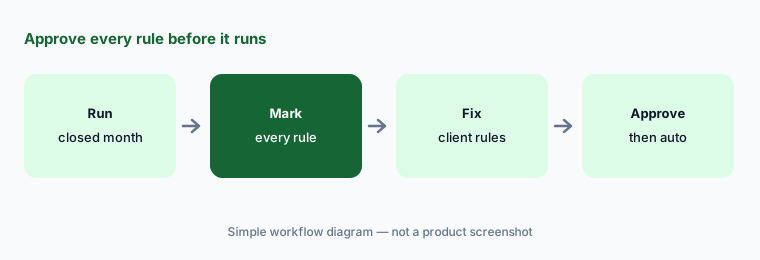
Primary workflow:
Run Dext AI Assist on one closed month for five clients. Have the bookkeeping manager mark each suggested rule right, wrong, or missing before any suggestion is auto-applied.
2. Capture and extraction: receipts, invoices, and statements
What it is: Clients send documents by mobile app, email, WhatsApp, or desktop, and Dext can fetch supplier invoices and connect bank feeds. It reads the supplier, line items, and due date — Dext says at over 99% — and the plans add bank-statement, rental-statement, and supplier-statement extraction, AI document detection, and line-item extraction, with credits for the heavier jobs. The October 2026 release added country-specific tax rules for line-item extraction customers outside the US.
A misread total on a clean-looking invoice is the error nobody looks for. The vendor's accuracy figure is an average, not your client's shoebox.
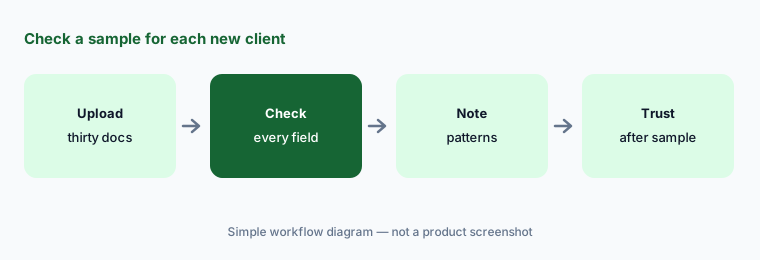
Check a sample first:
Upload thirty documents from one client's closed month. Have the senior bookkeeper check every extracted supplier, date, total, and tax amount against the original before trusting extraction for that client.
3. Auto-categorization, supplier rules, and auto-publish
What it is: On the pricing page, every firm plan includes smart suggestions and auto-categorization, supplier rules, document smart split, duplicate detection, bank match, missing-paperwork requests, and auto-publish to the client's accounting software, plus a Chrome extension. Auto-publish is the switch that matters: once a supplier rule is set to publish, matching documents go to the client's ledger without someone opening them.
Auto-publish moves the review from before the ledger to after it. A rule set on a busy Friday keeps publishing every week after.
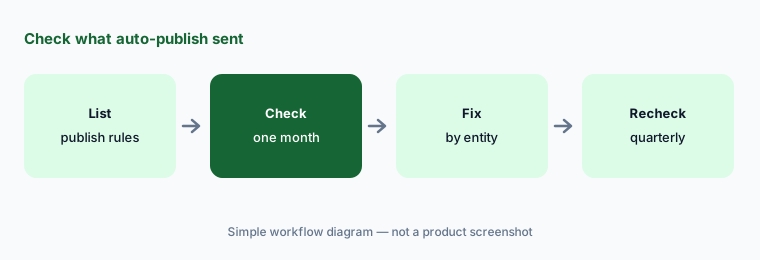
Review the switch:
List every supplier rule set to auto-publish for ten clients. Have the bookkeeping manager check one month of published items for each against the bank before leaving any rule on.
4. Data Health: daily checks of client books in Xero and QuickBooks Online
What it is: The Data Health add-on reviews clients' books in Xero or QuickBooks Online every day and flags issues such as unreconciled bank transactions, duplicated or missing contacts, bills that never arrived, and tax codes that do not look right. Each client gets a live accuracy measure that moves as issues are resolved, and a report shows where a client's data started and where it is now. Dext says your expertise still decides what matters.
A daily list of flags is a to-do list someone has to own. A rising accuracy measure shows activity, not that every fix was right.
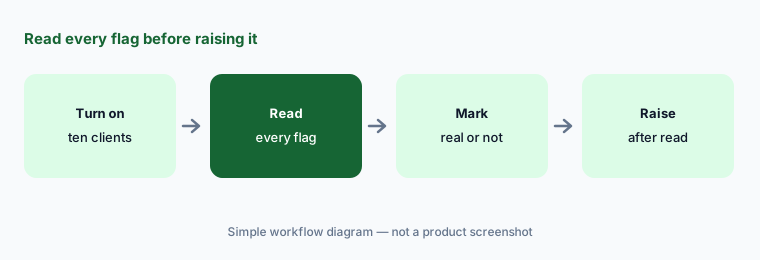
Read before raising:
Turn on Data Health for ten clients. Have the client manager read every flag and mark it real, duplicate, or deliberate before anything is raised with a client.
5. Approvals, expenses, and the audit trail
What it is: Dext includes approvals and employee expense management (claims, mileage tracking, auto expenses). Its release log shows ad-hoc approval requests on costs, sales items, and expense claims (July 2026), custom mileage rates (September 2026), and, for QuickBooks Online, approval history published with each approved document (May 2026) — a PDF showing who approved it, when, and at which stage.
An approval trail proves someone clicked approve. It does not prove they looked at the document.
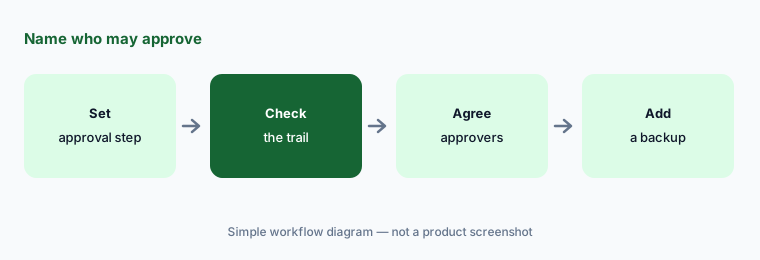
Name the approvers:
Set an approval step for one client's larger bills. Have the client manager check a month of published items for the approval history and agree with the client who may approve.
6. Vault, practice dashboards, and who can change what
What it is: Dext's Vault keeps every original document for at least ten years, tagged and searchable, and Vault Sync added Shared Drives support in September 2026. On the pricing page, the Advanced plan adds practice tools — a client deadline dashboard, smart practice workflows, team and location management, practice insights and reporting, advanced client management, and time spent. Who can approve, publish, or change automations depends on how the firm sets up team roles.
Ten years of originals is useful only if the right people can find them and the wrong people cannot change them. Practice dashboards show work, not whether it was checked.
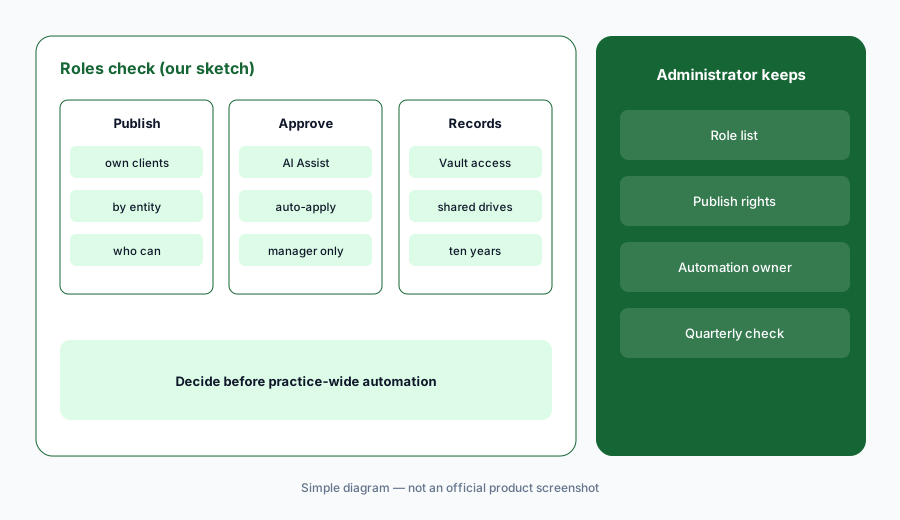
Admin sets roles:
Before turning on practice-wide automation, have the firm administrator list who can publish, approve, and change AI Assist settings, and match every Dext role to that list.
Pricing context (October 2026)
Dext prices firm plans per client, with a 10-client minimum and a lower rate as the list grows (pricing page, checked 21 Oct 2026). The page shows prices through a calculator that reads Dext's public price feed; for US firms on an annual subscription billed monthly (USD, excluding tax), the feed returned: 10 clients — Essentials $207.99 a month in total, Advanced $222.99; 20 clients — $353.99 and $383.99; 50 clients — $701.99 and $776.99. Paying month to month costs more (10 clients: $239.19 and $256.45); the page says annual is 13% off.
Add-ons printed on the page: AI Assist custom guidance $7 per client (core guidance included), Data Health and insights $7.5 per client per month, and Commerce Lite (marketplace integrations) $7.5 per client per month. Credits for bank-statement, line-item, and supplier-statement extraction come with each plan and can be topped up. The free trial is 14 days with no card. Dext also says it will build a package around your client list.
Accuracy, hours-saved, and return-on-investment figures on Dext's site are vendor or customer claims, not our measurements.
Uncertainty: We did not test Dext. Features, dates, and prices come from dext.com/us pages, its release log, and the public price feed its pricing page uses, read on 21 Oct 2026, and can change. The per-client prices are totals for the client counts we asked the feed for; your quote may differ, and Dext invites custom packages. Release-log entries are dated by month only. Some features (Data Health, AI Assist custom guidance) are add-ons, and some practice tools are Advanced-only.
When it’s useful (honest take)
Useful when your firm handles client receipts, bills, and statements for many Xero or QuickBooks Online clients, repeats the same corrections across clients, and a named bookkeeping manager will approve every AI Assist rule and auto-publish setting.
Less useful when you want agents to run the whole close (Basis AI), want to move clients to an AI-native ledger (Digits AI), need 1040 document scanning (Thomson Reuters SurePrep), or want practice management with AI file agents (Financial Cents AI).
Paying for Dext AI and a few other AI tools? The $9 AI toolkit spreadsheet lists every AI subscription you have, what each one costs, and how fast it pays for itself, so you can see which ones are worth the money.
Want someone to do it for you? AI toolkit audit — $19
Related options (educational)
| Need | Better home | Why |
|---|---|---|
| Document capture, AI Assist, data health | Dext AI (this page) | Per client; 10-client minimum |
| Agents for CAS close, tax, and audit first passes | Basis AI | Quote |
| AI-native ledger with agentic close | Digits AI | $65 / $100 per month (business plans) |
| Small-firm practice management with AI file agents | Financial Cents AI | $19 / $49 / $69 per user/month annual |
| Practice management with AI document sorting | Canopy AI | $74 / $109 per user/month annual |
FAQ
What is Dext used for at accounting firms?
Dext collects client receipts, invoices, and statements, extracts and categorizes the data, and publishes it to the client's accounting software. Its AI Assist agent turns repeated corrections into automations for approval, and the Data Health add-on checks client books in Xero and QuickBooks Online daily.
How much does Dext cost for firms in October 2026?
Dext prices firm plans per client with a 10-client minimum. For 10 US clients on an annual subscription billed monthly, its price feed showed $207.99 a month in total for Essentials and $222.99 for Advanced; AI Assist custom guidance is $7 per client and Data Health $7.5 per client per month.
What does Dext AI Assist do?
AI Assist learns how your team treats suppliers, tax codes, and client exceptions, writes that down as guidance, and suggests automations with the reasoning shown. Your team reviews, refines, rejects, or auto-applies each one, practice-wide or for one client.
Does Dext publish to client books automatically?
It can. Supplier rules can auto-publish matching documents to the client's accounting software. Treat auto-publish as a decision for the bookkeeping manager, and check a month of published items before leaving any rule on.
Who should check Dext's AI output?
The bookkeeping manager for every AI Assist rule and auto-publish setting, the senior bookkeeper for extracted fields on new clients, the client manager for Data Health flags and approval steps, and the firm administrator for team roles.
Optional next step (if seats overlap)
If your firm pays for a capture tool, a practice system with its own AI, close agents, and general chat seats that all touch the same client books, that overlap is worth mapping. Map the overlap with the $19 AI toolkit audit or the $9 AI toolkit spreadsheet. Email Audit $19 or Toolkit spreadsheet $9.
Checkout is live via Stripe. After you pay, we email delivery (spreadsheet) or intake next steps (audit).