Tool · Accounting firm ops · Suralink · Oct 2026
Suralink AI review (Oct 2026): AI request lists, document matching, and client follow-up for audit and tax engagements
Suralink (Salt Lake City) runs the request list — the PBC (“prepared by client”) list on an audit, the document list on a tax engagement — and in 2026 added AI agents around it. Its agents prescreen each client upload against the request, vouch sample selections against support, and tie out financial statements; an Excel layer links workpaper numbers back to client documents. This page is about using it while the audit senior and engagement partner still approve every request list, exception, and conclusion. Each section has a Try this.
What this Suralink page covers
This page is for an audit senior, audit manager, tax manager, or firm administrator at a CPA firm that collects documents from clients on every engagement. It is not tax, audit, or accounting advice; a licensed CPA, EA, or the engagement partner owns any return, workpaper, audit conclusion, client letter, or filing. We did not test Suralink; facts come from Suralink's product, pricing, and press pages read on 21 October 2026.
Suralink sells a CORE request-list platform plus add-ons: the pricing page lists the Cloud Testing Suite, Financial Statement Tie Out, Workpaper Suite, Secure File Sharing, and E-Signature, each marked “requires CORE”, and prints no prices. Suralink's own 12 August 2026 release says the platform is used by more than 1,300 firms and 800,000+ client users — vendor figures.
Ground rules before you rely on anything: the audit senior compares every generated or rolled-forward request list with the final PBC list before a client sees it; agent prescreen and vouching results are leads that the engagement team re-performs on a sample; and the engagement partner owns every exception's meaning and every conclusion. Client names and account numbers stay out of shared examples.

Major features (with how someone uses them)
Examples at a glance: each feature has a concrete example from a real job plus a short Try this you can run this week.
1. Request lists, rollforward, and Ask anything (primary)
What it is: Suralink CORE is a dynamic request list: request, receive, and track documents and e-signatures per engagement, with in-app comments and tagging, real-time dashboards, and reminders (home page). The pricing page lists rollforward request lists on CORE — last year's list carried into this year's engagement — and marks Ask anything as AI-powered; the home page describes AI-powered search to check that documents are accurate and complete. The pricing page does not label rollforward itself as AI, so ask Suralink which parts of building a list use AI.
A rolled-forward list repeats last year's scope. New accounts, new entities, a changed revenue stream, or a new auditing standard are exactly what it will miss.
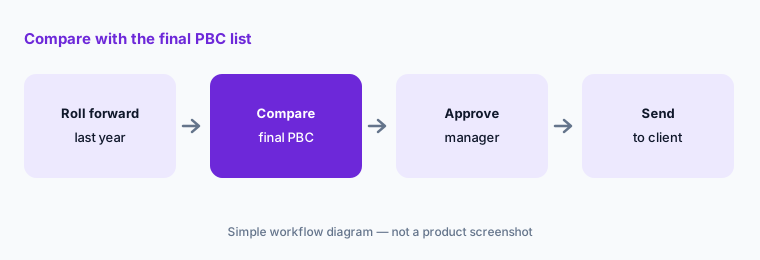
Primary workflow:
Let the AI build a request list from last year's engagement for one client. Have the audit senior compare it with the final PBC list before sending anything.
2. Document Prescreen: checking uploads on arrival
What it is: The Document Prescreen Agent, launched in the Cloud Testing Suite (3 June 2026), reviews each uploaded client document against the original request and flags incomplete or inaccurate submissions as they arrive. Suralink's 12 August 2026 release added a client-facing version that tells clients when a document is wrong or missing and works with them to fix it before the firm looks.
An agent that tells a client “this is the wrong document” is speaking for the firm. Decide which requests it may answer on its own and which wait for a person.
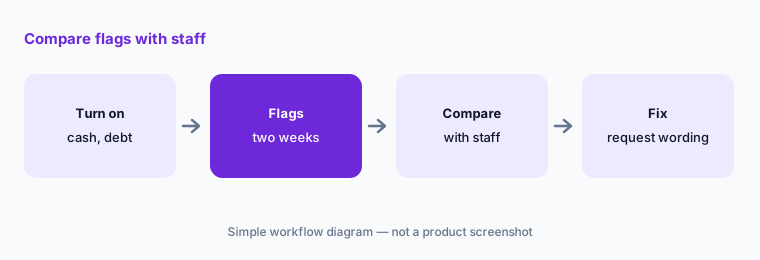
Compare flags first:
Turn on Document Prescreen for one engagement's cash and debt requests. Have the audit manager compare every flag with what staff would have decided before the agent answers clients on more requests.
3. Data Vouching and Multi-Level Vouching agents
What it is: The Data Vouching Agent, also in the Cloud Testing Suite, traces and vouches sample selections against support as clients fulfill requests, flags exceptions, and prepares review-ready workpapers. The 12 August 2026 release added a Multi-Level Vouching Agent for more complex vouching procedures. The pricing page lists a Workpaper Import to Excel and an AI audit trail with the suite.
A vouched sample is evidence only after a person re-performs enough of it to trust the method. The sample design and its conclusion stay with the engagement team.
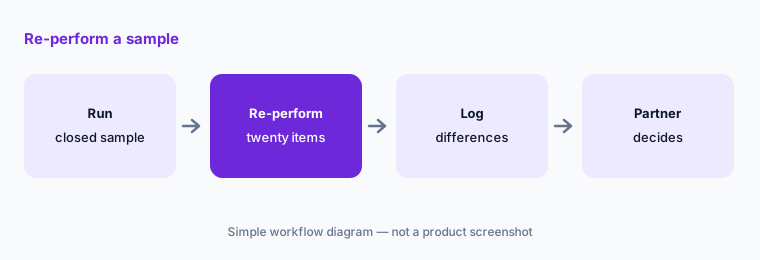
Re-perform a sample:
Run the Data Vouching Agent on one closed sample. Have the audit senior re-perform twenty items by hand and log every difference before the agent is used on a live engagement.
4. Financial Statement Tie Out agents
What it is: Suralink's Financial Statement Tie Out add-on lists four agents on the pricing page: Mathematical Accuracy (footing and cross-footing across every table and page), Internal Consistency (the same figure matches wherever it appears in statements and footnotes), Prior Year Consistency (opening balances against the prior-period audited report), and Version Comparison (only what changed between drafts), with a report export that carries tickmarks. The 12 August 2026 release introduced the Version Compare agent.
Footing and consistency checks find arithmetic and copy errors. They do not tell you whether a disclosure is complete or a number is right.
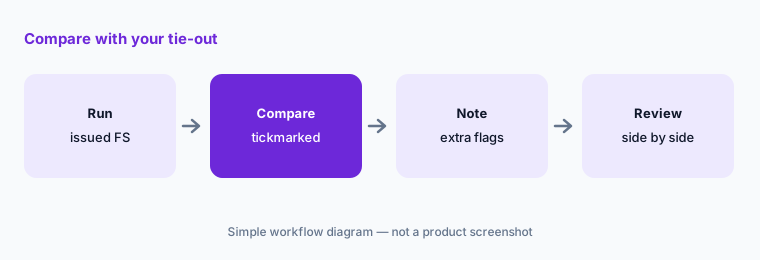
Compare with your tie-out:
Run the tie-out agents on one set of issued financial statements. Have the audit manager compare every flag with the team's tickmarked copy before relying on the agents for a live report.
5. Workpaper Suite Intelligence in Excel
What it is: On 5 May 2026 Suralink announced Workpaper Suite Intelligence, AI inside its Excel workpaper add-in: Extract Links captures and structures data from client documents, and Linked Answers answers questions about long files such as lease and debt agreements, with every data point and answer linked to its source. The pricing page lists both as add-ons to the Workpaper Suite, which also offers data matching, data linking, and a sum finder and works with any binder provider.
A linked answer is easy to check and easy to skip checking. The reviewer still opens the source for anything that drives a conclusion.
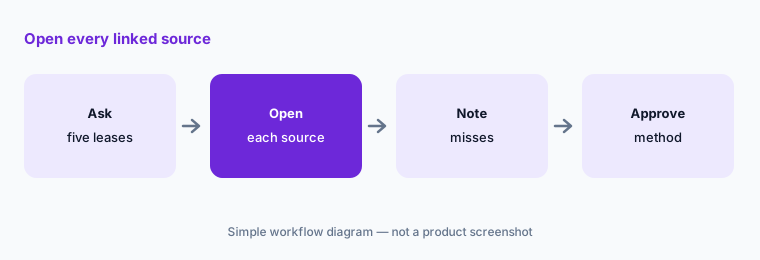
Open every source:
Ask Linked Answers about five closed-year lease or debt agreements. Have the audit senior open every linked source and the audit manager approve the method before it is used on a live engagement.
6. Copilot and Claude connections, Client Data Vault, and the CoCounsel partnership
What it is: Suralink's 3 June 2026 announcement added native integrations with Microsoft Copilot and Anthropic's Claude alongside the Agent Library. On 19 May 2026 it launched Client Data Vault, which keeps a client's prior-year submissions and request history so clients can see last year's files next to this year's requests (Suralink cites early results of up to 30 hours saved on complex audits — a vendor figure). On 16 September 2026 Thomson Reuters and Suralink announced a partnership to integrate Suralink with CoCounsel Tax, Audit & Accounting and Engagement Manager; the Engagement Manager connection is described as planned. The pricing page lists an AI audit trail in the Cloud Testing Suite.
Every connection is a new path for client documents. Which outside AI tool may read engagement files is a confidentiality decision the firm makes before anyone clicks connect.
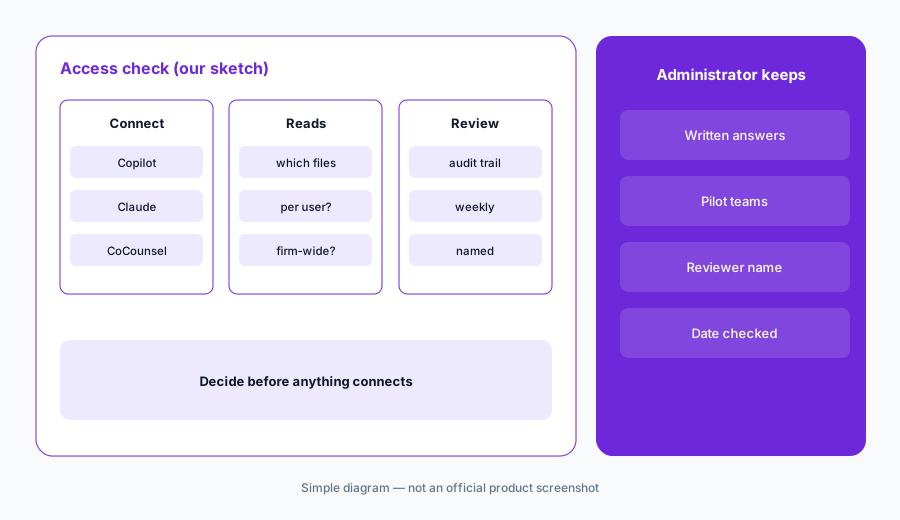
Admin decides access first:
Before any Copilot, Claude, or CoCounsel connection is turned on, have the firm administrator get Suralink's written answer on what data it can read and name who reviews the AI audit trail.
Pricing context (October 2026)
Suralink is quote-only. The pricing page (checked 21 Oct 2026) says every firm has different needs and to reach out for a plan; it lists CORE and the add-ons (Cloud Testing Suite, Financial Statement Tie Out, Workpaper Suite with Extract Links and Linked Answers add-ons, Secure File Sharing, E-Signature with knowledge-based authentication) without figures.
Ask in writing whether pricing is per engagement, per user, or per firm, which agents are included in which add-on, and whether client-facing prescreen and the Copilot, Claude, or CoCounsel connections cost extra.
Time-saved and adoption figures on Suralink's site and press releases are Suralink's numbers, not our measurements.
Uncertainty: We did not test Suralink. Features, dates, and figures come from suralink.com product, pricing, and press pages read on 21 Oct 2026 and can change. Suralink prints no prices. The pricing page does not say whether rollforward request lists use AI. The Thomson Reuters Engagement Manager integration was announced as planned on 16 Sep 2026 with no availability date.
When it’s useful (honest take)
Useful when your firm runs many audit or tax engagements through a request list, loses time to wrong or missing client documents, and has an audit senior who will re-perform a sample of every agent result.
Less useful when you want a full audit engagement platform (Fieldguide AI, Caseware AI), mainly need Excel test automation (DataSnipper AI), or need tax intake and prep for individual returns (Soraban AI, TaxDome AI).
Paying for Suralink AI and a few other AI tools? The $9 AI toolkit spreadsheet lists every AI subscription you have, what each one costs, and how fast it pays for itself, so you can see which ones are worth the money.
Want someone to do it for you? AI toolkit audit — $19
Related options (educational)
| Need | Better home | Why |
|---|---|---|
| Request lists, prescreen, vouching, tie-out | Suralink AI (this page) | Quote |
| Audit engagement platform with agents | Fieldguide AI | Quote |
| Excel-based audit automation | DataSnipper AI | Quote |
| Full-population ledger risk analysis | MindBridge AI | Quote |
| Financial statements and Verity agents | Caseware AI | Quote |
FAQ
What is Suralink used for?
Suralink runs client document requests for audit, tax, and advisory engagements and, since 2026, adds AI agents that prescreen uploads, vouch samples, tie out financial statements, and link workpaper numbers to source documents.
How much does Suralink cost in October 2026?
Suralink does not publish prices. Its pricing page lists CORE and add-ons and asks firms to reach out for a plan (checked 21 Oct 2026).
Does Suralink's AI talk to our clients?
The client-facing Document Prescreen (announced 12 Aug 2026) tells clients when a document is wrong or missing. Decide which requests it may answer on its own, and keep a person on anything unusual.
Can agent-vouched samples go straight into our workpapers?
Suralink says the Data Vouching Agent prepares review-ready workpapers. The audit senior should re-perform a sample of every agent-vouched test, and the engagement partner owns the conclusion. This is not audit advice.
Who should check Suralink's AI output?
The audit senior for request lists, prescreen flags, and vouching; the audit manager for tie-out and Linked Answers; the engagement partner for every conclusion; and the firm administrator for connections and the AI audit trail.
Optional next step (if seats overlap)
If your firm pays for a request portal, an engagement platform, Excel automation, and chat seats that all touch the same client documents, that overlap is worth mapping. Map the overlap with the $19 AI toolkit audit or the $9 AI toolkit spreadsheet. Email Audit $19 or Toolkit spreadsheet $9.
Checkout is live via Stripe. After you pay, we email delivery (spreadsheet) or intake next steps (audit).