Role guide · Accounting firm ops · Claude Team · Oct 2026
Claude for accounting firm ops (Oct 2026): sanitized engagement-letter drafts, client email cleanup, and firm-policy outlines without client tax data
Accounting firm ops role guide — a Client email style project in Claude Team or Enterprise that rewrites sanitized reminder emails, drafts engagement-letter clause variations from your firm's own letters, and outlines firm policies such as the written information security plan. Claude drafts; the client manager, engagement partner, or firm administrator checks every line before anyone uses it. No SSNs, EINs, return data, or client names go in unless firm policy, your IRS Publication 4557 and WISP obligations, and the contract allow it. Nothing here is tax advice, and a licensed CPA or EA signs every client-facing word. If your practice system already drafts the email with client data inside it, start there: see Karbon AI or Financial Cents AI.
Who this guide is for
Firm administrators, operations managers, client managers, and practice leads — the people who write the reminder emails, keep the engagement-letter templates, and own the firm's internal policies — at a tax, bookkeeping, or CPA firm that already pays for Claude Team or Enterprise. If a tool with client data inside it already does the job, use it first: Karbon AI drafts client emails from work items, Financial Cents AI drafts client data requests, and Ignition AI helps with proposals and engagement letters. Product deep-dive: Claude.
Client tax data stays out. The IRS's Publication 4557 (Safeguarding Taxpayer Data) says that under the FTC Safeguards Rule, tax return preparers must create and enact security plans to protect client data, and points to Publication 5708 for building a written information security plan (WISP). Your WISP, your contracts, and any consent rules for tax return information that apply to your firm decide what may go into an AI tool; this guide is not legal or tax advice and keeps every prompt free of SSNs, EINs, return figures, and client names, so client data stays confidential.
Ground rules for every section below: strip client names, SSNs, EINs, addresses, account numbers, return figures, and anything that identifies a client before anything is pasted — use service type, month, and counts instead. Claude does not decide scope, fees, tax positions, or whether to send anything; a licensed CPA, EA, or the engagement partner owns any return, workpaper, audit conclusion, client letter, or filing; the client manager owns every client email template, the engagement partner every engagement-letter clause, and the firm administrator every policy. This is not tax, audit, or accounting advice.
Major features (with how someone uses them)
Examples at a glance: each feature has a concrete example from a real job plus a short Try this you can run this week.
1. Project Client email style: sanitized reminder cleanup (primary)
What it is: Create a project named Client email style. Add your firm's tone guide and ten current reminder templates — document chases, organizer reminders, extension notices, payment reminders — with every client name, amount, and date replaced by a bracketed field. In the project instructions, ask Claude to make each email clearer and shorter, keep every bracketed field and deadline exactly as written, never add a promise or a tax statement, and list every changed sentence. Anthropic's projects help article (read 21 October 2026) says each project has its own knowledge and instructions, and on Team and Enterprise a project can be shared with view or edit access.
Tone fixes are the easy part. The risk is a rewrite that softens a deadline, drops a required attachment, or adds a sentence that reads like advice. Any edit that changes meaning goes back to the client manager.
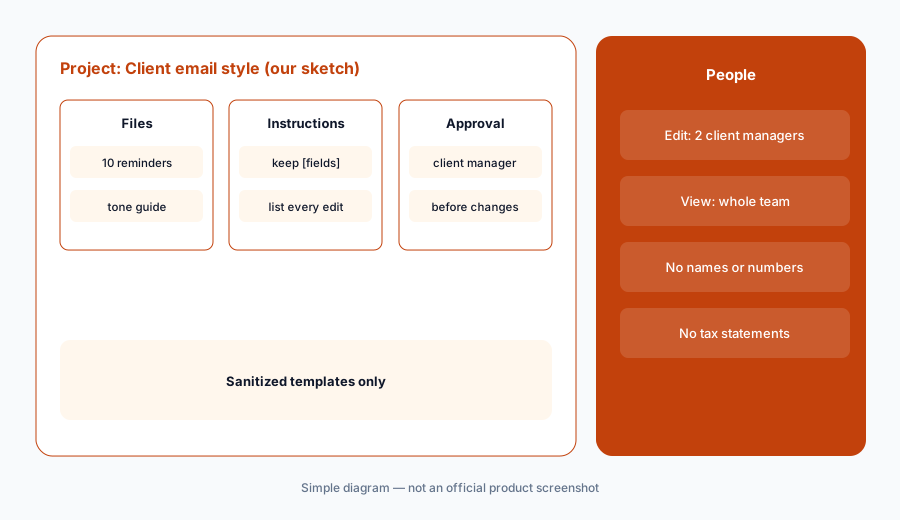
Primary workflow:
Paste a sanitized set of ten client reminder emails (no names or numbers) into a Claude project and ask for clearer wording. Have the client manager check every edit against the original before any template changes.
2. Engagement-letter clause drafts from your own letters
What it is: Upload your current engagement-letter templates — with client names and fees removed — to a separate Engagement letters project, and ask Claude for clearer versions of specific clauses: client responsibilities, document deadlines, what happens if documents arrive late, scope exclusions. Ask it to mark every changed sentence and list questions for a partner. It drafts wording from your letters; it does not decide what the firm will do, what it will charge, or whether a clause is enforceable.
A clearer clause can quietly change scope. “We will prepare your return” and “we will prepare your federal and resident-state return” are different promises.
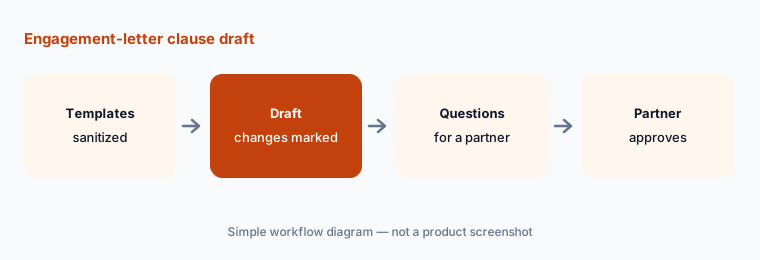
Mark every change:
Ask for a plainer version of one engagement-letter clause from your sanitized template. Have the engagement partner compare it line by line with the current clause before the template changes.
3. Firm-policy outlines, including the WISP
What it is: Add the IRS's Publication 5708 sample WISP template and your firm's current policy sections to a Firm policies project, and ask Claude for an outline of a policy you need to write or update — the WISP itself, an AI use policy, a remote-work rule, or a records-retention outline. Ask it to keep your firm's terms, mark anything it added, and list decisions a partner must make. The outline is a starting draft; the firm administrator writes the policy and the managing partner approves it.
A policy outline that reads well can still miss a requirement. The IRS template is the checklist; Claude's outline is not.
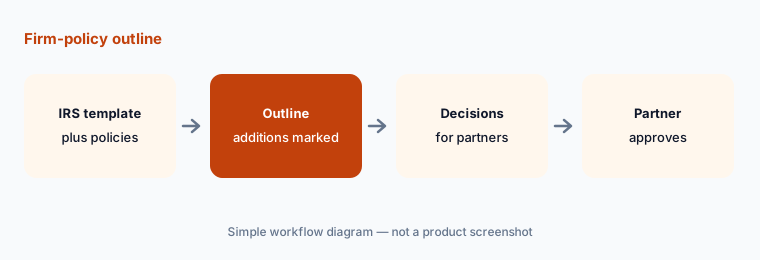
Template first:
Outline one firm policy from the IRS WISP template and your current policy. Have the firm administrator check every section against the template before the managing partner approves it.
4. What stays out of every prompt
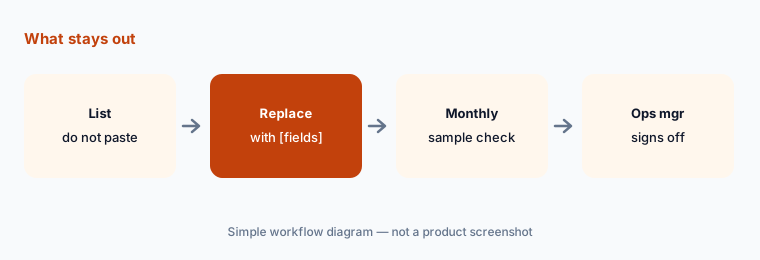
What it is: Write the list once and pin it in every project's instructions: no SSNs, EINs, ITINs, bank or account numbers, client names, addresses, birth dates, return figures, or anything from a client's return or source documents. Replace them with bracketed fields, service types, months, and counts. Publication 4557 frames this as part of the security plan every tax return preparer must have; your WISP should name which tools, if any, may receive client data and under which contract.
Most leaks are not deliberate. They happen when someone pastes a real email thread to “just fix the tone.”
Pin the list:
Add a do-not-paste list (SSNs, EINs, names, return figures) to every project's instructions. Have the operations manager check a sample of project files each month for anything that slipped through.
5. Project sharing and who can edit
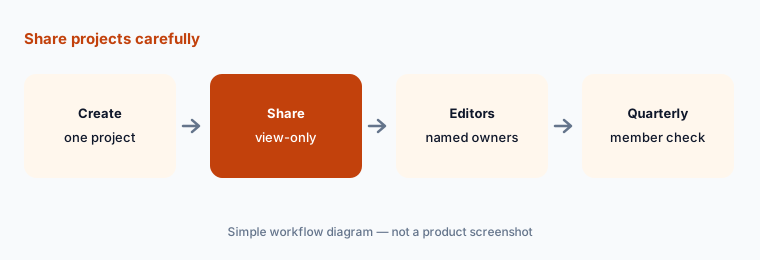
What it is: On Team and Enterprise, projects can be shared with specific people, groups, or the whole organization, with Can view (see contents and chat) or Can edit (change instructions and knowledge, manage members). Owners can turn off project sharing for the organization (projects help article). Give edit access to the person who owns each template set, and view access to everyone else.
A shared project with open edit access is a shared template library anyone can change. The reminder email you approved last week may not be the one in the project today.
Name the editors:
Share each project view-only by default and give edit access to the named template owner. Have the firm administrator check every project's member list each quarter.
6. Team or Enterprise: what changes for a firm
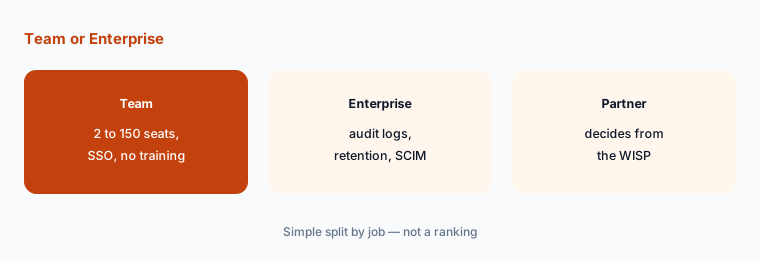
What it is: Anthropic's pricing page lists Team for teams of 2 to 150 with SSO, central billing, and no model training on your content by default. Enterprise adds audit logs, SCIM, role-based permissions, custom data retention controls, network-level access control, and IP allowlisting, and bills usage at API rates on top of the seat price. For a firm whose WISP requires logs of who used which tool, those controls are the reason to look at Enterprise; for sanitized drafting only, Team covers the jobs on this page.
No model training by default is a vendor setting, not a decision about client data. The WISP and the contract still decide what goes in.
Start from the WISP:
Have the firm administrator list the controls your WISP requires (logs, retention, access) and the managing partner check them against Team and Enterprise before choosing a plan.
Pricing context (October 2026)
As listed on Anthropic's Claude pricing page (checked 21 October 2026): Team, for teams of 2 to 150 — Standard seat $20 per seat per month billed annually, $25 billed monthly; Premium seat $100 per seat per month billed annually, $125 billed monthly, with more usage. Seat types can be mixed. Prices shown do not include tax.
Enterprise: US$20 per seat per month, billed annually, with a 20-seat minimum, plus usage billed at API rates, so the total depends on the models and tasks your team runs. Firms can start self-serve or ask sales for a quote. Budget Enterprise from a written quote, not the seat price alone, and never use a personal Claude account for firm work.
Uncertainty: Anthropic's prices, seat types, and usage limits change; use the live pricing page and your invoice. Projects are described from Anthropic's help article as read on 21 Oct 2026; Anthropic says a new version of projects is in beta, starting with Claude Code, with Team and Enterprise to follow, so menus may change. Whether any plan suits client tax data is a decision for your firm, its WISP, its counsel, and the contract, not this page.
When it’s useful (honest take)
Useful when your firm already pays for Claude Team or Enterprise and wants clearer reminder emails, engagement-letter clause drafts, and policy outlines from sanitized material, with a client manager, engagement partner, or firm administrator checking every line.
Less useful when the work needs client data (use a tool your WISP and contract cover), your practice system already drafts the email from the work item (Karbon AI, Financial Cents AI), your firm lives in Gmail and Sheets and wants help there (Gemini for accounting firm ops), or the question is tax research (Blue J vs CCH Axcess Expert AI).
Paying for Claude and a few other AI tools? The $9 AI toolkit spreadsheet lists every AI subscription you have, what each one costs, and how fast it pays for itself, so you can see which ones are worth the money.
Want someone to do it for you? AI toolkit audit — $19
Related options (educational)
| Need | Better home | Why |
|---|---|---|
| Sanitized reminders, clause drafts, policy outlines in a project | Claude for accounting firm ops (this page) | Team or Enterprise seats |
| Gmail summaries, Docs summaries, Sheets deadline tables | Gemini for accounting firm ops | Workspace plans |
| Client emails drafted from work items | Karbon AI | $59 / $89 per user/month annual |
| Proposals and engagement letters | Ignition AI | Published plans |
| Cited tax research | Blue J vs CCH Axcess Expert AI | Compare |
FAQ
Can we put client tax data into Claude Team?
This guide says no. Anthropic says Team and Enterprise do not train models on your content by default, but what client data may go into any tool is a decision for your firm's written information security plan, its contracts, and its counsel. IRS Publication 4557 says tax return preparers must have a security plan under the FTC Safeguards Rule. Keep prompts free of SSNs, EINs, names, and return figures.
Can Claude draft engagement letters?
It can draft clearer wording for clauses from your own sanitized templates. It should not decide scope, fees, or enforceability. The engagement partner approves every clause, and counsel reviews anything that changes the firm's obligations.
Team or Enterprise?
Team (2 to 150 people; $20 per standard seat per month billed annually) covers sanitized drafting. Enterprise ($20 per seat per month billed annually, 20-seat minimum, plus usage at API rates) adds audit logs, SCIM, role-based permissions, and custom data retention — worth pricing if your WISP needs those controls.
Does Claude give tax advice on this page?
No. Prompts here are for wording, structure, and outlines. Claude does not decide tax positions, and a licensed CPA or EA signs every client-facing word.
Who approves outputs?
The client manager for every reminder template, the engagement partner for every engagement-letter clause, the firm administrator for every policy outline and project share, and the managing partner for the plan choice and the final WISP. Nothing here is tax advice.
Optional next step (if seats overlap)
If your firm pays for Claude, a practice system with built-in AI, and other chat seats that all draft the same client emails, map that overlap before adding another seat. Map the overlap with the $19 AI toolkit audit or the $9 AI toolkit spreadsheet. Email Audit $19 or Toolkit spreadsheet $9.
Checkout is live via Stripe. After you pay, we email delivery (spreadsheet) or intake next steps (audit).