Role guide · Accounting firm ops · Gemini · Workspace · Oct 2026
Gemini for accounting firm ops (Oct 2026): Gmail, Docs, and Sheets help for client requests, engagement summaries, and capacity planning
Accounting firm ops role guide for operations managers, client managers, and practice leads whose firm runs on Google Workspace — Gemini builds a filing-deadline table and a capacity table in Sheets from a sanitized job list, summarises long client request threads in Gmail, and drafts engagement summaries in Docs from the firm's approved templates. The operations manager checks every date against the firm's calendar, and the engagement partner signs every client-facing document. Settle the data-protection settings before any client data goes near Gemini. Nothing here is tax advice. Companion to Claude for accounting firm ops.
Who this guide is for
Operations managers, client managers, firm administrators, and practice leads — the person who keeps the deadline list, balances preparers' workloads in season, chases clients by email, and writes up engagements — at a tax, bookkeeping, or CPA firm that already pays for Google Workspace. If a practice system already holds the jobs and due dates, start there: Karbon AI, TaxDome AI, Canopy AI, and Financial Cents AI all track work and deadlines with client data inside. If your team drafts in Claude instead, see Claude for accounting firm ops.
What Google documents (its Gemini in Sheets, Gemini in Docs, and Gemini in Gmail help pages and its pricing page, read 21 October 2026): in Sheets, Ask Gemini opens a side panel that can create tables and pivot tables, and Undo reverses an action. In Docs, you add files as Sources (or type @ to pick one) and accept or reject suggestions. In Gmail, you can ask Gemini to summarise an email thread or list action items. Google's pricing page lists Gemini in Gmail on every Business plan, and Gemini in Docs and Sheets on Business Standard and above.
Data protection first. Google's AI privacy page says Workspace data is not reviewed by humans or used for generative AI model training outside your domain without permission. That is a vendor setting, not your decision about client data. The IRS's Publication 4557 says tax return preparers must create and enact security plans under the FTC Safeguards Rule, with Publication 5708 as the guide to a written information security plan (WISP). Decide in the WISP, with your admin settings, whether client data may be used with Gemini at all; this guide uses sanitized data throughout so client data stays confidential.
Ground rules: Gemini suggests; it does not file extensions, send client email, set fees, or decide tax positions, and a licensed CPA, EA, or the engagement partner owns any return, workpaper, audit conclusion, client letter, or filing; the operations manager owns every date and workload figure, the client manager every client request, and the engagement partner signs every client-facing document. This is not tax, audit, or accounting advice.
Major features (with how someone uses them)
Examples at a glance: each feature has a concrete example from a real job plus a short Try this you can run this week.
1. Gemini in Sheets: filing-deadline table from a sanitized job list (primary)
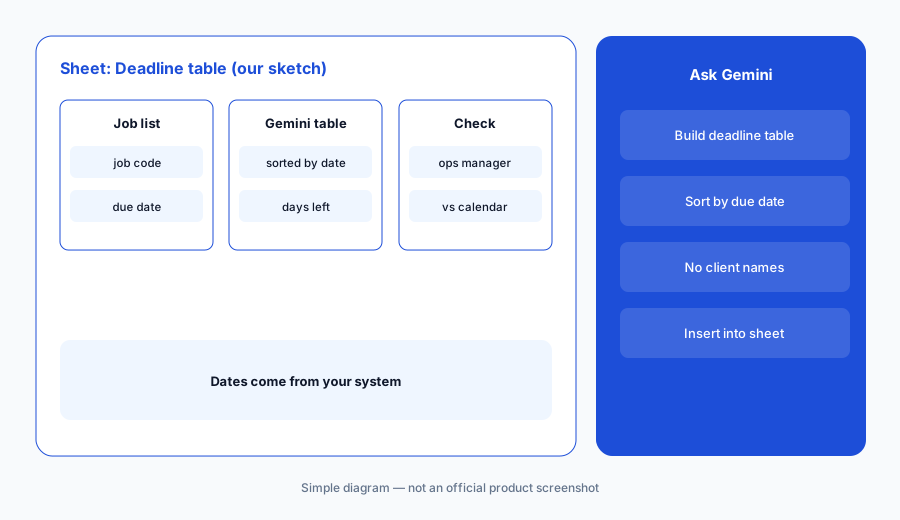
What it is: Export your open jobs as a sanitized sheet — job code, return or service type, entity type, assigned preparer initials, extension status, and the due date your practice system holds; no client names, SSNs, or EINs. Open it as a native Google Sheet (Google says Gemini works best with native Sheets files), click Ask Gemini, and ask for a filing-deadline table on a new tab: one row per job, sorted by due date, with a column for days left and an operations manager check column. Keep the export untouched on its own tab.
Gemini arranges dates you give it; it is not a source of due dates. Every date in the table is checked against the firm's own calendar and practice system, and Google notes that side-panel history is lost if you reload, close the sheet, or go offline — so insert results into the sheet.
Primary workflow:
Ask Gemini in Sheets to build a filing-deadline table from your sanitized job list. Have the operations manager check every date against the firm's calendar before anyone relies on it.
2. Capacity table by preparer and week
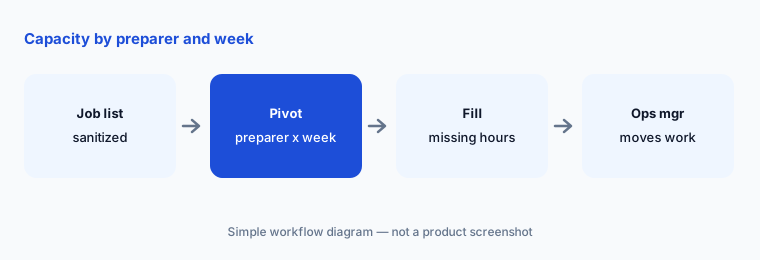
What it is: From the same sanitized job list, ask Gemini in Sheets for a pivot table of open jobs by preparer initials and week due, with estimated hours if your list has them. The point is a picture of who is overloaded in March, not a schedule. The operations manager moves work; Gemini only counts it.
A pivot table is only as good as the estimates in the list. If hours are missing, Gemini counts jobs, and a 1040 and a consolidated return look the same.
Count, then move:
Ask Gemini in Sheets for a pivot of open jobs by preparer and week. Have the operations manager fill any missing hour estimates and decide every reassignment herself.
3. Gmail: summaries of long client request threads
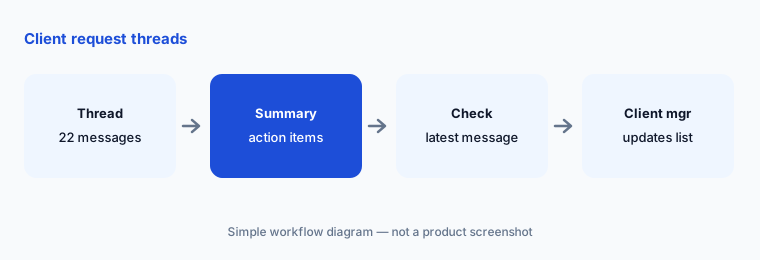
What it is: On a long thread about missing documents, open Gemini in Gmail and ask for a summary and a list of action items (Gmail help). Use the summary to update the request list in your practice system; reply yourself. If you draft a reply with Help me write, open Sources to see which emails and files it drew on and read every sentence before sending — a summary or draft can miss the one document the client said is coming separately.
Summaries flatten nuance. “Client will send the K-1 when the partnership issues it” and “client sent the K-1” are one word apart.
Check the last message:
Ask Gemini in Gmail for action items on one long client request thread. Have the client manager check each item against the latest message before updating the request list.
4. Docs: engagement summaries from approved templates
What it is: In Docs, start from the firm's approved engagement-summary template and add the sanitized engagement notes and the signed scope as Sources. Ask Gemini to fill the template — services, deliverables, key dates, open questions — and accept or reject each suggestion. Keep client identifiers out of the sources unless your WISP allows them; add names yourself at the end if the document needs them.
An engagement summary that adds a service the letter does not cover becomes a promise the client remembers.
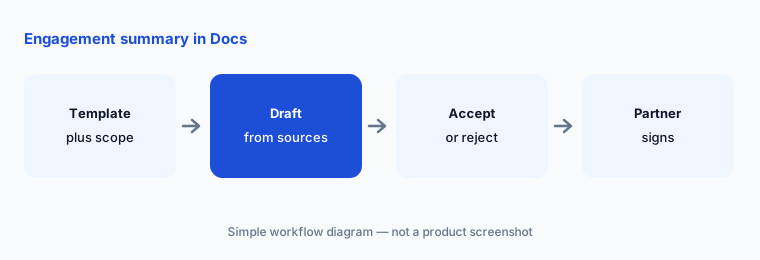
Template, then sign:
Fill one engagement summary from your approved template and the signed scope in Docs. Have the engagement partner check every line against the signed letter and sign it before it goes to the client.
5. Data-protection settings before any client data
What it is: Before anyone uses Gemini on real work, the firm administrator writes down, in the WISP, which Workspace apps may hold client data, whether Gemini may be used on them, and who may share files outside the domain. Google's AI privacy page describes Workspace with Gemini as not used for model training outside your domain without permission; the firm's own sharing settings and policy decide the rest.
Google says Help me write takes details from your other emails and Drive files to personalize drafts. A file shared too widely can end up in someone else's draft.
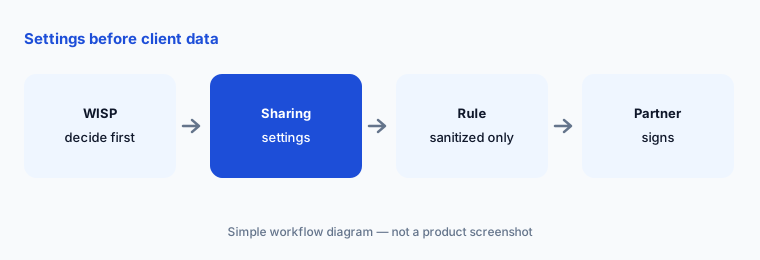
Settings first:
Before using Gemini on real work, have the firm administrator review Drive sharing settings and write the firm's Gemini rule into the WISP for the managing partner to sign.
6. Which Workspace plan has the Gemini features
What it is: Google's pricing page (read 21 October 2026) lists Gemini in Gmail on Business Starter, but marks Gemini in Docs and Sheets “not supported” on Starter; Business Standard adds Gemini in Gmail, Docs, Meet, and more, plus expanded Gemini Notebook. So the Sheets and Docs jobs on this page need Standard or above for the people doing them.
Upgrading every seat for three people's spreadsheets is the expensive way to do this. Check who actually builds the tables.
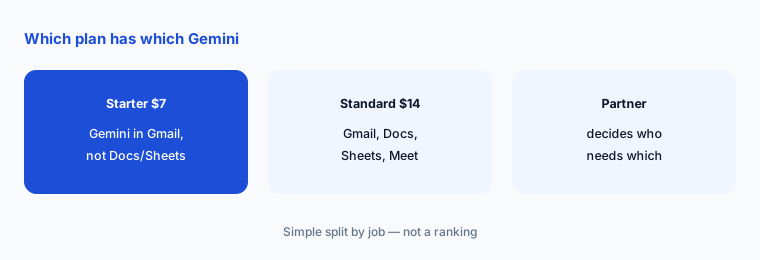
Price the people:
List who builds deadline and capacity tables. Have the managing partner price Business Standard for those people before changing anyone's plan.
Pricing context (October 2026)
As listed on Google's Workspace pricing page (checked 21 October 2026, Annual selected — “Save 16% with 1 year commitment”): Business Starter $7, Business Standard $14, Business Plus $22 per user per month, before tax. Starter, Standard, and Plus can be bought for up to 300 users; Enterprise has no published price.
Google is showing a new-customer offer: 20% off Starter and Standard and 30% off Plus “for 3 months,” with price details shown for Nov 4, 2026 – Feb 4, 2027. The page's footnote describes the introductory price as applying to the first 20 users for 12 months, so the two descriptions differ — confirm the final price at checkout. Gemini in Docs and Sheets needs Business Standard or above.
Uncertainty: Google's list prices, offers, and plan features change; use the live pricing page and your invoice. Features are described from Google's help pages as read on 21 Oct 2026. The offer banner and footnote on the pricing page describe the discount period differently. Whether client data may be used with Gemini is a decision for your firm's WISP, admin settings, counsel, and contract, not this page.
When it’s useful (honest take)
Useful when your firm runs on Google Workspace (Business Standard or above for the Sheets and Docs work), keeps job lists sanitized, and has an operations manager, client manager, and engagement partner who will check every date, item, and line.
Less useful when your practice system already holds the deadlines and workloads with client data inside (Karbon vs TaxDome, Canopy AI), your team drafts in Claude (Claude for accounting firm ops), or the job is return prep from documents (Juno vs SurePrep).
Paying for Gemini and a few other AI tools? The $9 AI toolkit spreadsheet lists every AI subscription you have, what each one costs, and how fast it pays for itself, so you can see which ones are worth the money.
Want someone to do it for you? AI toolkit audit — $19
Related options (educational)
| Need | Better home | Why |
|---|---|---|
| Deadline and capacity tables, thread summaries, engagement summaries | Gemini for accounting firm ops (this page) | Workspace Business plans |
| Sanitized reminders, clause drafts, policy outlines | Claude for accounting firm ops | Team or Enterprise seats |
| Due dates and workloads inside a practice system | Karbon vs TaxDome | Compare |
| Small-firm workflow with AI email drafting | Financial Cents AI | Published plans |
| Return prep from source documents | Juno vs SurePrep | Compare |
FAQ
Can Gemini tell us our filing deadlines?
No. Gemini arranges the dates you give it from your practice system. Every date in a deadline table is checked by the operations manager against the firm's calendar before anyone relies on it.
Which Workspace plan do we need?
Google's pricing page lists Gemini in Gmail on Business Starter ($7 per user per month on annual terms) and Gemini in Docs and Sheets on Business Standard ($14) and above, as checked 21 October 2026. Only the people building tables and summaries need Standard.
Can we use client data with Gemini?
Google says Workspace data is not reviewed by humans or used for model training outside your domain without permission. Whether your firm uses client data with Gemini is a decision for your WISP, admin settings, counsel, and contract. This guide uses sanitized job lists and templates only.
Can Gemini write engagement letters or client advice?
It can fill an approved engagement-summary template from the signed scope. It does not set scope, fees, or tax positions. The engagement partner signs every client-facing document. Nothing here is tax advice.
Who approves outputs?
The operations manager for every date and workload figure, the client manager for every request list update, the engagement partner for every client-facing document, the firm administrator for sharing settings, and the managing partner for the WISP and plan choice.
Optional next step (if seats overlap)
If your firm pays for Google Workspace with Gemini, a practice system with built-in AI, and other chat seats that all summarise the same client threads, map that overlap before adding another seat. Map the overlap with the $19 AI toolkit audit or the $9 AI toolkit spreadsheet. Email Audit $19 or Toolkit spreadsheet $9.
Checkout is live via Stripe. After you pay, we email delivery (spreadsheet) or intake next steps (audit).