What’s new · Accounting firm ops · Karbon · Sep 2026
What's new in Karbon (Sep 2026): September Assignments, engagements, payments, and close-check updates to verify before turning them on
Karbon published one dated release in September 2026 — 28 September — and it is a big one: Assignments views across every assignable item, engagement preview and bulk-created engagements, Payments on Account and tighter invoice controls, firm-wide time-entry prefill, cash or accrual account checks and a W-9 option in close automation, and a Wagepoint payroll integration for Canadian firms. For a firm the useful question is “is it on in our account, who approves its output, and which ten clients do we check first?” For the product review, see our Karbon AI review.
What this page covers
This page is for an operations manager, firm administrator, or practice lead at an accounting firm on Karbon who wants September's changes without reading the whole release — especially anything that changes who sees which work, what a client signs and pays, and how close checks flag a client's books. It is educational and not tax, audit, or accounting advice; a licensed CPA, EA, or the engagement partner owns any return, workpaper, audit conclusion, client letter, or filing.
We list only entries dated September 2026 on Karbon's own Karbon release notes. September has a single dated release page, 28 September 2026, and it holds ten distinct changes, so this page covers them by job. Karbon's next release, 6 October 2026 (Engagements available to all customers), falls outside September and is mentioned only where the 28 September notes point to it. Events and recognition posts are left out.
Ground rules stay the same: the client manager reads every engagement before it is sent, the billing lead approves every payment applied to an invoice, and the bookkeeping manager decides what a close-check alert means for a client's books. Descriptions below are Karbon's, not our measurement; none of these items is an AI feature, and the AI features themselves are covered in Karbon AI.
Major features (with how someone uses them)
Examples at a glance: each feature has a concrete example from a real job plus a short Try this you can run this week.
1. September items to decide on (primary)
What it is: From Karbon's dated September release, ten changes need an owner: (1) Assignments, one place for every assignable item with filters by assignee, client, role, and deadline (Karbon release notes, 28 Sep); (2) engagement preview and postview in the client-facing format (Karbon release notes, 28 Sep); (3) engagement templates and bulk-created drafts from a contact segment (Karbon release notes, 28 Sep); (4) Payments on Account — deposits, payment plans, partial payments, and credit held until applied (Karbon release notes, 28 Sep); (5) invoice detail controls and (6) billing-run search (Karbon release notes, 28 Sep); (7) time-entry prefill rules for role and task type, released progressively through October (Karbon release notes, 28 Sep); (8) cash or accrual basis for close-automation account checks and (9) a W-9 check option to exclude credit-card spend (Karbon release notes, 28 Sep); and (10) a Wagepoint payroll integration for Canadian firms (Karbon release notes, 28 Sep). We list only entries dated September 2026.
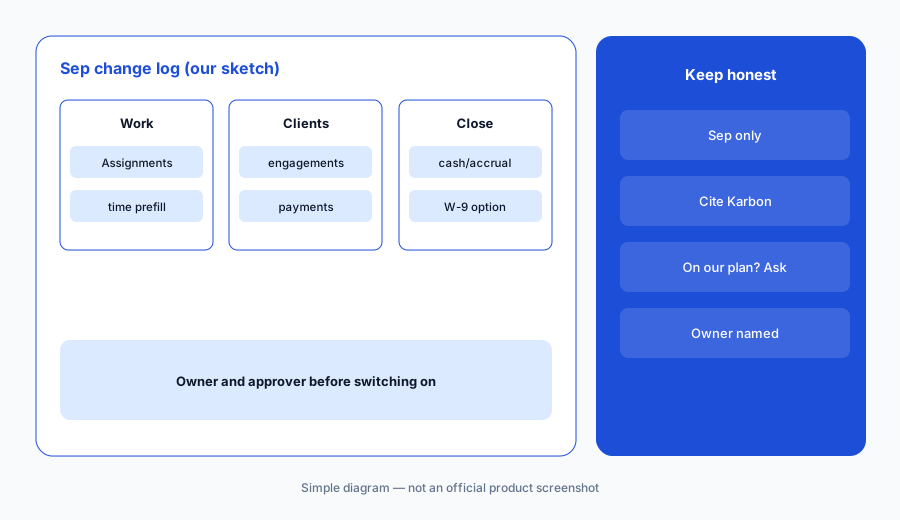
Primary workflow:
Pick one September Karbon item your firm might enable. Have the operations manager write who approves its output and which ten clients you'll check first.
2. Assignments: every to-do in one view
What it is: Per Karbon's 28 September release, Assignments brings every assignable item — tasks, emails, notes, client requests, eSignatures, approvals, StanfordTax tasks, and integration tasks — into one area you can filter by assignee, client, task role, queue position, or deadline, with prebuilt views such as “Assigned by me” and “Assigned to me” that can be shared with the team.
A shared workload view changes how managers spot overload, but it does not decide who should do the work. Agree which views the team uses before everyone builds their own.
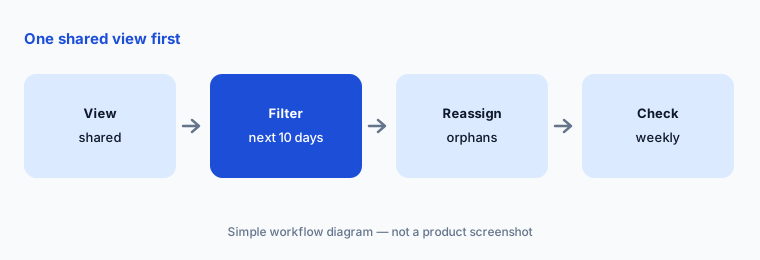
One shared view first:
Have the tax manager build one shared Assignments view for the next ten days of deadlines, and have the operations manager check it for items assigned to people who have left before anyone relies on it.
3. Engagement preview, templates, and bulk create
What it is: The 28 September notes add a preview of an engagement in its final client-facing format at any point — while building a template, before sending, or after acceptance (Karbon calls the after-acceptance view a postview, a record of what the client signed) — plus reusable engagement templates for repeatable services and bulk creation of draft engagements from a Contacts segment or the full client list, with a template applied to the whole batch. The same notes say Engagements became available to all Karbon customers on 5 October.
Bulk creation turns one template mistake into a hundred. Scope and fee wording in an engagement letter is a partner decision, not a setting.
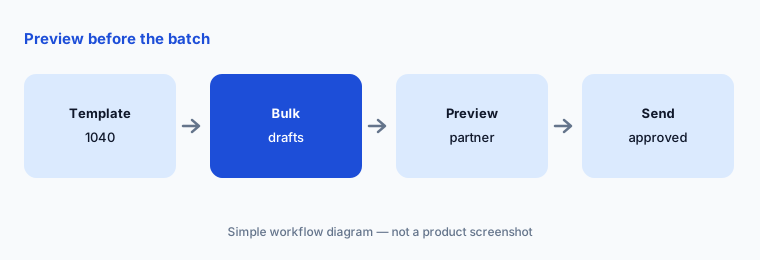
Preview before the batch goes:
Bulk-create drafts for one small client segment, and have the engagement partner preview five in the client-facing format and approve scope and fee wording before any engagement is sent.
4. Payments on Account and invoice controls
What it is: Karbon's 28 September release adds Payments on Account: collect a deposit at engagement signing and draw it down, run manual monthly payment plans, accept partial payments, take a payment with no invoice through a standalone link, and record checks, wires, or Zelle paid outside Karbon Payments; credit sits in Accounts Receivable as a negative balance until applied. Firms can also choose which client details an invoice needs before it is sent or posted (the client-address requirement can be turned off; invoices missing a billing email show as “Approved (Missing Email)”), and billing runs are now searchable.
Money held on account is still the client's money until it is applied. Someone should own the list of unapplied credits at month end.
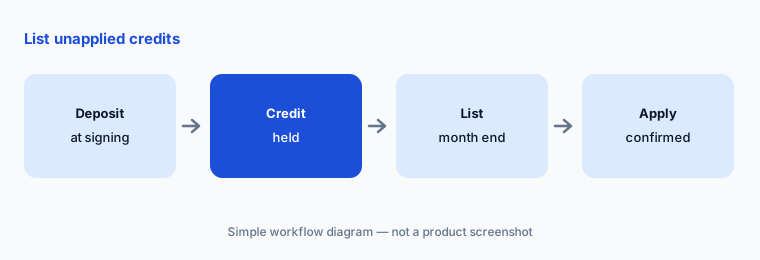
List unapplied credits:
After the first month with Payments on Account, have the billing lead list every unapplied credit and have the managing partner confirm each one before it is applied to an invoice.
5. Time-entry prefill rules
What it is: Per the 28 September notes, admins can set how Role and Task Type prefill on time entries across the Time screen, work items, and Triage: from the last entry on that work item, from the work item's budget line, from the most recent entry anywhere (the old default), left blank, or Smart Prefill, which tries those options in order. Karbon says this is released progressively through October and support can turn it on sooner.
Prefill speeds up time entry and also speeds up wrong time entry. Budget-versus-actual reports are only as good as the role and task type behind each line.
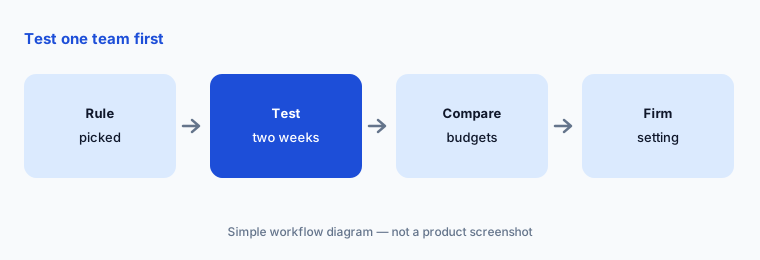
Test one team first:
Have the operations manager set one prefill rule for one team for two weeks and compare their time entries with the job budgets before changing the firm-wide setting.
6. Close checks: cash or accrual, W-9 option, Wagepoint
What it is: In close automation, the 28 September release lets account checks run on cash or accrual basis, so a cash-basis client's balance and variance alerts match the numbers it reports on (accrual stays the default; existing checks are unchanged; client or firm template level). The W-9 check gains an option to exclude credit-card spend by the paying account, and a second option removes those transactions from the vendor's year-to-date total; both are off by default. For Canadian firms, a Wagepoint integration creates payroll work items with due dates each pay cycle and updates status as payroll runs.
An alert that stops firing is not the same as a problem that went away. Whether card spend belongs in a 1099 review is the reviewing professional's call, not a default.
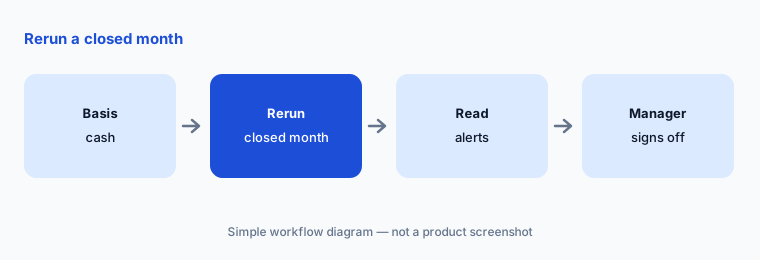
Rerun a closed month:
Switch account checks to cash basis for three cash-basis clients, rerun one closed month, and have the bookkeeping manager read every alert that appeared or disappeared before keeping the change.
Pricing context (October 2026)
Karbon's pricing page (checked 21 Oct 2026) prints Team at $59 per user per month, paid annually (or $79 per user per month paid monthly) and Business at $89 per user per month, paid annually; Enterprise is quoted. The pricing page also lists Karbon Payments card and ACH fees and eSignature credit packs. Karbon's FAQ, covered in our Karbon AI review, says its AI features come at no extra cost on paid plans.
The 28 September notes give no prices. Ask which plan includes Assignments, Engagements, Payments on Account, and close automation for your firm, and whether the Wagepoint integration has its own fee (as of 21 Oct 2026).
Uncertainty: We list only the dated September 2026 entry on karbonhq.com (the 28 September release), read on 21 Oct 2026. Time-entry prefill is released progressively through October, so it may not be in your account yet. Karbon does not say which plans include each change in these notes. We did not test any of these features.
When it’s useful (honest take)
Useful when your firm runs on Karbon and you need September's changes with an owner, an approver, and ten test clients for each.
Less useful when you need the product deep-dive — use Karbon AI — or you are choosing a practice system (Karbon vs TaxDome, Canopy AI, Financial Cents AI).
Paying for Karbon and a few other AI tools? The $9 AI toolkit spreadsheet lists every AI subscription you have, what each one costs, and how fast it pays for itself, so you can see which ones are worth the money.
Want someone to do it for you? AI toolkit audit — $19
Related options (educational)
| Need | Better home | Why |
|---|---|---|
| Karbon product review | Karbon AI | Tool review |
| Karbon vs TaxDome | Karbon vs TaxDome | Compare |
| TaxDome's September changes | What’s new in TaxDome (Sep 2026) | What’s new |
| Proposals and billing | Ignition AI | Tool review |
| Accounting firm stack inventory | Stack map for accounting firm ops | Stack map |
FAQ
Which September 2026 Karbon items did you read?
Karbon's release notes list one dated September release, 28 September 2026, covering Assignments, engagement preview and bulk create, Payments on Account, invoice controls, billing-run search, time-entry prefill, cash or accrual close checks, a W-9 option, and the Wagepoint integration. Read 21 October 2026.
Are any of these AI features?
No. The 28 September release is about workflow, engagements, billing, time, and close checks. Karbon's AI features (client summaries, email drafts, Kai, AI Rule Builder) are covered in our Karbon AI review.
Can bulk-created engagements go to clients without review?
Karbon lets you bulk-create drafts and preview them in the client-facing format. Treat scope and fee wording as the engagement partner's decision and preview a sample before any batch is sent.
Does the cash-basis option change existing close checks?
Karbon says accrual remains the default and existing checks are unchanged; you choose the basis per check at client or firm template level.
How much does Karbon cost in October 2026?
Team is $59 per user per month paid annually ($79 monthly) and Business is $89 per user per month paid annually; Enterprise is quoted (pricing page, 21 Oct 2026).
Optional next step (if seats overlap)
If September's Karbon changes overlap with a proposals tool, a payments tool, or a close tool your firm already pays for, map that overlap before the next renewal. Map the overlap with the $19 AI toolkit audit or the $9 AI toolkit spreadsheet. Email Audit $19 or Toolkit spreadsheet $9.
Checkout is live via Stripe. After you pay, we email delivery (spreadsheet) or intake next steps (audit).