Role guide · Nonprofits · Canva · Oct 2026
Canva for nonprofits (Oct 2026): the free Canva Nonprofits program for up to 50 users, eligibility and application, Canva AI and Magic Write on donor-facing designs, and who signs off on every appeal
Nonprofit role guide — Canva Nonprofits gives registered charitable nonprofits free access to every Canva Pro feature plus team tools, for one team of up to 50 users; extra seats are 50% off Canva Enterprise. That includes Brand Kits, the premium photo and template library, and Canva's AI tools — the Canva AI assistant, Magic Write for copy, and Magic Resize and Translate for other formats and languages. Canva now calls its AI tools Canva AI; the older Magic Studio name is gone from its AI page. This page covers who qualifies, how to apply, and six donor-facing jobs where Canva drafts and the communications lead approves the design while the development director checks every number and promise before anything is printed or sent. Donor names, gift amounts, and anything confidential stay out of AI prompts unless your data policy allows it.
Who this guide is for
This guide is for a communications lead, development director, or one-person marketing team at a registered charity that makes appeals, event flyers, social posts, and impact reports. It is not legal, tax, or gift-acceptance advice; a named person owns every donor-facing message, gift record, ask amount, and funder submission.
Facts come from Canva's Canva Nonprofits page, its eligibility guidelines, and its Canva AI page, read on 26 October 2026. For the product itself, see our Canva AI deep-dive. We did not test the application process.
The program is free, so the real cost is review time. Canva can draft copy, generate images, and resize a design for every channel in minutes, and every one of those outputs can carry a wrong number, a promise your program cannot keep, or an image that looks like a real beneficiary. Canva's own AI page says to review outputs, especially where accuracy matters, because AI can make mistakes.
Ground rules: the communications lead approves every design and owns the brand kit; the development director checks every number, match, deadline, and promise in donor-facing copy; nobody pastes donor names, gift amounts, or confidential case details into an AI prompt unless your data policy allows it.
Major features (with how someone uses them)
Examples at a glance: each feature has a concrete example from a real job plus a short Try this you can run this week.
1. Rebuild the year-end appeal with your Brand Kit and Magic Write
What it is: Canva Nonprofits includes Brand Kits — your colors, fonts, and logos in one place — and Magic Write, Canva's AI writing tool, listed on its Canva AI page. Start from last year's appeal so the layout and message are already approved, and let Magic Write offer a first draft of the copy.
Magic Write writes fluent copy that sounds sure of itself. It does not know your match deadline, last year's total, or what a gift actually pays for, so it may invent a number that reads perfectly.
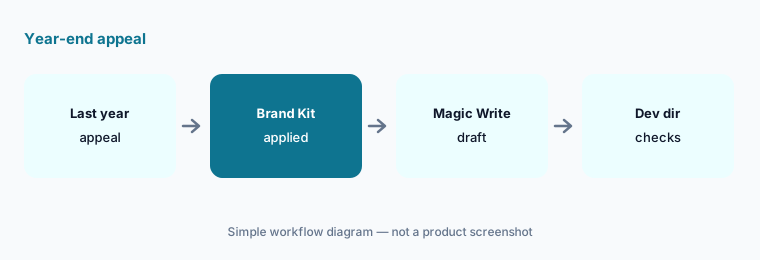
Start from last year's appeal:
Rebuild last year's year-end appeal postcard in Canva with your brand kit, and use Magic Write for a first draft of the copy. Have the development director check every number and promise on it before anything is printed.
2. Check eligibility and apply
What it is: Canva's eligibility guidelines say the program is for registered charitable nonprofits (a 501(c)(3) in the US, or the local equivalent) that are independent of government and not run for profit. Its nonprofits page lists who is not eligible: government agencies, political organizations, educational institutions, for-profit companies, most other 501(c) types, and grant-making foundations. Schools and universities use Canva's education plans instead.
Canva checks applications with Goodstack, a nonprofit verification service, and asks for proof of registration and governing documents. Canva says it decides at its discretion, so plan for the application to take a few days and possibly a follow-up question.
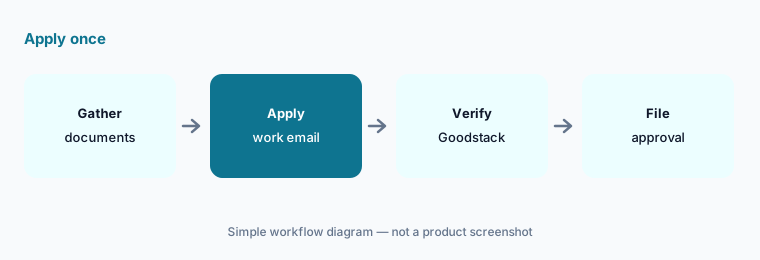
Gather documents first:
Before you apply, put your registration letter and governing documents in one folder. Have the executive director apply from a work email and file the approval where the board can find it.
3. Set up one team of up to 50 people
What it is: The free program covers one team of up to 50 users, per Canva's nonprofits page. Extra seats are 50% off Canva Enterprise. Canva's AI page says Teams and Enterprise admins can turn Canva's AI tools on or off from the admin panel.
Fifty seats sound like plenty until board members, volunteers, and chapter leads all want one. Decide who designs, who only comments, and who must never edit the Brand Kit.
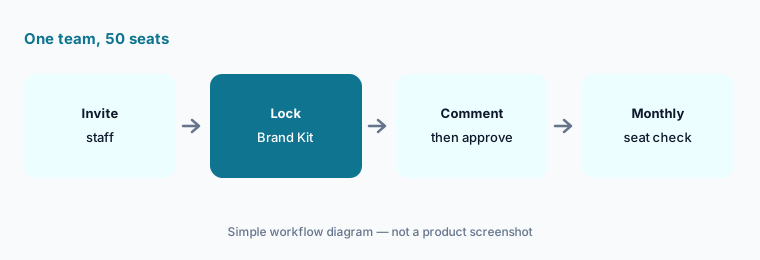
Write the seat rules:
Have the communications lead list who designs, who comments, and who owns the Brand Kit, and remove people who leave on a set day each month.
4. Use Canva AI images on donor-facing designs, carefully
What it is: The Canva AI page describes a conversational assistant that turns text or voice into designs and can generate images, charts, and headlines in the editor. Canva says it does not guarantee that AI-generated images or text are cleared for use, especially when the output resembles existing works.
Donors trust nonprofit photos to show real people and real work. A generated image of a smiling child or a full food pantry can mislead, even if no one meant it to.
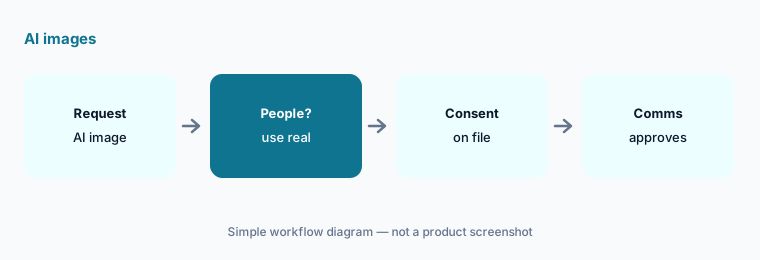
Set an image rule:
Write a one-line rule for AI images in donor materials. Have the communications lead check every image in the next appeal against it before approval.
5. Resize and translate one campaign for every channel
What it is: Magic Resize and Translate are listed on Canva's AI page: one design can become a social post, email header, and flyer, and copy can be translated into other languages.
Every resize and translation is a new design that can drop a line, crop a logo, or change a meaning. Machine translation of an appeal needs a fluent reader before it reaches a donor.
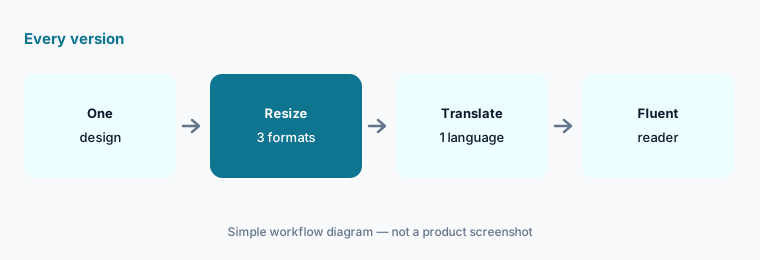
Check every version:
Resize one campaign design for three channels and translate it into one language. Have a fluent speaker and the communications lead check every version before it is scheduled.
6. Build the impact report with numbers finance has signed
What it is: Canva's nonprofits page lists building reports among the jobs small teams do in Canva, and its AI page lists data tools such as Magic Insights and Magic Formulas. Charts look finished long before the numbers are final.
Impact reports go to funders and boards. A chart built from a draft spreadsheet can carry an old total into a grant report.
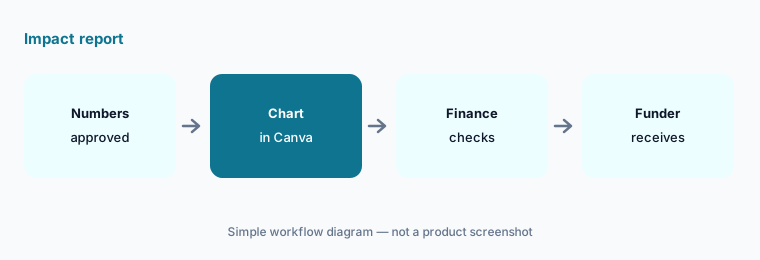
Lock the numbers first:
Build one impact-report chart only from numbers finance has approved. Have the finance lead check the chart and the development director check the claim beside it before it goes out.
Pricing context (October 2026)
Canva Nonprofits (Canva Nonprofits page, checked 26 October 2026): free for eligible registered nonprofits — all Canva Pro premium features plus team and collaboration tools for one team of up to 50 users. Additional seats are 50% off Canva Enterprise; the page does not print the Enterprise price. Canva says more than 1 million nonprofits in over 175 countries have free access.
Eligibility (eligibility guidelines, checked 26 October 2026): registered charitable nonprofits that are independent of government and not run for profit; verification through Goodstack with proof of registration and governing documents; Canva decides at its discretion. Not eligible: government agencies, political organizations, educational institutions, for-profit companies, most other 501(c) types, and grant-making foundations.
AI usage (Canva AI page, checked 26 October 2026): Canva says AI tools are available on the Free plan with increased usage and more advanced features on paid plans. It does not print AI usage limits for the nonprofit program; ask Canva or check inside your account.
Uncertainty: We did not test Canva or its application process. Facts come from Canva pages as read on 26 Oct 2026 and can change. Canva's pricing page could not be read by our checker that day, so this page prints no Canva Pro list price. AI usage limits for nonprofit accounts are not published on the pages we read. The 1 million nonprofits and 175 countries figures are Canva's own.
When it’s useful (honest take)
Useful when you are a registered charity with no design budget, a communications lead owns the brand, and the development director has time to check every number, deadline, and promise in donor-facing designs before they print or post.
Less useful when you are a school, government body, private foundation, or other 501(c) type (not eligible), you need more than 50 seats and cannot fund Enterprise, or you mainly want AI help writing grant proposals (Claude vs ChatGPT for grant writing, AI grant writing tools).
Paying for Canva and a few other AI tools? The $9 AI toolkit spreadsheet lists every AI subscription you have, what each one costs, and how fast it pays for itself, so you can see which ones are worth the money.
Want someone to do it for you? AI toolkit audit — $19
Related options (educational)
| Need | Better home | Why |
|---|---|---|
| Design, brand kit, and AI copy for appeals | Canva for nonprofits (this page) | Free for one team of up to 50 |
| Canva's AI tools in depth | Canva AI deep-dive | Product deep-dive |
| AI drafting inside Word and Outlook | Microsoft 365 Copilot for nonprofits | Copilot Chat in the free grant |
| AI drafting in Google Workspace | Gemini for nonprofits | Role guide |
| Long-form appeal and grant drafts | Claude for nonprofits | Nonprofit Team pricing |
| Online giving pages | Zeffy vs Donorbox | Compare |
FAQ
Is Canva free for nonprofits?
Yes, for eligible organizations. Canva Nonprofits gives registered charitable nonprofits all Canva Pro features plus team tools for one team of up to 50 users at no cost. Extra seats are 50% off Canva Enterprise (Canva's nonprofits page, checked 26 October 2026).
Who is not eligible for Canva Nonprofits?
Canva lists government agencies, political organizations, educational institutions, for-profit companies, most other 501(c) types, and grant-making foundations as not eligible. Schools and universities use Canva's education plans.
How does Canva verify a nonprofit?
Canva uses Goodstack to verify applications and asks for proof of registration and governing documents. Canva says it may decide at its discretion, so keep your documents ready and apply from a work email.
Can we use Canva AI images in fundraising materials?
You can, with care. Canva says it does not guarantee that AI-generated images are cleared for use. Many teams use AI images only for backgrounds and illustrations and use real, consented photos for people. The communications lead approves every image.
Who should approve Canva designs before they go out?
The communications lead approves the design and owns the Brand Kit; the development director checks every number, match, deadline, and promise; the finance lead checks any totals in reports. Keep donor names and confidential details out of AI prompts.
Optional next step (if seats overlap)
If you pay for a design tool, an AI chat seat, and a writing assistant that all draft the same appeal copy, map that overlap before adding another. Map the overlap with the $19 AI toolkit audit or the $9 AI toolkit spreadsheet. Email Audit $19 or Toolkit spreadsheet $9.
Checkout is live via Stripe. After you pay, we email delivery (spreadsheet) or intake next steps (audit).