Role guide · Nonprofits · Google Workspace · Oct 2026
Gemini for nonprofits (Oct 2026): the $0 Workspace for Nonprofits plan with the Gemini app and Gemini Notebook, the $3.50 Business Standard upgrade, Goodstack verification, and grant drafts your development team checks
Nonprofit role guide — Google now includes the Gemini app and Gemini Notebook (the notebook tool formerly called NotebookLM) in the $0 Google Workspace for Nonprofits plan, with enterprise-grade data protections for up to 2,000 users. Gemini inside Gmail and Docs is a different thing: it needs the discounted Business Standard plan at $3.50 per user per month. This page covers what each plan includes, how to qualify, and six jobs where Gemini drafts and your development team checks every fact before anything reaches a donor or funder. Donor names, gift amounts, and anything confidential stay out of prompts unless your data policy allows it. Product deep-dive: Gemini.
Who this guide is for
Development directors, grants managers, communications leads, and executive directors at a nonprofit that already uses Gmail and Google Drive, or is thinking about moving to them, and wants Gemini for grant drafts, appeals, board reports, and funder research. Google's eligibility page (read 24 October 2026) says every organization must be verified by Goodstack, and that governmental entities, hospitals and health care organizations, and schools and universities are not eligible, though their charitable arms, foundations, and philanthropic arms are.
Donor data stays out by default. Google's nonprofit AI help article says the Gemini app and Gemini Notebook come with enterprise-grade data protections on the nonprofit plan. That is a vendor setting, not a decision about your donors. Your data policy, donor privacy promises, and contracts decide what may go in; this guide keeps every prompt free of donor names, addresses, and gift amounts so confidential records stay where they are, and it is not legal, tax, or gift-acceptance advice.
Ground rules for every section below: Gemini drafts and summarizes; it does not decide who to ask, how much to ask for, or what to promise a funder, and a named person owns every donor-facing message, gift record, ask amount, and funder submission: the grants manager owns every proposal, the development director every appeal and ask amount, the database manager every gift record, and the executive director every funder submission and the plan choice.
Major features (with how someone uses them)
Examples at a glance: each feature has a concrete example from a real job plus a short Try this you can run this week.
1. A Gemini Notebook for need-statement first drafts (primary)
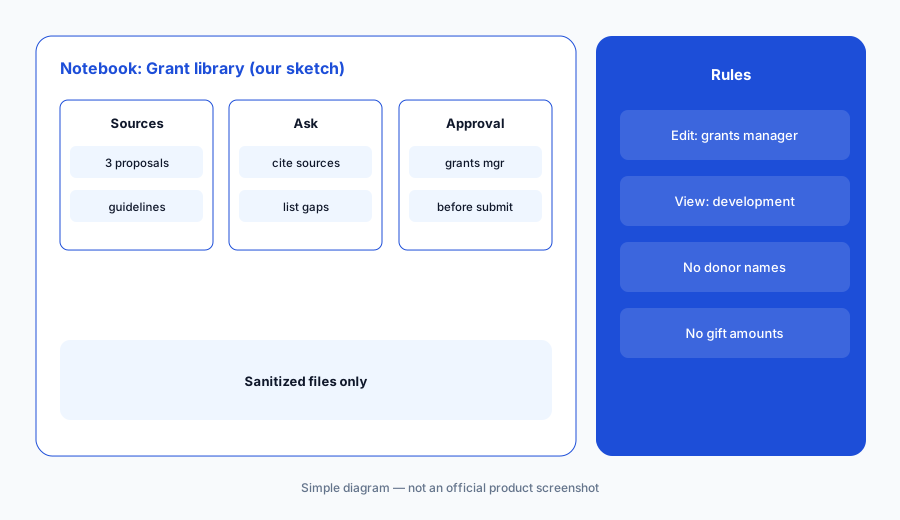
What it is: Create a notebook named Grant library in Gemini Notebook (Google's notebook page now carries that name). Add your last three funded proposals, your program budget narrative, and the funder's published guidelines, with donor names and gift amounts removed. Ask for a need-statement draft that cites the source for every sentence, and a list of anything the guidelines ask for that the files do not cover. Google's help article lists Gemini Notebook, Mind Maps, and Discover Sources as included in the $0 plan; higher limits and analytics are not.
The notebook answers from the files you give it and shows where each point came from, which makes the grants manager's check faster. It does not make a number true: a figure from an old proposal is still last year's figure.
Primary workflow:
Upload your last three funded proposals and the funder's published guidelines, with no donor names or gift amounts, to a Gemini Notebook on your Workspace for Nonprofits account. Ask for a first draft of the need statement with citations, and have the grants manager check every fact and figure against your records before it goes into the application.
2. Qualify first: Goodstack verification and the 300-user start
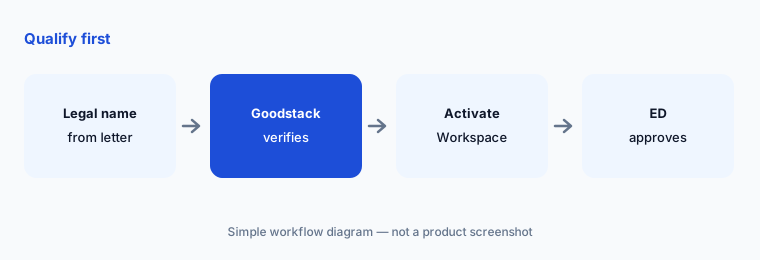
What it is: Google's eligibility page says every organization must be verified by Goodstack, Google for Nonprofits' validation partner, against the requirements for its country. Once approved, you activate Workspace for Nonprofits from the Products tab. Google's edition article says new accounts can add up to 300 users, and more on request through the Admin console, up to the 2,000-user cap.
Verification runs on the legal entity, so use the name and registration on your IRS determination letter or national register, not a program or brand name. Schools, hospitals, and government bodies are excluded, but a separately registered foundation that supports one may qualify.
Check the legal name:
Have the operations manager copy the legal name and registration number from your determination letter before starting Google for Nonprofits verification, and the executive director approve the activation.
3. What the $0 plan includes, and what needs Business Standard
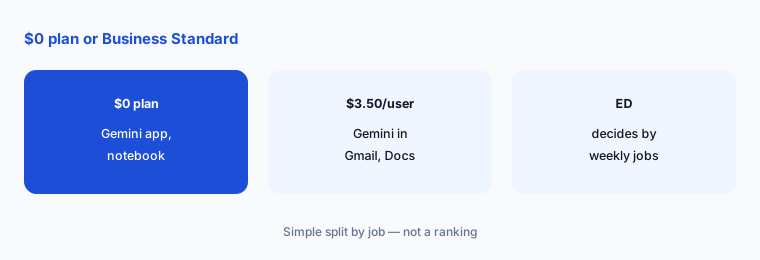
What it is: Google's help article lists, on the $0 plan: the Gemini app with Deep Research, Canvas and quizzes, Audio Overviews, image generation, Gems, and two-way Gemini Live, plus Gemini Notebook; Google Vids only in a limited form. Gemini in Workspace is marked not available on $0: Help me write in Gmail and Docs, the Gemini side panel in Gmail, Drive, and Docs, Take notes for me in Meet, and Workspace Studio. Those come with Business Standard, listed at $3.50 per user per month against $14 standard.
The practical split: the $0 plan gives you a separate AI app and notebook; the paid plan puts Gemini inside the email and documents your team already works in. Price it per user for everyone who would need it, and confirm with Google how licences apply across your account before you upgrade.
List the jobs first:
Have the development director list the three writing jobs your team does every week, and mark which need Gemini inside Gmail or Docs, before the executive director approves any Business Standard upgrade.
4. Deep Research for funder prospecting
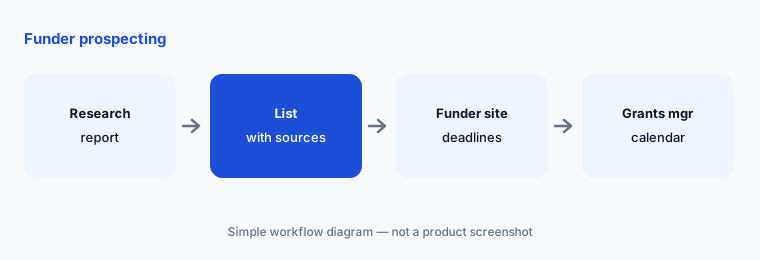
What it is: Google's help article includes Deep Research in the Gemini app on the $0 plan. Ask it to find foundations that have funded programs like yours in your region in the last three years, with links to each source. Treat the output as a reading list: deadlines, focus areas, and grant sizes change, and the funder's own site and most recent guidelines are the authority.
Deep Research reads public web pages. It does not know which funders already said no to you, which ones your board knows personally, or which ones want a letter of inquiry first.
Check every deadline:
Ask Deep Research for funders that fit one of your programs, with sources. Have the grants manager confirm every deadline and focus area on the funder's own site before anything goes on the grants calendar.
5. Gems with a do-not-paste list built in
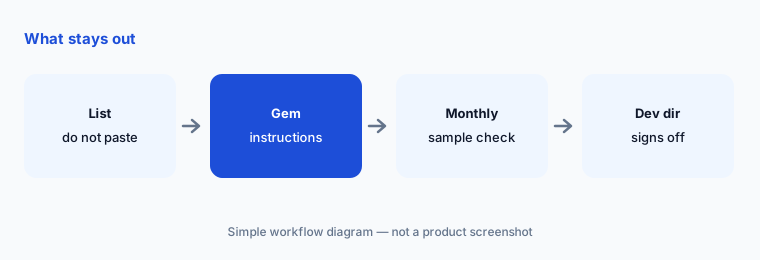
What it is: Gems are saved instructions you can reuse; Google's help article lists them on the $0 plan. Build an Appeal drafter Gem whose instructions include your style guide and a do-not-paste list: no donor names, addresses, gift amounts, or health or case details. Drafts use bracketed fields like [first name] and [last gift], which the database manager fills from the donor CRM after the copy is approved.
A Gem's instructions are a reminder, not a control. The real rule is your data policy, and the development director checks a sample of conversations each month.
Write the list first:
Have the development director write a one-page do-not-paste list and put it in every shared Gem's instructions before anyone uses the Gem for donor letters.
6. Audio Overviews and summaries for board packets
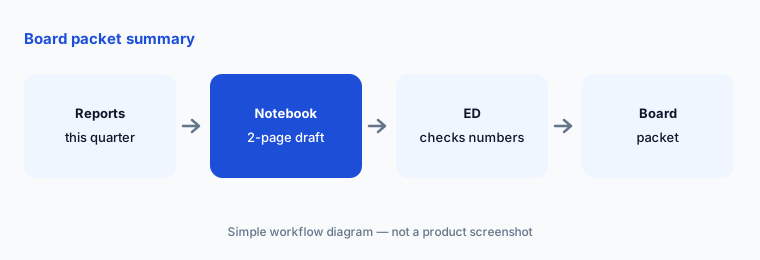
What it is: Gemini Notebook can turn your sources into a summary or an Audio Overview, which Google's help article says now works in 50+ languages with adjustable length. For board packets, add the quarter's program reports and the finance summary, ask for a two-page summary, and have the executive director check it against the originals. Google also offers free 1:1 video sessions with Product Specialists through its AI & Productivity Program if your team wants help setting this up.
A summary drops detail by design. Anything a board member could act on — a number, a risk, a promise to a funder — goes back to the source document.
Check the numbers:
Put this quarter's program reports and finance summary in a Gemini Notebook and ask for a two-page board summary. Have the executive director check every number against the source reports before the packet goes out.
Pricing context (October 2026)
As listed on Google's nonprofit plan comparison (checked 24 October 2026): Google Workspace for Nonprofits $0 per user per month (100 TB of storage shared across the organization, 150-participant Meet calls); Business Standard $3.50 per user per month on a one-year commitment or $4.20 billed monthly (75%+ off standard pricing); Business Plus $6.16 on a one-year commitment or $7.40 billed monthly (72%+ off); Enterprise Standard and Plus 70%+ off standard pricing. Google says the nonprofit plan and the discounted Business plans have a maximum of 2,000 users, and actual prices can vary slightly due to rounding.
Google's nonprofit AI help article lists the Gemini app and Gemini Notebook as included at no cost on the $0 plan, and Gemini inside Gmail, Docs, Drive, and Meet as part of Business Standard. Consumer Google AI plans are a separate product with separate pricing; see our Gemini deep-dive.
Uncertainty: Google's nonprofit plans, prices, and the list of included AI features change; use the live comparison page and your Admin console. Feature availability is described from Google's pages as read on 24 Oct 2026, not tested on a live nonprofit account, and some features may roll out by country or language. Whether donor data may go into any tool is a decision for your organization, its counsel, and the contract, not this page.
When it’s useful (honest take)
Useful when you are a verified nonprofit already on Gmail and Google Drive, your team writes grants, appeals, and board reports, and a named person checks every draft — the grants manager for proposals, the development director for appeals, the executive director for submissions.
Less useful when your donor CRM already drafts appeals with data inside it (Blackbaud AI, Bloomerang AI, Keela AI), your team already works in Claude or ChatGPT (Claude for nonprofits, ChatGPT for nonprofits), or the job is prospect research on named people (DonorSearch vs Kindsight).
Paying for Gemini and a few other AI tools? The $9 AI toolkit spreadsheet lists every AI subscription you have, what each one costs, and how fast it pays for itself, so you can see which ones are worth the money.
Want someone to do it for you? AI toolkit audit — $19
Related options (educational)
| Need | Better home | Why |
|---|---|---|
| Grant drafts and funder research in Google's own apps | Gemini for nonprofits (this page) | $0 plan; Business Standard $3.50/user/month for Gemini in Gmail and Docs |
| Grant drafts in shared projects with nonprofit connectors | Claude for nonprofits | See guide |
| Appeals and grant drafts in shared projects | ChatGPT for nonprofits | Nonprofit Business pricing |
| Grant drafting inside a grants tool | Grantable AI | See review |
| Funder research databases | Instrumentl vs Candid | Compare |
FAQ
Is Gemini free for nonprofits?
Google's nonprofit help article says the Gemini app and Gemini Notebook are included at no cost in the $0 Google Workspace for Nonprofits plan, with enterprise-grade data protections for up to 2,000 users. Gemini inside Gmail and Docs (Help me write, the side panel, Take notes for me in Meet) needs Business Standard.
How much does Business Standard cost for nonprofits?
Google's comparison page, checked 24 October 2026, lists Business Standard at $3.50 per user per month on a one-year commitment or $4.20 billed monthly, and Business Plus at $6.16 or $7.40. Enterprise editions are 70%+ off standard pricing. Everyone in the account moves to the same edition.
How do we qualify for Google for Nonprofits?
Every organization must be verified by Goodstack against the requirements for its country. Governmental entities, hospitals and health care organizations, and schools and universities are not eligible, though their charitable arms, foundations, and philanthropic arms are.
Can we put donor records into Gemini?
This guide says keep donor names, addresses, and gift amounts out of prompts by default. Google says the nonprofit plan has enterprise-grade data protections, but your data policy, donor promises, and contracts decide what goes in. This is not legal, tax, or gift-acceptance advice.
Who approves outputs?
The grants manager for every proposal, the development director for every appeal, Gem, and ask amount, the database manager for every gift record, and the executive director for every funder submission, board packet, and plan upgrade.
Optional next step (if seats overlap)
If your organization pays for Workspace upgrades, a donor CRM with built-in AI, and other chat seats that all draft the same appeals, map that overlap before adding another seat. Map the overlap with the $19 AI toolkit audit or the $9 AI toolkit spreadsheet. Email Audit $19 or Toolkit spreadsheet $9.
Checkout is live via Stripe. After you pay, we email delivery (spreadsheet) or intake next steps (audit).