Tool · Nonprofit fundraising ops · Givebutter · Oct 2026
Givebutter AI review (Oct 2026): AI writing help, donor CRM insights, and campaign tools on a free fundraising platform
Givebutter is a fundraising platform for small and mid-size nonprofits: donation forms, campaign pages, events and auctions, a donor CRM, and email, free to use when donors leave optional tips. At its product event on 1 October 2026 Givebutter launched Givebutter Magic, AI built into the platform: a campaign creator that drafts a page from your website, suggested amounts and recommended goals, AI contact summaries, smart filters, and AI connectors for ChatGPT and Claude. This page is about using them while a named person checks every number before supporters see it. Each section has a Try this.
What this Givebutter page covers
This page is for a development manager, executive director, or one-person development office at a small or mid-size nonprofit that uses Givebutter or is weighing it. It is not legal, tax, or gift-acceptance advice; a named person owns every donor-facing message, gift record, ask amount, and funder submission.
Givebutter Magic is described on Givebutter’s Magic page and in its changelog entry for The Spread (1 October 2026). Givebutter says Magic “drafts, suggests, and summarizes, but you always make the final call,” that it does not use your or your donors’ personal data to train third-party AI models, and that most Magic features come with the free account; advanced AI reporting sits in Givebutter Plus, and plain-language custom reports are “coming soon.”
Ground rules before you rely on it: the development manager reads every AI-drafted campaign page and checks every number, program claim, and donor story; the development director approves suggested amounts and goals; the database manager checks smart-filter lists; the executive director approves any connection that sends donor data to an outside AI tool.
Major features (with how someone uses them)
Examples at a glance: each feature has a concrete example from a real job plus a short Try this you can run this week.
1. Campaign creator: a first draft from your website
What it is: The campaign creator turns your nonprofit’s website into “a campaign first draft complete with a story, branding, images, and more,” and suggests a fundraising goal (Magic page). Givebutter’s changelog calls it going “from a blank page to a branded, ready-to-edit campaign draft in minutes.” You can also start from your own text, such as last year’s appeal.
A website and an old appeal both carry old numbers. A campaign page is a public promise: every figure and story on it has to be true this year, and every story needs the person’s consent.
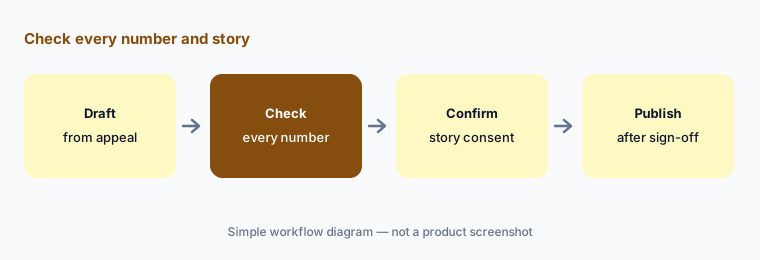
Primary workflow:
Let the AI draft one campaign page from last year’s appeal. Have the development manager check every number, program claim, and donor story before it is published.
2. Suggested amounts and recommended goals
What it is: Suggested amounts replace one-size-fits-all giving tiers with amounts “informed by your campaign type, cause, device, and fundraising across Givebutter”; recommended goals start from what similar organizations and campaigns raised, with optional stretch goals that rise as a campaign gains momentum (changelog, 2 Oct 2026).
Amounts tuned on other organizations’ donors can sit above or below what your donors give. A goal that stretches automatically can change the story you told your board.
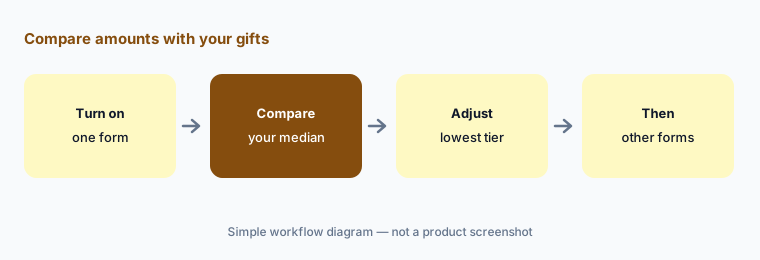
Compare with your gifts:
Turn on suggested amounts for one form. Have the development director compare the tiers shown with your own median and typical first gifts before using them on any other form.
3. Contact insights, summaries, and next steps
What it is: Givebutter’s redesigned contact profiles, announced at The Spread on 1 October 2026, add an AI-powered summary, badges that surface what matters about a supporter, recommended next steps, and speech-to-text notes you can record right after a conversation. Givebutter quotes a development manager who says the AI helps “identify an appropriate next step, and draft outreach that reflects the donor’s history” (Magic page).
A summary written from incomplete records misses the gift that came by check or the volunteer who never gave online.
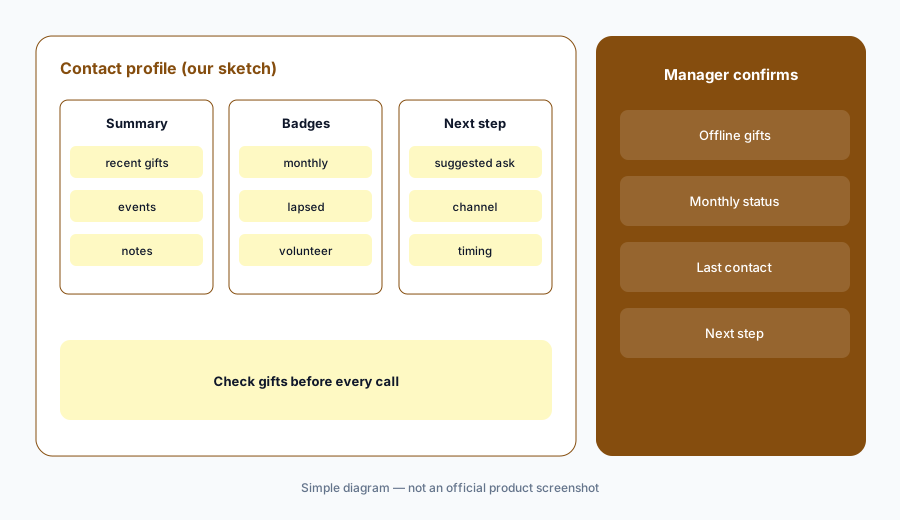
Check before you call:
Read the AI summary and next step for ten donors you will call this month. Have the development manager check each one against the full gift and contact history before any call or email.
4. Smart filters: describe the supporters you want
What it is: Smart filters let you “describe the supporters you want to find and Givebutter builds the filter for you” — Givebutter’s example is “Who gave last year but hasn’t given again?” (changelog). The filter is built from the conditions it infers, which you can see and edit.
Plain language is ambiguous. “Last year” can mean the calendar year or your fiscal year, and that changes who gets a lapsed-donor email.
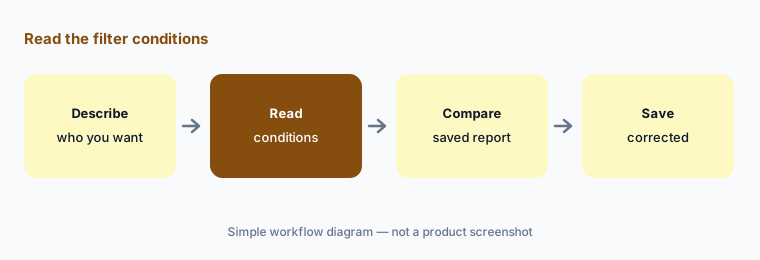
Read the conditions:
Build one lapsed-donor list with a smart filter. Have the database manager compare it with a saved report she builds by hand before any email goes to it.
5. AI connectors for ChatGPT and Claude
What it is: Givebutter’s MCP server connects your Givebutter data to ChatGPT, Claude, and other AI tools so you can ask questions about campaigns and supporters “with your existing Givebutter permissions in place” (changelog). Givebutter says connecting is optional, and that how data is handled inside a third-party AI tool depends on your account settings and that tool’s policies (Magic FAQ).
Once donor data is inside a chat tool, that tool’s retention and sharing settings apply. A personal chat account is not the place for donor records.
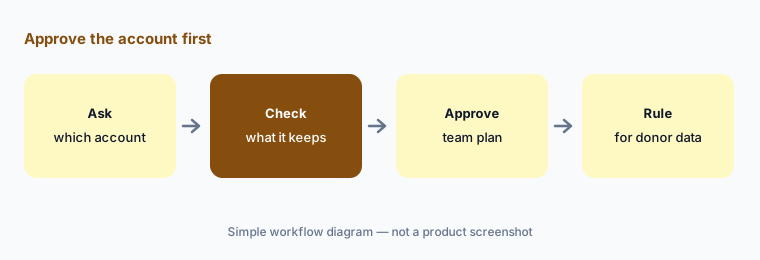
Approve the account first:
Before connecting Givebutter to any AI tool, have the executive director confirm which account and plan it uses and what that plan keeps, and write one rule for donor data before the first question is asked.
6. Magic Migration and AI receipt matching
What it is: Magic Migration helps organize and clean data when you move from another CRM, and at The Spread Givebutter added free Magic Data Extraction, where its team pulls data from popular platforms and maps it into import templates (Spread recap). For Givebutter Wallet Spend Cards, Givebutter Magic checks that an uploaded receipt matches the card transaction (changelog).
A migration that maps a field wrong can turn pledges into gifts or merge two households. Receipt matching confirms a receipt fits a charge, not that the purchase was allowed.
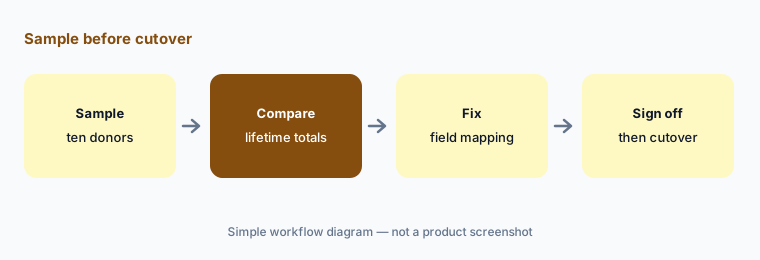
Sample before cutover:
Pick ten donors with long histories. Have the finance manager compare their lifetime giving before and after migration and sign off before the old system is switched off.
Pricing context (October 2026)
Givebutter’s pricing page (checked 22 Oct 2026) says the platform is free: with donor tips on, there are 0% platform fees and, under the Givebutter Guarantee, no processing fees for the nonprofit; with tips off, a flat 3% platform fee and standard processing (2.9% + 30¢) apply. Givebutter says 92% of donors cover the cost; that is its figure.
Givebutter Plus adds automated workflows, reporting, texting, video messages, email fundraising blocks, and priority phone support, priced by contact count: $348, $948, or $1,548 billed annually for up to 250, 1,000, or 2,500 contacts, or $33.80, $92.90, or $150.50 a month billed monthly; the page text we read did not show prices for larger contact counts, which have a talk-to-sales option. Every organization can start a fresh 30-day Plus trial by the end of 2026, per the changelog.
Givebutter says most Givebutter Magic features are included with the free account, with no separate AI fees or credits; advanced AI reporting needs Plus (Magic FAQ). Givebutter’s “47% conversion rate” for its donation forms is its own figure.
Uncertainty: We did not test Givebutter. Features, dates, and prices come from Givebutter’s pricing page, Magic page, The Spread recap, and changelog as read on 22 Oct 2026, and can change. Custom AI reports are listed as coming soon; mobile check acceptance was still rolling out.
When it’s useful (honest take)
Useful when you are a small or mid-size nonprofit that wants forms, pages, events, and a CRM in one free platform, you would use AI drafts and summaries as a starting point, and a development manager will check every number before supporters see it.
Less useful when you already run a large donor CRM (Blackbaud vs Bonterra), you need outside prospect screening (DonorSearch AI), or you want a checkout tuned for high-volume giving on your own site (Fundraise Up AI).
Paying for Givebutter AI and a few other AI tools? The $9 AI toolkit spreadsheet lists every AI subscription you have, what each one costs, and how fast it pays for itself, so you can see which ones are worth the money.
Want someone to do it for you? AI toolkit audit — $19
Related options (educational)
| Need | Better home | Why |
|---|---|---|
| Free forms, pages, CRM, and built-in AI | Givebutter AI (this page) | Free with optional tips; Plus from $348/year |
| AI-set amounts on your own site’s checkout | Fundraise Up AI | Performance-based fee |
| Outside wealth and giving screening | DonorSearch AI | Quote-only |
| Writing help and smart amounts in a small-team CRM | Neon One AI | Neon CRM about $1,188/year at entry |
| Daily recommendations for small and mid-size teams | Bloomerang AI | CRM from $125/month billed annually |
| Big donor CRMs side by side | Blackbaud vs Bonterra | Both quote-only |
FAQ
What AI does Givebutter have in October 2026?
Givebutter Magic, launched at The Spread on 1 October 2026: a campaign creator, suggested amounts, recommended goals, AI contact summaries and next steps, smart filters, AI connectors for ChatGPT and Claude, Magic Migration, and receipt matching for Spend Cards. Plain-language custom reports are coming soon.
Is Givebutter Magic free?
Givebutter says most Magic features are included with the free account, with no separate AI fees or credits. Advanced AI-powered reporting is part of Givebutter Plus.
How much does Givebutter Plus cost?
As printed on 22 Oct 2026: $348, $948, or $1,548 billed annually for up to 250, 1,000, or 2,500 contacts, or $33.80, $92.90, or $150.50 a month billed monthly. For larger contact counts, ask Givebutter’s sales team.
Does Givebutter use donor data to train AI?
Givebutter says it does not use your or your donors’ personal data to train third-party AI models, and that its own models train only on aggregated, de-identified data.
Who should check Givebutter AI output?
The development manager for every campaign draft and contact summary; the development director for suggested amounts and goals; the database manager for smart-filter lists and migrations; the executive director for any AI connector.
Optional next step (if seats overlap)
If you pay for Givebutter Plus, a separate CRM, and a chat seat that drafts the same appeals, that overlap is worth mapping. Map the overlap with the $19 AI toolkit audit or the $9 AI toolkit spreadsheet. Email Audit $19 or Toolkit spreadsheet $9.
Checkout is live via Stripe. After you pay, we email delivery (spreadsheet) or intake next steps (audit).