Tool · Nonprofit fundraising ops · Virtuous · Oct 2026
Virtuous AI review (Oct 2026): AI donor insights, suggested next steps, content drafting, and responsive fundraising automation for mid-size nonprofits
Virtuous sells a donor CRM (CRM+) built around what it calls responsive fundraising, plus add-on products: Momentum, an AI fundraising assistant for major and mid-level gift officers; Insights, for predictive donor data and prospect research; and Raise, for online giving. Through 2026 Virtuous has added AI next steps, engagement plans, email drafts, a research agent, and an AI page builder. This page is about using them while a named person decides every donor contact. Each section has a Try this.
What this Virtuous page covers
This page is for a development director, major gifts officer, or database manager at a mid-size nonprofit that runs on Virtuous CRM+ or is evaluating it. It is not legal, tax, or gift-acceptance advice, and prospect research should follow your own donor-privacy policy.
Virtuous’s AI is spread across products. Momentum connects to your email and CRM (Virtuous CRM+, Raiser’s Edge NXT, Salesforce, Blackbaud CRM and others) and gives each gift officer a daily list of suggested outreach, email drafts in their own voice, and engagement plans. Insights adds predictive donor data and, since July 2026, a research agent. A lighter email drafting tool is now included in every CRM+ tier. Virtuous’s company news page dates each release.
Ground rules before you rely on it: the development director approves every AI-suggested next step before outreach; the gift officer edits and sends every email (Momentum says nothing is sent automatically); whoever does prospect research reads every research report; the executive director signs off on every public giving page.
Major features (with how someone uses them)
Examples at a glance: each feature has a concrete example from a real job plus a short Try this you can run this week.
1. Momentum suggested next steps (primary)
What it is: Momentum sends each gift officer a daily summary of the highest-priority opportunities in their portfolio, “driven by donor behavior, capacity and your email inbox,” with outreach suggestions linked to a daily donor plan (Momentum page). Emails, calls, and meetings are logged back to the CRM automatically, and alerts cover birthdays, pledges, and stewardship moments.
A suggestion does not know that the donor’s spouse died last month or that a board member asked to make the next call. Someone has to check history before acting.
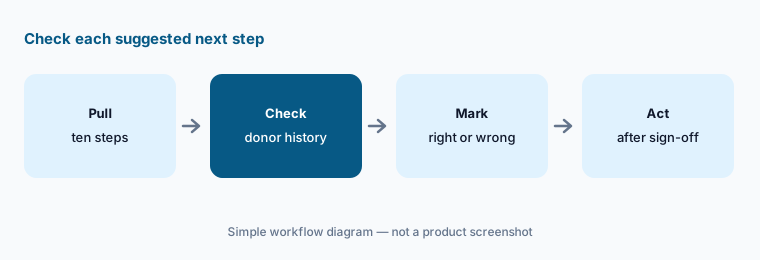
Primary workflow:
Take ten AI-suggested next steps from Virtuous. Have the development director check each donor’s history and mark the step right, wrong, or missing before anyone acts.
2. The AI Engagement Planner in Momentum
What it is: On 24 September 2026 Virtuous described the AI Engagement Planner: Momentum writes a donor bio from giving history, behavior, and external signals, then drafts an engagement plan with outreach timing, recommended channels, and next steps toward a gift. The fundraiser reviews, refines, and confirms the plan before Momentum creates the tasks, emails, and reminders. Virtuous says the AI does not send outreach on its own.
A plan for every donor can bury a gift officer in tasks. Confirming a plan is a promise to do the work.
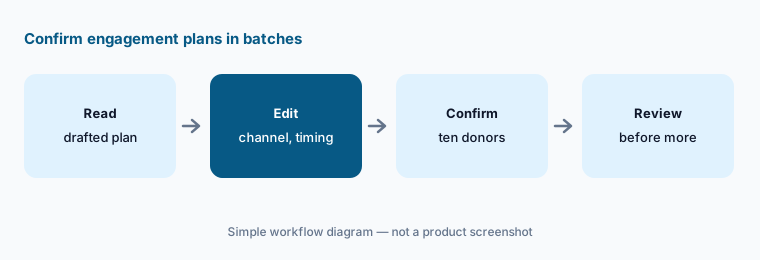
Confirm in batches:
Confirm AI engagement plans for ten donors only. Have the major gifts officer check each plan’s timing, channel, and ask against what she knows before confirming more.
3. AI email drafts in CRM+
What it is: On 22 September 2026 Virtuous brought Momentum’s drafting into Virtuous CRM+. From a contact record you choose Compose with Momentum, write a short prompt, and get a draft with a subject line built from the donor’s giving summary, lifetime giving, and tags. You copy it or open it in your own email client; Virtuous does not send it for you.
The draft only knows what is on the record. If the tags are stale, the email will be too.
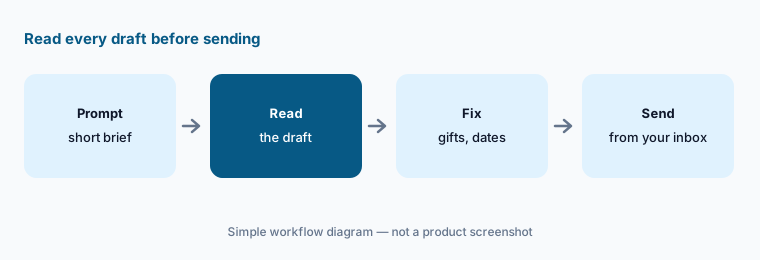
Read before sending:
Draft five donor thank-you emails with Compose with Momentum. Have the development director check every gift, date, and program mentioned against the record before any email is sent.
4. Insights AI Research Agent (beta)
What it is: On 21 July 2026 Virtuous introduced the Insights AI Research Agent, in beta for Virtuous Insights customers. It starts from the CRM record, adds wealth and real-estate data, the donor’s LinkedIn profile, and web research, and returns one cited, exportable report covering giving capacity, a suggested gift ask, passions and interests, key relationships, and recent funding. An AI chat lets you ask follow-up questions about the report.
A suggested ask is a starting point for a conversation with your director, not a number to put in a letter.
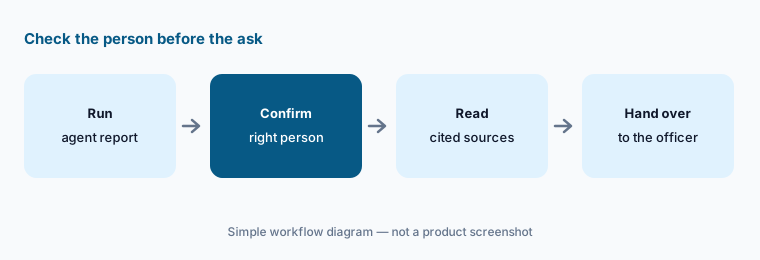
Check the person first:
Run the research agent on five donors you have already researched by hand. Have the prospect researcher compare every fact and cited source with her own notes before any report shapes an ask.
5. Capacity profiles and Insights predictions
What it is: On 22 September 2026 Virtuous announced that every contact synced into Momentum comes back with an estimated net worth, five-year estimated donation capacity, property value, and property equity, built from third-party income and real-estate records. When there is not enough to match, it shows an explicit no-match state with a reason. Virtuous Insights customers also get likelihood signals modeled on their own giving and engagement history.
Capacity estimates from public records miss people who rent, recently moved, or keep wealth private. They can also be right about the person and wrong about their interest in you.
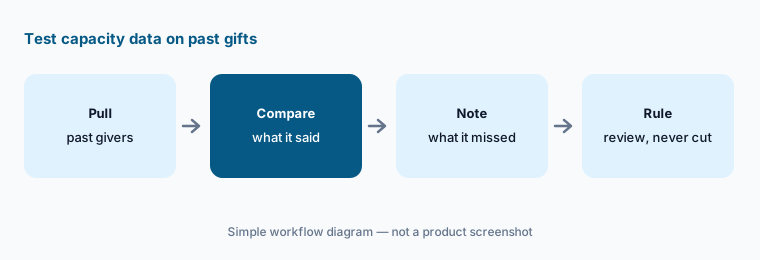
Test on past gifts:
Compare capacity profiles for twenty donors who gave major gifts last year with what you knew before. Have the database manager write down what the profiles missed before anyone uses them to cut a list.
6. Raise AI Page Builder for donation pages
What it is: On 11 August 2026 Virtuous introduced the Raise AI Page Builder. You build a Knowledge Base first (mission statement, brand voice guidelines, annual reports, campaign briefs, or a crawl of your own website), describe the campaign in a sentence, and it assembles a donation page from pre-designed modules. An AI Chat then lets you change the page by asking instead of editing by hand.
A page written from your annual report can repeat last year’s numbers. Every figure on a giving page is a promise to donors.
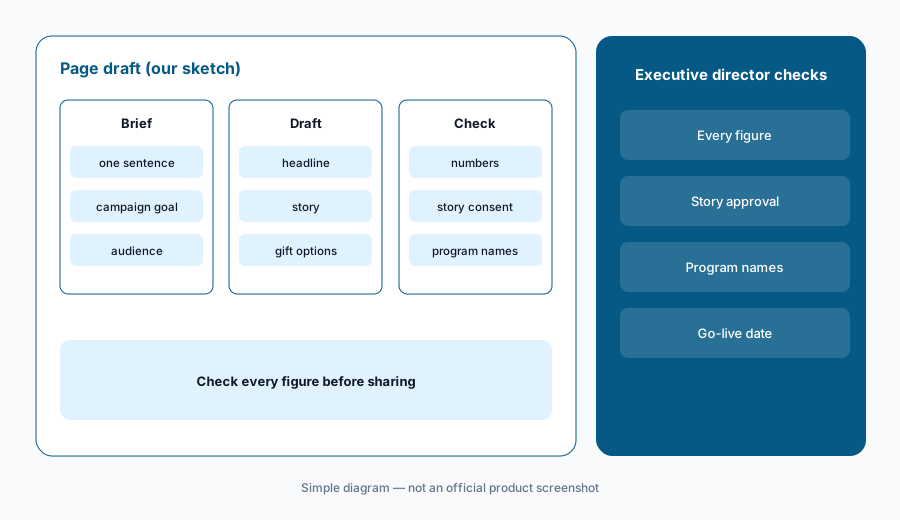
Check every figure:
Build one donation page with the Raise AI Page Builder. Have the executive director check every number, story, and program name against current reports before the page is shared.
Pricing context (October 2026)
Virtuous’s pricing page (checked 22 Oct 2026) prints no prices. Every product says Request Pricing: Virtuous CRM+ comes in a Platform tier for nonprofits with fundraising revenue up to $5 million a year and an Enterprise tier above that, both with unlimited users; Raise, Momentum, Insights, Analytics, and Volunteer are priced separately. Treat it as quote-only.
Some AI comes with CRM+: Virtuous says AI email generation is included in all CRM+ tiers at no extra cost, with 100 email credits per organization per month (one per draft, regenerations included), and no self-serve way to buy more. Insights customers get their first portfolio of research agent reports at no cost. Ask what Momentum, Insights, and extra research reports cost for your file size, and get it in writing.
Virtuous publishes outcome figures for Momentum customers (for example a 66% increase in major gift size). Those are the vendor’s figures, not ours.
Uncertainty: We did not test Virtuous. Features, dates, and prices come from Virtuous’s product pages, pricing page, and company news posts as read on 22 Oct 2026, and can change. The research agent is in beta; prices are quote-only; Momentum can connect to CRMs other than Virtuous.
When it’s useful (honest take)
Useful when you are a mid-size development team with gift officers carrying more donors than they can track, you already use or are choosing Virtuous CRM+, and a development director will check every suggested next step before a donor hears from you.
Less useful when you are a very small team that needs printed prices (Neon One AI or Bloomerang AI), you mainly want likelihood lists for mail appeals (Dataro AI), or your donor records need a cleanup before any suggestion is worth reading.
Paying for Virtuous AI and a few other AI tools? The $9 AI toolkit spreadsheet lists every AI subscription you have, what each one costs, and how fast it pays for itself, so you can see which ones are worth the money.
Want someone to do it for you? AI toolkit audit — $19
Related options (educational)
| Need | Better home | Why |
|---|---|---|
| Gift officer next steps, plans, and drafts | Virtuous AI (this page) | Quote-only |
| Writing help, donor summaries, smart gift amounts for small teams | Neon One AI | Neon CRM about $1,188/year at entry |
| Likelihood lists and research on top of your CRM | Dataro AI | From $15,000/year |
| Donor summaries and agent outreach in Raiser’s Edge NXT | Blackbaud AI | Quote-only |
| Daily recommendations for small and mid-size teams | Bloomerang AI | CRM from $125/month billed annually |
FAQ
What AI does Virtuous have in October 2026?
Momentum (suggested next steps, email drafts in your voice, the AI Engagement Planner, capacity profiles), AI email drafts inside CRM+, the Insights AI Research Agent in beta, and the Raise AI Page Builder for donation pages.
How much does Virtuous cost?
Virtuous prints no prices; every product says Request Pricing. CRM+ has a Platform tier for fundraising revenue up to $5 million a year and an Enterprise tier above that. AI email drafts are included in all CRM+ tiers with 100 credits per organization per month.
Does Virtuous send AI emails to donors automatically?
No. Virtuous says Momentum drafts and you edit and approve, and CRM+ drafts open in your own email client for you to send.
Do I need Virtuous CRM+ to use Momentum?
No. Virtuous says Momentum works with Virtuous CRM+, Raiser’s Edge NXT, Salesforce, Blackbaud CRM, and other systems.
Who should check Virtuous AI output?
The development director for suggested next steps; the major gifts officer for engagement plans; whoever does prospect research for research agent reports; the database manager for capacity data; the executive director for public giving pages.
Optional next step (if seats overlap)
If you pay for Virtuous Momentum, a separate research tool, and a general chat seat that all draft donor emails, that overlap is worth mapping. Map the overlap with the $19 AI toolkit audit or the $9 AI toolkit spreadsheet. Email Audit $19 or Toolkit spreadsheet $9.
Checkout is live via Stripe. After you pay, we email delivery (spreadsheet) or intake next steps (audit).