Tool · Nonprofit fundraising ops · Bloomerang · Oct 2026
Bloomerang AI review (Oct 2026): Daily Recommendations and ProspectAI research from Dataro, the Penny assistant beta, conversational reporting, and the Data Health Hub for nonprofits
Bloomerang is a donor CRM, fundraising, and volunteer platform used mostly by small and mid-size nonprofits. Its AI has two parts: features in the core product (the Penny assistant in beta, conversational reporting, Smart Amounts, and writing help), and the paid Intelligent Giving Platform, powered by Dataro, which adds likelihood predictions on donor records, a Daily Recommendations list, on-demand ProspectAI research, and a Data Health Hub. This page is about using them while a named person still decides who gets contacted and what they are asked for. Each section has a Try this.
What this Bloomerang page covers
This page is for an executive director, development director, or database manager at a small or mid-size nonprofit that runs on Bloomerang or is evaluating it. It is not legal, tax, or gift-acceptance advice, and prospect research should follow your own donor-privacy policy.
The Intelligent Giving Platform is Bloomerang’s paid AI upgrade. Dataro announced its Bloomerang integration generally available on select plans on 1 July 2026; Bloomerang’s help article says it predicts whether each donor with at least one gift is likely to give, lapse, upgrade, or be ready for a major gift, and that “nothing reaches a constituent automatically.” Bloomerang’s 2026 release notes added Daily Recommendations and Penny’s access to that donor intelligence on 13 August 2026.
Ground rules before you rely on it: the development director checks every recommended donor and email draft against the donor’s giving history; the prospect researcher (or whoever does research) reads every ProspectAI report before it shapes an ask; the database manager decides every duplicate merge. Bloomerang says customer data is never used to train AI models.
Major features (with how someone uses them)
Examples at a glance: each feature has a concrete example from a real job plus a short Try this you can run this week.
1. Daily Recommendations and likelihood predictions (primary)
What it is: With the Intelligent Giving Platform, a Daily Recommendations tile on the Home page shows the top three actions for your organization, refreshed daily, each with one action: create a task, draft an email, or generate a ProspectAI report (13 Aug 2026 release). Bloomerang says the list draws on Dataro’s Predict AI and puts retention risk, major-gift opportunity, ask timing, and upgrade or mid-level growth first. Creating a task or drafting an email uses no credits.
A prediction is a starting point. It does not know about the board member who just spoke with that donor.
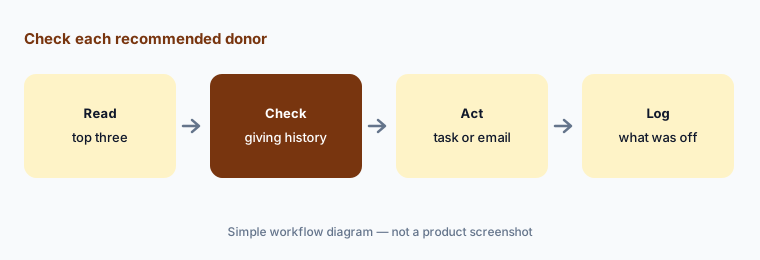
Primary workflow:
Work the Daily Recommendations tile for ten days. Have the development director check each suggested donor and email draft against the donor’s giving history before anything is sent.
2. ProspectAI research reports
What it is: From a constituent record you click Enrich Profile, and in five to ten minutes a source-cited report appears with an executive summary, gift capacity, an optimal ask, affinity, events, capacity indicators such as estimated net worth, professional background, publicly documented charitable giving, and due-diligence news (help article). Each report uses credits.
Public records can match the wrong person with the same name. A wrong capacity figure can lead to an awkward ask.
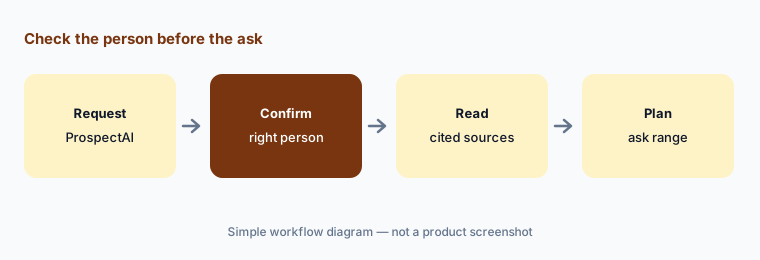
Check the person first:
Request ProspectAI reports for three donors you know well. Have the executive director confirm every fact matches the right person and read each cited source before any report shapes an ask.
3. Penny, the AI assistant (beta)
What it is: Bloomerang introduced Penny on 22 January 2026. You can ask Penny about new donors and retention, what to prioritize today, how to prepare for a meeting, or to add a constituent (Penny help article). With the Intelligent Giving Platform you can ask it to list donors by likelihood and save the list as a group. Penny shows only data the user may see, your organization can turn it off, and it is in beta for a limited number of customers with a waitlist.
A chat answer about “retention rate” depends on how Bloomerang defines it. Check one number against a report you trust.
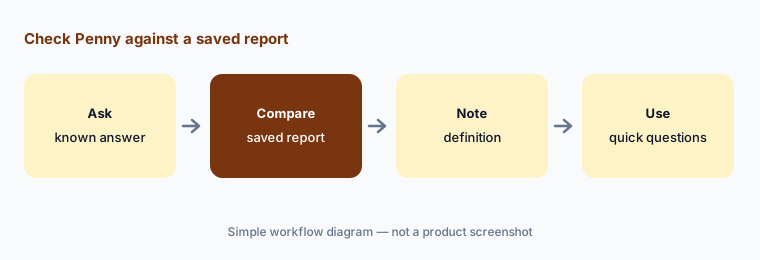
Check one number:
Ask Penny three questions you already know the answers to, such as last year’s retention rate. Have the development director compare each answer with your saved reports before anyone uses Penny for board numbers.
4. Conversational reporting
What it is: Since May 2026 you can describe a report in plain language and Bloomerang builds it, including filters and columns, and you can then ask it to refine the report. Bloomerang says anyone with permission to edit reports can use it, and you can still edit the result by hand.
A plain-language request can pick a different date field than you meant, such as gift date versus deposit date.
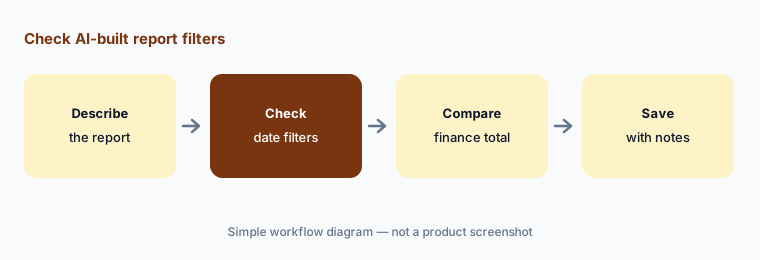
Check the filters:
Describe one report you already run by hand. Have the database manager compare the AI-built filters and the total with the manual version before saving it for others.
5. Data Health Hub and duplicate suggestions
What it is: The Intelligent Giving Platform adds a Data Health Hub with duplicate detection and a Data Health Agent that suggests duplicates and capitalization fixes; you accept, edit, or dismiss each suggestion (2026 release notes; help article). Bloomerang says it takes some time to scan existing data after you upgrade.
Two people at one address with similar names may be a parent and adult child, not a duplicate.
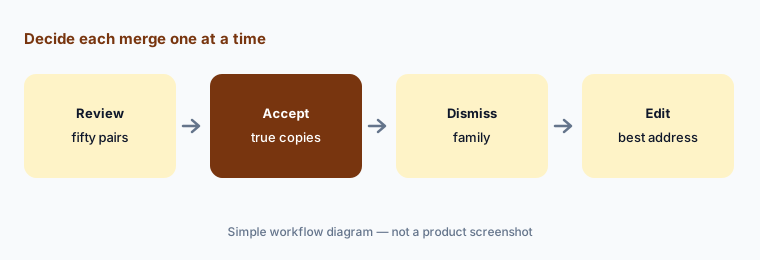
One merge at a time:
Review the first fifty duplicate suggestions in the Data Health Hub. Have the database manager decide each merge one at a time and log every dismissed pair before any bulk action.
6. Smart Amounts and the AI Content Assistant
What it is: Bloomerang’s AI page lists Smart Amounts (“automated, smart donation amounts that adapt to every donor”) on giving forms and an AI Content Assistant that helps create, refine, and personalize email copy. Its pricing page also lists an AI writing assistant in the peer-to-peer page builder.
Suggested amounts that are too high can lower completed gifts. Watch the numbers for a few weeks before you trust the defaults.
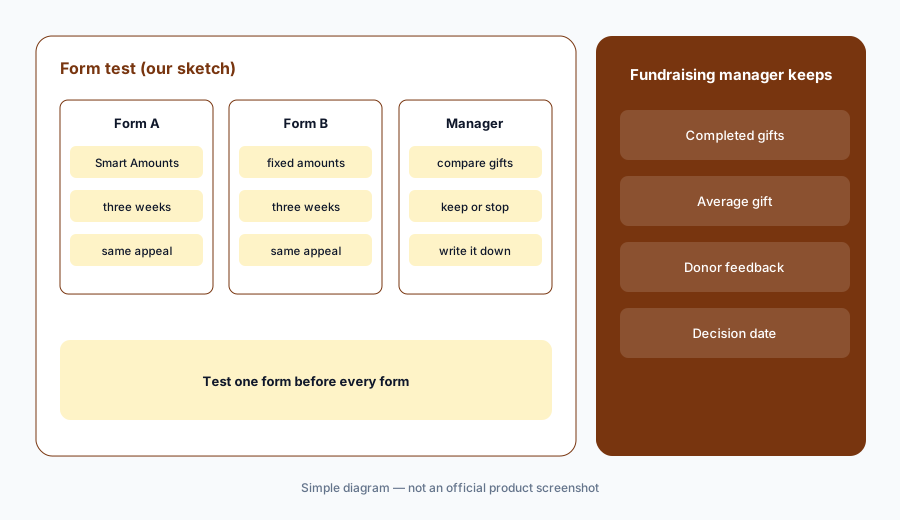
Test before widening:
Turn on Smart Amounts for one giving form and keep fixed amounts on another for three weeks. Have the digital fundraising manager compare completed gifts on both before changing every form.
Pricing context (October 2026)
Bloomerang’s pricing page (checked 22 Oct 2026) prints starting prices, all billed annually with unlimited users: Bloomerang CRM from $125 per month, Bloomerang Fundraising from $40 per month (must be bought with the CRM), Bloomerang Volunteer from $119 per month, and the Giving Platform bundle (all three plus Prospect AI and predictive donor insights) from $242 per month, with “Contact Sales for pricing.” Actual prices depend on your records and setup.
The Intelligent Giving Platform is an upgrade with no printed price; Bloomerang’s help article points to an interest form. It says that through the end of 2026 the platform is in an introductory period with a credit allowance, “no hard caps and no overage charges.” ProspectAI reports use credits; likelihood predictions, tasks, and email drafts do not. Ask what credits cost after 2026.
Bloomerang says it is trusted by more than 24,000 nonprofits (Dataro’s press release). That is the vendors’ figure, not ours.
Uncertainty: We did not test Bloomerang. Features, dates, and prices come from Bloomerang’s pricing page, AI page, help center, and release notes, and Dataro’s press release, as read on 22 Oct 2026, and can change. Penny is in beta with a waitlist; the Intelligent Giving Platform is on select plans with introductory credits through 2026; credit pricing after 2026 is not published.
When it’s useful (honest take)
Useful when you are a small or mid-size development team on Bloomerang (or choosing a CRM with printed prices), nobody has time to decide who to call each morning, and a named person will check every recommendation and report before a donor hears from you.
Less useful when you run a large shop on Raiser’s Edge NXT (Blackbaud AI), you need campaign segments and peer-to-peer coaching in EveryAction or DonorDrive (Bonterra Que), or your donor data needs a cleanup before any prediction is worth reading.
Paying for Bloomerang AI and a few other AI tools? The $9 AI toolkit spreadsheet lists every AI subscription you have, what each one costs, and how fast it pays for itself, so you can see which ones are worth the money.
Want someone to do it for you? AI toolkit audit — $19
Related options (educational)
| Need | Better home | Why |
|---|---|---|
| Daily recommendations, research, and Penny for small teams | Bloomerang AI (this page) | CRM from $125/month billed annually |
| Donor summaries and agent outreach in Raiser’s Edge NXT | Blackbaud AI | Quote-only |
| Segments, drafts, automations, peer-to-peer coaching | Bonterra Que | Quote-only; Que included by plan |
| Sanitized appeal drafts in general chat | Claude | No donor data |
| Spreadsheet of who to call, by hand | Three checks before another AI seat | Free |
FAQ
What is the Intelligent Giving Platform in Bloomerang?
It is Bloomerang’s paid AI upgrade, powered by Dataro. It adds likelihood predictions on donor records, Daily Recommendations, on-demand ProspectAI research reports, and a Data Health Hub. Dataro announced it generally available on select plans on 1 July 2026.
How much does Bloomerang cost in October 2026?
Bloomerang prints starting prices billed annually: CRM from $125 per month, Fundraising from $40 per month with the CRM, Volunteer from $119 per month, and the Giving Platform from $242 per month. The Intelligent Giving Platform upgrade has no printed price.
Is Penny available to every Bloomerang customer?
Not yet. Bloomerang’s help center says Penny is in beta for a limited number of customers with a waitlist, and organizations can turn it off.
Does Bloomerang send AI emails to donors automatically?
No. Bloomerang’s help article says the intelligence prepares and drafts, your team reviews, decides, and sends, and nothing reaches a constituent automatically.
Who should check Bloomerang AI output?
The development director for Daily Recommendations and email drafts; whoever does prospect research for ProspectAI reports; the database manager for duplicate merges and AI-built reports; the digital fundraising manager for Smart Amounts.
Optional next step (if seats overlap)
If you pay for Bloomerang, a separate research tool, and a general chat seat that all suggest who to call, that overlap is worth mapping. Map the overlap with the $19 AI toolkit audit or the $9 AI toolkit spreadsheet. Email Audit $19 or Toolkit spreadsheet $9.
Checkout is live via Stripe. After you pay, we email delivery (spreadsheet) or intake next steps (audit).