Tool · Nonprofit fundraising ops · Neon One · Oct 2026
Neon One AI review (Oct 2026): AI writing help, donor insights, and fundraising workflow tools in Neon CRM for small nonprofits
Neon One makes Neon CRM, a donor and membership database with forms, events, and email for small and mid-size nonprofits, plus website, peer-to-peer, and ticketing products. Its AI is early and mostly in beta: an assistant called Gen that summarizes a donor’s history, the Generosity Indicator, and Intelligent Donation Amounts on donation forms. For writing, Neon One’s free AI Xchange hub gives prompts and skill files to use in your own AI tool. This page is about using them while a named person reads every word before it goes out. Each section has a Try this.
What this Neon One page covers
This page is for an executive director, development director, or operations manager at a small nonprofit that runs on Neon CRM or is choosing a CRM with printed prices. It is not legal, tax, or gift-acceptance advice.
Neon One’s 2026 guide to AI in fundraising (last updated 6 October 2026) lists three AI tools: the Generosity Indicator (machine learning, live for a couple of years), Intelligent Donation Amounts (new), and Gen, the AI assistant (in beta testing). It says the tools keep donor data inside your own database. The writing help is separate: the AI Xchange is a free hub of prompts, skill files, and safety guides you use with a general AI tool, not a button inside Neon CRM.
Ground rules before you rely on it: the executive director reads every AI-drafted appeal before it is sent; the development director checks every Gen summary before a donor meeting; an admin reviews the suggested gift amounts on forms; the operations manager owns every automation that sends messages.
Major features (with how someone uses them)
Examples at a glance: each feature has a concrete example from a real job plus a short Try this you can run this week.
1. AI writing help: AI Xchange prompts and skill files (primary)
What it is: The AI Xchange offers ready-to-use prompts (asks that reference a donor’s past support, gift acknowledgments, annual report sections, press pitches) and downloadable skill files, including a Direct Mail and/or Email Appeal Letter skill, an Event Invitation Drafter, and a social campaign content generator. It also gives an AI validation checklist that asks you to fact-check every statistic, program name, and quote.
Neon One’s own prompts tell the AI not to make up information. A draft can still turn “about 300 families” into “over 500 families.”
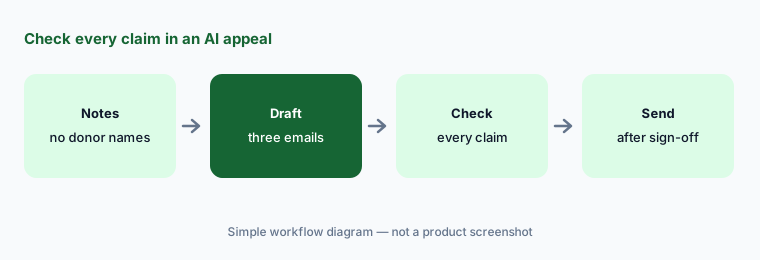
Primary workflow:
Let the AI draft three appeal emails from last year’s campaign notes. Have the executive director check every fact, number, and program claim before any appeal goes out.
2. Gen, the AI assistant (beta)
What it is: Neon One’s guide describes Gen as a conversational assistant, in beta, that pulls a donor’s gifts, emails, event attendance, volunteer shifts, and notes from Neon CRM into one summary you can read before a call. Neon One says Gen is being tested and refined with nonprofits and is not yet on every account.
A summary is only as complete as the record. A conversation that never got logged will not be in it.
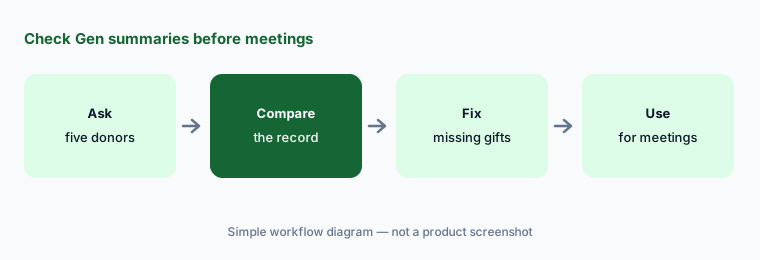
Check before the meeting:
Ask Gen for summaries of five donors you know well. Have the development director compare each summary with the donor record and her own notes before using Gen to prepare a meeting.
3. The Generosity Indicator
What it is: Neon One says the Generosity Indicator is a machine-learning feature, live for a couple of years, that gives each donor an affinity and capacity signal based on their gift and event history across nonprofits that use Neon One, as a guide to their potential to give more (Neon One guide).
A donor whose generosity shows up as volunteer hours may look weak on a gift-based signal. Neon One’s own guide makes this point about gift-only tools.
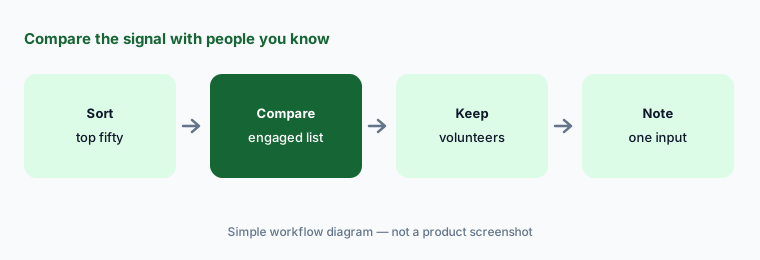
Compare with people you know:
Sort your top fifty donors by the Generosity Indicator. Have the development director compare the list with the supporters she knows are most engaged before anyone is dropped from cultivation.
4. Intelligent Donation Amounts (beta)
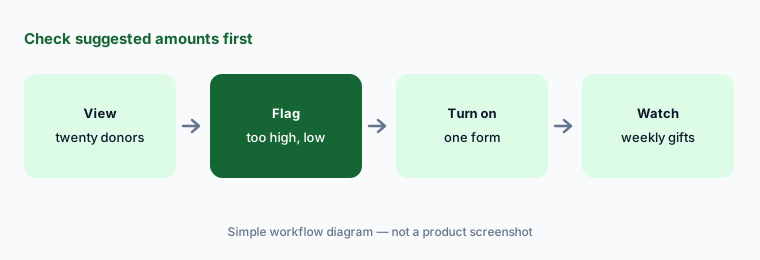
What it is: Neon One’s article (last updated 6 October 2026) says Intelligent Donation Amounts personalize the suggested gift amounts on Neon CRM donation forms from each donor’s highest past gift and seasonality. It needs a logged-in or email-verified donor with at least two prior gifts, retrains weekly, and falls back to your default amounts otherwise. Admins can view the suggested amounts for any donor and flag them as too high, too low, or about right; you turn it on under Settings, Giving Optimization. Neon One listed it as a beta in its August 2026 product update and reported that in beta the median gift rose from $52 to $100 — the vendor’s figure.
A higher suggested amount can put off a donor whose last gift was unusual, such as a memorial gift.
Check before switching on:
View the suggested amounts for twenty donors you know before turning on Intelligent Donation Amounts. Have the development director flag any that look wrong and start with one form.
5. Donation Upgrade Prompt, Giving Motivation, and Form Analytics
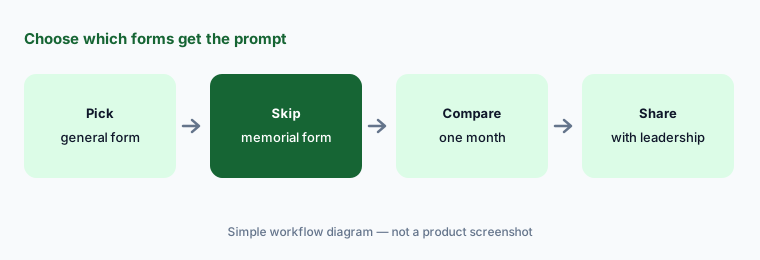
What it is: Neon One’s August 2026 product update added a Donation Upgrade Prompt that can nudge one-time donors to make it a monthly gift, an optional Giving Motivation question (six choices, such as belief in the mission or honoring someone) that feeds reports, and Form Analytics that track how Intelligent Donation Amounts and the monthly prompt perform. Only the amounts use AI; the prompt and the question are settings you control.
A monthly nudge on a memorial or tribute form can feel tone-deaf to a grieving donor.
Choose forms on purpose:
Turn on the Donation Upgrade Prompt for one general giving form. Have the digital fundraising manager compare a month of Form Analytics with the month before before adding it to any other form.
6. Automated workflows and Stewardship Journeys
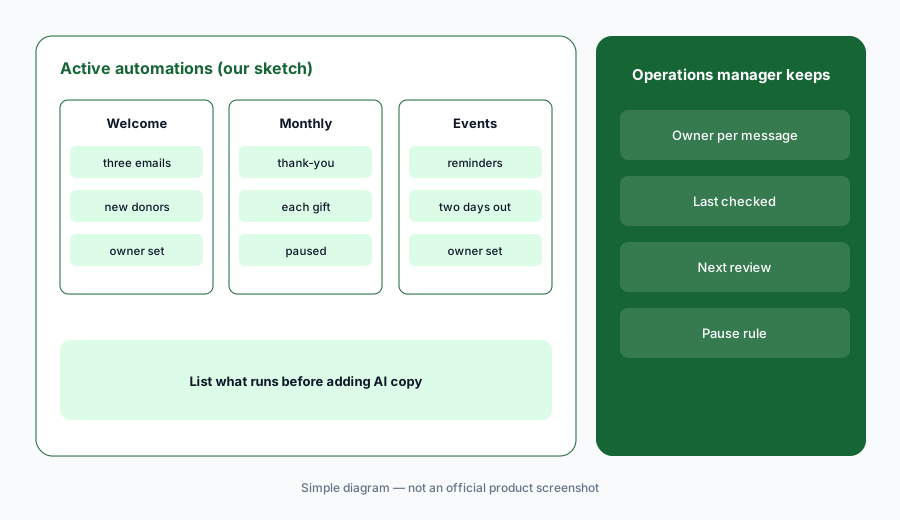
What it is: Neon CRM’s product page lists automated workflows (welcome series, event reminders) and Stewardship Journeys, and says staff can send personalized emails or texts straight from report results. These are rule-based automations, not AI: they send what you set up, when you set it up. They are where AI-drafted copy usually ends up, so they need the same check.
An automation keeps sending after the facts change. A welcome email that names last year’s program goes to every new donor until someone fixes it.
List what runs:
List every active workflow and Stewardship Journey in Neon CRM. Have the operations manager read each message and note its owner and next review date before adding AI-drafted copy to any of them.
Pricing context (October 2026)
Neon One’s Neon CRM pricing page (checked 22 Oct 2026) prints a monthly starting price that comes to $1,188 a year at the entry level. Pricing is based on your organization’s revenue, not record counts, with unlimited records; optional modules add a percentage of the CRM fee: +10% for Memberships, +10% for Volunteers, +20% for Events. A detailed pricing guide is sent by email after you enter your revenue band.
Neon One’s pricing overview also prints Neon Websites from $69 per month and Neon Fundraise (peer-to-peer) from $158 per month. No separate price is printed for Gen, the Generosity Indicator, or Intelligent Donation Amounts; ask whether they are included in your plan and when Gen leaves beta. The AI Xchange prompts and skill files are free, but you need your own AI tool to run them.
Neon One says nonprofits on its platform see an average 35% increase in donation revenue in their first year. That is the vendor’s figure, not ours.
Uncertainty: We did not test Neon One. Features, dates, and prices come from Neon One’s product pages, pricing pages, blog posts, AI Xchange hub, and August 2026 product update as read on 22 Oct 2026, and can change. Gen and Intelligent Donation Amounts are in beta; the full price depends on your revenue band and modules.
When it’s useful (honest take)
Useful when you are a small nonprofit that wants a CRM with a printed starting price, your team writes appeals in a general AI tool already, and the executive director will read every AI-drafted appeal and check every suggested amount before donors see them.
Less useful when you need AI next steps and plans for gift officers (Virtuous AI), likelihood lists for large mail programs (Dataro AI), or AI predictions that are generally available today (Bloomerang AI sells its Dataro-powered upgrade on select plans).
Paying for Neon One AI and a few other AI tools? The $9 AI toolkit spreadsheet lists every AI subscription you have, what each one costs, and how fast it pays for itself, so you can see which ones are worth the money.
Want someone to do it for you? AI toolkit audit — $19
Related options (educational)
| Need | Better home | Why |
|---|---|---|
| Writing prompts, donor summaries, smart gift amounts for small teams | Neon One AI (this page) | Neon CRM about $1,188/year at entry |
| Gift officer next steps, plans, and drafts | Virtuous AI | Quote-only |
| Likelihood lists and research on top of your CRM | Dataro AI | From $15,000/year |
| Segments, drafts, automations, peer-to-peer coaching | Bonterra Que | Quote-only; Que included by plan |
| Sanitized appeal drafts in general chat | Claude | No donor data |
FAQ
Does Neon CRM have built-in AI writing?
Not as a general writing button. Neon One’s AI Xchange gives free prompts and skill files, such as an appeal letter skill, to use in your own AI tool. Gen, the assistant inside Neon CRM, summarizes donor history and is in beta.
How much does Neon CRM cost in October 2026?
Neon One prints a monthly starting price that comes to $1,188 a year at the entry level, based on revenue rather than records. Memberships and Volunteers add 10% each and Events adds 20% of the CRM fee.
What are Intelligent Donation Amounts?
A beta feature on Neon CRM donation forms that suggests gift amounts from each donor’s past giving. It needs at least two prior gifts from a logged-in or email-verified donor, and admins can flag amounts as too high or too low.
Is my donor data used to train public AI models?
Neon One says its tools keep donor data inside your own database and that Intelligent Donation Amounts work from your first-party data without sending it to train public AI models. Ask for this in your contract.
Who should check Neon One AI output?
The executive director for every AI-drafted appeal and public page; the development director for Gen summaries and the Generosity Indicator; an admin for suggested amounts; the operations manager for automations.
Optional next step (if seats overlap)
If you pay for Neon CRM, a general chat seat for appeal writing, and a separate screening tool, that overlap is worth mapping. Map the overlap with the $19 AI toolkit audit or the $9 AI toolkit spreadsheet. Email Audit $19 or Toolkit spreadsheet $9.
Checkout is live via Stripe. After you pay, we email delivery (spreadsheet) or intake next steps (audit).