Tool · Nonprofit fundraising ops · DonorSearch · Oct 2026
DonorSearch AI review (Oct 2026): AI prospect research, wealth and philanthropy screening, and major-gift prospect lists for development teams
DonorSearch, part of EverTrue since October 2025, sells prospect research: it screens your donor file against outside wealth data and more than 200 million charitable gift records, then layers predictive models on top. DonorSearch Ai (DSAi) adds two models trained on your own data; Enhanced CORE offers models built on national data; generative AI writes prospect summaries; and DonorSearch360+ (June 2026) brings it all into Salesforce. This page is about using those outputs while a prospect researcher checks every result before a gift officer sees it. Each section has a Try this.
What this DonorSearch page covers
This page is for a prospect researcher, major gifts officer, database manager, or development director at a nonprofit, school, or hospital foundation that screens donors or is thinking about it. It is not legal, tax, or gift-acceptance advice; a named person owns every donor-facing message, gift record, ask amount, and funder submission, and prospect research should follow your own donor-privacy policy and the ethics statement your research team works under.
DonorSearch’s products stack. DonorSearch CORE gives a philanthropy-first profile of each constituent (wealth, charitable giving history) plus one predictive model, Most Likely to Raise. Enhanced CORE lets you add national models for sustainers, acquisition, retention, upgrades, and major gifts. DonorSearch Ai replaces national models with two built on your own giving history. Results flow into your CRM through more than 40 integrations, including Raiser’s Edge NXT, Bloomerang, Virtuous, DonorPerfect, and Salesforce.
Vendors in this field present outputs as numbers out of 100. We describe them as capacity signals, likelihood signals, or rankings: a reason to look closer, never a judgment about a person. Ground rules: the prospect researcher verifies every screening result before it reaches a gift officer; the database manager tests every model on past results; the development director decides who gets asked, and for how much.
Major features (with how someone uses them)
Examples at a glance: each feature has a concrete example from a real job plus a short Try this you can run this week.
1. Wealth and philanthropic screening
What it is: You send DonorSearch your donor file and it matches each person against outside data. Its screening page says the database holds more than one billion data points from over 40 sources, that DonorSearch will manually verify results, and that its data has “an accuracy rate of 90–100%” — DonorSearch’s figure, not ours. The CORE page says profiles draw on 200 million+ charitable gift records, so you see what people already give elsewhere, not only what they own.
Capacity data from public records misses people who rent, keep wealth private, or recently moved. Matching by name and address can also attach someone else’s giving to your donor.
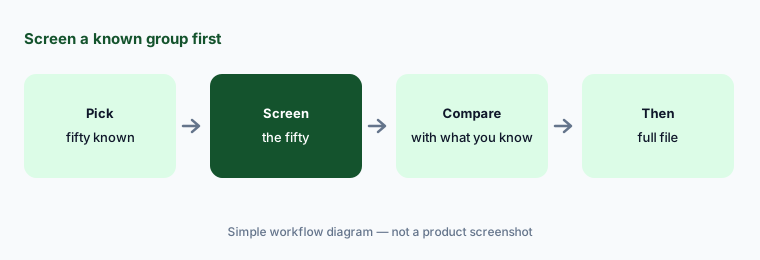
Primary workflow:
Screen fifty donors your team already knows well. Have the prospect researcher compare every capacity signal with what you know before screening the full file.
2. DonorSearch Ai custom models
What it is: DonorSearch Ai trains two models on your own giving history: Acquisition (which non-donors, or donors silent for four years, are likely to make a first gift in the next 12 months) and Retention (which recent donors are likely to give again, and which are likely to lapse) (DSAi page). DonorSearch reports “81% prediction accuracy in donor retention,” an 85% response-rate increase for new donors, and 17% faster pipeline movement for its customers. Those are DonorSearch’s figures, not ours.
A model trained on your history learns your past habits, including who you never asked. Test it against what actually happened before it shapes a mailing.
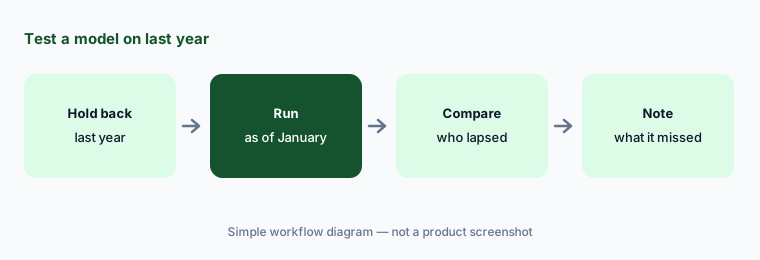
Test on last year:
Ask for the retention model as of last January. Have the database manager compare its top 200 likely-to-lapse donors with who actually lapsed before the list shapes any campaign.
3. Enhanced CORE national models
What it is: Enhanced CORE offers models built on national data that you choose à la carte (Enhanced CORE page): Most Likely to Raise (who is likely to make the highest-value gifts in the next 12 months; included at no extra fee), Sustainers (four or more gifts in 12 months), Acquisition, Retention, Upgrade (moving up a giving tier), and Major Gift Propensity (a gift of at least $10,000 in the next five years). The CORE page says every constituent gets a 0–100 ranking on Most Likely to Raise.
National models describe donors in general, not your donors. Use them to decide who to look at first, not who to stop asking.
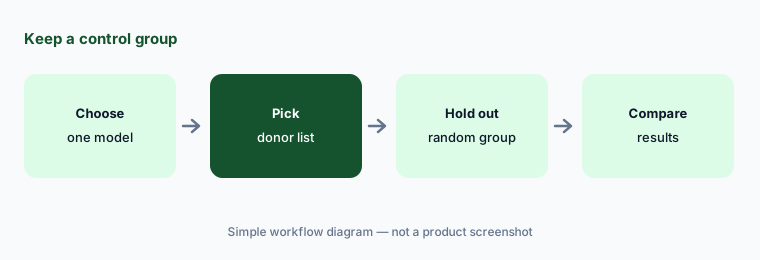
Keep a control group:
Use one Enhanced CORE model to pick donors for one appeal. Have the development director hold out a same-size random group and compare results before the model picks any other list.
4. Generative AI prospect summaries in ProspectView Online 2
What it is: DonorSearch’s generative AI page says its generative AI turns wealth and philanthropic data into “clear, concise prospect bio summaries” and narrative reports, and can help draft emails. The screening page says ProspectView Online 2 (PVO2) lets you search, analyze, and organize findings, then “create generative AI-powered prospect reports.” DonorSearch’s own FAQ says to “always review outputs from any generative AI tool.”
A summary is only as good as the match behind it. If the screen matched the wrong person, the summary describes a stranger in confident prose.
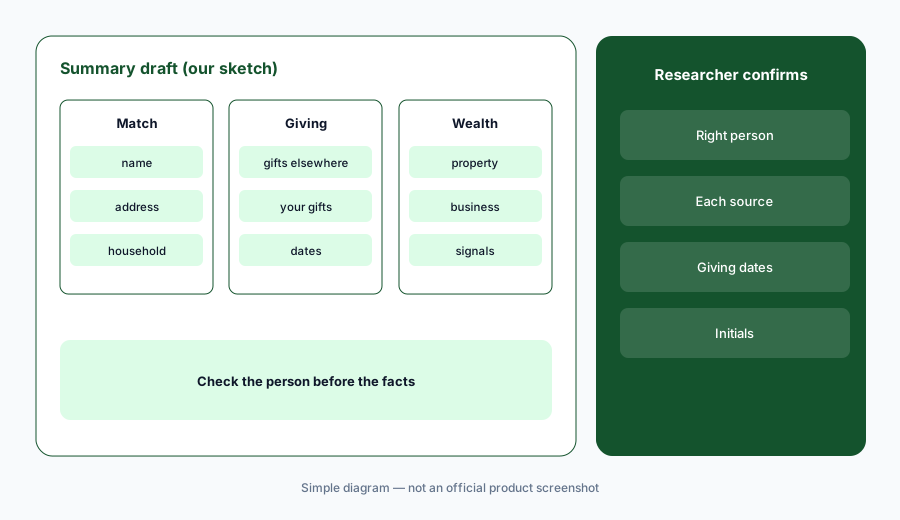
Check the person first:
Generate summaries for five prospects your researcher already knows. Have the prospect researcher check every fact in each summary against the source records before any summary reaches a gift officer.
5. DonorSearch360+ in Salesforce (June 2026)
What it is: On 29 June 2026 EverTrue announced general availability of DonorSearch360+, a native Salesforce app on AgentExchange that replaces the older DonorSearch360.io integration. It puts wealth screening and six predictive models (Most Likely to Raise, Retention, Upgrade, Lifetime Value, Sustainers, Acquisition) on Salesforce contact records, runs up to ten batch screenings at once from standard reports, schedules daily, weekly, or monthly screenings, and adds Delta Tracking to compare two profiles over time.
Scheduled screening writes to live records without anyone pressing a button. Decide which fields it may overwrite and who reviews the changes.
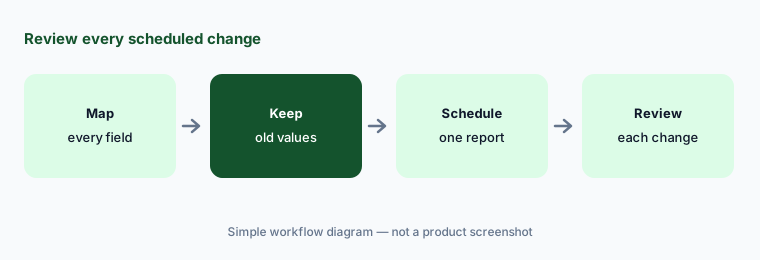
Review every change:
Turn on scheduled screening for one Salesforce report only. Have the database manager review every record it changed in the first month before widening it to the full file.
6. Privacy, consent, and opt-outs
What it is: DonorSearch’s privacy and security page says data stays in the United States under SOC 2 Type II controls and cites CCPA and HIPAA. Its parent EverTrue runs a database opt-out where individuals can ask to be removed from DonorSearch’s data services. Screening donors is legal in most places but is not the same as donors expecting it; how you use the results is your organization’s decision.
Donors who learn that a profile of their wealth sits in your CRM may ask why. Have an answer before they do.
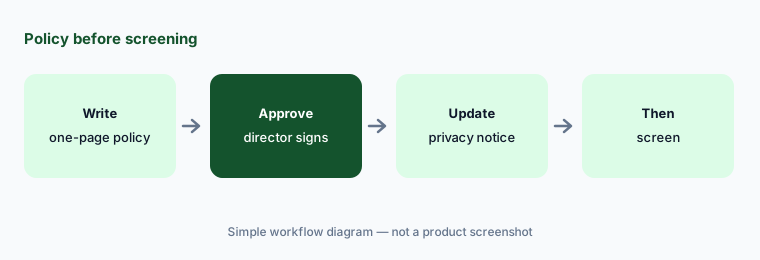
Policy before screening:
Write a one-page prospect research policy before your first screen. Have the executive director approve it and check that your donor privacy notice matches it before any file is sent to DonorSearch.
Pricing context (October 2026)
DonorSearch prints no prices; there is no public pricing page (donorsearch.net/pricing returned 404 on 22 Oct 2026) and every product page asks you to request a demo. Treat it as quote-only. Ask what a one-time screen of your file costs versus an annual subscription, which models come with CORE (Most Likely to Raise is included) and which are extra, how many ProspectView Online 2 users and generative AI summaries are included, and whether DonorSearch360+ for Salesforce is priced separately.
DonorSearch customers quoted on its pages describe returns such as a 75% cut in mailing volume and a 10% annual fund increase. Those are customer statements published by DonorSearch, not our measurements.
Uncertainty: We did not test DonorSearch. Features, models, dates, and figures come from DonorSearch’s product pages and EverTrue’s 29 June 2026 press release as read on 22 Oct 2026, and can change. We found no other dated 2026 DonorSearch AI release; the product pages are undated. Prices are quote-only.
When it’s useful (honest take)
Useful when you have a major or mid-level gifts program, a prospect researcher (or someone who does that job part-time) who can verify results, and a written research policy, and you want outside wealth and giving data alongside your own records.
Less useful when you mainly want likelihood lists trained on your own data (Dataro AI), your CRM already includes prospect signals you have not used (Blackbaud AI or Bloomerang AI), or your problem is giving pages rather than prospects (Givebutter AI or Fundraise Up AI).
Paying for DonorSearch AI and a few other AI tools? The $9 AI toolkit spreadsheet lists every AI subscription you have, what each one costs, and how fast it pays for itself, so you can see which ones are worth the money.
Want someone to do it for you? AI toolkit audit — $19
Related options (educational)
| Need | Better home | Why |
|---|---|---|
| Outside wealth and giving screening plus models | DonorSearch AI (this page) | Quote-only |
| Likelihood lists trained on your own data | Dataro AI | From $15,000/year |
| Prospect signals inside Raiser’s Edge NXT | Blackbaud AI | Quote-only |
| Choosing between two big donor CRMs | Blackbaud vs Bonterra | Both quote-only |
| Free giving pages with built-in AI | Givebutter AI | Free with optional tips |
| AI-set amounts on donation forms | Fundraise Up AI | Performance-based fee |
FAQ
What AI does DonorSearch have in October 2026?
DonorSearch Ai (two custom models trained on your data: acquisition and retention), Enhanced CORE national models (Most Likely to Raise, sustainers, acquisition, retention, upgrade, major gift propensity), generative AI prospect summaries in ProspectView Online 2, and DonorSearch360+ for Salesforce, generally available since 29 June 2026.
How much does DonorSearch cost?
DonorSearch prints no prices and has no public pricing page; you request a demo and a quote. Ask what is included with CORE, which models cost extra, and whether DonorSearch360+ is priced separately.
What is the difference between DonorSearch Ai and Enhanced CORE?
DonorSearch says Enhanced CORE offers models built on national data that you choose, while DonorSearch Ai builds two custom models from your own organization’s giving history.
Who owns DonorSearch?
DonorSearch says it joined EverTrue in October 2025. EverTrue also runs Signal and ThankView and handles DonorSearch’s database opt-out requests.
Who should check DonorSearch output?
The prospect researcher verifies every screening match and summary before a gift officer sees it; the database manager tests every model on past results and reviews scheduled changes; the development director decides who is asked and for how much; the executive director approves the research policy.
Optional next step (if seats overlap)
If you pay for a screening service, the prospect signals already in your CRM, and a chat seat that summarizes donors, that overlap is worth mapping. Map the overlap with the $19 AI toolkit audit or the $9 AI toolkit spreadsheet. Email Audit $19 or Toolkit spreadsheet $9.
Checkout is live via Stripe. After you pay, we email delivery (spreadsheet) or intake next steps (audit).