Tool · Nonprofit fundraising ops · Fundraise Up · Oct 2026
Fundraise Up AI review (Oct 2026): AI-optimized donation forms, suggested amounts, recurring upgrades, and donor experience testing
Fundraise Up sells the donation checkout and campaign pages that sit on a nonprofit’s own website, with AI working inside the giving moment: it picks suggested amounts for each visitor, decides when to offer a monthly upgrade, and decides how to ask donors to cover fees. In 2026 it added Agentic Giving (gifts that start in AI assistants), a read-only MCP connector for ChatGPT and Claude, and an AI Fundraiser on a waitlist. This page is about using that AI while a named person checks what donors are actually shown. Each section has a Try this.
What this Fundraise Up page covers
This page is for a digital fundraising manager, annual fund manager, or development director at a nonprofit with meaningful online giving, using Fundraise Up or weighing it. It is not legal, tax, or gift-acceptance advice; a named person owns every donor-facing message, gift record, ask amount, and funder submission.
Fundraise Up’s AI page says it uses machine learning to personalize donor journeys from contextual signals such as device, location, behavior, timing, and historical giving patterns, and generative AI to help fundraisers create content and complete tasks. It says its models use non-personally identifiable signals rather than personal donor information. The AI inside the checkout runs “behind the scenes”; newer pieces need an administrator to switch them on.
Because much of this AI changes what a donor sees without a person approving each change, the checks happen around it: the digital fundraising manager reviews AI-set amounts against your gift history; the annual fund manager watches what monthly upgrades do to retention; the database manager approves the MCP connection; the executive director approves every word an AI could say to a donor.

Major features (with how someone uses them)
Examples at a glance: each feature has a concrete example from a real job plus a short Try this you can run this week.
1. AI suggested amounts
What it is: When the AI suggested gift amount is on, Fundraise Up picks the amounts shown to each donor, and estimates “an additional 10–15% more revenue, and 2x the amount of donor acquisition” (AI Donor Experience page). It cites the Salvation Army UK, where it says 70% of gifts were made using AI ask amounts. Those are Fundraise Up’s figures and case studies, not our measurements. Fundraise Up also says it runs more than 70 A/B tests a year on its checkout.
An amount tuned for conversion can sit below what your loyal donors usually give, or above what a first-time donor can afford. You only see that by comparing with your own gifts.
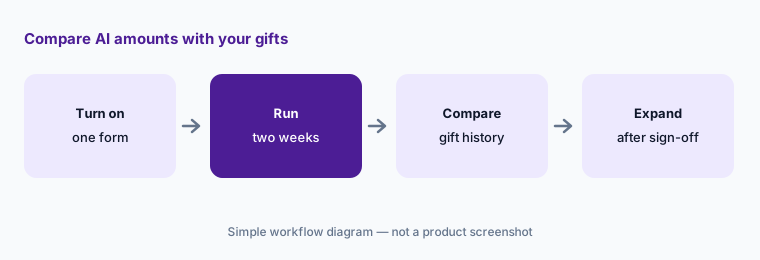
Primary workflow:
Turn on AI suggested amounts for one campaign form. Have the digital fundraising manager compare the amounts shown with your gift history for two weeks before using them on every form.
2. Recurring upgrades and cancellation saves
What it is: Fundraise Up’s AI decides when to show a one-time donor the offer to give monthly instead; it says 26% of recurring plans come from AI upsell, and cites Feed The Children, where 31% of monthly gifts came through AI upsells (AI Donor Experience page). When a donor is about to cancel, it offers alternatives and says this keeps 27% of donors who were about to cancel. These are Fundraise Up’s figures.
A monthly gift that is half the one-time gift the donor meant to make can lower first-year revenue. Monthly donors who were nudged may also cancel sooner.
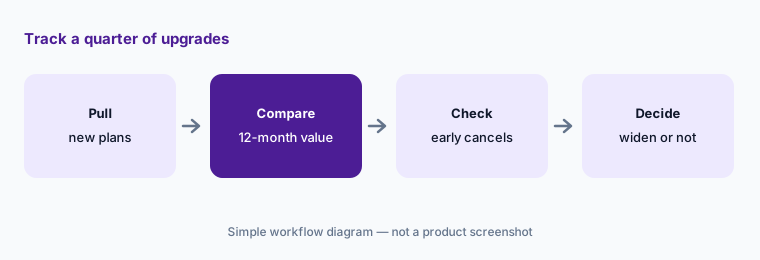
Track a quarter of upgrades:
Pull every monthly plan started from the upgrade offer last quarter. Have the annual fund manager compare twelve-month value and early cancellations with the one-time gifts first chosen before widening the offer.
3. AI cost coverage
What it is: Fundraise Up’s AI decides whether to ask a donor to cover transaction costs or leave the option unticked, whichever it predicts converts better; it says 87% of donors cover all transaction costs on average and that coverage is 75% higher with AI cost coverage on (AI Donor Experience page). That coverage is what brings its effective fee down, as the pricing section explains.
Fee coverage changes what each donor pays and what your receipts show. Some donors feel nudged by a pre-ticked box.
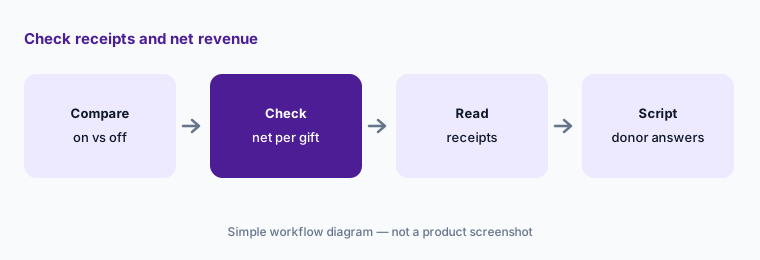
Check receipts and net:
Compare one month of gifts with AI cost coverage on and one month with it off. Have the finance director check net revenue per gift and how receipts show the covered fee before leaving it on.
4. Fundraise Up MCP: ask your data in plain language
What it is: The Fundraise Up MCP connects your Fundraise Up data to ChatGPT, Claude, Gemini, Perplexity, and other assistants so you can ask about donations, recurring plans, campaigns, designations, and totals in plain language. Fundraise Up says it is read-only — it “cannot create, change, or delete anything” — an Organization Administrator enables it, and each person sees only what their existing dashboard role allows.
Read-only protects your records, not your donors’ privacy. Donor data pulled into a chat follows that assistant’s retention and sharing rules.
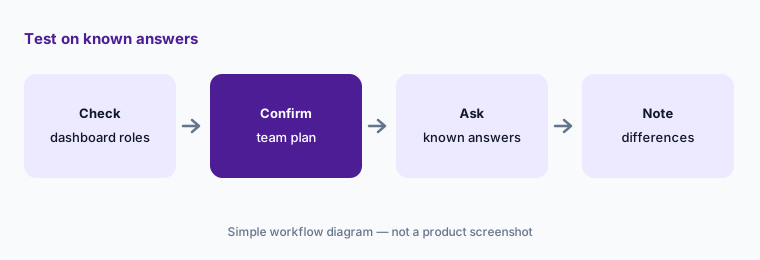
Test on known answers:
Connect the MCP for one person first. Have the database manager ask three questions she already knows the answers to from reports and note every difference before anyone else connects.
5. Agentic Giving and the AI Visibility Assessment
What it is: On 8 September 2026 Fundraise Up launched Agentic Giving, which helps AI assistants discover your organization and route a donor to your official Fundraise Up checkout; the donor chooses the organization and confirms the gift. A free AI Visibility Assessment shows how assistants currently describe you. In a 21 October 2026 post, a Fundraise Up manager wrote that a live demo on 1 October failed at the payment step and that the technology is “real, working most of the time, and still rough around the edges” (blog).
When an assistant describes your nonprofit, it may quote an old figure from a directory you do not control. Check what it says before you invite donors to give that way.
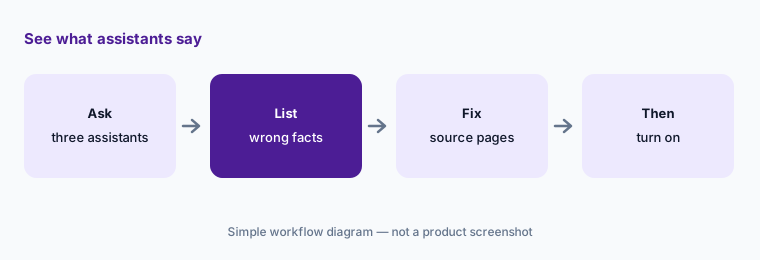
See what assistants say:
Ask three AI assistants to describe your nonprofit and how to give. Have the communications director list every wrong fact and fix the source pages before turning on Agentic Giving.
6. AI Fundraiser (coming, waitlist)
What it is: The AI Fundraiser is listed as coming soon, “available Fall 2026,” with a waitlist. A video-and-text guide Fundraise Up calls Gloria answers visitors’ questions on your website from a knowledge base your organization provides and, when a donor names an amount and campaign, opens your existing checkout prefilled. Fundraise Up says it does not complete the donation itself and does not answer outside the knowledge base; follow-up with visitors who leave an email is manual.
Whatever goes into the knowledge base becomes something a donor is told in your name, at any hour, without a person reading it first.
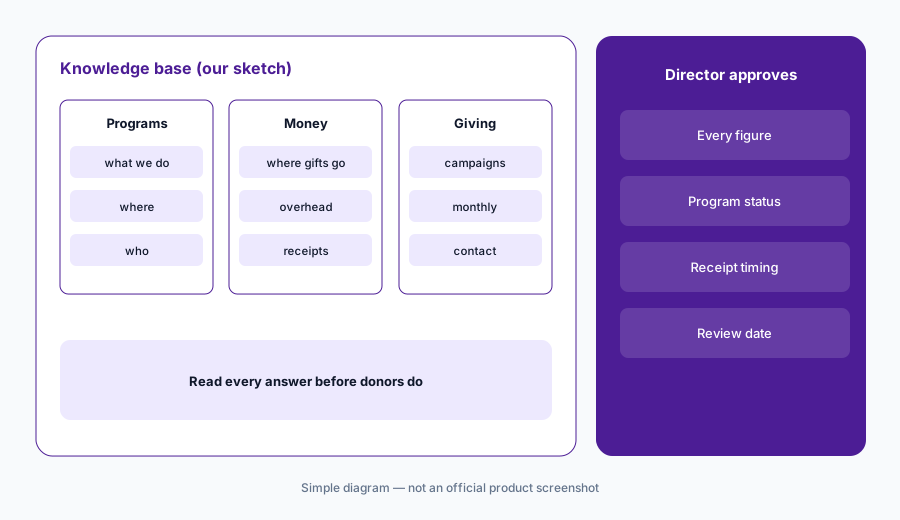
Read the knowledge base:
Write the knowledge base before you turn on any donor-facing AI. Have the executive director read every answer it could give and strike anything you could not defend to a donor.
Pricing context (October 2026)
Fundraise Up’s pricing page (checked 22 Oct 2026) describes performance-based pricing: $0 upfront, no setup fees, no subscription, no long-term contract. Instead it takes “a small share of the donations” processed through it. The page text we read does not print that share as a percentage.
Fundraise Up says donors can choose to cover its fee and payment processing, and that after that coverage its effective cost averages about 1%, not including processing fees. It says plainly that this “is not a contracted or guaranteed rate and can vary by organization.” Ask for your contracted fee in writing, and model your cost if fewer donors cover fees than its average.
Fundraise Up states that its platform delivers higher donation conversion, about 30% larger average gifts, and about 80% recurring donor retention after one year compared with benchmarks. Those are Fundraise Up’s figures, not ours.
Uncertainty: We did not test Fundraise Up. Features, dates, and pricing come from Fundraise Up’s AI, product, pricing, and blog pages as read on 22 Oct 2026 and can change. The AI Fundraiser is not yet generally available; the base fee percentage is not printed on the pricing page.
When it’s useful (honest take)
Useful when online giving on your own website is a large share of revenue, you have enough donation traffic for testing to matter, and a digital fundraising manager will compare what the AI shows donors with your own gift history.
Less useful when you want a free all-in-one platform with a CRM and events (Givebutter AI), your main need is major-gift prospects (DonorSearch AI), or you are still choosing a donor CRM (Blackbaud vs Bonterra).
Paying for Fundraise Up AI and a few other AI tools? The $9 AI toolkit spreadsheet lists every AI subscription you have, what each one costs, and how fast it pays for itself, so you can see which ones are worth the money.
Want someone to do it for you? AI toolkit audit — $19
Related options (educational)
| Need | Better home | Why |
|---|---|---|
| AI-set amounts and upgrades in your site’s checkout | Fundraise Up AI (this page) | Performance-based; about 1% average effective cost (vendor) |
| Free forms, pages, CRM, and built-in AI | Givebutter AI | Free with optional tips; Plus from $348/year |
| Outside wealth and giving screening | DonorSearch AI | Quote-only |
| Campaign segments, drafts, automations | Bonterra Que | Quote-only |
| Big donor CRMs side by side | Blackbaud vs Bonterra | Both quote-only |
| Likelihood lists from your own data | Dataro AI | From $15,000/year |
FAQ
What AI does Fundraise Up have in October 2026?
AI suggested amounts, recurring upsells, AI cost coverage, and cancellation saves inside the checkout; the read-only Fundraise Up MCP for ChatGPT, Claude, and other assistants; Agentic Giving, launched 8 September 2026; and the AI Fundraiser, listed for Fall 2026 with a waitlist.
How much does Fundraise Up cost?
Fundraise Up charges no setup fee, subscription, or contract and takes a share of donations processed. It says the effective cost averages about 1% after donors cover fees, not including processing, and that this is not a guaranteed rate. Ask for your contracted fee in writing.
Can the Fundraise Up MCP change our data?
No. Fundraise Up says the MCP is read-only, an Organization Administrator enables it, and each person sees only what their dashboard role allows.
Does the AI Fundraiser take donations by itself?
No. Fundraise Up says it opens your existing checkout prefilled with the amount and campaign the visitor described, and the donor completes the gift. It answers only from the knowledge base you provide.
Who should check Fundraise Up AI output?
The digital fundraising manager for AI-set amounts; the annual fund manager for monthly upgrades; the finance director for fee coverage and receipts; the database manager for the MCP connection; the communications director for what assistants say; the executive director for the AI Fundraiser knowledge base.
Optional next step (if seats overlap)
If you pay for an optimized checkout, a separate giving platform, and a CRM that both hold donation pages, that overlap is worth mapping. Map the overlap with the $19 AI toolkit audit or the $9 AI toolkit spreadsheet. Email Audit $19 or Toolkit spreadsheet $9.
Checkout is live via Stripe. After you pay, we email delivery (spreadsheet) or intake next steps (audit).