Tool · Grant and application management · Submittable · Oct 2026
Submittable AI review (Oct 2026): AI help for grant and application review, program management, pricing, and the reviewer who still decides
Submittable is grant and application management software for foundations, governments, and companies; it merged with WizeHive and its AI review tools came from that work. The AI shows up as Smart Summary (application summaries from prompts you choose), Smart Reviewer (an AI reviewer alongside your human team), and Automated Review, a custom premium feature through sales. Pricing is by meeting only. This page is about using it while a named program officer reads the full application and makes every grant decision. Each section has a Try this.
What this Submittable page covers
This page is for a program officer, grants manager, or foundation director who runs a grant, scholarship, or application program and is weighing Submittable's AI tools. If you are a nonprofit writing applications rather than reading them, start with Grantable AI. It is not legal, tax, or gift-acceptance advice; a named person owns every donor-facing message, gift record, ask amount, and funder submission, and on the funder side a named program officer owns every grant decision.
Facts come from Submittable's home page, pricing page, grants page, AI page, security page, responsible AI principles post, Automated Review post, and AI review video page, read on 23 October 2026, plus Submittable help-center articles on Smart Summary, Smart Reviewer, and release notes dated up to 21 October 2026. We did not test the product.
Submittable's own principles say AI should help “within tasks explicitly defined by humans” and that “every AI-influenced action is traceable, reversible, and responsive to human intervention” (principles post). Ground rules before you rely on it: the program officer reads the full application before any grant decision; AI summaries never rank applicants; every applicant is told how their application is reviewed.
Major features (with how someone uses them)
Examples at a glance: each feature has a concrete example from a real job plus a short Try this you can run this week.
1. Smart Summary on past applications (primary)
What it is: Smart Summary “generates instant, customizable application summaries based on prompts you choose” (AI review video page). Submittable's principles post says it came from the WizeHive merger, and its help center marked it beta as of July 2026.
A summary decides what a reviewer sees first. If it leaves out a budget detail, a partnership, or a reason an applicant is unusual, the reviewer may never look for it.
Primary workflow:
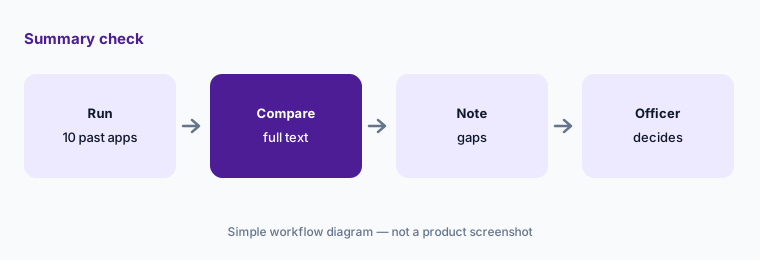
Run AI summaries on ten past applications whose outcomes you already know. Have the program officer compare each summary with the full application and note anything left out before AI touches a live cycle.
2. Writing factual summary prompts
What it is: Smart Summary runs on prompts your team writes. Submittable's own examples include “what makes this a strong candidate?” and “how aligned is this applicant with our mission?” (AI review video page).
A prompt that asks the AI to judge an applicant turns a summary into an opinion. A prompt that asks for facts — budget, people served, timeline, what the applicant says they will do — gives the reviewer something to check.
Facts, not judgment:
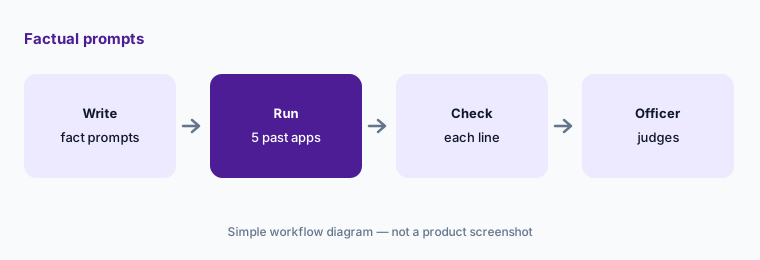
Rewrite your summary prompt to ask only for facts: amount, budget, people served, timeline. Have the program officer check every line against the application for five past applications.
3. Smart Reviewer as a consistency check, not a decision
What it is: Submittable's AI review video page says Smart Reviewer “acts as an AI reviewer alongside your human team,” assessing applications against the criteria in your rubric, and suggests it for triaging high volumes, “checking reviewer consistency, and identifying outliers within a review round.” Submittable's help center marked it beta as of July 2026.
If an AI's view of an application is visible before a reviewer reads it, it can anchor the reviewer. If it is used to sort applicants, it becomes a ranking nobody chose.
After human review:
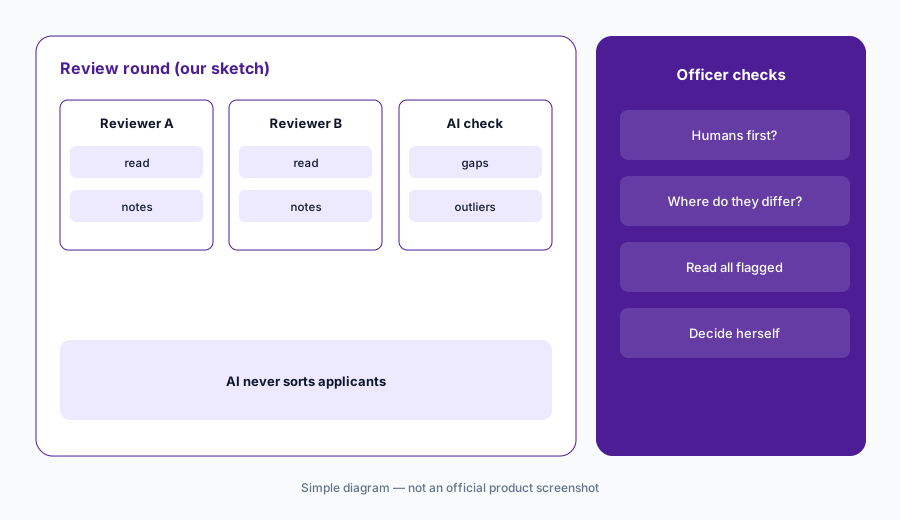
After one review round closes, use Smart Reviewer only to find applications where your reviewers disagree. Have the program officer read each one and decide; never sort applicants by the AI output.
4. Automated Review, eligibility, and identity checks
What it is: Submittable's Automated Review post calls it “a custom, premium feature coordinated by our sales team” that can extract data from files such as tax forms, verify identities through video, and automate multi-stage workflows, with optional manual spot checks of a set share of applications. The home page shows an eligibility check and identity verification to prevent fraud.
An automated eligibility or fraud check can turn away a real applicant on a typo or a mismatched document. The applicant may never learn why.
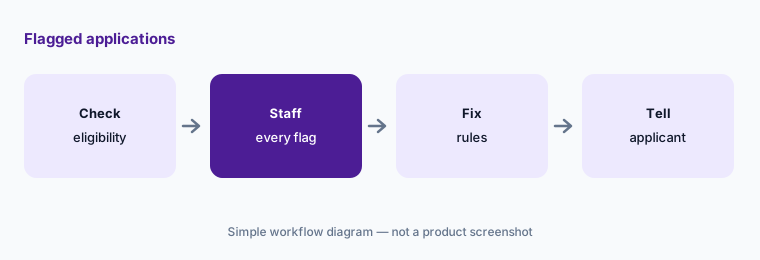
Review every flag:
If you use automated eligibility or fraud checks, have a named staff member review every flagged application by hand and tell applicants how to fix a problem before anyone is turned away.
5. 2026 releases: revisions, eligibility, applicant notices
What it is: Submittable's help-center release notes dated 21 October 2026 list reviewers being able to request revisions from applicants, adding applications on behalf of applicants (beta), notifying applicants who were not selected when a rolling program closes, editing budgets at the agreement stage, and tracking funding sources. Earlier 2026 notes add eligibility screening.
Release notes say a feature exists, not that it is on in your account or set up the way your program needs.
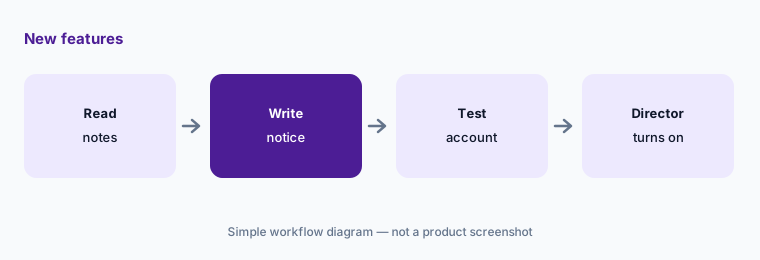
Test before applicants see it:
Before you use a new applicant notice, have the program director write it, have a second person read it, and send it to a test account first.
6. Five principles and security
What it is: Submittable's AI page lists five principles, including “Transparent & Controlled” (users know when AI is available and choose whether to use it) and “Private & Secure” (data is “private, secure, and never shared”). Its security page lists a yearly SOC 2 Type 2 audit, a yearly HIPAA audit, GDPR, and single sign-on with SAML.
Principles describe intent. The pages we read do not say which AI model providers process applications or how long application text is kept by them.
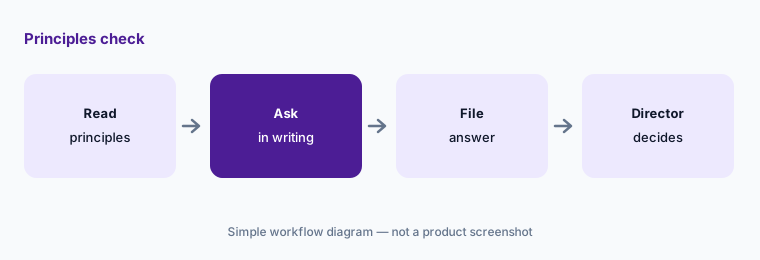
Ask in writing:
Before using AI on applications, have the foundation director ask Submittable in writing which AI providers see application text and how long it is kept, and file the answer.
Pricing context (October 2026)
Submittable's pricing page (checked 23 Oct 2026) prints no prices. It lists three offerings — Corporate Social Responsibility Platform, Grant & Application Management Software, and Enterprise — each with a “Book a Meeting” button and the line “We'll help you choose the features and capacity that work best for your organization.”
Automated Review is described as a custom premium feature through sales. Ask whether Smart Summary and Smart Reviewer are included in your plan, still beta on your account, or priced separately.
Uncertainty: We did not test Submittable. Facts come from Submittable pages as read on 23 Oct 2026 and can change; beta status and the 21 October 2026 release notes come from help-center articles we read but do not link because they block automated checks. Pricing is quote-only. Submittable's statements about fairness, accuracy, and fraud detection are its own claims.
When it’s useful (honest take)
Useful when you are a funder running a grant, scholarship, or relief program with more applications than your team can read twice, and a named program officer will read every application before a grant decision.
Less useful when you are a nonprofit writing applications (Grantable AI), looking for funders (Instrumentl vs Candid), or raising money from individual donors (Keela AI, Kindsight AI).
Paying for Submittable AI and a few other AI tools? The $9 AI toolkit spreadsheet lists every AI subscription you have, what each one costs, and how fast it pays for itself, so you can see which ones are worth the money.
Want someone to do it for you? AI toolkit audit — $19
Related options (educational)
| Need | Better home | Why |
|---|---|---|
| Funder-side application review | Submittable (this page) | Quote-only; three offerings by meeting |
| Writing grant applications | Grantable AI | Free; paid plans $50 and $150/month |
| Finding funders | Instrumentl vs Candid | Instrumentl from $299/month annual; Candid Premium $219/month |
| Donor CRM for small teams | Keela AI | From $164/month billed annually, by contact count |
| Prospect research | Kindsight AI | iWave from $4,500; engage from $545/year |
| A general assistant for grant drafts | Claude for nonprofits | Team from $8/user/month at nonprofit pricing |
FAQ
What AI features does Submittable have?
As of October 2026: Smart Summary for application summaries from prompts you write, Smart Reviewer as an AI reviewer alongside your human team (both marked beta in Submittable's help center as of July 2026), and Automated Review, a custom premium feature through sales for data extraction, identity checks, and multi-stage workflows.
How much does Submittable cost?
Submittable prints no prices as of 23 Oct 2026. Its pricing page lists three offerings — Corporate Social Responsibility Platform, Grant & Application Management Software, and Enterprise — each through a meeting with sales.
Should AI decide which grant applications are funded?
No. Submittable's own principles say AI works within tasks defined by humans and every AI-influenced action is reversible. A named program officer should read the full application and make every grant decision; AI summaries should never rank applicants.
Is Submittable the same as WizeHive?
Submittable and WizeHive joined forces, and Submittable says Smart Summary and Smart Reviewer came from that combined work. Ask your account team which product version your program runs on.
Is Submittable secure enough for sensitive applications?
Submittable lists a yearly SOC 2 Type 2 audit, a yearly HIPAA audit, GDPR, and single sign-on with SAML. Ask in writing which AI providers process application text and how long it is kept before using AI on sensitive programs.
Optional next step (if seats overlap)
If you pay for an application portal, a review tool, a form builder, and chat seats your staff use to summarize the same applications, that overlap is worth mapping. Map the overlap with the $19 AI toolkit audit or the $9 AI toolkit spreadsheet. Email Audit $19 or Toolkit spreadsheet $9.
Checkout is live via Stripe. After you pay, we email delivery (spreadsheet) or intake next steps (audit).