Role guide · Nonprofits · ChatGPT Business · Oct 2026
ChatGPT for nonprofits (Oct 2026): the OpenAI for Nonprofits discount on ChatGPT Business, Goodstack verification, shared projects, and appeal drafts your development team checks
Nonprofit role guide — OpenAI for Nonprofits discounts ChatGPT Business Standard seats to $8 per user per month billed annually, and larger nonprofits can ask sales for up to 75% off Enterprise. Many pages that rank for this still quote older consumer prices. This one covers the October 2026 price, how to qualify, what the discount does not cover, and six jobs where ChatGPT drafts and your development team checks every fact before anything reaches a donor or funder. Donor names, gift amounts, and anything confidential stay out of prompts unless your data policy and the contract allow it. If your donor CRM already has AI inside it, start there: see Bonterra Que or Neon One AI.
Who this guide is for
Development directors, grants managers, communications leads, and executive directors at a nonprofit that wants ChatGPT for appeals, grant drafts, board reports, and research summaries. ChatGPT Business is for teams of 2 or more, according to OpenAI's pricing page (read 23 October 2026). Product deep-dive: ChatGPT.
Donor data stays out by default. OpenAI's nonprofit help article says it does not train on ChatGPT Business or Enterprise data, and that it does not offer a Business Associate Agreement on Business. That matters for health and human-services nonprofits: if client health information is involved, ask sales about Enterprise before anyone pastes a case note. Your data policy, donor privacy promises, and contracts decide what goes in; this guide keeps prompts free of donor names, addresses, and gift amounts so confidential records stay where they are, and it is not legal, tax, or gift-acceptance advice.
Ground rules for every section below: ChatGPT drafts and summarizes; it does not decide who to ask, how much to ask for, or what to promise a funder, and a named person owns every donor-facing message, gift record, ask amount, and funder submission: the development director owns every appeal and ask amount, the grants manager every proposal, the database manager every gift record, and the executive director every funder submission.
Major features (with how someone uses them)
Examples at a glance: each feature has a concrete example from a real job plus a short Try this you can run this week.
1. Shared project Appeals: year-end letter drafts (primary)
What it is: Create a project named Appeals in your ChatGPT Business workspace. Add your last three year-end appeal letters with donor names and amounts removed, your program fact sheet for this year, and your style guide. Ask ChatGPT to draft only from those files, mark every number with the file it came from, and list any claim it could not source. OpenAI's pricing page lists projects on every plan, so the drafting habit carries over if a volunteer only has a personal account — but donor-related work stays in the Business workspace.
An appeal letter is a promise to donors. The risk is a moving story or an impact figure the program never reported. Every number goes back to the development director.
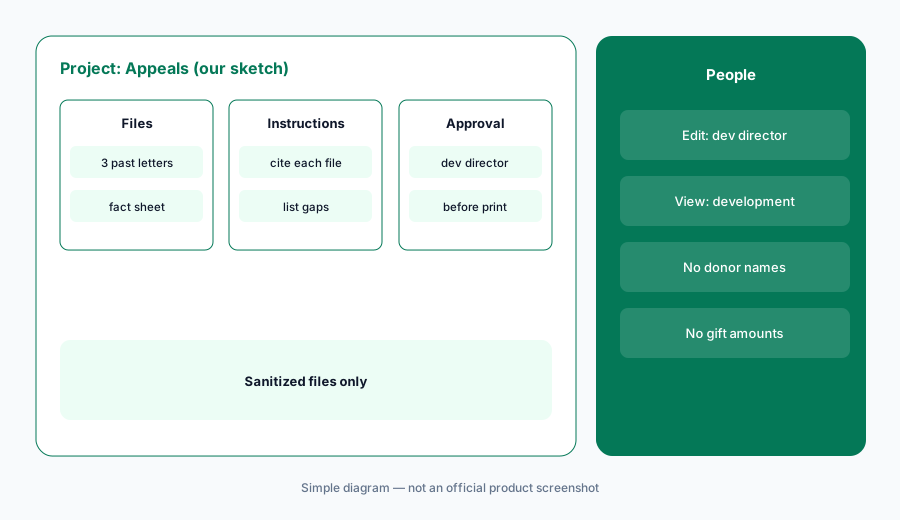
Primary workflow:
Put your last three year-end appeal letters (donor names and amounts removed) into a shared ChatGPT project and ask for a draft of this year's appeal. Have the development director check every program fact, number, and promise before the letter goes to print.
2. Apply first: the form, Goodstack, and Standard seats
What it is: OpenAI's help article says to fill out a short form with the email you will use for ChatGPT Business; Goodstack validates eligibility. Once approved, create the account and sign up for Business, and the discount applies automatically to Standard seats at checkout. Existing Business subscribers get a prorated discount on the current billing cycle. Premium seats are not discounted, and in a workspace with both, only Standard seats get the nonprofit price.
If the discount does not appear, OpenAI says to continue to billing after choosing seats; questions about a rejected application go to Goodstack's help center.
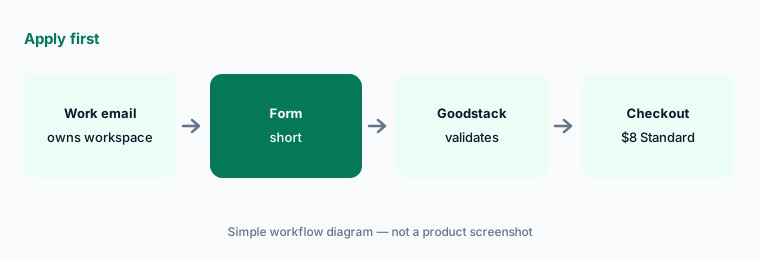
Use the work email:
Have the operations manager apply with the same work email that will own the ChatGPT Business workspace, and the executive director approve the Standard seat count before checkout.
3. Check a grant draft against the funder's criteria
What it is: OpenAI's own nonprofit use case is to upload a draft proposal and the funder's evaluation criteria and ask for specific ways to improve it. Ask ChatGPT to quote each criterion, point to the paragraph that answers it, and say plainly where the draft does not answer it. Do not ask it to grade the proposal; ask for gaps the grants manager can check.
A gap list is easy to check. A made-up grade is not, and it can make a weak section look finished.
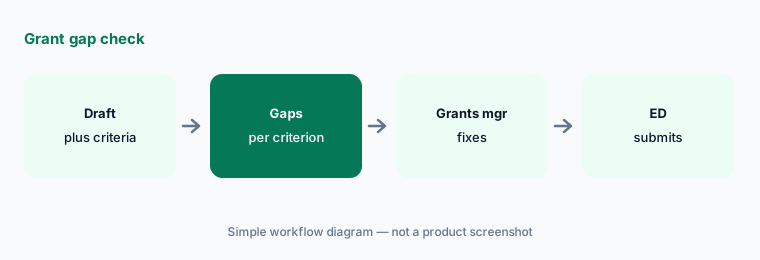
Ask for gaps, not a grade:
Upload a draft proposal and the funder's criteria and ask ChatGPT which criteria the draft does not answer. Have the grants manager check each gap against the program records before revising.
4. Research summaries for the program team
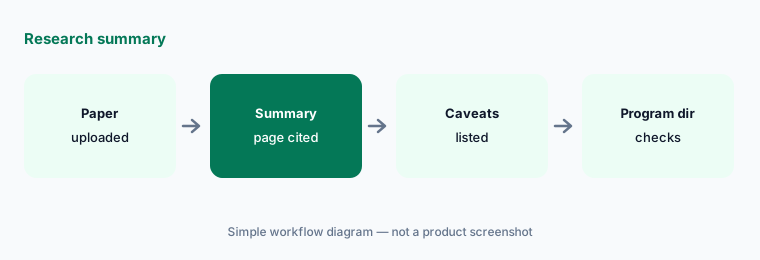
What it is: OpenAI also suggests uploading a research paper and asking for the key takeaways for colleagues new to the topic. Ask for a one-page summary with the page number for every claim and a short list of what the paper does not show. Use it to brief program staff and board members, not to cite in a grant without reading the source.
Summaries flatten caveats. A study of one city or one age group can come out sounding universal.
Ask for page numbers:
Upload one research paper and ask for a one-page summary with a page number for every claim. Have the program director check the caveats against the paper before it goes to the board.
5. What stays out of every prompt
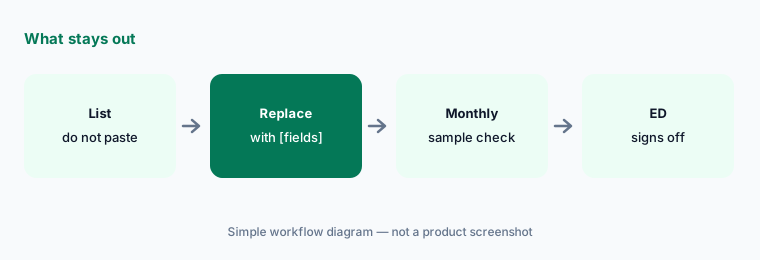
What it is: Write a one-page do-not-paste list: donor names, addresses, emails, gift amounts tied to people, giving history, client case notes or health details, and anything a donor asked to keep private. Replace them with bracketed fields like [donor], [gift], or [program]. Put the list in the Appeals project's instructions and in your workspace onboarding.
No BAA on Business means health details about clients stay out of ChatGPT Business entirely, whatever the training setting says.
Write the list first:
Have the development director write a one-page do-not-paste list and add it to every shared project's instructions before anyone joins the workspace.
6. Business or Enterprise for a nonprofit
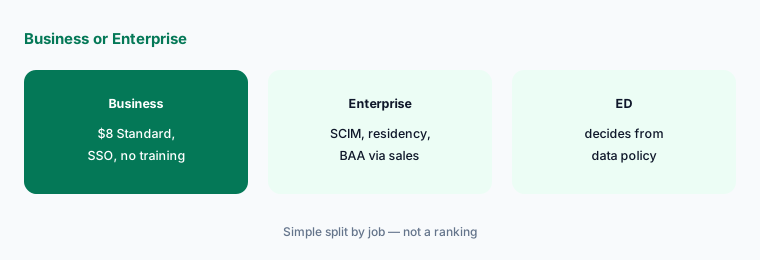
What it is: OpenAI's Business page says Business data is never used for training and lists SSO and multi-factor authentication; SCIM, role-based access controls, and data residency are Enterprise features through sales. The help article says larger nonprofits can get up to 75% off Enterprise, and that a BAA is only discussed for Enterprise. Nonprofit discounts do not apply to the API.
Most small development teams need Business Standard seats. Enterprise is for provisioning, data residency, or a BAA your work actually requires.
Start from the policy:
Have the operations manager list the controls your data policy requires (provisioning, residency, BAA) and the executive director check them against Business and Enterprise before choosing a plan.
Pricing context (October 2026)
As listed in OpenAI's OpenAI for Nonprofits help article (checked 23 October 2026): ChatGPT Business Standard seats, $8 per user per month billed annually or $10 per user per month billed monthly for verified nonprofits. Premium seats are not discounted. Business starts at 2 users, per OpenAI's pricing page.
Enterprise: larger nonprofits can contact sales for up to a 75% discount; the price comes from a quote. Nonprofit discounts do not apply to the OpenAI API. Budget from the checkout page or a written quote, and never use a personal ChatGPT account for donor work.
Uncertainty: OpenAI renames features and changes plans often; use the live help article, the pricing page, and your invoice. Feature names on this page are kept general on purpose. The Enterprise discount is “up to 75%” and depends on the quote. Whether donor or client data may go into any tool is a decision for your organization, its counsel, and the contract, not this page.
When it’s useful (honest take)
Useful when you are a verified nonprofit with two or more staff who write appeals, grants, and reports, your team already knows ChatGPT, and a named person checks every draft — the development director for appeals, the grants manager for proposals, the executive director for submissions.
Less useful when your work involves client health information and you need a BAA (ask about Enterprise), your donor CRM already drafts appeals with data inside it (Blackbaud AI, Bonterra Que, Neon One AI), or you want connectors built for nonprofits (Claude for nonprofits).
Paying for ChatGPT and a few other AI tools? The $9 AI toolkit spreadsheet lists every AI subscription you have, what each one costs, and how fast it pays for itself, so you can see which ones are worth the money.
Want someone to do it for you? AI toolkit audit — $19
Related options (educational)
| Need | Better home | Why |
|---|---|---|
| Appeals, grant gap checks, research summaries in shared projects | ChatGPT for nonprofits (this page) | $8 per user/month annual (Standard seats) |
| Grant drafts plus Blackbaud, Candid, Benevity connectors | Claude for nonprofits | $8 per user/month Team (nonprofit) |
| Appeals and outreach inside the CRM | Bonterra Que | Quote |
| Donation forms with AI suggestions | Fundraise Up AI | Share of donations processed |
| Choosing a donor CRM | DonorPerfect vs Bloomerang | Compare |
FAQ
How much does ChatGPT cost for nonprofits?
OpenAI's nonprofit help article lists ChatGPT Business Standard seats at $8 per user per month billed annually or $10 per user per month billed monthly for verified nonprofits. Premium seats are not discounted. Larger nonprofits can ask sales for up to 75% off Enterprise.
Is ChatGPT free for nonprofits?
No. The nonprofit program is a discount on ChatGPT Business and Enterprise, not a free plan. Individuals can use the free ChatGPT plan, but this guide keeps donor-related work in a Business workspace.
How do we apply?
Fill out OpenAI's short form with the email that will own the Business workspace. Goodstack validates eligibility. Once approved, sign up for Business and the discount applies to Standard seats at checkout; existing subscribers get a prorated discount.
Can we paste donor or client records into ChatGPT Business?
This guide says keep donor names, addresses, gift amounts, and client case details out of prompts. OpenAI says it does not train on Business data, but it does not offer a BAA on Business, and your data policy and contracts decide what goes in. This is not legal, tax, or gift-acceptance advice.
Who approves outputs?
The development director for every appeal and ask amount, the grants manager for every proposal, the program director for every research summary, and the executive director for every funder submission and the plan choice.
Optional next step (if seats overlap)
If your organization pays for ChatGPT, a donor CRM with built-in AI, and other chat seats that all draft the same appeals, map that overlap before adding another seat. Map the overlap with the $19 AI toolkit audit or the $9 AI toolkit spreadsheet. Email Audit $19 or Toolkit spreadsheet $9.
Checkout is live via Stripe. After you pay, we email delivery (spreadsheet) or intake next steps (audit).