Tool · Nonprofit grants ops · Grantable · Oct 2026
Grantable AI review (Oct 2026): AI grant writing from your own content library, funder-ready first drafts, pricing, and what a grants manager still checks
Grantable is AI grant software for nonprofits that sells itself as “a grants department”: a Writing desk that drafts proposals from your own content library, an RFP checklist, a Prospecting desk that reads funder records and labels fit as Strong, Fair, Weak, or Blocked, a Management desk with scheduled scans, and Skills you can rewrite in plain English. Plans start free; paid plans are $50 and $150 a month with no per-seat fees. This page is about using it while a grants manager checks every claim before anything reaches a funder. Each section has a Try this.
What this Grantable page covers
This page is for a grants manager, development director, or executive director at a small or mid-size nonprofit who writes grants and is weighing Grantable. It is not legal, tax, or gift-acceptance advice; a named person owns every donor-facing message, gift record, ask amount, and funder submission.
Facts come from Grantable's home page, pricing page, GrantGraph page, trust page, and blog, read on 23 October 2026. We did not test the product. Grantable says it is trusted by 30,000+ grant-seeking organizations; that is its own figure. On 28 September 2026 its CEO announced a new AI prospecting service in a post titled “It's Time to Assume AI Can Do Our Jobs.”
Grantable says plainly that “AI drafts, humans decide” and that “Nothing goes to a funder — you send every email yourself.” Ground rules before you rely on it: the grants manager checks every claim, number, and outcome in a draft against your records and the funder's guidelines; the development director decides which funders to approach; the executive director decides what goes into the library and signs or approves every submission.
Major features (with how someone uses them)
Examples at a glance: each feature has a concrete example from a real job plus a short Try this you can run this week.
1. First drafts from your own library (primary)
What it is: The Writing desk reads your library first — past proposals, mission documents, budgets — and then “drafts the way your organization actually writes”; you edit in the document, with inline AI suggestions that appear “like tracked changes from a colleague” (pricing page). Grantable's home page says drafts come “in your voice.”
Past proposals carry old numbers, old staff names, and outcomes from another year. A draft in your voice can repeat all of them convincingly, and a funder holds you to what you submit.
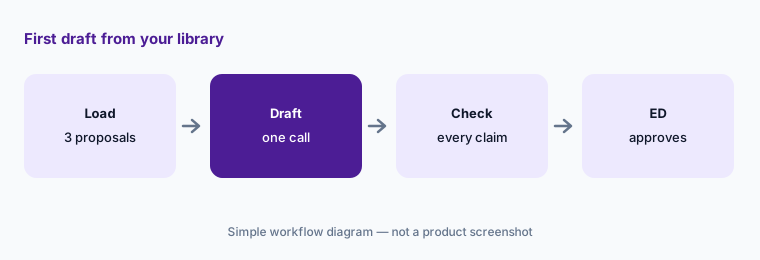
Primary workflow:
Load three past proposals into Grantable and ask for a first draft for one open opportunity. Have the grants manager check every claim, number, and outcome against your records and the funder's guidelines before anything is submitted.
2. Prospecting desk: funders labeled by fit
What it is: You describe your organization once and the Prospecting desk reads funder records — giving history, priorities, deadlines — and returns a shortlist with sources, each funder labeled Strong, Fair, Weak, or Blocked with “the why written out like a colleague's memo” (pricing page). Grantable says this runs on GrantGraph, its database of 11 million+ funding connections built from IRS filings, public records, and web research (GrantGraph page).
A fit label is a judgment built from public filings, which lag a year or more. It can't know that a funder just changed its priorities or doesn't accept unsolicited proposals unless that is written down somewhere it read.
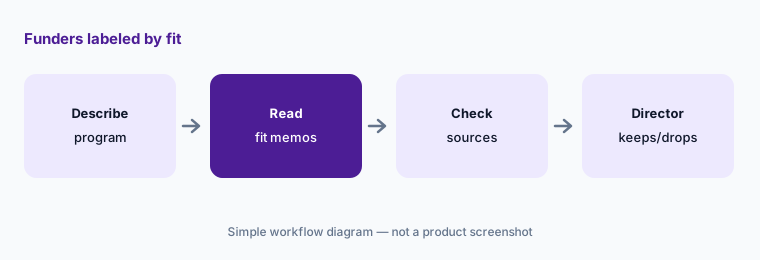
Check the sources:
Ask the Prospecting desk for funders for one program. Have the development director open the sources behind every Strong match and confirm current guidelines on the funder's own site before anyone is contacted.
3. RFP checklist: the funder's rules as checkboxes
What it is: On the Writing desk you paste a funder's application rules and, in Grantable's words, “every requirement becomes a checkbox, so nothing gets missed.” Grantable's pricing page shows a draft marked with how many of the requirements it covers (pricing page).
A checkbox that says a requirement is covered means the draft mentions it, not that the answer is right or complete. Page limits, attachments, and budget forms still need a person.
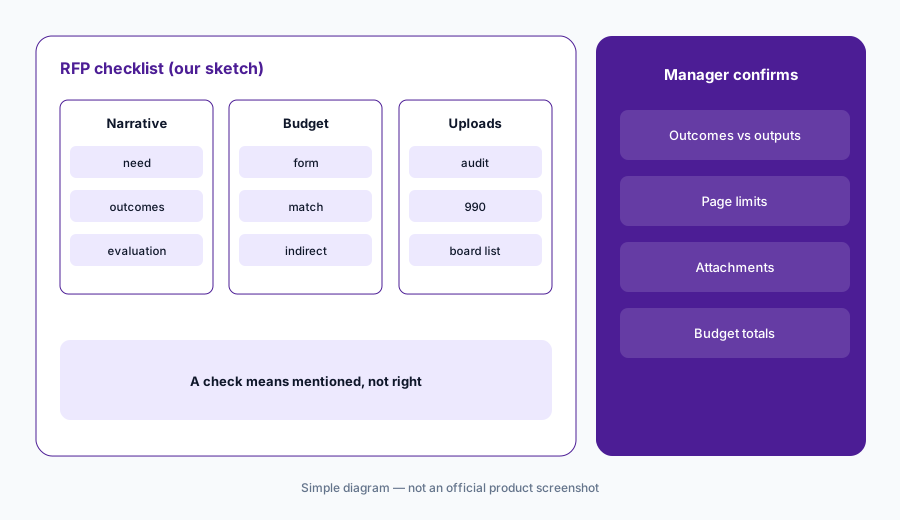
Confirm each box:
Paste one funder's guidelines into the checklist. Have the grants manager confirm each checked item against the draft and the guidelines by hand before the draft goes for review.
4. Management desk: dashboard, scans, and email
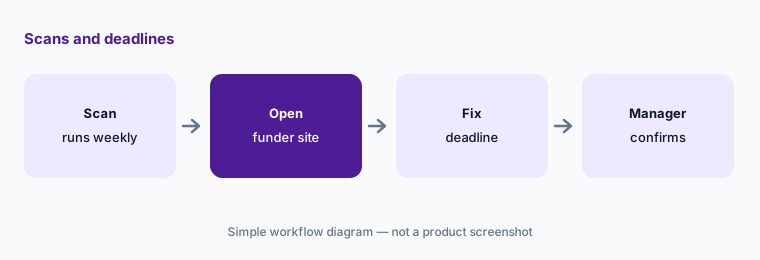
What it is: Every grant lands on a list, board, or calendar “without data entry,” and scheduled scans re-check for new opportunities and email you what they found. Your workspace has its own email address: you can hand it work by email and reply to keep it moving. Grantable says “Nothing goes to a funder — you send every email yourself” (home page, pricing page).
A dashboard that fills itself in can also fill in a wrong deadline. Deadlines and report due dates decide whether you keep a grant.
Confirm the dates:
Turn on one scheduled scan. Have the grants manager check every new deadline against the funder's own page before it goes on the shared calendar.
5. The library and Skills
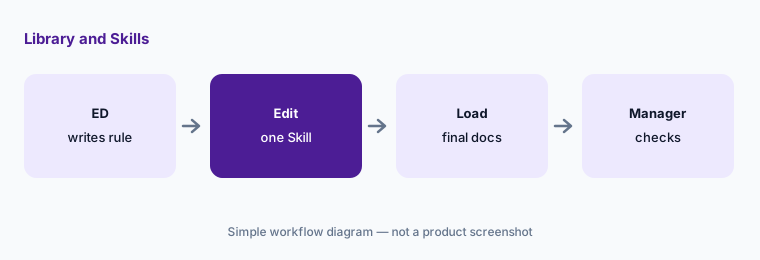
What it is: The library keeps “every proposal, budget, and funder note” and is what every desk draws on. Skills are written procedures the AI follows the same way every time — how you research a funder, your report format, your standard attachments. They come pre-written from Grantable's Marketplace, you get your own editable copy, and you can rewrite them “the way you'd update a manual” (pricing page).
Whatever is in the library becomes source material. A draft budget, an unapproved outcome, or a board memo you would never send a funder can end up in a proposal.
Decide what goes in:
Before loading files, have the executive director write which documents may go into the library. Edit one Skill to add the checks your grants manager does by hand.
6. Where your content goes
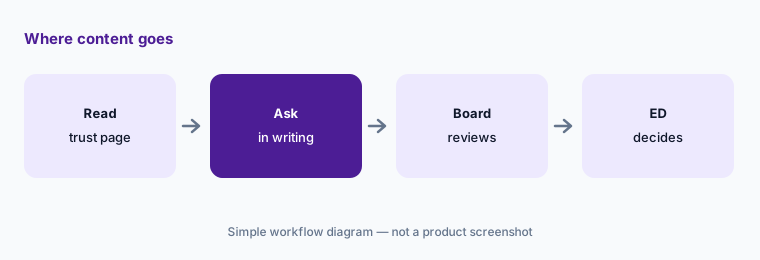
What it is: Grantable's trust page says your content is never used to train AI models; Anthropic is the only AI provider that reads what you write or upload, and OpenAI is used on public records only, such as funders' IRS filings. It says its most recent SOC 2 Type II examination covered 9 April to 9 July 2025, that it is selecting a new audit firm, and that it does not claim an active certification while that work is in progress.
If a funder, board, or IT policy asks for current security reports, you need to know what exists today, not last year.
Ask in writing:
Read Grantable's trust page with whoever approves vendors. Have the executive director ask Grantable in writing for anything your board or funders require before staff upload budgets or donor data.
Pricing context (October 2026)
Grantable's pricing page (checked 23 Oct 2026): Free (5 chat messages a day, file imports up to 10 MB, “free forever” per its FAQ); Starter $50/month (20× the AI capacity of Free, 50 chat messages a day); Pro $150/month (60×, 200 chat messages a day). Annual billing says “Save 17%”; the page does not print annual totals. No per-seat fees on any plan.
The Agency Hub add-on is $300/month on any paid plan, for consultants running many client workspaces. Enterprise needs (SSO/SAML, custom data retention, API access) are by conversation with sales; no price is printed.
Grantable's pricing page says it “fully replaces” grant database subscriptions such as Instrumentl and Foundation Directory. That is Grantable's claim; if you are weighing it, see Instrumentl vs Candid and check the same funders in each.
Uncertainty: We did not test Grantable. Facts come from Grantable pages as read on 23 Oct 2026 and can change. The pricing page says every plan includes every capability with “no feature gates,” while the GrantGraph page says “Get GrantGraph™ with Pro”; ask Grantable which applies before choosing a plan. The 30,000+ organizations and 11M+ connections figures are Grantable's own.
When it’s useful (honest take)
Useful when you write several grants a year from a set of past proposals, a grants manager will check every claim, number, and outcome before submission, and you want drafting, prospecting, and deadlines in one workspace without per-seat fees.
Less useful when you need a large human-vetted grant database with peer prospecting (Instrumentl vs Candid), your main job is donor fundraising rather than grants (Zeffy vs Givebutter, Bloomerang AI), or you only need occasional drafting help in a general assistant (ChatGPT for nonprofits).
Paying for Grantable AI and a few other AI tools? The $9 AI toolkit spreadsheet lists every AI subscription you have, what each one costs, and how fast it pays for itself, so you can see which ones are worth the money.
Want someone to do it for you? AI toolkit audit — $19
Related options (educational)
| Need | Better home | Why |
|---|---|---|
| Grant drafts from your own library, plus prospecting | Grantable (this page) | Free; Starter $50/month; Pro $150/month |
| Grant database, prospecting, and post-grant management | Instrumentl vs Candid | Instrumentl from $299/month annual; Candid search from $219/month |
| General drafting with a nonprofit discount | Claude for nonprofits | Team plan, up to 75% off for nonprofits |
| General drafting in ChatGPT | ChatGPT for nonprofits | ChatGPT Business with the OpenAI for Nonprofits discount |
| Prospect research on individual donors | DonorSearch AI | Quote-only |
| Grant fit analysis inside a donor CRM | Bonterra Que | Quote-only |
FAQ
What is Grantable?
Grantable is AI grant software for nonprofits. It drafts proposals from your own library of past work, turns a funder's rules into a checklist, finds and labels funders by fit, tracks deadlines with scheduled scans, and lets you edit the procedures (Skills) the AI follows.
How much does Grantable cost in October 2026?
As printed on 23 Oct 2026: Free (5 chat messages a day); Starter $50 a month; Pro $150 a month; annual billing saves 17%. There are no per-seat fees. The Agency Hub add-on is $300 a month; enterprise features are by conversation with sales.
Does Grantable submit grants for you?
No. Grantable says nothing goes to a funder and you send every email yourself. A grants manager should check every claim, number, and outcome in a draft against your records and the funder's guidelines before anything is submitted.
Does Grantable train AI on my content?
Grantable's trust page says your content is never used to train AI models, that Anthropic is the only AI provider that reads what you write or upload, and that OpenAI is used on public records only. It also says it does not currently claim an active SOC 2 certification.
Can Grantable replace Instrumentl or Candid?
Grantable says it fully replaces grant database subscriptions such as Instrumentl and Foundation Directory. That is its claim. The practical test is to look up funders you know well in each tool and compare what each gets right; see our Instrumentl vs Candid comparison.
Optional next step (if seats overlap)
If you pay for a grant database, a grant writing tool, and chat seats that draft the same proposals, that overlap is worth mapping. Map the overlap with the $19 AI toolkit audit or the $9 AI toolkit spreadsheet. Email Audit $19 or Toolkit spreadsheet $9.
Checkout is live via Stripe. After you pay, we email delivery (spreadsheet) or intake next steps (audit).