Compare · Free fundraising platforms · Oct 2026
Zeffy vs Givebutter (Oct 2026): donor-tip models, payment fees, AI writing help, and which free fundraising platform fits a small nonprofit
Zeffy and Givebutter both tell small nonprofits they can raise money online for free, and both pay for that with something extra the donor is asked to add at checkout. Zeffy asks every donor for an optional contribution to Zeffy, covers card fees itself, and has one free plan; in the last two months it added AI email drafting, an AI Data Assistant, and a Claude connector. Givebutter asks for optional tips, lets you turn them off for a flat 3% fee, sells a paid Plus plan, and launched Givebutter Magic AI on 1 October 2026. This page splits them by job, shows how to run the fee math on your own gifts, and is not a ranking. Each section has a Try this.
What this comparison covers
This page is for an executive director, finance lead, or one-person development office at a small nonprofit choosing a free online fundraising platform, or wondering whether to move from one of these two to the other. It is not legal, tax, or gift-acceptance advice; a named person owns every donor-facing message, gift record, ask amount, and funder submission.
Zeffy facts come from its pricing page, release notes, and two help articles (how Zeffy stays free, the donor contribution), read on 23 October 2026. Givebutter facts come from its pricing page, pricing help article, and Magic page, read the same day, and our Givebutter AI review. We did not test either product. Percentages about donor behavior are each vendor's own figures.
The real difference is who decides what the donor sees at checkout. On Zeffy, the contribution prompt is Zeffy's: you can't change its wording or suggested amounts, and its suggested percentage drops as the gift gets larger. On Givebutter, tips are on by default but you can turn them off and pay a 3% platform fee plus processing instead. Both then add AI on top. For drafting outside either platform, see Claude for nonprofits and ChatGPT for nonprofits; if you need a full donor CRM, see DonorPerfect vs Bloomerang.
Ground rules for either choice: the finance lead checks the fee math and reconciles payouts against gift records; the development lead approves every AI-drafted email or campaign page before supporters see it; the executive director picks the platform and approves any AI connector. This comparison is not a ranking.
| Question | Zeffy | Givebutter |
|---|---|---|
| How it stays free | Optional donor contribution at checkout; Zeffy covers card fees | Optional donor tips; with tips on, 0% platform fee and no processing fees for the nonprofit |
| If donors give nothing extra | Your nonprofit still receives 100% of the gift (Zeffy's claim) | Givebutter Guarantee absorbs fees donors don't cover, with listed exceptions |
| Can you turn the extra off? | No; wording and suggested amounts can't be customized | Yes; then a flat 3% platform fee plus processing (2.9% + 30¢ cards) |
| Paid plan | None; one free plan | Givebutter Plus by contact count, from $348 a year billed annually |
| AI writing help | AI email drafting (4 Sep 2026) | Givebutter Magic campaign creator (1 Oct 2026) |
| AI on your data | AI Data Assistant in the dashboard (28 Sep 2026) | Contact insights and smart filters (Givebutter Magic) |
| AI connectors | Claude connector (12 Oct 2026), also works in ChatGPT | Connectors for ChatGPT and Claude (Givebutter Magic) |
| Who signs off | Finance lead on the fee math; development lead on every AI draft; executive director on the platform choice | |
Major features (with how someone uses them)
Examples at a glance: each feature has a concrete example from a real job plus a short Try this you can run this week.
1. Run last year's gifts through both fee models (primary)
What it is: Both platforms are free to the nonprofit only in a specific setup. Zeffy says it covers transaction and card fees and that its only revenue is optional donor contributions; it has one plan at $0 (pricing page). Givebutter says that with tips on there are 0% platform fees and, under the Givebutter Guarantee, no processing fees for the nonprofit; with tips off, a flat 3% platform fee plus processing applies: 2.9% + 30¢ for cards and digital wallets, 1.9% + 30¢ for ACH for verified nonprofits (pricing help article).
The math matters most for the cases the free model doesn't cover. Givebutter lists exceptions to its Guarantee, including DAFpay gifts and card reader payments, and campaigns with tips turned off pay standard rates. Run your real gift sizes, not a vendor example.
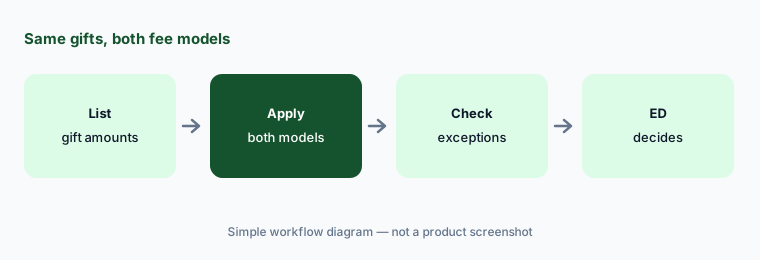
Run the fee math first:
Take last year's online gifts as a list of amounts only. Have the finance lead work out what each platform's published fees and tip defaults would have meant for that list before the executive director picks one.
2. What the donor sees at checkout
What it is: Zeffy's checkout shows an optional contribution to Zeffy in a dropdown. Zeffy says the wording and suggested amounts can't be customized, that the suggested percentage goes down as the gift goes up, and that donors can set it to $0 (help article, donor help). Zeffy says around 60% of donors contribute; its pricing page says 2 of 3. Givebutter's tips are on by default, can be edited or removed by the donor, and can be turned off by you (pricing help article). We did not find a published default tip percentage for Givebutter; run a test checkout.
Some donors notice an extra line at checkout and some complain about it. That is a donor-experience choice, not only a fee choice.
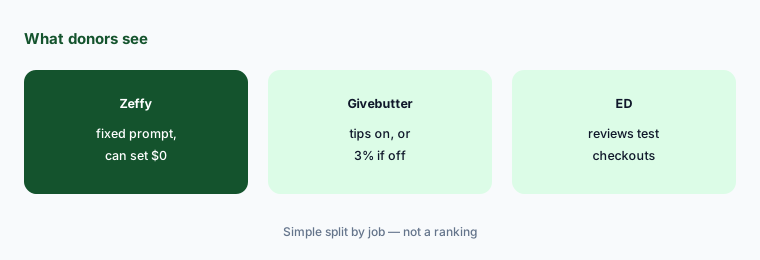
See it as a donor:
Make a small and a large test gift on each platform and save screenshots of the checkout. Have the executive director show them to two donors and write down what each found unclear before choosing.
3. AI writing help for emails and campaign pages
What it is: Zeffy added AI email drafting on 4 September 2026: you tell it what you want to say and it drafts an editable email from your campaign details, branding, and tone of voice, or you paste in HTML from an email you like (release notes). Givebutter Magic, launched 1 October 2026, includes a campaign creator that turns your website into a first-draft campaign with a story, branding, and images, plus suggested amounts and recommended goals (Magic page; more in our Givebutter AI review).
A draft that pulls from campaign details can still get a program number, a date, or a donor story wrong. Suggested amounts are an ask-amount decision, and a person owns those.
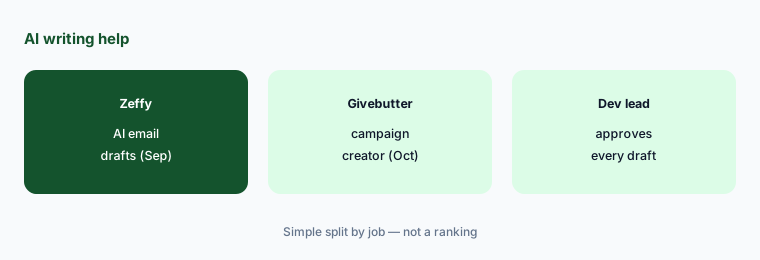
Check every number:
Ask each platform for one draft from the same campaign details. Have the development lead check every number, date, and story against your records and approve it before it reaches supporters.
4. Asking questions about your own fundraising data
What it is: Zeffy's AI Data Assistant (28 September 2026) sits in the dashboard: ask in plain words how much came in this month or who gave last year but not this year, and trend answers come with a chart (release notes). Givebutter Magic adds contact insights (quick summaries and badges about supporters) and smart filters that build a list from a plain-language description; Givebutter says advanced AI reporting is part of Plus (Magic page).
An answer is only as good as the records behind it. Gifts entered by hand, offline checks, and duplicates change the totals.
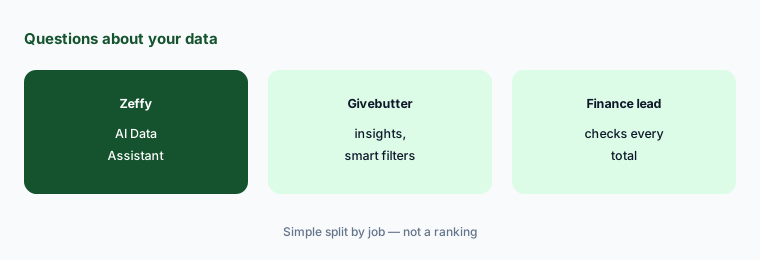
Reconcile one answer:
Ask one question about last quarter's giving in the platform you use. Have the finance lead compare the answer with the payout report and gift records before it goes in any board or funder report.
5. Connecting Claude or ChatGPT to donor data
What it is: Zeffy's Claude connector (12 October 2026) lets you ask Claude about your Zeffy data. Zeffy says it only reads data by default; you can let it update contacts and record manual payments, it asks before deleting anything, and it never refunds payments, sends emails, or changes settings. The same connector works in ChatGPT (release notes). Givebutter Magic lists AI connectors for ChatGPT and Claude (Magic page).
A connector sends donor data to a chat account. Which account, on which plan, with which data rules, is a decision for the executive director, not the person who clicks Connect.
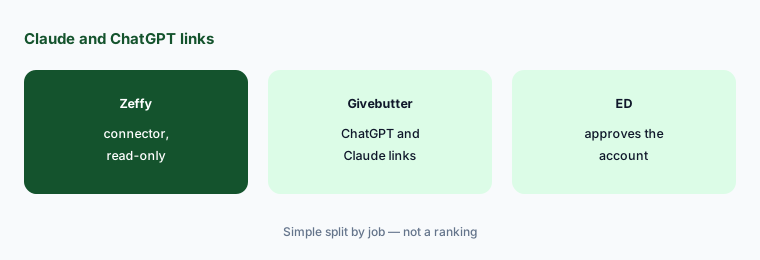
Approve the account first:
Before anyone connects either platform to Claude or ChatGPT, have the executive director confirm which account will be used, keep the connector read-only, and write down the rule for donor data.
6. What you pay for, and when
What it is: Zeffy has one plan at $0 and no paid tier (pricing page). Givebutter is free with tips on; Givebutter Plus adds automated workflows, reporting, texting, and priority support, priced by contact count at $348, $948, or $1,548 billed annually for up to 250, 1,000, or 2,500 contacts, or $33.80, $92.90, or $150.50 a month billed monthly, with a 30-day trial (pricing page). Givebutter says most Magic AI features come with the free account and advanced AI-powered reporting is part of Plus (Magic page).
Free platforms can cost staff time instead of money: missing features, workarounds, and a second tool. Count both.
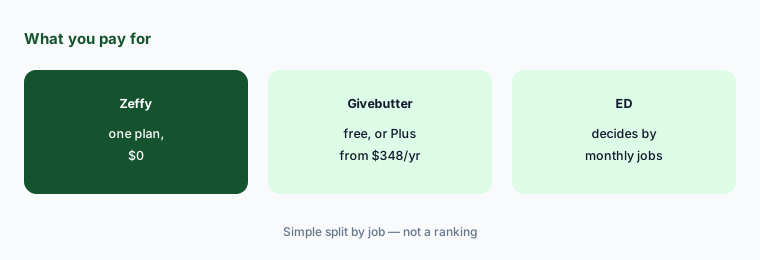
List the monthly jobs:
List the jobs your team does every month. Have the executive director mark which ones each free plan covers and what Givebutter Plus would cost at your contact count before choosing.
Pricing context (October 2026)
Zeffy: its pricing page (checked 23 Oct 2026) says “100% free” with one plan at $0; Zeffy covers transaction and card fees and relies on optional donor contributions. Zeffy says on average 2 of 3 donors leave one; its help center says around 60%. Its pricing page also compares other platforms' fees; that comparison is Zeffy's.
Givebutter: its pricing page (checked 23 Oct 2026) says 0% platform fees with tips on and no processing fees for the nonprofit under the Givebutter Guarantee; with tips off, a flat 3% platform fee plus processing (2.9% + 30¢; 1.9% + 30¢ ACH for verified nonprofits). Givebutter Plus: $348, $948, or $1,548 billed annually (250, 1,000, or 2,500 contacts), or $33.80, $92.90, or $150.50 a month billed monthly; larger counts through sales. More in our Givebutter AI review.
Neither price list tells you what your donors will do. Use your own gift amounts, and check each platform's exceptions (card readers, donor-advised funds, recurring gifts) in writing.
Uncertainty: We did not test either product. Facts come from Zeffy and Givebutter pages as read on 23 Oct 2026 and can change. Donor contribution and tip rates are each vendor's own figures. We did not find a published default tip percentage for Givebutter, and Zeffy says its suggested percentage varies with the gift amount, so a test checkout is the way to see what donors see.
When it’s useful (honest take)
Useful when you are a small nonprofit choosing a free online giving platform, your finance lead can run last year's gift amounts through both fee models, and a development lead will check every AI-drafted email or page before supporters see it.
Less useful when you need a full donor CRM with gift officers and moves management (DonorPerfect vs Bloomerang, Blackbaud vs Bonterra), you want AI-set amounts on your own website's checkout (Fundraise Up AI), or you mainly need grant research (Instrumentl vs Candid).
Still choosing between Zeffy and Givebutter? The $19 AI toolkit audit gives you a written plan for which tools to keep using and which to drop across your whole AI stack, including this pair.
Prefer to do it yourself? Spreadsheet — $9
Related options (educational)
| Need | Better home | Why |
|---|---|---|
| Free forms with a fixed donor contribution prompt | Zeffy (this page) | One free plan; donor contribution optional |
| Free forms with tips you can turn off, and a paid tier | Givebutter AI | Free with tips, or 3% plus processing; Plus from $348/year |
| AI-set amounts on your own site's checkout | Fundraise Up AI | Performance-based fee |
| Small-team CRM with giving pages | Neon One AI | Neon CRM about $1,188 a year at entry |
| Appeal drafts outside the platform | Claude for nonprofits | Team plan, up to 75% off for nonprofits |
| Donor CRM choice for small and mid-size shops | DonorPerfect vs Bloomerang | DonorPerfect from $119/month; Bloomerang CRM from $125/month |
FAQ
What is the main difference between Zeffy and Givebutter?
Both are free to use when donors add something extra at checkout. Zeffy's contribution prompt can't be turned off or customized, and Zeffy has no paid plan. Givebutter's tips can be turned off for a flat 3% platform fee plus processing, and Givebutter sells a paid Plus plan. This page is not a ranking.
Is Zeffy really free in October 2026?
Zeffy says it is 100% free, with one plan at $0, and that it covers transaction and card fees. Its revenue comes from optional donor contributions; donors can set the contribution to $0. Zeffy says your nonprofit still receives 100% of the gift either way.
How much does Givebutter cost?
Givebutter is free with tips on. With tips off, a flat 3% platform fee plus processing (2.9% + 30¢ for cards) applies. Givebutter Plus, as printed on 23 Oct 2026, is $348, $948, or $1,548 billed annually for up to 250, 1,000, or 2,500 contacts, or $33.80, $92.90, or $150.50 a month billed monthly.
What AI do Zeffy and Givebutter have?
Zeffy added AI email drafting (4 Sep 2026), an AI Data Assistant in the dashboard (28 Sep 2026), and a Claude connector that also works in ChatGPT (12 Oct 2026). Givebutter Magic (1 Oct 2026) includes a campaign creator, suggested amounts and goals, contact insights, smart filters, and connectors for ChatGPT and Claude.
Who should own the decision?
The finance lead runs the fee math on your own gift amounts and reconciles payouts; the development lead approves every AI draft and suggested amount; the executive director picks the platform and approves any AI connector.
Optional next step (if seats overlap)
If you pay for a giving platform's paid tier, a separate CRM, and chat seats that draft the same appeals, that overlap is worth mapping. Map the overlap with the $19 AI toolkit audit or the $9 AI toolkit spreadsheet. Email Audit $19 or Toolkit spreadsheet $9.
Checkout is live via Stripe. After you pay, we email delivery (spreadsheet) or intake next steps (audit).