Tool · Nonprofit donor CRM · Keela · Oct 2026
Keela AI review (Oct 2026): AI fundraising help, donor CRM insights, pricing, and what a small development team still checks
Keela is a donor CRM for small and mid-size nonprofits, now part of the Velora suite with Aplos and Raisely. Its AI shows up as contact insights (best time of year to ask, readiness for a next big gift), Smart Ask on online donation forms, Automation 2.0 with Mission Assistant (workflows drafted from a plain-language prompt, generally available since 3 September 2026), Smart triggers, and donation predictions. Plans start at $164 a month billed annually, priced by contact count. This page is about using it while a development director checks every suggested ask amount and draft. Each section has a Try this.
What this Keela page covers
This page is for a development director, executive director, or the one or two people who run fundraising at a small nonprofit and are weighing Keela or already use it. It is not legal, tax, or gift-acceptance advice; a named person owns every donor-facing message, gift record, ask amount, and funder submission.
Facts come from Keela's home page, pricing page, Smart Ask page, CRM features page, dashboard page, and its Automation 2.0 post, read on 23 October 2026, plus two Keela help-center articles on Automation 2.0 and Mission Assistant (dated 7 October 2026). We did not test the product. People searching “DonorPerfect vs Keela” can start with DonorPerfect vs Bloomerang for the DonorPerfect side.
Keela's Automation 2.0 post says “workflows do not activate automatically. You stay in control.” Ground rules before you rely on it: the development director checks every suggested ask amount against the gift records; no automated email reaches donors until she has read it and activated the workflow; the executive director decides what donor data the team keeps.
Major features (with how someone uses them)
Examples at a glance: each feature has a concrete example from a real job plus a short Try this you can run this week.
1. Next-step suggestions on donors you know (primary)
What it is: Every contact profile shows insights on “the best time of year to make donation asks” and each donor's “readiness to make their next big gift” (Smart Ask page). Keela's help center names the readiness states Not ready, Shows potential, and Ready, and its dashboard page says giving history and “AI-powered recommendations” help you know “who to reach and when” (dashboard page).
A readiness label is built from what is in the CRM: gift dates, amounts, email opens. It does not know that a donor just lost a job, gave a large gift somewhere else, or asked not to be solicited this year.
Primary workflow:
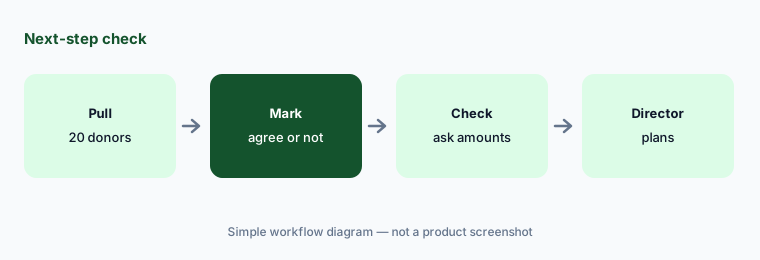
Ask Keela's AI for next-step suggestions on twenty donors you know well. Have the development director mark which ones she agrees with and check every suggested ask amount against the gift records before anyone is contacted.
2. Smart Ask on online donation forms
What it is: Smart Ask “uses wealth screening tools, giving history, and demographic data to provide personalized donation asks for every donor that gives through your online donation form” (Smart Ask page). Keela's page links a case study in which oneMESSAGE.tv grew fundraising revenue by 56%; that is Keela's and its customer's figure.
A suggested amount on a form is an ask your organization makes, whether or not a person chose it. Too high and a loyal donor feels pushed; too low and you leave a gift on the table.
Preview first:
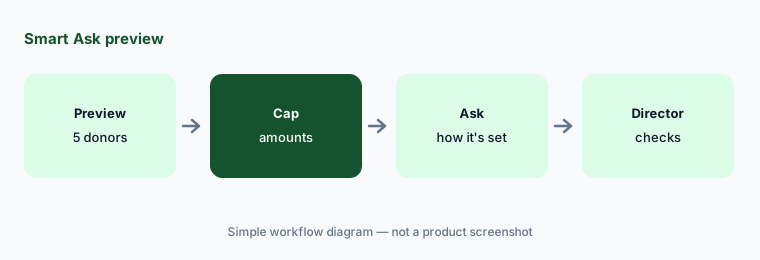
Preview your donation form as five real donors would see it. Have the development director check every suggested amount against their giving history before Smart Ask stays on.
3. Automation 2.0: workflows from a plain-language prompt
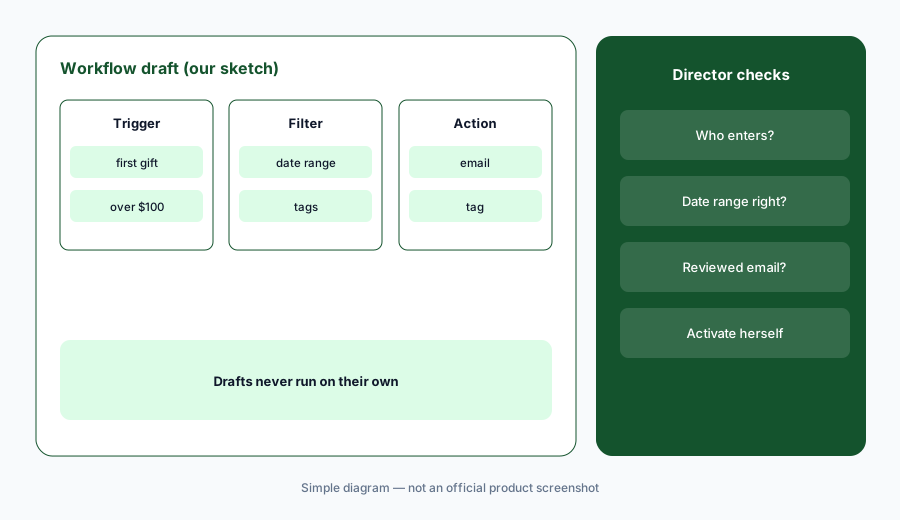
What it is: Keela's Automation 2.0 post says you describe a donor workflow in plain language — its example: “When someone gives more than $500, check whether they’re a major donor, then send the right follow-up email and apply the right tag” — and Mission Assistant, the AI layer across the Velora suite, drafts the trigger, filters, branches, and actions. Workflows “do not activate automatically”; a Review & Activate step lists blockers and warnings first. Keela's help center says Automation 2.0 became available to everyone on 3 September 2026.
A workflow that sends email runs on every donor who matches, every time. A filter that is slightly wrong — a missing tag, a date range off by a year — reaches the wrong people before anyone notices.
Read before you activate:
Describe one simple thank-you workflow to Mission Assistant. Have the development director read every filter and email in the draft and check who would enter it before she activates it.
4. Suggested workflows and Smart triggers
What it is: Keela's 7 October 2026 help-center update adds workflow templates, Suggested workflows on the Contacts and Transactions tables, and Smart triggers that start a workflow when a donor's readiness changes, when Keela moves a donor into its Champion, Promising, or Needs More Love groups, when a contact counts as a major donor (roughly the top 10% of giving or pledges over the last 24 months), or when a donor lapses past a window you set.
A trigger tied to a label means the model decides who gets the email. If a label is wrong, the wrong message goes out on schedule with nobody choosing it.
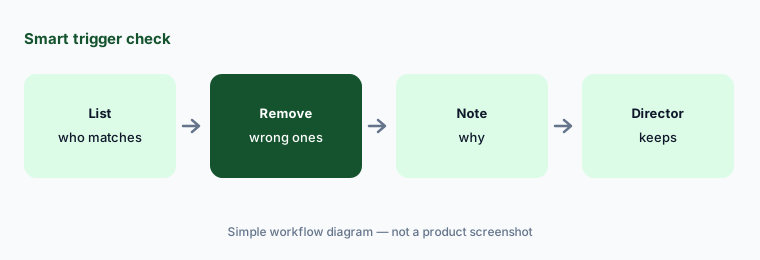
Check who matches:
Before using a Smart trigger, list the contacts it would match today. Have the development director remove anyone who should not get that message and note why.
5. Donation predictions and wealth screening
What it is: The CRM features page lists Donation Predictions to “anticipate giving trends” and Wealth Screening to “identify high-potential prospects.” On the pricing page, Wealth Screening is an additional feature through sales, not part of every plan.
A prediction for a year is a trend line, not a budget. A wealth estimate is a match to public records that can be the wrong person or out of date.
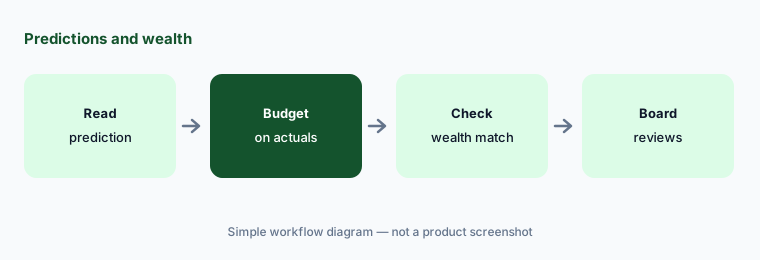
Budget on actuals:
Compare Keela's prediction for your next big month with last year's actuals. Have the executive director budget on the actuals and have the development director check any wealth match before a visit is planned.
6. Dashboards and where donor data lives
What it is: Keela's dashboard page lists automated campaign reports, cohort analysis, and LYBUNT/SYBUNT views (donors who gave last year or some year but not this year). Its pricing page says data is stored in the United States, Canada, or Australia depending on where your nonprofit is based, on Microsoft Azure servers.
Mission Assistant is described as the AI layer across Velora's products. The pages we read do not say which AI provider processes your donor data or whether it is used to improve models.
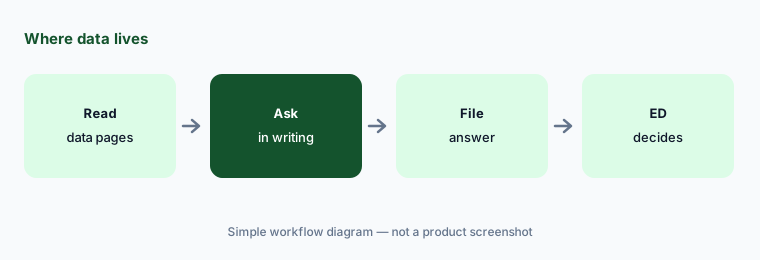
Ask in writing:
Before the team uses Mission Assistant, have the executive director ask Keela in writing which AI provider processes donor data and whether it is used for training, and file the answer.
Pricing context (October 2026)
Keela's pricing page (checked 23 Oct 2026) prices by contact count. With the Annual tab selected, “plans starting from” $164/month (up to 1,000 contacts), $243 (1,001–2,500), $316 (2,501–5,000, marked most popular), $379 (5,001–7,500), and $438 (7,501–10,000+). The Monthly tab shows $190, $259, $357, $420, and $489. Keela says you “save up to 23%” paying annually. Over 10,000 contacts is custom.
Every plan includes the CRM, email marketing, automation, unlimited donation forms and emails, receipts, and no Keela transaction fee (PayPal and Stripe charge their nonprofit rate of 2.2% + 30 cents). Premium Care starts at $200/month; Pipelines, Texting, and Wealth Screening are add-ons through sales with no printed price.
Smart Ask draws on wealth screening; ask Keela whether it works fully without the Wealth Screening add-on on your plan.
Uncertainty: We did not test Keela. Facts come from Keela pages as read on 23 Oct 2026 and can change; the help-center details (3 September 2026 availability, Smart triggers, major-donor definition) come from two articles dated 7 October 2026 that we read but do not link because they block automated checks. Prices are “starting from” figures; your quote may differ. The 56% case-study figure is Keela's and its customer's. Ask Keela which AI features are live on your account today.
When it’s useful (honest take)
Useful when you are a small development team that wants a donor CRM with email, forms, and automation in one place, a development director will check every suggested ask and workflow, and you have under 10,000 contacts.
Less useful when you need deep prospect research with a researcher's tools (Kindsight AI, DonorSearch AI), you are a funder reviewing applications rather than raising money (Submittable AI), or you want free forms with optional donor tips (Zeffy vs Givebutter).
Paying for Keela AI and a few other AI tools? The $9 AI toolkit spreadsheet lists every AI subscription you have, what each one costs, and how fast it pays for itself, so you can see which ones are worth the money.
Want someone to do it for you? AI toolkit audit — $19
Related options (educational)
| Need | Better home | Why |
|---|---|---|
| Donor CRM with email, forms, and AI suggestions | Keela (this page) | From $164/month billed annually, by contact count |
| Donor CRM for small and mid-size teams | Bloomerang AI | CRM from $125/month billed annually |
| Two CRMs side by side | DonorPerfect vs Bloomerang | DonorPerfect from $119/month; Bloomerang from $125/month |
| CRM with suggested donation amounts in beta | Neon One AI | About $1,188/year at entry |
| Free donation forms and a CRM | Givebutter AI | Free with optional tips; Plus from $348/year |
| Prospect research before a major-gift ask | Kindsight AI | iWave from $4,500; engage from $545/year |
FAQ
What AI features does Keela have?
As of October 2026: contact insights on the best time of year to ask and a donor's readiness for a next big gift, Smart Ask on online donation forms, Automation 2.0 with Mission Assistant for drafting workflows from a prompt, Smart triggers and suggested workflows, donation predictions, and wealth screening as an add-on.
How much does Keela cost in October 2026?
As printed on 23 Oct 2026, prices depend on contact count: from $164 a month billed annually for up to 1,000 contacts, rising to $438 for 7,501–10,000+, or $190 to $489 paying monthly. Over 10,000 contacts is custom. Wealth Screening, Pipelines, and Texting are add-ons through sales.
Does Keela send automated emails without review?
Keela says Automation 2.0 workflows remain drafts and do not activate automatically; you review, finish setup, and activate them yourself. A development director should read every filter and email before turning a workflow on.
Should we use Keela's suggested ask amounts as they are?
No. A suggested amount is built from what is in the CRM and wealth screening. The development director should check every suggested ask amount against the gift records and what she knows about the donor before anyone is contacted.
Who owns Keela?
Keela is part of Velora, a suite of nonprofit software that also includes Aplos and Raisely. Keela says its data is stored in the United States, Canada, or Australia on Microsoft Azure, depending on where your nonprofit is based.
Optional next step (if seats overlap)
If you pay for a donor CRM, a forms tool, an email tool, and chat seats that write the same donor emails, that overlap is worth mapping. Map the overlap with the $19 AI toolkit audit or the $9 AI toolkit spreadsheet. Email Audit $19 or Toolkit spreadsheet $9.
Checkout is live via Stripe. After you pay, we email delivery (spreadsheet) or intake next steps (audit).