Compare · Online fundraising platforms · Oct 2026
Donorbox vs Givebutter (Oct 2026): platform fees vs optional tips, Donorbox Pro vs Givebutter Plus, Jay·AI vs Givebutter Magic, and which one fits a small nonprofit
Donorbox and Givebutter are two of the most common online donation platforms for small nonprofits, and they charge in opposite ways. Donorbox charges a platform fee on each gift — 2.95% to 3.95% on the free Standard plan, from 1.75% on Pro at $150 a month — and puts its Jay·AI assistant in the CRM and paid plans. Givebutter asks donors for an optional tip; with tips on, the nonprofit pays no platform or processing fees, and with tips off it pays a flat 3% plus processing. Its Givebutter Magic AI launched on 1 October 2026. The right pick depends on your gift sizes and how you feel about a tip prompt at checkout, so the finance lead runs last year's gifts through both before anyone switches.
What this comparison covers
This page is for an executive director, finance lead, or one-person development office at a small nonprofit choosing an online donation platform, or thinking about moving between these two. It is not legal, tax, or gift-acceptance advice; a named person owns every donor-facing message, gift record, ask amount, and funder submission.
Donorbox facts come from its pricing page and Jay·AI page, read on 24 October 2026. Givebutter facts come from its pricing page and Magic page, read the same day. Single-vendor detail: Givebutter AI review. Each vendor publishes comparison pages about the other; we did not use their claims about each other as fact.
The real difference is who pays. On Donorbox, the nonprofit pays a platform fee on every gift unless donors choose to cover it. On Givebutter, the donor is asked for a tip, and if enough donors tip, the nonprofit pays nothing; turn tips off and the nonprofit pays 3% plus processing. Which costs less depends on your gift sizes, how many donors cover fees or tip, and whether a tip prompt fits your donors.
Ground rules for either choice: the finance lead checks the fee math and reconciles payouts against gift records; the development lead approves every AI-drafted email or campaign page before supporters see it; the executive director picks the platform and approves any AI connector. This comparison is not a ranking.
| Question | Donorbox | Givebutter |
|---|---|---|
| Free plan | Standard: $0/month, platform fees 2.95%–3.95% plus processing | Free with optional donor tips; 0% platform fee and no processing fees when tips are on |
| If you turn the extra off | Donors can be asked to cover fees; you can absorb them | Flat 3% platform fee plus 2.9% + 30¢ cards, 1.9% + 30¢ ACH |
| Paid plan | Pro $150/month (yearly discount), lower fees from 1.75%; Premium by contact | Givebutter Plus from $348 a year billed annually (250 contacts) |
| Team logins | 5 Standard, 10 Pro, 30 Premium | See pricing page |
| AI assistant | Jay·AI in Donorbox CRM and Pro/Premium accounts | Givebutter Magic (1 Oct 2026) |
| What the AI does | Drafts emails, social posts, win-back letters; reports and donor insights | Campaign creator, suggested amounts and goals, contact insights, smart filters |
| Event giving | Live Kiosk from $80/month or $820/year | Card reader (outside the Givebutter Guarantee) |
| Who signs off | Finance lead on the fee math; development lead on every AI draft; executive director on the platform choice | |
Major features (with how someone uses them)
Examples at a glance: each feature has a concrete example from a real job plus a short Try this you can run this week.
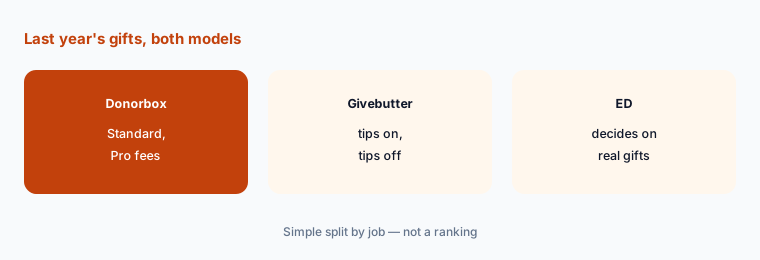
1. Run last year's gifts through both fee models (primary)
What it is: Donorbox's pricing page lists Standard at $0 a month with platform fees between 2.95% and 3.95% depending on the feature (2.95% for donation forms), Pro at $150 a month with a 1.75% donation-form fee, and Premium by contact from 1.6%, each plus Stripe or PayPal processing. Givebutter's pricing page says that with tips on there are 0% platform fees and no processing fees for the nonprofit under the Givebutter Guarantee; with tips off, a flat 3% platform fee plus 2.9% + 30¢ for cards and 1.9% + 30¢ for ACH.
On Donorbox, Pro only saves money above a certain volume: at $150 a month, the drop from 2.95% to 1.75% on form gifts breaks even around $12,500 a month in online gifts, before any yearly discount. Run your real numbers, not this example.
Primary workflow:
Export last year's online gifts as amounts only. Have the finance lead work out what Donorbox Standard, Donorbox Pro, and Givebutter with tips on and off would each have cost on that list before the executive director picks one.
2. A tip prompt at checkout: test it as a donor
What it is: Givebutter's free model depends on donor tips: its pricing page says processing fees donors don't cover are backed by the Givebutter Guarantee, so the nonprofit keeps the full donation when tips are on. Donorbox lets donors cover fees instead, and its pricing page says there are no setup or cancellation fees. Some donors notice a tip prompt and some don't.
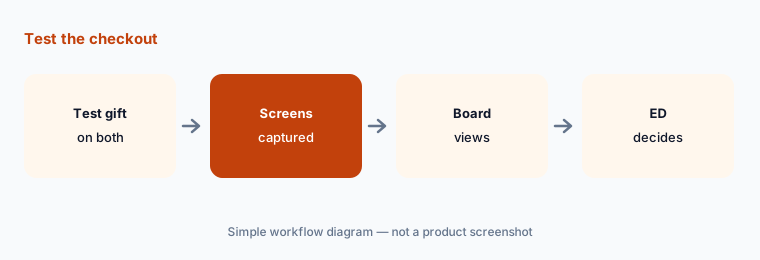
Don't rely on either vendor's description of the other's checkout. Make a test gift on both and look at exactly what a donor sees, including the default amounts.
Make a test gift:
Make a small test gift on a draft Donorbox form and a draft Givebutter campaign from a phone. Have the development lead screenshot both checkout screens before anyone decides.
3. Donorbox Pro vs Givebutter Plus
What it is: Donorbox Pro is $150 a month, with a discount for yearly billing; it adds lower fees, 10 team logins, Zapier and API access, crypto and stock gifts, DAFpay, and Jay·AI (pricing page). Givebutter Plus is priced by contacts: $348 a year billed annually up to 250 contacts, $948 for 1,000, $1,548 for 2,500, with a 30-day commitment-free trial (pricing page). Plus does not change Givebutter's tip model.
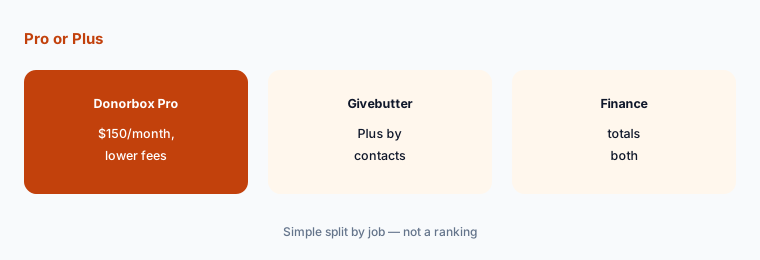
The two paid plans buy different things. Donorbox Pro mostly buys lower per-gift fees and integrations; Givebutter Plus is priced on the size of your contact list. Compare them on your volume and your contact count.
Price on your numbers:
Have the finance lead price Donorbox Pro on your yearly online volume and Givebutter Plus on your contact count, and put both totals in one table for the executive director.
4. Jay·AI: drafts and donor insights in Donorbox
What it is: Donorbox's Jay·AI page says Jay is built into Donorbox CRM and, for Pro and Premium users, the main account. It can draft social media posts, personalized emails, and win-back letters in your brand voice, and give reporting and donor insights from your data. The page cites “3 in 4 nonprofits already using AI”; that is Donorbox's figure.
Drafts written with your donor data in view still need a person to check every name, amount, and claim before they go out.
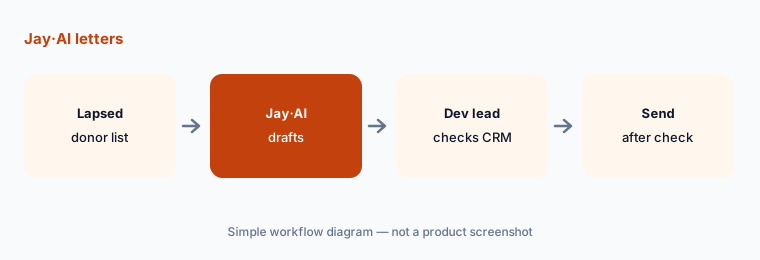
Check every letter:
Ask Jay·AI for five win-back letters. Have the development lead check each one against the donor's CRM notes and gift history before any letter is sent.
5. Givebutter Magic: campaign drafts and contact insights
What it is: Givebutter's Magic page lists a campaign creator that turns your website into a first-draft campaign with a story, branding, and images; suggested amounts and goals based on campaign and Givebutter-wide trends; contact insights and smart filters; and connectors for ChatGPT, Claude, and other AI tools. Our Givebutter AI review covers it in detail.
A campaign drafted from your website repeats whatever your website says, including outdated numbers. Suggested amounts are a starting point; the ask levels are yours.
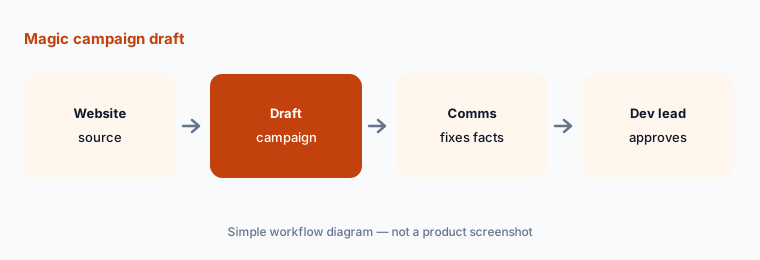
Check the numbers:
Draft one campaign with Givebutter's campaign creator. Have the development lead check every number and suggested amount against your records before the page goes live.
6. Event giving: Live Kiosk vs card reader
What it is: Donorbox's pricing page prices Live Kiosk at $80 a month or $820 a year for the first device on Standard and Pro ($50 a month on Premium), plus $15 a month per extra device, with a 1.75% platform fee plus processing on kiosk gifts. Givebutter's pricing page lists card reader payments among the exceptions to the Givebutter Guarantee, so in-person card gifts don't get the no-fee treatment.
For a nonprofit with two events a year, a kiosk subscription can cost more than the fees it saves. Count your in-person gifts before buying hardware or a subscription.
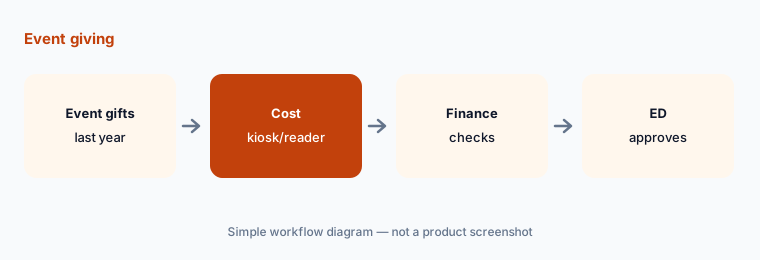
Count event gifts:
Have the operations manager total last year's in-person card gifts, and the finance lead price Donorbox Live Kiosk and Givebutter card reader fees on that total, before buying any event setup.
Pricing context (October 2026)
Donorbox (pricing page, checked 24 October 2026): Standard $0 a month, platform fees between 2.95% and 3.95%, 5 team members; Pro $150 a month with a discount for yearly billing, fees from 1.75%, 10 team members, Jay·AI, Zapier and API, crypto and stock gifts, DAFpay; Premium by contact, fees from 1.6%, 30 team members. Payment processing (Stripe or PayPal) is extra. Live Kiosk $80 a month or $820 a year for the first device ($50 a month on Premium), $15 a month per extra device. Some add-ons such as Text-to-Give cost extra. No setup or cancellation fees.
Givebutter (pricing page, checked 24 October 2026): free with optional tips — 0% platform fee and no processing fees for the nonprofit when tips are on; with tips off, a flat 3% platform fee plus 2.9% + 30¢ for cards and 1.9% + 30¢ for ACH. Givebutter Plus: $348, $948, or $1,548 billed annually for up to 250, 1,000, or 2,500 contacts; monthly billing costs more; 30-day trial.
Uncertainty: We did not test either platform. Fees, plans, and AI features come from vendor pages as read on 24 Oct 2026 and can change. Each vendor's comparison page about the other is marketing; make a test gift on both. Processing rates depend on your Stripe or PayPal account and payment method. Givebutter Magic launched on 1 October 2026 and features may change.
When it’s useful (honest take)
Useful when you are a small nonprofit choosing or switching an online donation platform, your finance lead can run last year's gifts through both fee models, and the development lead checks every AI-drafted email or campaign before supporters see it.
Less useful when you want no fees and no paid tier at all (Zeffy vs Givebutter), you need a full donor CRM first (DonorPerfect vs Bloomerang), or you raise mostly through events and auctions.
Still choosing between Donorbox and Givebutter? The $19 AI toolkit audit gives you a written plan for which tools to keep using and which to drop across your whole AI stack, including this pair.
Prefer to do it yourself? Spreadsheet — $9
Related options (educational)
| Need | Better home | Why |
|---|---|---|
| Platform fee on each gift, AI in the CRM | Donorbox (this page) | Standard $0; Pro $150/month |
| Optional tips, AI campaign drafts | Givebutter AI | Free with tips; Plus from $348/year |
| Optional donor contribution, one free plan | Zeffy vs Givebutter | Compare |
| AI-optimized donation forms | Fundraise Up AI | See review |
| Appeal drafts with no donor data | Gemini for nonprofits | $0 plan |
FAQ
Is Donorbox or Givebutter cheaper?
It depends on your gifts. Donorbox Standard charges 2.95%–3.95% platform fees plus processing; Givebutter charges nothing when tips are on and 3% plus processing when tips are off. Run last year's gift amounts through both before deciding.
What does Donorbox Pro cost compared with Givebutter Plus?
Donorbox Pro is $150 a month with a yearly-billing discount and fees from 1.75%. Givebutter Plus is $348, $948, or $1,548 a year billed annually for up to 250, 1,000, or 2,500 contacts, with a 30-day trial. Prices checked 24 October 2026.
What AI does each one have?
Donorbox has Jay·AI in its CRM and Pro and Premium accounts, for drafting emails, social posts, and win-back letters and for reports and donor insights. Givebutter Magic (1 October 2026) adds a campaign creator, suggested amounts and goals, contact insights, smart filters, and ChatGPT and Claude connectors.
Do donors see a tip prompt?
On Givebutter, tips are part of the free model unless you turn them off and pay 3%. Donorbox lets donors cover fees. Make a test gift on both and look at exactly what donors see.
Who approves outputs?
The finance lead approves the fee math and reconciles payouts; the development lead approves every AI-drafted email, letter, and campaign page; the executive director picks the platform and approves any AI connector.
Optional next step (if seats overlap)
If you pay a donation platform, a CRM, and AI seats that all draft the same appeals, map that overlap before upgrading to a paid tier. Map the overlap with the $19 AI toolkit audit or the $9 AI toolkit spreadsheet. Email Audit $19 or Toolkit spreadsheet $9.
Checkout is live via Stripe. After you pay, we email delivery (spreadsheet) or intake next steps (audit).